Video Chat with a Pro Audio Expert - Live

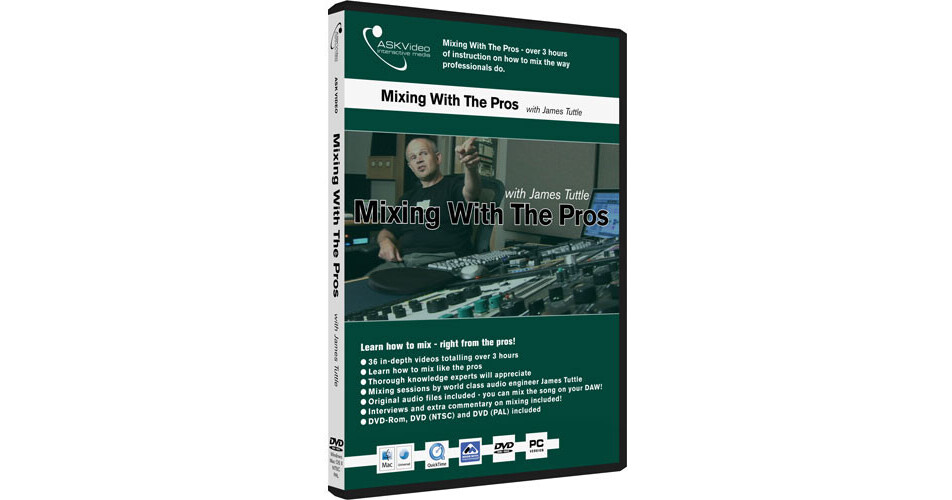
ASK Video Tutorial DVD: Mixing With the Pros (Academic)

BH #ASMWPE • MFR #MWP-ED
Print
ASK Video Tutorial DVD: Mixing With the Pros (Academic)
Key Features
  • 36 Videos
  • Learn How to Mix Like the Pros
  • Over 3 Hours of Content
  • Original Raw Audio Files Included
ASK Video Mixing With the Pros: You've purchased tutorial DVDs to learn how to use your music software. Now learn how to mix - right from the pros.
More Details
Digital
No Longer Available
No Store Display
Ask an Expert
800-952-1815

ASK Video MWP-ED Overview

ASK Video Mixing With the Pros: You've purchased tutorial DVDs to learn how to use your music software. Now learn how to mix - right from the pros.

In this video, James Tuttle will show you how EQs, compressors, limiters, reverbs, delays, amp simulators, automation, and mastering plugins are all used to craft a mix that has clarity, depth, punch, pop, and sizzle. You'll get to see how and when each are introduced and how the entire mix is adjusted continuously as more and more elements are added. You'll begin to see how professional mixers "see" and "hear" a mix as a whole rather than as disparate techniques.

The techniques in this tutorial can be applied to any software or hardware-based effects units. You'll be able to examine the final settings for each and every plugin in the mix and finally understand how those settings are attained. - Not as one-off uses of presets, but as continual adjustments to the various elements of the mix. For once, users can truly see what happens behind the scenes of a mixing session in a professional recording studio.

About the Author: An award winning singer songwriter, John has toured the US extensively and has visited other countries as well. He has released two CDs. John is also an engineer and producer and has worked on hundreds of recording projects. He is currently living and working in Boulder, CO.

DVD-Rom, DVD (NTSC) and DVD (PAL) all in one package
Content
  • Introduction
  • Automation 3
  • Setting up Your DAW
  • Master Effects
  • Drums 1
  • Reference Bounce
  • Drums 2
  • Tweaking the Mix 1
  • Bass
  • Tweaking the Mix 2
  • Adjusting Drums
  • Final Bounce
  • Electric Guitars - example video
  • Drums Comparison
  • Acoustic/Wah Guitars
  • Bass Comparison
  • Keys - example video
  • Electric Guitar Comparison
  • Adjusting the Guitars
  • Acoustic Guitar Comparison
  • Vocals 1
  • Keys Comparison
  • Vocals 2 - example video
  • Vocals Comparison
  • Sound Replacer
  • Master Fader Comparison - example video
  • Adding Effects to the Vocals
  • Compression Plugins 1
  • Editing the Arrangement
  • Compression Plugins 2
  • Adjusting and Adding Reverb
  • Filter/EQ Plugins
  • Automation 1
  • FX Plugins
  • Automation 2
  • Master Plugins
  • ASK Video MWP-ED Specs

    Subject
    Tutorials
    Author
    James Tuttle
    Edition
    First
    Hard/Soft Cover
    DVD
    Pages
  • Over 3 hours
  • System Requirements:
    PC:
    Windows XP Home or Professional
    Intel Pentium or AMD Athlon 800 MHz or faster
    256 MB RAM
    Windows MME or DirectSound Sound Card

    MAC:
    Requires Mac OS X v10.2 or higher
    Power Mac G4 867 MHz
    256 MB RAM
    Sound Card

    This product includes QuickTime 7.x Mac/PC which is required for video playback. DVD-Rom drive required for DVD-Rom and DVD player required for DVD-NTSC and DVD-PAL. Minimum screen resolution for DVD-Rom: 1024 x 768

  • Dimensions
    DVD
    Illustrations
    Yes
    ISBN Number
    Not Specified by Publisher
    Publisher
    ASK Video
    Date Published
    October 2006

    ASK Video MWP-ED Reviews

    See any errors on this page?
    Whatever You Need, We've Got It