Search results for: video tips solution working sliders
About 6 filtered results
by Steven Esposito · Posted
So, you have taken the first steps into the wild world of livestreaming. You’ve gathered the necessary tools, found the right computer for the job, and now you are ready to create interesting content. But you might be wondering how to do the livestreaming part. It can feel a bit overbearing and complicated, but it is actually quite easy. Today we are going to go over how to get started with a world-renowned, free-to-download program called Open Broadcaster

by Zack Young · Posted
While camera gear continues to shed weight, a similar shift has taken place amongst camera crews as well. Mid-range and lower-budget shoots that used to require at least four to eight people now frequently include a crew of just one to three, each with more responsibilities than ever before. The cinematographer often acts as their own grip, gaffer, DIT, loader, and assistant camera, while the director is also an interviewer, producer, hair and makeup, the art department, the audio mixer, and sometimes even the caterer.
While you might feel

by Zack Young · Posted
So you just signed up for another corporate documentary shoot for another tech company at another local high-rise. They don’t want you filming in their super-secret proprietary lab and they’re definitely not flying you to China to see where the products are made, so you’re stuck in a cube farm trying to scrounge up useable b-roll for your interviews. Fear not. With some thoughtful planning and a little bit of ingenuity, you can get enough clips to make your piece shine.
Have I done my prep?
Fortune favors the prepared mind, which is why the

by Rebecca Melville · Posted
When you're a videographer on the move, portability is everything. Whether it's an outdoor action shoot, a multi-location shoot with interviews and b-roll, or a car video that requires riding around a track a few times, the key to building up your videographer kit is a combination of quality, portability, and preparedness. We are going to outline the basics for building your own on-the-go videography kit and suggest some useful products to help you get started.
Choosing a Primary Camera
Depending on your production requirements, the camera you

by Shawn C. Steiner · Posted
Time lapses feel a lot like photography during capture stages and a lot like video during the editing process. Creating them is a common progression for photographers looking to dip their toes into video and motion because you can start making high-quality time lapses with your current still photo equipment. If you are starting to tackle time-lapse projects, applying some video tricks can help smooth out your final product.
The Absolute Basics
I’m hoping that by the time you make it to this article you already have a basic understanding of how
by Shawn C. Steiner · Posted
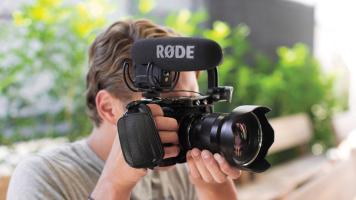
While you can definitely get by with the same kit you use for your still photography, video adds some additional concerns that require extra equipment. Now that you know a few basics about shooting video, or you should if you read the first part of this series, Getting Started, you will definitely want some of these helpful tools to step up your game.
The essentials
An