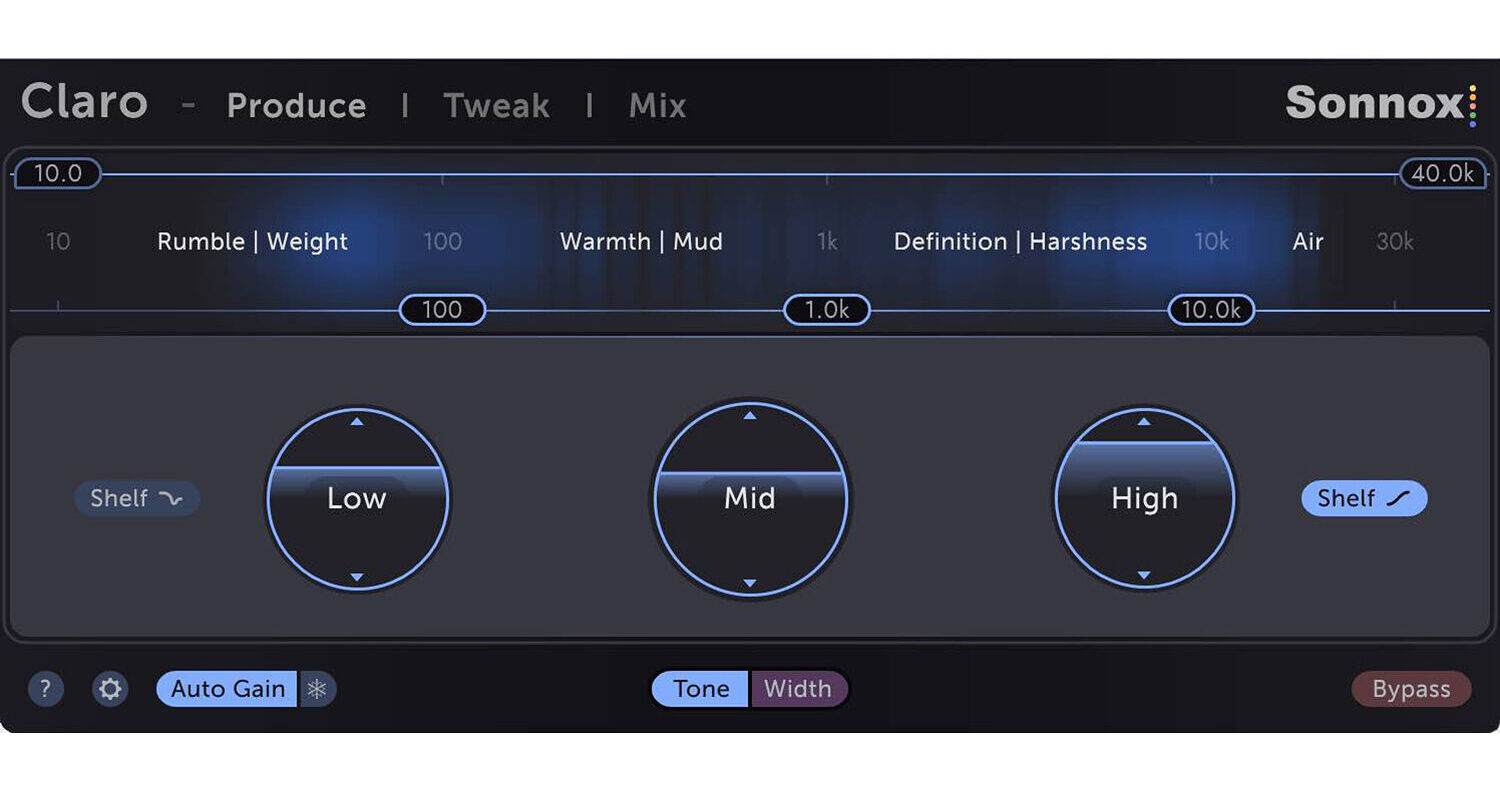
Sonnox makes quite an entry into the world of drag-and-drop EQ plug-ins with Claro, a powerhouse downloadable EQ designed to help you at the producing and mixing stages alike. This EQ has three different views to better suit producing mixes, tweaking sounds, and balancing the overall mix. All of this is accomplished with the smoothness of sound for which Sonnox is known.
In Produce mode, Claro more closely resembles a simple three-band analogue style EQ to help you tweak more quickly and keep your arrangement free from mud. Tweak view opens up the drag-and-drop interface, which brings goodies to the now-classic format such as Pultec-style shelf overshooting for a smoother sound, and relative scaling for easier operation. Finally, the Mix view helps you conceptualize all your tracks at once for easily balancing the mix. The software operates in Mac and Windows formats, and can work in AU, VST3, and AAX formats.
The same goes for the low- and high-cut filters above the energy meter. Just drag the left-hand Low Cut slider to the right to remove low end rumble, or reduce weight and mud.
- The track list
- The Reference Track
- The Working Track EQ slot
- The footer, which contains features specific to Mix view
Any track that shows large or numerous yellow overlap areas is a good candidate to load into the Working EQ slot, so that its tone can be tweaked alongside the Reference Track.
- Decide which track should lead in each frequency range. For example, you might want a lead melody part or vocal to lead in the Body to Presence range
- Set that track as your Reference
- Check the track list for other tracks which show yellow overlaps
- Load one into the Working track EQ slot and tweak both EQs to taste, then load another and repeat