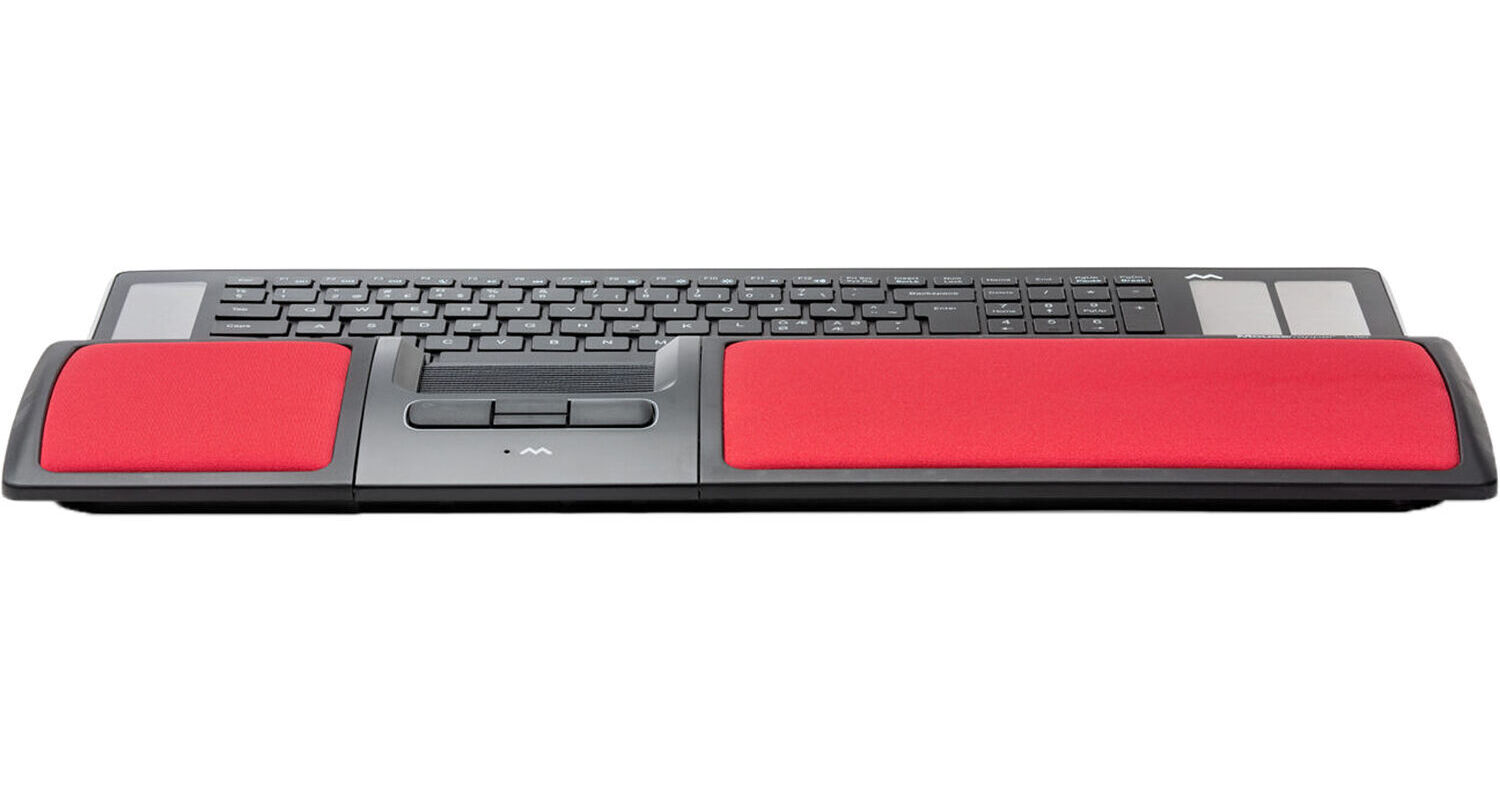
Mousetrapper Lite Control Pad (Red)

BH #MOMT115 • MFR #MT115
Print
Mousetrapper Lite Control Pad (Red)
Key Features
  • 1500 dpi
  • Four Buttons with Scroll Functions
  • Control Pad with Click Function
  • Built-In Wrist Pads
The red Lite Control Pad from Mousetrapper is designed to suit a full-size keyboard and make long hours of computer usage a little less painful with a slim and ergonomic construction. This touchpad accessory is built to be an alternative to a conventional mouse with a resolution of 1500 dpi. Furthermore, the Lite Control Pad houses a total of four buttons, which provide scrolling and auto-scrolling functions. This touchpad also allows for right-clicking, double-clicking, and other click functions.
More Details
No Longer Available
No Store Display
Ask an Expert
800-952-1815

Mousetrapper Lite Overview

The red Lite Control Pad from Mousetrapper is designed to suit a full-size keyboard and make long hours of computer usage a little less painful with a slim and ergonomic construction. This touchpad accessory is built to be an alternative to a conventional mouse with a resolution of 1500 dpi. Furthermore, the Lite Control Pad houses a total of four buttons, which provide scrolling and auto-scrolling functions. This touchpad also allows for right-clicking, double-clicking, and other click functions.

Aside from responsive navigation, the control pad has built-in wrist pads that are designed to ensure comfort while its plug-and-play design allows it to be plugged into an available USB-A port. Moreover, the Lite Control Pad's slim and lightweight design contributes to this accessory's portability. Other features include compatibility with Windows and Mac operating systems as well as an included USB cable to aid your connection needs.

Ergonomically Designed
The Lite Control Pad is meant to be positioned centrally in front of the keyboard, which is designed to encourage an ergonomic typing position with minimized strain. Furthermore, its wide, cushioned wrist supports also relieve discomfort on your neck, shoulders, arms, and wrists.
Multifunctional Control Pad
By placing your index, middle, and ring fingers on the Lite Control Pad, you can control the cursor with simple movements as the roller pad is designed to move smoothly in two dimensions.

Mousetrapper Lite Specs

Key Specs
Sensor Type
Optical
Number of Buttons
4
Sensor Type
Optical
dpi
1500
Scroll Type
Touch
Number of Buttons
4
Mouse Hand Orientation
Ambidextrous
LED Indicator
No
Connectivity
Full-Functionality OS Support
Mac, Windows

Mousetrapper Lite Reviews

See any errors on this page?
Whatever You Need, We've Got It