Pro Audio
- Recently Added
- Popularity
- Name
About 204 filtered results
Posted
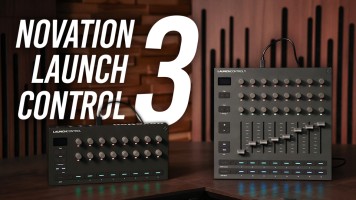
Meet the Novation Launch Control and Launch Control XL 3, a new generation of MIDI controller designed to help you unleash your creativity in the studio or on stage. With seamless integration with all major DAWs, a crisp OLED display, a plethora of physical knobs, buttons and slider and 16 fully customizable modes, the Launch Control 3 series is the perfect companion for music producers from all walks of life. Join Gabe for a quick tour of all the main features of this new breed of Launch Controls!
0:00 - Intro & Demo
2:16 - Quick
by Freddy Gerngross · Posted
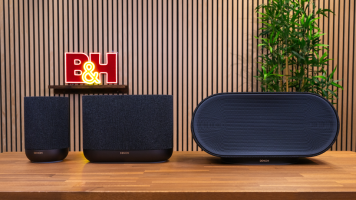
Denon is best known for their professional A/V systems, home theater gear, audio receivers, and turntables, but with the competition in the home-speaker market heating up over the last few years, Denon is looking to redouble their efforts in the home audio marketspace with an impressive refresh of their previous “Home” speaker lineup.
The Denon Home 200,

Posted
Polyend Drums allows you to have a wide range of sound at your fingertips. Learn about this drum machine at Superbooth Berlin 2026!
0:00 - Overview
0:17 - Machine Layout
0:35 - Controls
1:57 - Effects
2:15 - Sample Jam
Posted
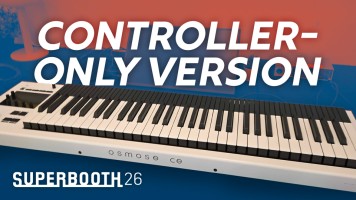
Expressive E's Osmose CE MPE is everything you love about the original, stripped down into a pure controller. Join Gabe at Superbooth Berlin 2026 to learn how it works!
0:00 - Intro
0:32 - About the Expressive E Osmose CE MPE Controller
0:44 - Keyboard & Demo
1:54 - Plug-Ins
2:49 - Osmose CE Jam
4:38 - Final Thoughts

by Freddy Gerngross · Posted
As a new product that caters to an underrepresented segment of the home/portable speaker market, the release of the somehow simultaneously big and small Sonos Play looks to represent the culmination of Sonos’s reconciliatory pilgrimage.
During the development of their new speaker lineup including the Play, Sonos has completely overhauled their mobile app design, seriously improved their tech support, updated

by Freddy Gerngross · Posted
Antelope Audio has made a name for itself with their lineup of modeling USB microphones. The Axino Synergy Core USB mic claims to be able to mimic the sound of expensive and rare legacy microphones including the $17,000 Sony C800G—all while including a built-in USB audio interface along with a bevy of

Posted
DPA Microphones' 4099 is already a beloved instrument mic, so how does the CORE+ version improve on what was already impressive? Andrew and Gabe are joined by Marco Panascia at the Atomic Sound recording studio to put this supercardioid microphone to the test. As always, we will share the final track as well as the raw, unprocessed audio.
0:00 - Overview & Today's Recording Session
1:01 - Demo

by Freddy Gerngross · Posted
Mackie has been a mainstay in the portable speaker market. Their PAs and loudspeakers can be found in rehearsal studios, event spaces, and rental houses throughout the world. This hands-on review will cover the Thump GO and Thumpsub GO as well as the Mackie ProFX10 GO, so let’s get into it.
Mackie Thump GO and ThumpSub GO—Portable Doesn’t Have to Skimp on Power
The Thump Go is in their recent portable lineup of speakers, powered with an internal lithium-ion battery for up to 12 hours of operation in addition to the standard AC ports. It also

Posted
DJ and Producer extraordinaire Laleyna Gomez (a.k.a. Amore Querida) demos the Akai Professional MPC Live III Standalone Music Production Workstation at the Engine Room. Bringing the old-school style of flow into a portable, modern unit, the MPC Live III is a full production studio that does not require a laptop. Laleyna shares how new features--such as the MPCe 3D-sensing pads--allow you to accomplish your

Posted
The Universal Audio Volt 876 USB-C Audio Interface is another one of their products that brings an analog sound to our digital age. Andrew records a track using this eight-channel audio interface, showing you how the various modes can affect your track's sound.
0:00 - About
0:30 - Song Demo - "Cat's Meow"
1:53 - Inputs & Preamps
2:14 - Vintage Mode & 76 Compressor
2:47 - Recording Drums
3:10 - Assitive Auto-Gain

by Zack Young · Posted
While small two-person 2.4 GHz wireless microphone systems are ubiquitous across social media (partly due to the large logos emblazoned across their transmitters), experienced shooters know these systems are prone to occasional dropout, as well as mic capsules that often sound tinny and compressed. For video projects that demand consistent, high-quality audio, professional microphone systems with wider transmission ranges and more robust lavaliers are essential—which is why Saramonic’s new

by Andrew Eisele · Posted
Barefoot Sound is one of the leading manufacturers of pro-audio studio monitors for recording, mixing, and mastering. The company was founded in 2004 by Thomas Barefoot, who started hand crafting monitors out of his garage in San Franscisco, CA. His designs have set the bar for studio monitoring, often blurring the lines of traditional distinctions between nearfield, main, and mastering monitors.
My first experience with Barefoot Sound was at an AES convention, where I was wandering the crowded corridors of music technology vendors. I was

by Jordan Gallant · Posted
With so many content-creator-centered wireless microphones on the market, it can be tricky to figure out which has the best collection of features for your workflow. Often, a smart tack is to consider reputable brands like Saramonic, which has been crafting audio equipment for decades. The newest addition to Sarmonic’s wireless microphone lineup, the

by Trevor Collins · Posted
As an audio writer, engineer, and active musician, I can confidently say that it’s pretty rare to come across a piece of audio gear these days that feels “new.” That is to say, it often feels like it’s all been done, and many products tend to be incremental iterations on an old theme: a resurrected piece of classic hardware, a smaller form factor, slightly higher audio resolutions. So, when the request to review Shure’s interesting new

by Jordan Gallant · Posted
Over the last few years, it seems like every manufacturer with a stake in the audio-for-video sphere has released a beginner-friendly, easy-to-use wireless microphone system. Most of these products arrived with similar form factors, with little emphasis on variation or innovation—until now. Enter Sennheiser and the Profile Wireless System. Not only are you getting all the connectivity you could ever want