Computers
- Recently Added
- Popularity
- Name
About 98 filtered results
Posted
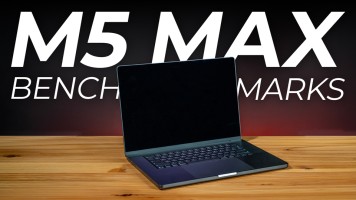
Apple's latest M5 Max chip is simply incredible. Doug tests the export and rendering times for Adobe Premiere Pro, DaVinci, and HandBreak, as well as how those benchmarks compare to the M1 Max.
0:00 - Intro
0:17 - M5 Pro vs. Max
1:13 - Fusion Technology
1:28 - What's Changed?
2:43 - What We're Testing
3:02 - Adobe Premiere Pro
4:06 - DaVinci Resolve
5:01 - AI Video Upscaling
5:43 - HandBreak Encoding
6:25 - Core Utilization & Clock Speeds
7:47 - Doug's Thoughts
Sponsored by

Posted
Doug discusses how the MSI Prestige 14 Flip (featuring Panther Lake and AI+ EVO) can easily switch from business to creation. You're going to flip when you see what this work laptop has to offer!
0:00 - About
0:30 - Key Specs
1:28 - Panther Lake Chips
3:30 - How Does It Handle So Many Tasks?
4:40 - Video Editing Benchmarks
5:16 - Gaming Benchmarks
6:11 - Size, Build, Keyboard, & More
7:28 - Final Thoughts
Sponsored by

Posted
MSI's Mini Desktop Computers can help you accomplish almost any task or activity you desire. Doug shares his various mini PC setups to test how they perform when working from home, recording voice over, gaming, and more.
0:00 - Overview
1:17 - What Specs Set Them Apart from Each Other?
2:24 - Working from Home
2:57 - PC Gaming
6:25 - Recording Voiceover (CUBI N)
7:19 - Home Servers & Cloud Storage
8:56 - Off-Loading Footage
10:14 - Bonus Case
Sponsored by

by Steven Esposito · Posted
OLED panels have become massively popular over the last few years, growing from a niche technology into something more widely adopted by entertainment enthusiasts all over. While it is praised for its vivid colors, wide contrast ratio, and lightning-fast performance, it was seen as a bit heavy on the wallet. Luckily, the price has started to become more standardized across the board, leading people to easily embrace the technology. This brings us to ASUS and their

by Steven Esposito · Posted
Working on a single screen is tough, especially when you’re out on the road. No matter how big your display is, a second screen always helps with multitasking. This is where the Dell Pro 14 Plus portable monitor comes into play. Lightweight and compact, the Dell Pro 14 is a travel-friendly solution designed to help expand your productivity when you’re on the go. Let’s see how it holds up.

Posted
Introducing MX Master 4 Wireless Mouse, Logitech's ultimate tool for productivity and creative flow. Daniel Sigman, Sales Enablement Manager from Logitech, came to the B&H Event Space to talk about how the features of this mouse can maximize your workflow.
0:00 - Intro
1:33 - MX Master 4 features
15:11 - Innovation & longevity
17:19 - Other products from Logitech
21:21 - MX Master 4 multiple device connection
24:22 - Software
27:07 - Logitech MX Creative Console
35:10 - Customer hands on demo
40:35 - Preset buttons on the MX Master 4

by Steven Esposito · Posted
Finding the perfect workstation that can handle everything you throw at it while also maintaining a balance between power and size is tough. A lot of gaming-focused computers have been used for handling lots of projects, but now things have changed. After getting my hands on HP’s ZBook Ultra G1a laptop, I feel very positive that we will see a massive change from here on out, because HP managed to take the most difficult

by Steven Esposito · Posted
When it comes to delivering amazing graphical experiences across the board, no one does it quite like NVIDIA. With the 50 Series of GPUs now fully out into the market, users have plenty of options when it comes to completing their gaming rig with one of the most powerful platforms to date. By leveraging the power of NVIDIA’s Blackwell technology, users can experience greater speed and performance when it comes to gaming. But it can do so much more, and I am here to test it. Taking a special hands-on approach, I will see exactly how NVIDIA is

by Steven Esposito · Posted
I’d classify Elgato as the king of streaming hardware. Nearly everything I use for content creation comes from Elgato. From the first iteration of their game-changing Stream Deck to the accessories they have created, I can only say that I am massively impressed not just by the hardware itself but how easy it is to integrate into your setup. So, let’s take a look at Elgato’s Stream Deck +, USB Hub, and XLR Dock.
Stream Deck +
Let’s start with Elgato’s centerpiece:

by Steven Esposito · Posted
I love a good portable SSD. My desk drawer is filled to the brim with various drives holding a vast assortment of files, games, and other media. But those drives are a bit old, they’re a touch slow, and they take up a lot of room. Fortunately for me, Crucial recently released its capacious new X10 Portable SSD. Not only is this thing fast, but it is the smallest SSD I have ever seen in my life.

by Steven Esposito · Posted
I love BenQ monitors. Over the last several years, I have been buying their brand of gaming monitors because they are long lasting, have great build quality, and match the performance and function that I need. But those are gaming monitors—what about displays for designers and professional users? Well, you’ll be glad to know that BenQ continues to uphold their outstanding quality with the PD3226G.
Sleek and Professional

by Steven Esposito · Posted
Computer cases are essential to your build for obvious reasons, but there are many different aspects that must be accounted for. They must be strong enough to last a few years, have ample room on the inside for your components, and offer a level of breathability so said components work properly. But most of all, they must look aesthetically pleasing. This is where the CORSAIR FRAME 4000D comes into play. Not only

by Steven Esposito · Posted
It can be tough to find a gaming monitor that hits all of my preferred specs. I am constantly measuring resolution and frame rate while searching for a bright and color-accurate panel. It is a tug of war, a constant back-and-forth, compromising one feature for another. In the past I have made many compromises between settings, giving me something that looks and feels good, but not great. This is where LG comes out swinging with the

by Steven Esposito · Posted
Solid state drives are essential for your computer. Not only do they store your information, but they are designed to produce high speeds without compromising capacity or longevity. Whether you are a creative professional or a gaming enthusiast, the latest Samsung 9100 Pro PCIe 5.0 M.2 internal SSD is the epitome of next-generation performance with multiple capacity options out there for your games and projects alike.

by Steven Esposito · Posted
It’s been a long time since I heard the name VAIO. Once tied to Sony, VAIO gained popularity as a brand focused on supporting creative endeavors. It was so popular that Steve Jobs wanted it to run MacOS. VAIO was the first mobile computer to feature a built-in webcam, popularize chicklet-style keyboards, and offer a better overall better screen experience than the competition. Even the name VAIO—Visual Audio Intelligent