• Top Seller

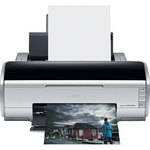
Epson Stylus Photo R2400, Photo Quality, Tabloid Size, Inkjet Printer

Protect Your Purchase

International Pricing Disclaimer
 

What item is right for you?

Ask our Experts!

800.831.2434
Live Chat

Create stunning color and black and white prints with the Epson Stylus Photo R2400. A welcome addition to any photo studio, this revolutionary printer delivers large, archival prints worthy of gallery display. Its professional level ink set, the 8-color Epson UltraChrome K3 inks, includes three levels of black and sets a new standard in fine art photography and black and white prints.

Create Stunning Color and Black & White Prints
The Epson Stylus Photo R2400 includes nine Epson UltraChrome K3 inks (Matte Black & Photo Black are user interchangeable) that easily achieve a wider color gamut and higher Dmax than typical 6-ink photo printers. And with a maximum resolution of 5760 x 1440 optimized dpi, the Epson Stylus Photo R2400 reproduces the most intricate detail.
Achieve Greater Quality and Control
The Epson Stylus Photo R2400 ensures superior midtones, highlights, neutrals and shadow detail with an expanded ink set and offers incredible black-and-white prints with three levels of black ink - Light Black, Light Light Black and Black. It also can optimize each photo, depending on the paper type, with interchangeable photo black and matte black inks.
Print Fade-resistant Photos
Epson UltraChrome K3 inks produce color prints that will last over 75 years while black-and-white prints can last up to 200 years.
Get Creative with Different Paper Types
Three separate paper paths support matte, glossy, canvas, posterboard (up to 1.3mm thick), thick artist papers, and roll paper, and accommodate paper up to 13" wide and panoramics up to 44" long.
Print True BorderFree Photos
The Epson Stylus Photo R2400 creates borderless photos that are ideal for gallery exhibits in seven popular sizes (4 x 6", 5 x 7", 8 x 10", 8.5 x 11", 11 x 14", 12 x 12", 13 x 19") and also can produce borderless panoramic images in sizes up to 13 x 44".
Produce More Prints in Less Time
The Epson Stylus Photo R2400 prints an 11 x 14" photo on matte paper in under 2 minutes and an 8 x 10" in as fast as 72 seconds.
Printing Method
Printing Technology Advanced Micro Piezo pigment ink jet technology, optimized for photo printing
Maximum Resolution 5760 x 1440 optimized dpi
Minimum Ink Droplet Size 3.5 picoliters
Ink Type Epson UltraChrome K3 pigment inks
Ink Palette Cyan
Light Cyan
Magenta
Light Magenta
Yellow
Light Black
Light Light Black
Black (Photo or Matte)
Ink Cartridge Configuration 8 Individual Cartridges (Photo Black & Matte Black Swappable)
Performance
Print Speed 8 x 10" Photo: 1 minute 12 seconds
11 x 14" Photo: 1 minute 47 seconds
Input Buffer 64KB
Printer Duty Cycle Not Specified by Manufacturer
Print Archival Life Color prints over 75 years
Black-and-white prints up to 200 years
Paper Handling
Maximum Paper Width 13"
Maximum Printable Area 13 x 44" (Borderless)
Paper Sizes 4 x 6", 5 x 7", 8 x 10", letter (8.5 x 11"), 11 x 14", 12 x 12", 13 x 19", B (11 x 17"), A3, A4, Super B (13 x 19"), user definable, plus 4", 8.3" and 13" wide panoramic roll papers
Borderless Photo Sizes 4 x 6", 5 x 7", 8 x 10", 8.5 x 11", 11 x 14", 12 x 12", 13 x 19" and panoramics (up to 13 x 44")
Paper Types Premium Glossy Photo Paper, Premium Semigloss Photo Paper, Premium Luster Photo Paper, Enhanced Matte Paper, Matte Paper Heavyweight, Watercolor Paper Radiant White, PremierArt Matte Scrapbook Photo Paper, UltraSmooth Fine Art Paper, Premium Bright White Paper, Double-sided Matte Paper, Velvet Fine Art Paper, plain paper
Maximum Paper Thickness Up to 1.3mm (Using straight paper path)
Paper Capacity 100 sheets (plain paper)
20 sheets (glossy or matte photo paper)
Special Media Support Roll paper (4", 8.3" and 13" wide rolls), canvas, posterboard, thick artist papers
Connectivity
Computer Interface USB 2.0 (High Speed)
IEEE1394 (FireWire)
Compatible Memory Cards No
Direct Print Capable No
Network Capable Yes (With Optional EpsonNet 802.11g Wireless External Print Server)
PostScript Support Yes (with optional or third party RIP)
System & Software Requirements Windows System
  • Pentium III 500 MHz processor (1GHz or higher recommended)
  • Microsoft Windows 2000 or XP installed.
  • 256 MB RAM or more (512MB or more recommended)
  • 200 MB hard disk space (1GB or more recommended)
  • USB 1.1 port (USB 2.0 recommended) or IEEE 1394 port
  • SVGA monitor or better
  • CD-ROM or DVD-ROM drive for software installation

Macintosh System

  • PowerPC G3 233 MHz (PowerPC G4 or later recommended)
  • Mac OS X (10.2.4, or later)
  • 192 MB RAM (256 MB RAM or more recommended)
  • 50 MB hard disc space (1 GB hard disc space or more recommended)
  • Built-in USB 1.1 port (USB 2.0 recommended) or IEEE 1394 port
  • SVGA monitor or better
  • CD-ROM or DVD-ROM drive for software installation
Physical
Status Display Indicator LEDs
Image Preview Display No
Front Panel Controls Power, Paper (load/eject), Ink (check/change), Roll Paper Feed
Power Requirements 120 VAC, 50-60Hz
Dimensions (WxHxD) 24.2 x 12.6 x 9.1" (615 x 321 x 232mm)
trays closed
Weight 26.5 lbs (12.1kg)

REVIEW SNAPSHOT®

by PowerReviews
Epson Stylus Photo R2400 Inkjet Printer
 
4.7

(based on 24 reviews)

Ratings Distribution

  • 5 Stars


    (18)

  • 4 Stars


    (4)

  • 3 Stars


    (2)

  • 2 Stars


    (0)

  • 1 Stars


    (0)

91%

of respondents would recommend this to a friend.

Pros

  • Easy to setup (9)
  • Easy to use (7)
  • Reliable (7)
  • Fast print time (6)
  • Durable construction (5)

Cons

  • Too much ink used (4)

Best Uses

  • Photos (10)
  • Black & white documents (4)
    • Reviewer Profile:
    • Frequent user (7)
    • Primary use:
    • Personal (8), Business (3)

Most Liked Positive Review


Great output once mastered

This is my first photo quality printer and it has exceeded my expectations. Starting out it was a rocky road to an acceptable product, but I found the paper supplied adequate to the task....Read complete review

This is my first photo quality printer and it has exceeded my expectations. Starting out it was a rocky road to an acceptable product, but I found the paper supplied adequate to the task. Once I had Lightroom and Photoshop working correctly with the printer my product improved quickly.

I started out printing two 5x7s on a page to save paper and compare photo settings. As I learned more about the printer I started printing 8x10s. To validate the quality of what I was getting I sent two photos of to Kodak for printing to verify that we were both getting the same results. It was exciting to compare my output with Kodak's and see them as identical. After the Kodak validation, I started printing 13x19 output with great results.

I have used all the paper included with the printer and have not had to replace an ink cartridge yet. I am printing on Epson Paper using their settings for printing controlled by the application.

I am printing wild life and Cityscapes with great results. To date I have not tried the black and white capability.

I would recommend this printer to anyone that wants large scale quality output.

VS

Most Liked Negative Review


Very good but with problems

My initial experience was good, but after a year and a half here is the sum of the current state of affairs. I truly like the color quality with excellent black and white. Just...Read complete review

My initial experience was good, but after a year and a half here is the sum of the current state of affairs. I truly like the color quality with excellent black and white. Just so you know, I am a big Epson fan. I will not mention the design irritations as, the gymnastics required when handling large or heaver paper, or that blue/green print areas often require a separate layer mask to enhance color saturation, or that some saturated reds found in nature are unprintable (out of gamut). After a year and have of service:• Some panels will not close and must be taped• Will occasionally start printing about 2 stops darker than normal• When changing from Photo to Matt black system will indicate that the cartridge is empty when it is not• Occasionally will not recognize / feed paper• Printer profiles are a bit confusing to setup and configure. As I mentioned, I am an Epson fan, but for [$] I expected fewer problems and better ease of use. I will probably try a different printer the next time. Regards

REVIEWS

Reviewed by 24 customers

Sort by

Displaying reviews 1-20

Back to top

Previous | Next »

 
4.0

Great Color Prints

By Hank

from Severna Park, MD

About Me Enthusiast

Verified Buyer

Pros

  • Easy Setup
  • Reliable
  • Sharp Tones & Colors

Cons

  • Too much ink used

Best Uses

  • Everyday images

Comments about Epson Stylus Photo R2400 Inkjet Printer:

I love this printer, the detail and color even on 13 x 19 prints is excellent. It does tend to eat up ink very fast, but that's about all i can say bad about it.

  • Primary use:
  • Personal

Comment on this review

 
5.0

Solid, well built, stunning B&W photos

By taflynt

from Colorado Springs, CO

About Me Professional

Verified Buyer

Pros

  • Easy Setup
  • Easy To Use
  • Fast Print Time
  • Quiet
  • Reliable
  • Sharp Tones & Colors

Cons

    Best Uses

    • Black & White Photos
    • Portraits

    Comments about Epson Stylus Photo R2400 Inkjet Printer:

    My main use of the R2400 is for professional black and white prints after processing through Photoshop Lightroom and CS3. The R2400 is wide for a printer but not when you consider the size paper one can run through it. It is a solid, well built printer that is amazingly quiet and fast in operation. It is not only exceptional for printing balck and white but prints in brilliant color also. The R2400 is well worth the price if you are looking for the best available.

    • Primary use:
    • Personal

    Comment on this review

    (2 of 2 customers found this review helpful)

     
    5.0

    Great output once mastered

    By Jon

    from Jacksonville, FL

    About Me Infrequent User

    Verified Buyer

    Pros

    • Fast Print Time
    • Low Ink Consumption

    Cons

    • Large Footprint
    • Setup challenge

    Best Uses

    • Photos

    Comments about Epson Stylus Photo R2400 Inkjet Printer:

    This is my first photo quality printer and it has exceeded my expectations. Starting out it was a rocky road to an acceptable product, but I found the paper supplied adequate to the task. Once I had Lightroom and Photoshop working correctly with the printer my product improved quickly.

    I started out printing two 5x7s on a page to save paper and compare photo settings. As I learned more about the printer I started printing 8x10s. To validate the quality of what I was getting I sent two photos of to Kodak for printing to verify that we were both getting the same results. It was exciting to compare my output with Kodak's and see them as identical. After the Kodak validation, I started printing 13x19 output with great results.

    I have used all the paper included with the printer and have not had to replace an ink cartridge yet. I am printing on Epson Paper using their settings for printing controlled by the application.

    I am printing wild life and Cityscapes with great results. To date I have not tried the black and white capability.

    I would recommend this printer to anyone that wants large scale quality output.

    • Primary use:
    • Personal

    Comment on this review

    (0 of 1 customers found this review helpful)

     
    5.0

    Very nice color on all prints

    By Nate

    from Gainesville,Fl

    About Me Frequent User

    Verified Buyer

    Pros

    • Compact Design
    • Durable construction
    • Easy Setup
    • Fast Print Time
    • Low Ink Consumption

    Cons

    • Hard To Use

    Best Uses

    • Photos

    Comments about Epson Stylus Photo R2400 Inkjet Printer:

    Make my own prints The color is terrific. Need a good profile software for lightroom.

    • Primary use:
    • Personal

    Comment on this review

     
    5.0

    Fantastic Printer

    By The Minimalist

    from Portland, Oregon

    About Me Frequent User

    Verified Buyer

    Pros

    • Durable construction
    • Easy Setup
    • Easy To Use
    • Fast Print Time
    • Low Ink Consumption
    • Reliable

    Cons

      Best Uses

      • Artwork
      • Black & white Documents
      • Photos

      Comments about Epson Stylus Photo R2400 Inkjet Printer:

      The printer was set up in just a few minutes. I use it to create art prints of my watercolors and they are really vivid. It is fast as well and the two types of black ink for matte or high gloss are really handy. I use it with an Epson scanner.

      • Primary use:
      • Personal

      Comment on this review

      (2 of 2 customers found this review helpful)

       
      3.0

      Very good but with problems

      By Eric

      from Rochester, MN

      About Me Frequent User

      Verified Reviewer

      Pros

      • Black and White

      Cons

      • Flimsy Construction
      • Jams Easily
      • Large Footprint
      • Too much ink used

      Best Uses

      • Photos

      Comments about Epson Stylus Photo R2400 Inkjet Printer:

      My initial experience was good, but after a year and a half here is the sum of the current state of affairs. I truly like the color quality with excellent black and white. Just so you know, I am a big Epson fan. I will not mention the design irritations as, the gymnastics required when handling large or heaver paper, or that blue/green print areas often require a separate layer mask to enhance color saturation, or that some saturated reds found in nature are unprintable (out of gamut). After a year and have of service:• Some panels will not close and must be taped• Will occasionally start printing about 2 stops darker than normal• When changing from Photo to Matt black system will indicate that the cartridge is empty when it is not• Occasionally will not recognize / feed paper• Printer profiles are a bit confusing to setup and configure. As I mentioned, I am an Epson fan, but for [$] I expected fewer problems and better ease of use. I will probably try a different printer the next time. Regards

      • Primary use:
      • Business

      Comment on this review

       
      3.0

      Beautiful Prints, But ink cart too small

      By lb

      from Lake Placid, FL

      About Me Frequent User

      Verified Reviewer

      Pros

      • Compact Design
      • Easy Setup
      • Easy To Use

      Cons

      • Too much ink used

      Best Uses

      • Photos

      Comments about Epson Stylus Photo R2400 Inkjet Printer:

      2400 puts out beautiful prints (5 Stars), however i'm always replacing cartridges, always slowing down workflow! The cartridges are only 4mL! Thought about using Media Street continuous flow, but that voids warranty. I'm looking to upgrade very soon...only b/c small cartridge size.

      Comment on this review

       
      4.0

      Tough To Beat

      By Captain G

      from St. Thomas, USVI

      About Me Heavy Duty User

      Verified Buyer

      Pros

      • Durable construction
      • Easy Setup
      • Reliable

      Cons

      • Complicated settings
      • Needs another black ink

      Best Uses

      • Black & white Documents
      • Photos

      Comments about Epson Stylus Photo R2400 Inkjet Printer:

      In response to requests to sell my photos in gift shops and an art gallery, I needed a larger than 8 x 10 output printer with superior reproduction on archival paper. I've owned Epson (currently an R800), HP and and used Canon's large format machine many times. I bought the R2400 and usually have to fight off the swoon as the print leaves the printer. The colors are rich and satisfying on the ultra premium presentation matte stock. The machine is quiet and fast enough for my needs. It is almost silent and I've not had a paper jam in over 100 pages. I wish there was an additional ink slot for the "other" black ink, but I gang the mattes to minimize the ink changing. The settings are abundant, insuring accurate output but mastering the details and combinations of settings takes some time. Epson's paper profiles are great.
      I'm delighted to have it... eager to see the next print hit the tray.

      • Primary use:
      • Business

      Comment on this review

      (1 of 1 customers found this review helpful)

       
      5.0

      I would strongly recommend this product

      By Tom

      from Fair Lawn, New Jersey

      About Me Frequent User

      Verified Buyer

      Pros

      • Durable construction
      • Easy Setup
      • Easy To Use
      • Fast Print Time
      • Reliable

      Cons

      • None so far

      Best Uses

      • Black & white Documents
      • Graphics & Charts
      • Photos

      Comments about Epson Stylus Photo R2400 Inkjet Printer:

      I was primarily interested in black and white printing and I was quite pleased with the results. The printer is very esay to set up and to use. I especially liked the free filters that can be downloaded during the installation. They allow even greater control over print tonality. This is an outstanding printer and I would strongly refcommend it to anyone concerned about high quality black and white digital photography.

      • Primary use:
      • Personal

      Comment on this review

      (1 of 1 customers found this review helpful)

       
      5.0

      Justified reputation

      By Bill

      from Lake Forest, IL

      About Me Frequent User

      Verified Buyer

      Pros

      • Easy To Use
      • Fast Print Time
      • Reliable

      Cons

      • Flimsy Construction
      • Too much ink used

      Best Uses

      • Photos

      Comments about Epson Stylus Photo R2400 Inkjet Printer:

      I use the printer for both B&W and color printing. I'm amazed by the vivid quality of the monochrome images. The color is also impressive, but I don't think much more so than the R800. The ability to print at high speed is new and very welcome. There is no fall off in quality of output at this speed. I wish the output tray would open more easily. Its quality is chintzy.

      • Primary use:
      • Personal

      Comment on this review

      (1 of 1 customers found this review helpful)

       
      4.0

      Great printer

      By Johnkats

      from Austin, TX

      About Me Frequent User

      Verified Buyer

      Pros

      • Easy Setup
      • Easy To Use

      Cons

      • None at this time

      Best Uses

      • Photos

      Comments about Epson Stylus Photo R2400 Inkjet Printer:

      Set the printer up and produced good quailty images almost immediately. While the printer has the capabilities to tweak, the out of the box setting did a great job.

      • Primary use:
      • Personal

      Comment on this review

      (1 of 1 customers found this review helpful)

       
      5.0

      finest printer for the money

      By SOMERSET GARDNER

      from THORNHUIRST, PENNSYLVANNIA

      About Me Heavy Duty User

      Pros

      • Durable construction
      • Easy Setup
      • Easy To Use
      • Reliable

      Cons

        Best Uses

        • Black & white Documents
        • Photos

        Comments about Epson Stylus Photo R2400 Inkjet Printer:

        I am a professional fine art photographer and require an exceptionally precise quality of image-the Epson R2400 produces almost "mystically, to speak metaphorically, the exact image with exceptional integrity which frames my creative vision. Mechanical dependability--ease of operation and no "glitches" to speak of contribute to my opinion concerning this excellant instrument.

        Having trained 40 years ago in intense dark room technique I have turned a critical eye to digital printing and I can enthusiastically recommend
        this affordable and high quality tool.WORKMANSHIP OF CONSTRUCTION IS ALSO A PLUS- NOT FLIMSY-INK QUALITY PHENOMINAL.

        • Primary use:
        • Business

        Comment on this review

        (3 of 3 customers found this review helpful)

         
        4.0

        I finally have total control over my photo printing!

        By Michael

        from North Jersey

        Comments about Epson Stylus Photo R2400 Inkjet Printer:

        I've been using this printer for just a couple of weeks, and it has changed the way I approach working in the digital darkroom. Thanks to the custom ICC profiles I've loaded into the printer, I can now print color and black and white the way I see these photos in my mind's eye. I don't have to rely upon another person's judgment (and pray for the best that I get the results I want).The printer is easy to use right out of the box, and I found the software easy to install on my Windows XP home computer. The instruction booklet is straightforward and not loaded with jargon. It's easy to understand.One caveat: I would URGE users to calibrate their monitors in conjunction with this printer. Other reviewers on this forum have said the canned ICC profiles included with the printer are sufficient, but having a custom ICC profile(s) eliminates guesswork and the potential for disappointment. For the record, I use the Spyder 2 Suite and have gotten good results, but this is my preference. Any good calibrator will do. And you'll be happy you did.All in all, a great printer thus far, notwithstanding the high cost of the ink and the rapidity with which it is depleted.

        Expertise: Budding pro

        Problems Encountered: Not a problem per se, but the ink cartridges are quite expensive, and their small capacity drives this point home every time you purchase another 9-cartridge set (now $104 and change, as of Oct. 3, 2007).

        Comment on this review

        (3 of 3 customers found this review helpful)

         
        5.0

        Black & White Prints to Die For!

        By Mr. Rutgers

        from NJ

        Comments about Epson Stylus Photo R2400 Inkjet Printer:

        I must admit I was more then a little skeptical about purchasing a printer for less then $1000 to reproduce photos Ive been selling for years. After some prodding by friends, I purchased the R2400 from B&H. This has turned out to be one of the best decisions Ive made in awhile. 90% of all my work is B&W and to find a Photoshop with some idea of the gray tone scale was far and few between. The R2400 not only gives me the same clarity and sharpness I was getting at the photo lab but, I no longer have to worry that some of the gray tones look as if they want to jump off the sheet. Bottom line is that I turn out great B&W photos at a reduce cost with my Photoshop Software, my sales are still strong, and the money I will save driving into NYC from Jersey will pay for the printer!

        Expertise: Photo Collectibles

        Previous Equivalent Item Owned: IBM 1552

        Items I Recommend: Epson paper for K3 inks

        Comment on this review

        (4 of 4 customers found this review helpful)

         
        5.0

        Great Value For The Money

        By Canon Shooter

        from USA

        Comments about Epson Stylus Photo R2400 Inkjet Printer:

        I do a lot of black and white prints and this printer does a fantastic job with its Advanced Black and White drivers, saving the expense of some pricey RIP software. Color prints are outstanding when you calibrate your monitor and your printer. I find my prints to be absolutely stunning with Epson K3 inks on Ilford Pearl paper (be sure to use paper made for pigment inks). If you don't use a custom .icc file, there are plenty that come with the printer so that you can find something that is suitable and workable for printing snapshots of the kids and such.Overall I would judge this to be an entry-level professional printer. I've only been using it for a year, so I'm not really sure what the duty cycle will turn out to be, but in that year I've made thousands of prints from 4X6 to 13X19. So far I have no real issues with it.

        Problems Encountered: It's not really a problem, but simply a statement of fact; you have to calibrate your system to get truly accurate color. If you choose one of the canned .icc files you may get something close to the real colors, but you can nail it with a custom .icc file. One nit... The Advanced Black and White driver defaults to Dark rather than Normal so you have to change that property every time you print a black and white photo.As another reviewer said, the cartridges are small and expensive (they could give you the printer and still make a fortune selling ink). I am investigating a reservior system that would replace the cartridges in the printer.

        Previous Equivalent Items Owned: Various Epson and HP photo printers

        Items I Recommend: PrintFix Pro 2.0. Calibrate your system for best results!

        Comment on this review

        (3 of 3 customers found this review helpful)

         
        5.0

        Epson R2400 Closes My black & White Lab Forecer

        By James Garrahan

        from San Francisco Cal

        Comments about Epson Stylus Photo R2400 Inkjet Printer:

        I was going to buy the 3800 and leave all the restrictions of my 2200 dealing with black & white behind. Then I heard that the 2400 uses the same technology as the 3800m and so I bout it.Wow, I have to say that the first print brought tears to my eyes. It was just superb in every way. Finally I can transfer color digital into black and white, and get a nice range of gray tones that contribute to stunning gallery quality prints. What a great printer !!!!!!

        Problems Encountered: None

        Previous Equivalent Items Owned: Epson 2200

        Items I Recommend: Lustre Paper

        Comment on this review

        (3 of 3 customers found this review helpful)

         
        5.0

        Rather Surprising Inkjet Printer

        By Steve

        from USA

        Comments about Epson Stylus Photo R2400 Inkjet Printer:

        It actually prints photographs with remarkable similarity tochemical prints. The installation manual is not completely clear in how thick sheet paper should be front-loaded and then printed. The secret is to realize that there can be a curl in very thick sheet paper that keeps it from sliding through the front load slot during initial insertion by hand, also to be sure that manual front feed is selected even if the printer driver screams otherwise. Check for clogged print nozzles and clean them before a software chase if coloration issues arise. The resultant color, monochrome tonality, and resolution of this printer are really amazing in addition to the short printing time and the utter lack of striations from the physically oscillating printhead. The printer drivers install easily and the computer connection is simple. There is no substitute for watching image formation in a chemical developer tray but this printer has a performance that certainly fosters a respect for digital photography.

        Problems Encountered: Jamming of thick fine art sheets during inital hand feed through front slot of printer.Confusion about selection of manual load during print operation.

        Previous Equivalent Items Owned: Cheap color ink jet printer.

        Items I Recommend: Thick fine art sheet stock.

        Comment on this review

        (0 of 1 customers found this review helpful)

         
        5.0

        Love this printer

        By John

        from New Haven, CT

        Comments about Epson Stylus Photo R2400 Inkjet Printer:

        I upgraded to this printer from a dye-based Canon (which Istill have) primarily for B&W capabilities. This printermeets or exceeds ALL my expectations

        Comment on this review

         
        5.0

        Great Printer

        By Javier Alonso

        from San Diego, CA

        Comments about Epson Stylus Photo R2400 Inkjet Printer:

        This is an excellent printer colors are brilliant and sharp. While B & W prints are Black and White with no manipulation in the computer. Great Value for your money.

        Problems Encountered: I have a little trouble downloading the optional software in my PC.

        Previous Equivalent Items Owned: EPSON 2200

        Comment on this review

        (2 of 2 customers found this review helpful)

         
        5.0

        Worth the Upgrade

        By Focused

        from Washington, D.C.

        Comments about Epson Stylus Photo R2400 Inkjet Printer:

        I'm a professional photographer in Washington, D.C., doingmostly event and documentary photography. I also run adigital imaging lab at a small museum on Capital Hill. Ihave tried most of the early Epsons (1270, 1280, 2200, R300,etc) and could never get a print that I was comfortableenough to sell or put on exhibit for long periods of time. The R2400 changed that. The monochrome printing isoutstanding (and the color is second to none). I have noqualms about charging good money for my prints because I amconfident that they will stand up over time with proper careand handling. I had a hard time deciding whether or not it was worth themoney to upgrade from the 2200, but once I actually saw thetest prints at my local camera shop, any doubts that I hadwere gone. I would not have upgraded over the quality ofthe color prints (although they are better), but themonochrome printing capabilities made it well worth it. Ialso had a hard time deciding whether or not I should by theR1800 because I heard that it did a nicer job with colorprints, however the Epson Rep that I spoke to showed me theprint gamut of both printers and we did a side-by-sidecomparison. The R2400 did a nicer job with color.Also, I own the HP Designjet 130 and the prints arebeautiful on that printer, but you need a RIP to get themost out of the printer, and the archival paper options arelimited. I prefer using the R2400 for any print that is upto 13X19. I'm anxious to see Epson's next offerings tosee if they come out with larger ink cartridges. And if Iwere to get another large format inkjet, I would go withEpson over the HP designjet.This printer makes printing fun again....

        Problems Encountered: The only issue that I have with this printer is thepanoramic printing -- it cuts off at 44 without using RIPsoftware. I probably will end up getting a RIP, which isn'tcheap, to do larger panoramic prints.

        Previous Equivalent Items Owned: several Epsons, and HP's

        Items I Recommend: Epson papers, but also experiment with some of the higher end fine art media.

        Comment on this review

        Displaying reviews 1-20

        Back to top

        Previous | Next »

        Ink Cartridges

        Epson -  Set of Nine Ink Cartridges
        • Price: $118.50
        • GBP 74.90
         
        Epson -  UltraChrome Cyan Ink Cartridge
        • Price: $17.99
        • Add to cart for price
        • GBP 11.37
         

        Photo Paper

        Epson -  Glossy Photo Paper Borderless - 4x6" - 50 Sheets
        • Price: $5.95
        • GBP 3.76
         

        Protective Pages/Albums

        Pioneer Photo Albums -  Flexible Cover Album - Holds 36 Photos
        • Price: $0.99
        • GBP 0.63
         

        Surge Protectors

        General Brand -  Power Strip - Plastic - 6 Outlets
        • Price: $6.50
        • GBP 4.11
         

        What's in the Box

        Epson Stylus Photo R2400, Photo Quality, Tabloid Size, Inkjet Printer
        • 1 Set of Ink Cartridges
          • Cyan Ink Cartridge (T059220)
          • Magenta Ink Cartridge (T059320)
          • Yellow Ink Cartridge (T059420)
          • Light Cyan Ink Cartridge (T059520)
          • Light Magenta Ink Cartridge (T059620)
          • Photo Black Ink Cartridge (T059120)
          • Matte Black Ink Cartridge (T059820)
          • Light Black Ink Cartridge (T059720)
          • Light Light Black Ink Cartridge (T059920)
        • IEEE/FireWire Cable
        • Roll Paper Holder Accessory
        • Matte Sheet Support
        • Single Sheet Guide
        • Software CD-ROM (Printer drivers, Epson Raw Print (Windows only), nik Color Efex Pro 2.0 (4 sample filters downloadable from nik multimedia, Inc.))
        • Printer Documentation
        • 1-Year Limited Warranty including Epson Exchange program (U.S. and Canada)
         
         
        See any errors on this page? Let us know.

        Close

        Close