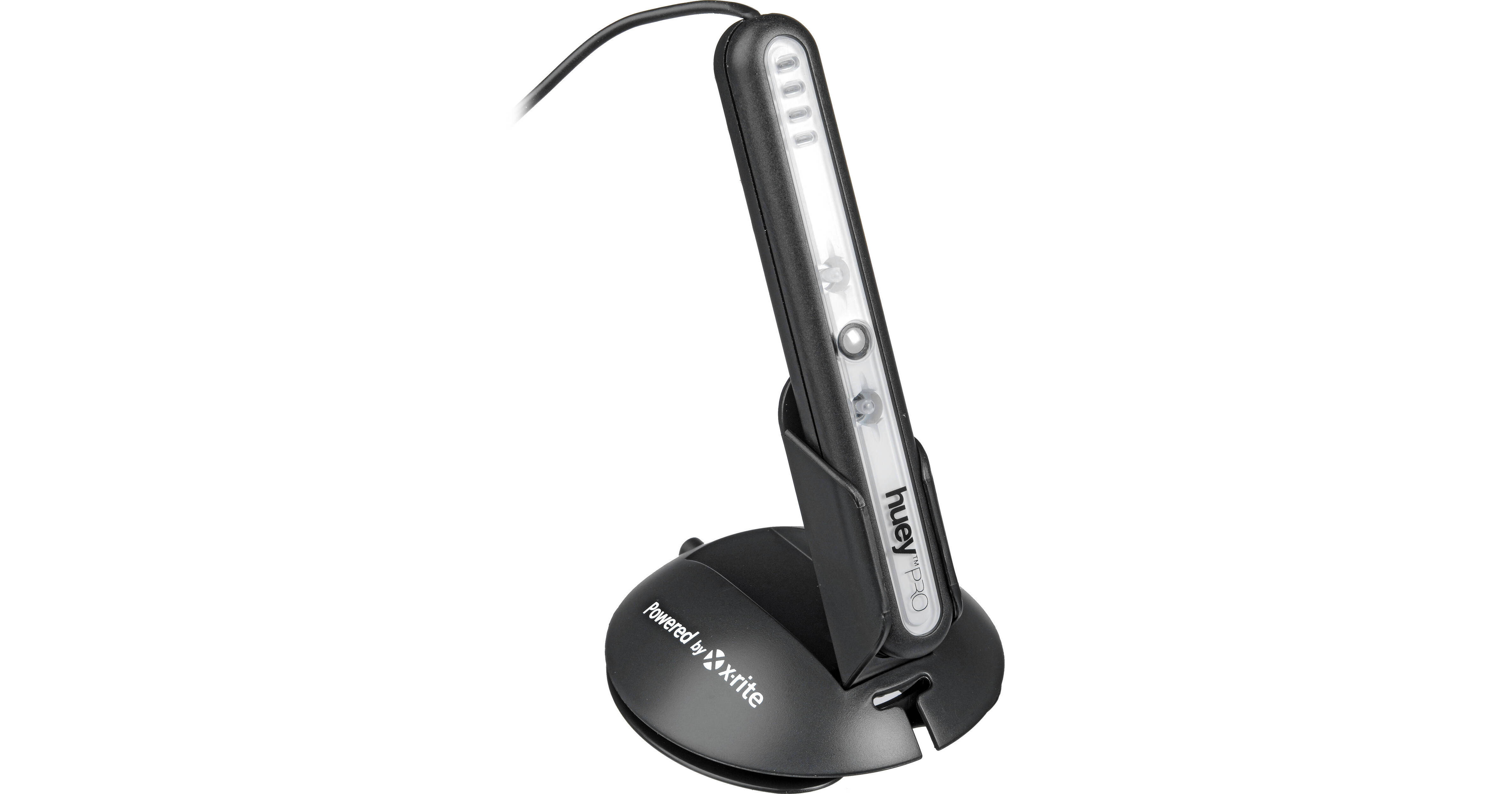
Designed for calibrating and profiling all types of monitors (LCD and CRT), The Pantone HueyPRO Colorimeter includes ambient measurement capabilities, and software for monitor calibration. HueyPRO corrects the color on your monitor so photos and designs print more accurately, game graphics are more intense and movies are more true-to-life. Plus. the HueyPRO adds additional color patches to the calibration process for improved precision and accuracy over the original Huey.
Easy-to-use right out of the box, the HueyPRO adapts your monitor for changing room lighting and applies your personal preferences for viewing accurate color all of the time. The HueyPRO supports multiple monitor calibration to achieve color fidelity between all displays on your system and ensure accurate onscreen representation on all of your displays with User-defined Whitepoint and Gamma targeting. There is also an Advanced Help Feature that walks you through the calibration process. With detailed explanation into color science and calibration, as well as output options, the HueyPRO gives you the choice of a quick and easy color correction or an in-depth understanding of the science behind it.
| System Requirements |
CRT or LCD Monitor Windows 2000, XP, Vista, or 7 (32- or 64-bit modes); Mac OS X 10.3 or higher USB Port |
REVIEW SNAPSHOT®
by PowerReviewsPros
Cons
Best Uses
Most Liked Positive Review
It's a good tool
I've been using it for about 6 months. Calibration is easy and the monitor looks much better once it is calibrated. I've been sending prints out to various places and have had varying results....Read complete review
I've been using it for about 6 months. Calibration is easy and the monitor looks much better once it is calibrated. I've been sending prints out to various places and have had varying results. Recently, I got a Canon Pixma Pro 9000 so I can do my own prints. Using sRGB output and Canon inks, paper, and ICC profiles, I get prints very close to the monitor rendition. It isn't perfect, but it's very good. Definitely worth the money.
One nit: the suction cups don't stick to my LCD screen that well, so I hold it in place during calibration.
VS
Most Liked Negative Review
Relatively cheap for a reason
If this product sounds too good to be true for the price point, that's because it is. There's hardly anything "pro" about this; it would be underwhelming even if described as being...Read complete review
If this product sounds too good to be true for the price point, that's because it is. There's hardly anything "pro" about this; it would be underwhelming even if described as being primarily for hobbyists and consumers. Like many other people have noted, this product turns your screen pink. And in my case, it did much worse: it effected the gamma to a point where everything had a bleached out quality. I, and several others, strongly advise against this product and please heed my advice.
I have done my research, I have done everything correctly, and I have found forums and reviews were literally dozens of people have had the exact same problem. This product should be recalled. I know it has forever tarnished my view of Pantone and I'll never buy any of their products again. I will be returning this immediately and looking into better reviewed similar products.
Reviewed by 60 customers
Sort by
Displaying reviews 1-20
Previous | Next »
Pros
Cons
Best Uses
Comments about Pantone HueyPRO Colorimeter:
I found the HueyPRO did a better job of calibrating my LCD monitors than I could do by eye, but while it performed well with common colours it was way off with saturated colours (reds in particular). It was also hopeless when it came to setting luminosity. I've now purchased an i1 Display Pro and it's doing an infinitely superior job.
Pros
Cons
Best Uses
Comments about Pantone HueyPRO Colorimeter:
Finally! I can get all my prints to come out right the first time.
Pros
Cons
Best Uses
Comments about Pantone HueyPRO Colorimeter:
I have 2 monitors each from a different manufacture, I've had problems with getting the color and contrast in sync, with the HueyPRO system, they now look the same. Very pleased with the results!
Pros
Cons
Best Uses
Comments about Pantone HueyPRO Colorimeter:
I use this colorimeter for about a year now on my MacBook Pro with the anti-glare screen, running Snow Leopard. Because of the calibration and the resulting monitor profile, I'm getting much more accurate color. What I see on screen is very close to what comes out in print. This builds my confidence about my photography and let's me enjoy it more.
The ambient light correction is useful also, as it adjusts your screen automatically if the Huey is connected, for best monitor output. This helps post-processing photos in different lighting conditions during various times of day and evening.
For best results, I didn't adjust contrast on my monitor during calibration, as on MacBook Pro this always seems to have a negative impact on the result. This is because I can only make the contrast harsher on the MacBook Pro screen. By default the screen is left on minimum contrast and it appears to be the best. Note however, that even on that minimum contrast setting, I see all the shades in the test pattern that the calibration requires before measuring the color and contrast using Huey, so I don't really need to make any contrast adjustments.
Pros
Cons
Best Uses
Comments about Pantone HueyPRO Colorimeter:
I'm a professional photographer, and I needed a consistent solution to calibrate my computers (both mac and pc). There is no restrictions on how many devices you can use it on, which was a big attraction for me. Xrite powers this little guy, so I know it is top notch. I also work in variable lighting conditions, and the room light monitor function has helped me gain constant results throughout the day.
The price is remarkable for what it is. I would have expected it to be $300 plus.
My only complaint is that I didn't purchase it sooner.
Pros
Cons
Best Uses
Comments about Pantone HueyPRO Colorimeter:
Excellent product. Love how it checks ambient light and adjusts monitor for changing room light. Needs better instructions for calibration. Customer service had to download a better diagram for calibration. Instructions need an overhaul to come up to the quality of the product. Once calibrated, it automatically works on its own.
Pros
Cons
Best Uses
Comments about Pantone HueyPRO Colorimeter:
It's a decent enough colorimeter if your on a tight budget that will improve the color neutrality of an LCD and is by far better than trying to calibrate an LCD display by eye. Unfortunately it leaves the black point and luminance adjustment for you to do manually using targets that are often problematic for an LCD's OSD contrast and brightness settings to properly reach. It would've been nice for the software to do these adjustments through the colorimeter to reach optimal levels.
But in the end I really wish I had just put the money I spent on the HueyPro towards the Lacie Blueeye Pro or the Xrite's Eye One Display 2 which are both far more accurate and feature rich.
My lesson: If you've got the money don't cheap out to save a buck, just invest in the best solution you can afford, you'll save money in the long run.
Pros
Cons
Best Uses
Comments about Pantone HueyPRO Colorimeter:
My friends have urged me to obtain a monitor calibrator as my online photos appear too saturated or otherwise off a bit. Also, when I send my photos to an outside photo lab it takes multiple attempts to get the same look as what I have seen on my monitor when working them up in PS CS 5. Either they come back too dark or the colors are really off. Finally, I spend a modest amount and believe those issues will be much improved. Now I use it when working up pics and it will be in my bag on the next photo trip.
Pros
Cons
Best Uses
Comments about Pantone HueyPRO Colorimeter:
Having ordered several prints from a few different labs, and getting mixed results, I bought this item, mostly because it supports multiple monitors. It has worked beautifuly! And portable enough that I can carry it in my laptop bag.
Pros
Cons
Best Uses
Comments about Pantone HueyPRO Colorimeter:
Having 2 monitors side by side that give you the same colors and tones is huge when editing photos and making sure they come out right. This product has helped with several issues we've experienced in the past with monitors that were not calibrated. Worth the money!
Pros
Cons
Best Uses
Comments about Pantone HueyPRO Colorimeter:
I set it up to calibrate two monitors and it is nice to see the consistency between them. It works!
Pros
Cons
Best Uses
Comments about Pantone HueyPRO Colorimeter:
As a graphic designer dealing with account executives can be a... task and clients just could not understand that the on screen images WOULD be darker. Daily they would complain about the variance of color from print to screen, this product dramatically reduced that variance. What a relief. Now my only problem is stopping myself from designing lighter to compensate!
Pros
Cons
Best Uses
Comments about Pantone HueyPRO Colorimeter:
The software and device are very easy to use. It is small and doesn't take up much space. I wouldn't purchase it if you have a laptop that doesn't allow you to adjust brightness/contrast/saturation manually.
Pros
Cons
Best Uses
Comments about Pantone HueyPRO Colorimeter:
for basic color profiling the device works well,usb cable light,be careful with it..
Pros
Cons
Best Uses
Comments about Pantone HueyPRO Colorimeter:
for set up of colors for photo editing.Great basic colorimeter,simple and fast seems accurate...No luminance settings but it is affordable..
Pros
Cons
Best Uses
Comments about Pantone HueyPRO Colorimeter:
Easy to use simple and straight forward! Does what it is suppose to with great results. I saw other comments before I purchased this that said it wouldnt work with windows 7, My version had it already updated and I was able to calibrate all of my Screens all on different OS, XP, Vista and windows 7 with no problems!
Pros
Cons
Best Uses
Comments about Pantone HueyPRO Colorimeter:
Very easy to use though does take up space on your desk.
Pros
Cons
Best Uses
Comments about Pantone HueyPRO Colorimeter:
I calibrated two different monitors (a Dell IPS panel, and a Samsung TN panel) attached to two different video cards (NVIDIA 7600GS and an ATI Radeon HD 5770) on the same system. Huey Pro calibrated both to the same values.
Easier to use than Spyder 2 Express with similar results.
The USB cable is thin, so be careful of snagging it or kinking it. The construction of the Huey itself feels a bit delicate - not as robust as a Spyder.
Pros
Cons
Best Uses
Comments about Pantone HueyPRO Colorimeter:
Easy calibration device
Pros
Cons
Best Uses
Comments about Pantone HueyPRO Colorimeter:
Simple, easy to use and does what the Colormunki didn't do; calibrate my monitor without any hassle.It's small and sits beside the monitor where it assesses the ambient light and adjusts the monitor with any changes. I have the Huey Pro built in on my laptop and was so pleased with the results there that I decided to get this one for my desktop. I do a lot of photo editing so this little instrument does all I could ask for colour consistency.
Displaying reviews 1-20
Previous | Next »