We are not accepting orders at this time. Online ordering will resume Monday, May 28th at 9:45PM EDT. Our SuperStore and offices are currently closed and will reopen on Tuesday, May 29th at 9:00AM EDT.
We apologize for any inconvenience and appreciate your patronage.
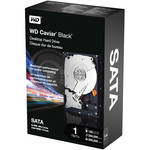
The 1TB Caviar Black 3.5" Internal SATA Hard Drive for Desktops from Western Digital is a high-capacity internal drive. Boasting a Serial ATA interface that allows for burst transfer rates of up to 300MB/sec, a large 32MB data buffer, and a rotation speed of 7200rpm, this drive is an excellent solution for adding storage capacity to your desktop workstation.
| Heading | |
|---|---|
| Capacity | 1TB |
| Type | 3.5" Internal |
| Interface Protocol | SATA 3Gbs |
| Connection | SATA |
| Drive Speed | 7200rpm |
| Buffer | 32MB |
| Performance | |
|---|---|
| Average Seek Time | Not Specified by Manufacturer |
| Latency Average | 4.2ms |
| Transfer Rate | 145MB/sec |
| Drivers | |
|---|---|
| Supported | Not Required |
| Included | Not Required |
| System Requirements | |
|---|---|
| Mac | Mac OS X |
| Windows | Windows 2000, XP, Vista |
| Hardware | Serial ATA 3Gbs Controller Card |
| General | |
|---|---|
| Power Requirements |
12VDC, 490mA, 8.4W 5VDC, 500mA, 8.4W |
| Environmental Requirements |
Operating Temperature: 32-140°F (0-60°C) Humidity: 5-95%, non-condensing Shock (2ms, read): 30G Shock (2ms, read/write): 65G Storage Temperature: -40-158°F (-40-70°F) Humidity: 5-95%, non-condensing Shock (1ms): 250G |
| Dimensions (WxHxD) | 4 x 1 x 5.8" (10.2 x 2.6 x 14.7cm) |
| Weight | 1.5 lb (0.69kg) |
| Packaging | Retail Kit |
REVIEW SNAPSHOT®
by PowerReviewsPros
Cons
Best Uses
Reviewed by 58 customers
Sort by
Displaying reviews 1-20
Previous | Next »
Pros
Cons
Best Uses
Comments about Western Digital 1TB Caviar Black 3.5" Internal SATA Hard Drive for Desktops:
Purchased 2 of these drives, installed them and they are working great - no issues at a fair price.
Pros
Cons
Best Uses
Comments about Western Digital 1TB Caviar Black 3.5" Internal SATA Hard Drive for Desktops:
Use the 1TB for BT downloading task, 24/7. So far so good. Quiet and reliable. Ex++
Pros
Cons
Best Uses
Comments about Western Digital 1TB Caviar Black 3.5" Internal SATA Hard Drive for Desktops:
Used for replacement hard drive for a three year old WD. Needed more disk space.[...] Had screws, but needed SATA cable. Could have used the old cable but I needed both drives running to clone. Quiet. Operating at 40 C now.
Pros
Cons
Best Uses
Comments about Western Digital 1TB Caviar Black 3.5" Internal SATA Hard Drive for Desktops:
Use it in a video editing system, seems great,
Pros
Cons
Best Uses
Comments about Western Digital 1TB Caviar Black 3.5" Internal SATA Hard Drive for Desktops:
I own three of this now, they are fast not like the raptors but good enough for video storage.
Pros
Cons
Best Uses
Comments about Western Digital 1TB Caviar Black 3.5" Internal SATA Hard Drive for Desktops:
Very good B&H price, the 1TB WD SATA drive is fast, quiet. Use this new drive as my primary hard drive to replace the smaller, older original C:drive. Bought an OEM bare drive from other eStore, the drive became dead during initial formatting process. I am glad that I switched to buy this retail unit instead of an OEM replacement; a little more money but saved lots of time and headache.
Pros
Cons
Best Uses
Comments about Western Digital 1TB Caviar Black 3.5" Internal SATA Hard Drive for Desktops:
Got this drive some 8 weeks ago. I bought it after researching a variety of drives and decided to go with this one based on feedback re reliability and reputation. I'm using it as a back-up drive (in its own enclosure) -- it's fast and quiet. Once asleep, it does take a couple seconds more to be back in business than some people may like.
Pros
Cons
Best Uses
Comments about Western Digital 1TB Caviar Black 3.5" Internal SATA Hard Drive for Desktops:
Installed as 2nd internal sata drive in Dell Dimension5150. Great value for size and speed. Used new drive for storage/access of movies, photos, music, web page content and programs to access this content.
Installation - I watched a ytube video on installation of drive. Needed additional sata communication cable (18"). On boot-up of computer went into set-up (F2 key) to change bios "ON" for drive. You then need to format drive in computer management (right click My Computer, left click Manage, under storage left click Disk Manager...research how to format drive thru computer help...this took some research).
Performance - The drive has been working great! The speed to run the programs and access the information has been greatly increased from my prior set-up (programs stored on internal hard drive and data stored on external WD1TB drive). I also maxed out my ram memory at the same time. I know this also had a huge influence on the performance on the machine, but it does not make sense to drive a Ferrari with pepboy tires.
I would recommend B&H, better value than brick and mortar stores for identical product. Also, better value than most other web values(difficult to find exact model match for apple to apple comparison).
Pros
Cons
Best Uses
Comments about Western Digital 1TB Caviar Black 3.5" Internal SATA Hard Drive for Desktops:
I bought the drive to use in my server. I have had good success with Western Digital drives, and this 1TB Caviar Black drive I hope will be no exception. It holds my photos and media clips. The drive has been used now for several weeks, and have had no issues.
A point on the install: I have an "older" motherboard (SATA version .8), and the transfer rate of the drive was too much for it. As a result, after I plugged everything in, and fired the server up, I could not see the drive. To use the drive, I had to slow down the transfer rate. On the back of the drive, there are eight pins. As you look at the back of the drive, pin 1 is on the upper right of the cluster of pins, and pin 8 is on the lower left. To get the drive to work in a "legacy" mother board, you will need to "jump" pins 5 and 6. That process completed, the drive came to life, and as mentioned earlier, is working fine.
Pros
Cons
Best Uses
Comments about Western Digital 1TB Caviar Black 3.5" Internal SATA Hard Drive for Desktops:
I bought two of these drives, one for a main drive for system files, applications, data and a lot of pictures, the other for backup. They came promptly and well packaged.
I cloned my old drive onto one of the new ones using Acronis 2011, all pretty straight forward. Note; if you do this be sure to disconnect your old drive before rebooting (as Acronis clearly states).
I installed the second drive also using Acronis, again quite easy. However one strange thing occurred which I'll mention in case someone else runs into the same problem. Both Acronis and Windows Explorer recognized both drives but an old version of Partition Magic (which I occasionally use) saw the first drive OK but saw the second drive as "BAD". After trying to reformat and a couple other things, I downloaded a newer version of Partition Magic and the problem went away. I hope this information helps someone someday.
I can't comment on reliability since the drives are so new, but at least they worked right out of the box.
Pros
Cons
Best Uses
Comments about Western Digital 1TB Caviar Black 3.5" Internal SATA Hard Drive for Desktops:
I've owned this drive for a month, and so far it has been a very fast reliable drive.
Use: Primary storage for photos and documents separate from operating system and programs drive.
Pros: Fast, simple mechanical installation, great packaging.
Cons: Took a few minutes to figure out how to format the drive and get it set up to use. Go to WD's website and check out their free software section.
Pros
Cons
Best Uses
Comments about Western Digital 1TB Caviar Black 3.5" Internal SATA Hard Drive for Desktops:
I've had this Western Digital HDD for 6 weeks and it's running perfect. I'm glad I found B&H because they sell hard drives with the factory packaging. I also like the huge selection.
Pros
Cons
Best Uses
Comments about Western Digital 1TB Caviar Black 3.5" Internal SATA Hard Drive for Desktops:
These drives are very quiet in my Drobo and run very quickly. B&H always has the best prices [...]!A+!!!
Pros
Cons
Best Uses
Comments about Western Digital 1TB Caviar Black 3.5" Internal SATA Hard Drive for Desktops:
I use this drive as an external drive with an enclosure I purchased. My original hard drive was caught in reboot, so I purchased the 1TB Caviar Black to swap files. This drive save my computer completely. I use this everyday and keep everything backed-up, plus I can take it on the go with the encloser.
Pros
Cons
Best Uses
Comments about Western Digital 1TB Caviar Black 3.5" Internal SATA Hard Drive for Desktops:
I use this drive as a scratch drive in a Dell XPS 9000. Came with RAID 1 and was quite slow running primarily as a scratch drive and a thumbnail storage. Things run much faster now!
Pros
Cons
Best Uses
Comments about Western Digital 1TB Caviar Black 3.5" Internal SATA Hard Drive for Desktops:
Needed more internal space for converting those new, pesky AVCHD video files to QT files for Final Cut 6. BTW, VoltaicHD is the software to use for the conversion.
Pros
Cons
Best Uses
Comments about Western Digital 1TB Caviar Black 3.5" Internal SATA Hard Drive for Desktops:
I just don't know where it is or how it works but that "double processor" makes that 145 MB/sec transfer rate feasible, and when you compare that with what is possible with Fire Wire 800/400 or USB 2,0 externals, there is no contest it is a hands down winner.
Pros
Cons
Best Uses
Comments about Western Digital 1TB Caviar Black 3.5" Internal SATA Hard Drive for Desktops:
I have had plenty of Western Digital hard drives and they always last for many years with no troubles. Next week I will be buying my second one of these. :)After formatting this drive to NTFS, I had 931 GB free space (same as my friend's 1TB drive.)[...] The hard drive was and still is perfectly fine, though.
Pros
Cons
Best Uses
Comments about Western Digital 1TB Caviar Black 3.5" Internal SATA Hard Drive for Desktops:
Needed to consolidate a documentary project that was spread over multiple drives. Did this several months ago and the drive has worked fine so far. I'm always concerned that restoring a terabyte drive would take way too long to recapture all the material, so I've cloned this drive just in case.
Pros
Cons
Best Uses
Comments about Western Digital 1TB Caviar Black 3.5" Internal SATA Hard Drive for Desktops:
I Replaced an old Hitachi 1TB drive with this one. Installation was very easy. I installed Windows 7 and restored my system with no problems. The old Hitachi drive was quite noisy this WD drive is so quiet I cannot hear it!! So far it works very well.
Displaying reviews 1-20
Previous | Next »