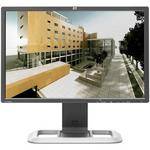
The LP2475w 24" LCD Computer Display from Hewlett-Packard is a flat-panel monitor featuring a thin-frame design, built with home and office use in mind. The display delivers a wide 178°/178° viewing angle, a 1920 x 1200 native resolution, a high 1000:1 contrast ratio, and a fast 12ms response time.
The display is housed in an attractive black casing. It features DVI, HDMI, and DisplayPort input, as well as an attractive stand. These and other features make this display a great choice for both homes and offices alike.
| Panel/Display | |
|---|---|
| Type | IPS |
| Viewable Size | 24" |
| Brightness | 400cd/m2 |
| Contrast Ratio | 1000:1 |
| Viewing Angle | 178° horizontal, 178° vertical |
| Pixel Dot Pitch | 0.27mm |
| Response Time | 12ms (On/Off); 6ms (Gray-to-Gray) |
| Panel Life | 40,000 hours |
| Colors Supported | 16.7 million |
| Signal | |
|---|---|
| Internal Interface | Analog/Digital |
| Frequency |
Horizontal: 30-94kHz Vertical: 48-85Hz |
| Sync Type | Separate Sync (HSYNC/VSYNC); Composite Sync, Sync on Green |
| Resolution | 1920 x 1200 |
| Input/Output Connectors | |
|---|---|
| Analog |
1x RCA Composite 1x RCA Component 1x S-Video |
| Digital |
2x DVI 1x DisplayPort (HDCP) 1x HDMI (HDCP) |
| Audio Input | None |
| Headphone Jack | None |
| Hub Ports | 6x USB 2.0 |
| Speakers | None |
| Mount |
Desktop: Yes Wall-mount: Yes, VESA 100mm |
| Controls | |
|---|---|
| Buttons | Input Scan, Input QuickSelect, Menu, OSD Down/Auto Adjust, OSD Up/Reset, PiP/Pop, Power |
| On-Screen Display | Brightness, Contrast, Positioning, Color Temperature (6500, 9300k, Custom), Individual Color Control, Serial Number, Display, Clock, Clock Phase, Monitor Management, Factory Reset |
| Auto Configuration | Yes |
| Touch Screen | No |
| Tilt/Swivel Range |
Tilt: -5-30° Swivel: -45-45° Pivot: Yes Height: 3.9" (10cm) |
| Security | Kensington Security Slot |
| Compliant Standards | Energy Star, IT ECO Declaration, TCO '03, EPEAT Silver |
| System Requirements | PC or Macintosh computer with DisplayPort, HDMI, or DVI output |
| Power Requirements |
AC: 100-240VAC, 50/60Hz Consumption: 150W |
| Environmental Requirements |
Operating Temperature: 41-95°F (5-35°C) Humidity: 20-80% Altitude: 12,000' (3658 m) Storage Temperature: -29-140°F (-20-60°C) Humidity: 5-95%, 38.7°C max wet-bulb Altitude: 40,000' (12,192 m) |
| Dimensions (WxHxD) |
With Stand: 21.9 x 16.6-20.5 x 10" (55.6 x 42.2-52.2 x 25.3cm) Without Stand: 21.9 x 14.25 x 3.3" (55.6 x 36.2 x 8.4cm) |
| Weight |
With Stand: 20.1 lb (9.1kg) Without Stand: 13 lb (5.9kg) |
REVIEW SNAPSHOT®
by PowerReviewsPros
Cons
Best Uses
Most Liked Positive Review
Great But With Caveats
Home power user that purchased for web, games, applications. Out of the box settings are not good. It took much "calibration" to get it right for my eyes. I don't o...Read complete review
Home power user that purchased for web, games, applications. Out of the box settings are not good. It took much "calibration" to get it right for my eyes. I don't own monitor calibration hardware/software so I just used HP Display Assistant to get it to where I liked it and boy does it look good. It was between this and the newer HP ZR24W sRGB model. Still wondering whether that would have been better. This is my first wide gamut monitor and there are pluses and minuses. I didn't really care about the gamut, I just wanted the highest quality for a fair price. Yes, wide gamut oversaturates colors (especially red) but I used my ATI drivers to bring that down a bit. Turned on color profiles in Firefox and some pages just pop! Gorgeous! I've read about green to pink tint shift left to right. No green but slight pink on right side visible on bright white backgrounds. Thought about sending back but this is a common issue and very minor. Supposed to get better with time and I actually think it might be. In any case it's slight. My experience with VA & IPS panels are that it's always something so didn't want to trade this for another with a worse issue like dead/bad pixels and get into that RMA cycle (been there, done that). BTW, don't pull other's calibration settings off reviews and such. Time waster as evey panel is different as well as every VGA pushing it. If you don't have the calibration kit then set to your liking. If purchased for pro photo use then you should have the calibration equipment already. Just sayin'...BTW, I had an account with B&H so I must have purchased something before but can't remember what it was. This purchase was as smooth as it gets. [...] This is a first class operation. That's always good to know folks.
VS
Most Liked Negative Review
Quality control issues
I bought this monitor after reading glowing reviews from people on forums who said it is a great video editing/coloring monitor.
I have no doubt it is.
But ...Read complete review
I bought this monitor after reading glowing reviews from people on forums who said it is a great video editing/coloring monitor.
I have no doubt it is.
But I've now received 2 of these that have what other reviewers have accurately called "shmutz" behind the screen. I REALLY want to use this monitor, but I am having a really hard time convincing myself not to return it and get a Dell.
Reviewed by 70 customers
Sort by
Displaying reviews 1-20
Previous | Next »
Pros
Cons
Best Uses
Comments about HP / Hewlett Packard LP2475w 24" LCD Computer Display:
I'm one of those people who do a lot of research before I purchase an important item like a monitor for photo editing. I take my photography seriously. In this price range there did not seem to be any monitor that was completely 100% perfect across all attributes but the HP LP2475w came close.
Set up was a snap. I calibrated the screen with Color Munki - also a snap. The monitor looks and feels well made - solid. The screen took a little while to get used to because I am accustomed to laptops and another HP that all have high gloss very bright screens. Very bright screens are typically inappropriate for photo editing as the image does not reflect how the photo will look when printed. But truth is, this HP screen feels about right now, and the other screens seem too bright.
Lots of ports - and all the cords you might need are in the box.
I am not an expert on monitors but I'm happy with this one.
Pros
Cons
Best Uses
Comments about HP / Hewlett Packard LP2475w 24" LCD Computer Display:
Screen to print quality is wonderful.
Pros
Cons
Best Uses
Comments about HP / Hewlett Packard LP2475w 24" LCD Computer Display:
I've used these monitors for over 5 years now working in the film industry and finally decided to buy a pair for my work-station at home. I have them set-up with a Mac Pro for editing and compositing and they work great. One minor thing: the back of the base comes off so you can hide some of the cabling and though this works, it could have been designed to be slightly less clumsy. Still, I feel like I'm good hands with these monitors and am very happy with them.
Pros
Cons
Best Uses
Comments about HP / Hewlett Packard LP2475w 24" LCD Computer Display:
I bought this monitor after reading glowing reviews from people on forums who said it is a great video editing/coloring monitor.
I have no doubt it is.
But I've now received 2 of these that have what other reviewers have accurately called "shmutz" behind the screen. I REALLY want to use this monitor, but I am having a really hard time convincing myself not to return it and get a Dell.
Pros
Cons
Best Uses
Comments about HP / Hewlett Packard LP2475w 24" LCD Computer Display:
This is my standard monitor and it is used for various graphics, word processing and engineering functions.
Pros
Cons
Best Uses
Comments about HP / Hewlett Packard LP2475w 24" LCD Computer Display:
In setting up our new system, with an iMac and Blackmagic UltraStudio 3D...it was recommended that we get one of these monitors. I was all for it as it just wasn't in the cards to buy a "real" HD monitor along with all the other gear.
It works great, and I can even set up the color bars by sending blue only from FCP or Boris.
We simply could not have afforded to do this any other way, but it's working very well and allows us to consider future equipment funds to go to other things as opposed to a "real" monitor.
My only gripe could be that compared to a regular monitor..it's a bit difficult to adjust with menus, etc...but no worse than any other computer monitor. In truth, once it's set up...you're done anyhow.
Pros
Cons
Best Uses
Comments about HP / Hewlett Packard LP2475w 24" LCD Computer Display:
This monitor is used in a home office for general computer use including photo editing, large spreadsheets, etc. The monitor arrived about 3 days after it was ordered and prior to B&H's estimated arrival date. The monitor was well packed in heavy duty multiple boxes. It was easy to set up. It is an excellent monitor that provides good color and clarity, and easy to use also. At the time of purchase B&H offered the lowest price for this item on the Internet, with no tax or shipping. This was a positive shopping experience in all ways.
Pros
Cons
Best Uses
Comments about HP / Hewlett Packard LP2475w 24" LCD Computer Display:
My Background:
- Gamer and OCD for precision and accuracy
- Owned a previous HP ZR24w and not very experienced with IPS monitors
- Loved ZR24w for its ability to reproduce clear bright whites (could only be achieved with the assistance of graphics card conifiguration options and personal eyeball RGB calibration)
- Decided to stick with HP and its upgraded model, HP LP2475w
- 1st Technical Review of Product is this post here
Product Usage:
- For PC extended display (needed more desktop space) to match with current 24" resolution
- Console gaming (PS3) for high definition, color accuracy, and additional colors reachable with IPS 102% GAMUT
Boon:
1. Colors are brighter through higher seemingly higher contrast
2. More colorful than ZR24w where greens were greener, reds redder, etc
3. Scaling options are available for 1:1, Fill to Aspect Ratio, and Fill Screen
4. More input options are always great, but would only use 1 HDMI (PS3), 1 DVI (PC), posisbly 2 DVIs (VGA LapTop)
5. No dead pixels
6. Quick Select makes it easy to switch between inputs as opposed to selecting them all the time. If you change inputs a lot, you'll need to run a Scan to find all inputs for everytime you change them.
Bane:
1. Picture in Picture and Picture out Picture is ONLY for Composite, S-Video, and Component inputs. Digital is NOT an available option.
2. Feels saturated for shades of red, therefore buyer beware for need of Monitor Calibration Hardware & Software and saturation of colors will only be controlled with color managed applications (e.g. Adobe PhotoShop, Adobe LightRoom, FireFox. And these managed apps require ICC Monitor/Color Profiles which are provided from Monitor Calibration Hardware & Software.
3a. Chance you will obtain a defective monitor where there is a slight green, pink, or yellow hue/gradiant that takes up most of the screen around the edges. This causes a non uniformity in color accross display when viewing a single color. First monitor received was defective, and HP's exchanged one is also defective.
3b. Difficult to calibrate white because often times the monitor will be non-uniform accross display.
3c. If 3a and 3b is occuring and you want to try your luck in receiving a perfect monitor from HP, you'll have to go through many exchanges with HP. Be prepared to talk with them a lot. Other reviewers stated that they received good ones on their 3rd - 6th exchange. I'm waiting on my 2nd exchange.
Conclusion:
If HP doesn't send a monitor with the ability to reproduce whites uniformly accorss the display, then buyers should look for a different monitor. And then learn from my mistake. Always read negative and average reviews of any product on forums/review sites. Google keywords product name and issues/problems.
Pros
Cons
Best Uses
Comments about HP / Hewlett Packard LP2475w 24" LCD Computer Display:
I'm a publishing student specializing in print and book design. I use a MacBook Pro titanium body with the Lion OS and Adobe CS5.5, and I wanted a monitor that would be high quality enough to use as a student and as a professional, but wouldn't cost a whole term's worth of tuition money. I read numerous articles and blog posts about monitors for graphic designers in both Apple and PC forums.
I decided on the HP LP2475w because the price was great and I'd read many reviews by Mac users that said it worked well with their MacBook Pros.
It took me less than 10 minutes to set the monitor up and have my laptop connection to it. I've got tons more real estate while working in InDesign, and in Preview Mode I get a much better idea of how the final booklet will look. I mainly work in InDesign, but I do simple photo editing in Photoshop as well. This monitor is great for any kind of design that doesn't require super fine color detail.
Pros
Cons
Best Uses
Comments about HP / Hewlett Packard LP2475w 24" LCD Computer Display:
As a step down from Eizo and NEC this is an afordable alternative. Out of the box, the monitor was very close to my EyeOne calibration. I calibrate once a week and it remained almost perfect for the entire week. I'd definitely recommend the monitor as an affordable color critical solution.
Pros
Cons
Best Uses
Comments about HP / Hewlett Packard LP2475w 24" LCD Computer Display:
I purchased this display for its color quality, and value for the price. It originally arrived with a dead spot, either dirt or dead pixels. B&H replaced it right away, without a problem. The replacement is excellent.
Pros
Cons
Best Uses
Comments about HP / Hewlett Packard LP2475w 24" LCD Computer Display:
I bought the first one as a second monitor for my imac for at home video editing and photoshop work. Now I need two monitors for my work.
im adding a second monitor to mu works imac as well as one for mac mini
guest cpu... Im also in the market for a mac pro and Im looking into these monitors instead of the apple cini display.
Pros
Cons
Best Uses
Comments about HP / Hewlett Packard LP2475w 24" LCD Computer Display:
Clear, vibrant colors, large, and perfect for viewing my photos.
Pros
Cons
Best Uses
Comments about HP / Hewlett Packard LP2475w 24" LCD Computer Display:
I bought this monitor to replace my 8 month old, Samsung BX2440 24" LED backlit monitor, which I ended up selling. Why? Because the Samsung, was a total piece of ****. Don't waste you money on it. First, it is a cheap TN monitor that had the worst viewing angles I've ever experienced...you get what you pay for as it was less than half the cost of my new HP LP2475w.
Also, the Samsung was so flimsy and wobbly, I thought it was going to break off of the stand.
The HP build quality is excellent...very, very solid.
The view angles are excellent as well. It was well worth every penny.
The HP also has the higher resolution of 1920 x 1200, whereas most 24" monitors are going the cheap route by using 1920 x 1080 resolution.
The only issue with the HP is that you must calibrate it, because it is a wide gamut monitor. Even with calibration, many software applications do not support it and as a result look over saturated. Fortunately, Photoshop CS5 does. And only 2 browsers support the wide gamut: Firefox and Safari. IE of course, does not...no surprise there.
Pros
Cons
Best Uses
Comments about HP / Hewlett Packard LP2475w 24" LCD Computer Display:
I purchased this monitor in September of 2010 and it recently died on me. I called customer support and [...] a new monitor was delivered to me by an HP rep. I love the monitor and have had no trouble with it other than it dying on me. The fact that the company supports their product though and was so quick to replace the unit more than makes up for the defective part in my opinion. I will continue to buy from HP and recommend their stuff.I use the monitor on a dedicated video editing system and it is excellent. I don't think you can beat it for the price.
Pros
Cons
Best Uses
Comments about HP / Hewlett Packard LP2475w 24" LCD Computer Display:
This is just a darn good monitor. That's all I can say about it.
I use this for everything. I bought one several months ago and liked it so much that now I have two. Easy to calibrate for color correct photos.
I really can't think of anything that I don't like about this monitor.
Pros
Cons
Best Uses
Comments about HP / Hewlett Packard LP2475w 24" LCD Computer Display:
I use it to edit and color correct. It needs to be calibrated. So far no problems.
Pros
Cons
Best Uses
Comments about HP / Hewlett Packard LP2475w 24" LCD Computer Display:
nice, well built, sharp and vivid monitor however it has a very evident color cast on almost % 70 of the screen. The left area of the screen is very green and the righ is pink. Therefore making it useless for professional work where accuracy is so important. Do not trust the reviews they are just marketing. The Dell Ultrasharp has the problem since the panels come from the same manufacturer. I returned the HP and bought a NEC
Pros
Cons
Best Uses
Comments about HP / Hewlett Packard LP2475w 24" LCD Computer Display:
Awesome monitor 1920x1200 is the perfect resolution, accepts every input, great features.
Pros
Cons
Best Uses
Comments about HP / Hewlett Packard LP2475w 24" LCD Computer Display:
I have this monitor at work, and I purchased it for home as well. At work I am doing CAD work in electronics, at home, besides sometimes continuing my work I use it for photo editing which is my hobby.
It is a professional grade monitor very accurate in color reproduction, very bright as it comes from factory but can be tuned easily. I hope I will be able to use successfully for many years as I used my previous monitor at home which I bought in 2002.
Displaying reviews 1-20
Previous | Next »