We are not accepting orders at this time. Online ordering will resume Monday, May 28th at 9:45PM EDT. Our SuperStore and offices are currently closed and will reopen on Tuesday, May 29th at 9:00AM EDT.
We apologize for any inconvenience and appreciate your patronage.
Make sure you have all necessary cables. A USB Cable is not included.
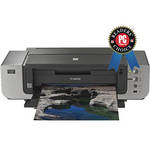
The Canon PIXMA Pro9000 Mark II Printer produces professional, lab-quality photographs with remarkable speed and accuracy. Designed with scale in mind, the Pro9000 Mark II can produce borderless, large-format photos up to 14 inches wide. An 11 x 14" print is ready in 1 minute and 23 seconds when printed on 13 x 19" media. Two separate paper trays allow you to keep multiple paper sizes on hand for all of your printing needs.
The Pro9000 Mark II's high-performance, high-density 6,144 nozzle FINE print head produces ink droplets as small as 2-picoliters, delivering 11-million droplets per square inch for stunning, life-like images. The Canon ChromaLife100 ink system guarantees prints that last for many years to come. 8-individual ink tanks allow you to replace the colors that you use most, producing less waste. Built on Canon's Generation Green philosophy, the Pro9000 Mark II is Energy Star rated and eco-friendly.
With Auto Photo Fix enabled, your images are automatically optimized for one of five categories (Portrait, Scenery, Night Scenery, Snapshot with Scenery, and Snapshot with Night Scenery) to bring out the best in your subjects. The included Easy Photo Print Pro software intelligently optimizes your images for any media and Ambient Light Correction technology matches print output for your desired display conditions. With its ease of use and high-quality output, the Canon PIXMA Pro9000 Mark II Printer takes your photo printing to the next level!
Note:Logos are trademarks of Ziff Davis, Inc. Used under license.
Reprinted from www.pcmag.com, September 7, 2010, with permission. 2010 Ziff Davis, Inc. All Rights Reserved.
| Printing Method | |
|---|---|
| Printing Technology | Inkjet |
| Maximum Resolution | 4800 x 2400 |
| Minimum Ink Droplet Size | 2 Picoliters |
| Ink Type | Canon ChromaLife100 |
| Ink Palette | Black, Cyan, Magenta, Yellow, Photo Cyan, Photo Magenta, Red, Green |
| Ink Cartridge Configuration | 8 Individual Ink Cartridges |
| Performance | |
|---|---|
| Print Speed |
8 x 10" Photo: 47 seconds 11 x 14" Photo on 13 x 19" media: 1 minute, 23 seconds |
| Input Buffer | Not Specified By Manufacturer |
| Printer Duty Cycle | Not Specified By Manufacturer |
| Print Archival Life | Up to 100 Years |
| Paper Handling | |
| Maximum Paper Width |
Front Tray: 13" Rear Tray: 13" |
| Maximum Printable Area | 13 x 19" and 13 x 23" |
| Paper Sizes | All Standard and Custom Sizes up to 13 x 23" |
| Borderless Photo Sizes | From 4 x 6" up to 13 x 19" and 13 x 23" |
| Paper Types | Inkjet-compatible Paper Products |
| Maximum Paper Thickness | 1.2mm |
| Paper Capacity | Not Specified By Manufacturer |
| Special Media Support | Canon Fine Art Papers |
| Connectivity | |
|---|---|
| Computer Interface | USB 2.0 |
| Compatible Memory Cards | N/A |
| Direct Print Capable | Yes (PictBridge) |
| Network Capable | No |
| PostScript Support | No |
| System & Software Requirements |
Windows XP, Vista, Windows 7 Mac OS X (10.3.9 or later) |
| Physical | |
|---|---|
| Status Display | Indicator LEDs |
| Image Preview Display | No |
| Front Panel Controls | Power, Paper Feed, Resume/Cancel |
| Power Requirements | 110-240V AC, 50/60Hz |
| Dimensions | 26 x 14 x 7.6" (660 x 354 x 192mm) |
| Weight | 32.4 lbs (14.7kg) |
REVIEW SNAPSHOT®
by PowerReviewsPros
Cons
Best Uses
Most Liked Positive Review
Fantastic Printer
Before I start, I must say that this printer is capable of producing beautiful results!
I decided to wait for about 6 months before I felt that I had adequate experience ...Read complete review
Before I start, I must say that this printer is capable of producing beautiful results!
I decided to wait for about 6 months before I felt that I had adequate experience with it to offer a useful review. I had been using Epson printers for several years and this review will be based on a comparison of these similarly prices units. Before I get into my review of the Canon Pro9000 MKII printer, I will start off discussing my experiences with Epson. I started off with an Epson R1800 printer, which I used for about two years. This printer produced decent results, however the ink consumption was extreme. The cost of ink, per square inch, was about $0.015. In my opinion, this was a resonable printing cost, unfortunately, this cost increased significantly when I was forced to constantly clean the nozzles (due to "banding") using the manual cleaning cycle. Towards the end of this printer's life, I was doing this on a weekly basis. Keep in mind that this cycle consumed about 10% of the total ink supply. Also, the "gloss optimizer" cartridge needed to be replaced constantly. The problem here was that when I replaced this cartridge all of the cartridges would recharge themselves, resulting in a further 10% loss of the total ink supply. Besides the ink consumption issues, this printer produced prints that were plagued with an unacceptable "bronzing" look on all of my portrait shots. I later found out that this is a result of the pigment-type inks that this printer used. After two years this printer finally gave out due to a clogged printer head. No amount of maunual cleaning would correct this problem. So I purchased the next generation Epson R1900 printer. My experience here was a disaster. The first one that I had would engage in an automatic head cleaning cycle every two days. Each cycle consumed 15% of my total ink and I had no way to stop it. After one week I lost almost half of my ink and I only printed off a few 8.5 x 11" prints. I felt that this was unacceptable, so I returned it and picked up another copy. The second copy did exactly the same thing and they both had the horrible "bronzing" look on the skin tones.
At this point I decided that I would give Canon a try. I wanted a printer that could produce 13" x 19" prints and the Pro9000 MKII just came onto the market. My initial thoughts, after printing my first 13" x 19" portrait, were very positive. I did not see any of the bronzing that I noticed on the pigment-based Epson R1900. This is due to the use of dye-based inks that the Pro9000 MKII uses. As far as the Epson R1900 type automatic deep cleaning cycles are concerned, the Canon has never done this. I have printed hundreds of small to large prints and the cartridge comsumption is as follows:
Photo Magenta - 7 cartridges
Yellow - 6 cartridges
Photo Cyan - 5 cartridges
Cyan - 4 cartridges
Magenta - 4 cartridges
Black - 3 cartridges
Red - 1 cartridge
Green - 1 cartridge
My printing covers the spectrum between landscapes to portraits and based on my analysis, the Pro9000 MKII costs about $0.015 / square inch for ink. This printer is very quiet when in use, however during start up in tends to be a little noisy. It is also relatively quick when producing the larger 11" x 14" and 13" x 19" prints. It is a large printer, but so are the other brands that produce 13" x 19" prints. It is well engineered and has a very solid feel to it.
When it comes to picture quality, this printer really shines. When using a properly calibrated monitor and when utilizing the correct printer profiles, this printer will produce outstanding results! It produces vibrant colours for landscapes and very detailed and accurate skin tones for portraits. Please keep in mind that the paper you use will have a significant bearing on the outcome. I have tested several types, including Canon papers, and my personal favorite is Ilford Classic Pearl Paper. This paper, which is designed for ink-based printers only, coupled with this printer, will produce excellent, almost majical, looking portraits.
As far as "bells and whistles" are concerned, it doesn't really have any. It's sole purpose is to produce excellent prints, relatively quickly, and with a minimum amount of ink consumption. And it does this exceedingly well.
I highly recommend this printer!
VS
Most Liked Negative Review
Good for photos, not for design work
I am a graphic designer who prints the occasional odd family photo as well. For photo printing, this printer has been fantastic -- rich, saturated colors, etc.
But for my desig...Read complete review
I am a graphic designer who prints the occasional odd family photo as well. For photo printing, this printer has been fantastic -- rich, saturated colors, etc.
But for my design projects, trying to get accurate, repeatable color prints to show to clients has been more or less impossible. It's not just that colors vary between screen and printer (something that might be fixable with careful color calibration), it's that colors can vary from one page to the next in the SAME print job.
To sum up: the printer produces great colors, just not always the right ones! Designers beware.
Reviewed by 448 customers
Sort by
Displaying reviews 1-20
Previous | Next »
Pros
Cons
Best Uses
Comments about Canon PIXMA Pro9000 Mark II Inkjet Printer:
Print fphotos for my home and friends
Pros
Cons
Best Uses
Comments about Canon PIXMA Pro9000 Mark II Inkjet Printer:
I already have a Canon iP8500 that I use strictly for printing photos. The iP8500 is still fantastic, and the only reason I got the Pro9000 Mark II was for the larger print size and to take advantage of a hefty rebate from Canon when buying the 5D Mark III camera. Like the iP8500 the print quality is fantastic. I have yet to print any really large prints on it, but the prints I have made have been great. The printer is a bit large and requires more room to set up, but its worth it if you want prints larger than 85x11.
Pros
Cons
Best Uses
Comments about Canon PIXMA Pro9000 Mark II Inkjet Printer:
My first photo printer, the prints look amazing.
Pros
Cons
Best Uses
Comments about Canon PIXMA Pro9000 Mark II Inkjet Printer:
Purchased with 2Ti as rebate grouping. Wanted a larger format printer. 13 x 19 is great size for 2Ti and printing architectural dwgs at home. Prints are as good as online service and offer the flexibility of home use. Much easier to use with Photoshop that an Epson R300 I had. Ink life seems pretty good. A dozen 8.5 x 11 , and a number of sets of architectural drawings at 11 x17 haven't made a dent. But time will tell. Size is what one would expect.
Pros
Cons
Best Uses
Comments about Canon PIXMA Pro9000 Mark II Inkjet Printer:
Was very easy to set up. I just followed the directions and set was quick and easy. Have printed up to 8 1/2 by 11 inches and all look beautiful.
Pros
Cons
Best Uses
Comments about Canon PIXMA Pro9000 Mark II Inkjet Printer:
I am in love with this printer. The colors are vibrant. The pictures are lab-quality.
Prints up to 13 by 19 prints which explains the printer's size.
The output from CS5 to this printer is just spectacular.
This printer handles a lot of different paper
I tried a wide selection of papers to test on (6 - 12). I recommend trying matte, rag, and glossy paper to see what results you like best.
I would recommend this printer to anyone who wants to create high quality pictures
Quick summary:
Beautiful prints
Easy to use
Easy setup
Ink usage is economical and not-talked about enough
Cons are things related to high-quality printing in general like ink cost etc.
Pros
Cons
Best Uses
Comments about Canon PIXMA Pro9000 Mark II Inkjet Printer:
This printer is great. I cannot think of anything negative to say . The colors come out beautiful, and the ink comsuption is minimal. It goes without saying that B & H is the very best company to purchase from also!
Pros
Cons
Best Uses
Comments about Canon PIXMA Pro9000 Mark II Inkjet Printer:
Yes, the Canon Pro 9000 Mark II makes great prints. HOWEVER, it's the most aggravating printer I have ever owned. It's very slow to print, making a lot of whirring sounds sometimes for as long as two minutes after I've sent a print to it. Of course, the printer driver offers no help on what the printer is doing all this time and Canon's website is no help either. You'd think that Canon could at least pop up a message explaining what it's doing for so long but I've never seen one. Canon can and should do better than this.
Pros
Cons
Best Uses
Comments about Canon PIXMA Pro9000 Mark II Inkjet Printer:
I have the Canon i9000 and the i9100. Both performed okay. With the Pro9000 Mark II I can set the photo up for printing using the Canon Profiles and achieve a better print than I did with the other two Canon printers. So far it has exceeded my expectations. Lovely prints, good color. It is rather large, 40 pounds, and takes up a bit of space but I think it is worth it. It takes a bit of learning to achieve the quality one wants and is worth the effort. I wish I could determine how to use non-Canon paper profiles. Haven't needed them so far but would be handy.
Pros
Cons
Best Uses
Comments about Canon PIXMA Pro9000 Mark II Inkjet Printer:
Just took this out of the box and what can I say. The pictures look so sharp and detailed. Being able to print huge pictures is also a great option. I have only had it for about a week but it looks very solid.
Pros
Cons
Best Uses
Comments about Canon PIXMA Pro9000 Mark II Inkjet Printer:
The PIXMA Pro9000 Mark II Inkjet Printer meets-my-needs perfectly.
As a graphic artist, I need proof-prints and a high quality resource for representations of designs and illustrations. This printer is effective, efficient and easy to use; what a combo. The Cannon Ink is reasonably priced, considering the longevity of its brilliant vibrancy and long-lasting color; good for 100 years. That is impressive. Best of all, the B&H service representatives are skillfully knowledgeable and always pleasant to work with. I have transacted several orders and, as yet, have not come across a single grouch.
Pros
Cons
Best Uses
Comments about Canon PIXMA Pro9000 Mark II Inkjet Printer:
The setup was quick and easy, and the photo results are the best. I have had all the common photo printers of all brands this Canon is the best. It does what I tell it to, I like that. No negatives yet.
Pros
Cons
Best Uses
Comments about Canon PIXMA Pro9000 Mark II Inkjet Printer:
Print large prints anywhere from 8x10 to 13x19. My old printer could only print 1 13x19 and 4 8x10's before the cartrides would have to be replaced. The Pixma Pro9000 MarkII can print 30 13x19's before any replacement. The colors are vibrant. Print time is fast, 11x14 in a minuet and a half. Can print on a wide range of paper types and paper thicknes. Excellent quality, fast delivery. Professional quality at a reasonable price.
Pros
Cons
Best Uses
Comments about Canon PIXMA Pro9000 Mark II Inkjet Printer:
first tabloid print was spot on, so much easier than using HP. Very professional Canon support for cameras was the key to choosing this printer
Pros
Cons
Best Uses
Comments about Canon PIXMA Pro9000 Mark II Inkjet Printer:
I bought it a few weeks ago and I have been using it constantly since then. The main things that are great are that it prints relatively fast, its conpact design makes it easy to place at a regular side desk, and the image quality is good. However, sometimes the colors on my screen are not matching with the printed ducument, it could be the programs I am using.
Pros
Cons
Best Uses
Comments about Canon PIXMA Pro9000 Mark II Inkjet Printer:
Nice quality printer, and makes quality prints.
Pros
Cons
Best Uses
Comments about Canon PIXMA Pro9000 Mark II Inkjet Printer:
Use this for printing wildlife photos, mostly 5x7's. Best quality printer I have ever had, inc HP and Epson
Pros
Cons
Best Uses
Comments about Canon PIXMA Pro9000 Mark II Inkjet Printer:
This is my very first dedicated photo printer and after a bit of a learning curve, which is still on going,I am really happy with the quality of prints produced. About 60% 13x19 and the rest 12x18 and 8.5x11's.
Pros
Cons
Best Uses
Comments about Canon PIXMA Pro9000 Mark II Inkjet Printer:
Easy setup
Printing using bundled software easy
Pros
Cons
Best Uses
Comments about Canon PIXMA Pro9000 Mark II Inkjet Printer:
This printer is amazing for someone who loves to print photos or uses a printer frequently. I, on the other hand, haven't printed photos or documents much, so it has just been collecting dust.
Displaying reviews 1-20
Previous | Next »