This item can only be shipped to a US address.
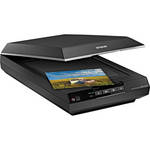
The Epson Perfection V600 Photo Scanner is the solution for converting 35mm and medium-format slides, film, and prints into high-resolution digital files. With a maximum resolution of 6400 x 9600 dpi users can create enlargements up to 17 x 22". The unit has a built-in Transparency Unit which allows scanning of four 35mm mounted slides, or 12 negatives. It handles medium format film up to 6 x 22cm, plus photos and documents up to 8.5 x 11.7". This energy-efficient scanner has Epson's ReadyScan LED technology which enables the unit to operate without having to warm-up prior to use, with faster scans and lower power consumption.
The Perfection V600 has four customizable buttons to make scanning, copying, creating e-mail attachments and PDF files quick and easy. In order to create the most clean and accurate digital output, it comes with a comprehensive software package, including DIGITAL ICE technology for dust and scratch removal, Adobe Elements 9 for image enhancement, and Easy Photo Fix for restoration of faded images.
| Scanner Type | Flatbed color image scanner |
| Scan Quality | |
|---|---|
| Scan Sensor | Epson MatrixCCD 12-line, color sensor |
| Optical Resolution | 6400 dpi (max.) |
| Hardware Resolution | 6400 x 9600 dpi |
| Interpolated Resolution | 12,800 x 12,800 dpi (max.) |
| Color Depth |
Color hardware: 48-bit internal / external Grayscale hardware: 16-bit internal / external |
| Optical Density | 3.4 Dmax |
| Scan Area | |
|---|---|
| Reflective Scan Area | 8.5 x 11.7" |
| Transparency Scan Area | 2.7 x 9.5" |
| Capacity |
Transparency Unit: 35mm film: 12 negatives or 4 slides Medium-format film: up to 6 x 22cm |
| Reliability | MCFB (Mean Cycles Before Failure): 30,000 cycles |
| Performance | |
|---|---|
| Scan Speed |
6400 dpi High-speed Mode: Monochrome: 21.0 msec/line Full color: 21.0 msec/line |
| Batch Scanning | No |
| Connectivity | |
|---|---|
| Interface | Hi-Speed USB 2.0 |
| System & Software Requirements |
Windows: IBM compatible PC with Pentium II 450 MHz or higher processor USB 2.0, USB 1.1 Windows 7, Windows Vista: 1 GHz CPU, 1GB RAM, 90MB HDD Windows XP Professional x64, Windows XP Home Edition, Windows XP Professional, Windows 2000 Professional: 800 MHz CPU, 512MB RAM, 90MB HDD DIGITAL ICE: Windows 7, Windows Vista: 1 GHz CPU, 1GB RAM, 1GB HDD Windows XP Professional x64, Windows XP Home Edition, Windows XP Professional, Windows 2000 Professional: 800 MHz CPU, 512MB RAM, 1GB HDD Mac: PowerPC G3 400 MHz or Intel-based CPU, USB 2.0, USB 1.1 Mac OS X 10.3.9 or 10.4.x: PowerPC G3 600 MHz, Intel 1 GHz CPU, 256MB RAM, 100MB HDD Mac OS 10.5.x or later: PowerPC G4 867 MHz/Intel 1 GHz CPU, 512MB RAM, 100MB HDD DIGITAL ICE: Mac OS X 10.3.9 or 10.4.x: PowerPC G3 600 MHz, Intel 1 GHz CPU, 512MB RAM, 1GB HDD Mac OS 10.5.x or later: PowerPC G4 867 MHz/Intel 1 GHz CPU, 512MB RAM, 1GB HDD |
| Physical | |
|---|---|
| Light Source | ReadyScan LED technology |
| Front Panel Controls | 4 x customizable buttons: Scan, Copy, E-mail and PDF |
| Environmental | Temperature: 50-95°F (10-35°C) |
| Power Requirements | 100-120VAC 50/60 Hz |
| Power Consumption |
16.5W Ready: 5.5W Sleep: 1.6W Off: 1.6W |
| Dimensions (WxDxH) | 11 x 19 x 4.6" (280 x 485 x 118mm) |
| Weight | 9.0 lb (4.1 kg) |
REVIEW SNAPSHOT®
by PowerReviewsPros
Cons
Best Uses
Most Liked Positive Review
Great invention
I am using the Epson V600 scanner to turn my old photographs, color slides, and color negatives into digital photos that I can store on my computer and external hard drives and show on ...Read complete review
I am using the Epson V600 scanner to turn my old photographs, color slides, and color negatives into digital photos that I can store on my computer and external hard drives and show on my TV. The scanner was easy to assemble and connect to the computer, and the software took just a few minutes to install.
The scanner did a superb job in restoring color to old wedding photographs and slides. It was easy to insert the slides into the frame and scan them. The dust removal and backlight features also worked well.
The software included a detailed user guide with a lot of illustrations and handy references to click on that will take you to a specific subject. It was logically organized and written in clear English. I would have liked Epson to have included a paper copy of the user guide instead of making it available on line and with the Epson setup software, but Epson did not do so. I was tedious to print out each section of the user guide so I could turn to the correct instructions while using the computer. While the user guide has ample illustrations and gives a lot of detail on "what" to do, I would have liked more on how to decide which choices to make. For instance, when you scan a slide, you can chose 300 dpi, 600 dpi, etc., but which one would be the best choice? Obviously, the higher the dpi, the better quality, but a higher dpi takes longer to scan & uses more drive space. Nowhere did the manual explain that, for instance, if you want to make 5x7 prints, then choose, say, 900 dpi, while if all you want to make is 4x6 prints, 300 dpi will be fine. My Canon digital camera guide told users how many megapixels to choose if you want a certain size photo (e.g., 8x10), and I think the Epson scanner user guide should provide that information since most users aren't professional photographers. Nobody I talked to including the sales people could give me a good answer, and looking up dots per inch (dpi) on the Internet didn't give me a good answer either.
VS
Most Liked Negative Review
Great Scanner, weak support for MAC Lion
This is a very respectable desktop scanner which I use to scan a variety of media from color transparencies to gray level figures and text. The scanner has a high hardware resolution and in nearly...Read complete review
This is a very respectable desktop scanner which I use to scan a variety of media from color transparencies to gray level figures and text. The scanner has a high hardware resolution and in nearly every way that I have used it, it has performed well. This is why I tend to purchase Epson scanners. However, the primary reason for me to upgrade my old Epson Perfection scanner for this one is to get a model that supports MAC OSX Lion which the advertisements said it did. When I installed the scanner, I found that the only support that Epson has for Lion is through the native MAC Image Capture utility. There is no current Epson developed user interface for this scanner under Lion. The result is that the MAC Image Capture utility crashes in some instances and it does not allow the user to exploit the maximum resolution of the scanner. After talking to Epson user support, I came to the conclusion that their advertisement of support for Lion was premature and false. I still like the scanner and use it, but fairly disappointed at Epson for leading me down the wrong path.
REVIEWS
Reviewed by 245 customers
Sort by
Displaying reviews 1-20
Previous | Next »
Pros
Cons
Best Uses
Comments about Epson Perfection V600 Photo Scanner:
Successfully scanned a handful of 35mm color negatives within mins of unpacking. Easy to use and scan time was reasonable. Was thinking hard and long about going with the much more expensive V700 but I think for my needs the V600 will work fine for me. Looking forward to my next 120 B&W roll to be developed at home and scanned with my new V600!
Pros
Cons
Best Uses
Comments about Epson Perfection V600 Photo Scanner:
I purchased this scanner to scan and record old photos. It was easy to install and use; pretty intuitive. The quality of the scan is great and it's so much faster than my old scanner. So far I haven't figured out how to scan more than one photo per scan and save them to different files (I could do that with my old scanner) but hopefully I will. If not, that is the only complaint I have so far after having used it for a couple of weeks.
Pros
Cons
Best Uses
Comments about Epson Perfection V600 Photo Scanner:
Installation was a breeze and the scanner reproductions of photos and hardcopy are crystal clear. In addition scanning was extremely quick.
Pros
Cons
Best Uses
Comments about Epson Perfection V600 Photo Scanner:
Very satisfed with purchase
Pros
Cons
Best Uses
Comments about Epson Perfection V600 Photo Scanner:
I'm scanning old photos to archive and this scanner's ability to discern the edges of multiple pictures is not as good as the Epson Expression 1600 it replaced. Not sure if that's software or hardware. But same software worked well with old scanner. Extremely disappointed with Epson support for Mac Lion. Basically, the instructions say, got Lion to to our website and load the driver...want software...sorry.
Pros
Cons
Best Uses
Comments about Epson Perfection V600 Photo Scanner:
My wife uses it in her graphic design studio. We haven't had it long enough to give much detail about it's operation yet.
Pros
Cons
Best Uses
Comments about Epson Perfection V600 Photo Scanner:
Over the years have had a ball using G-pa's 50's vintage TLR. Now is the time to convert these 6x6 slides to digital. Time consuming - But that was expected. Also scanned 20's era B/W negatives. These measure about 3" x 5". I used the medium format film holder. They come out as a panoramic. Worked well over all. I would suggest it to others. Much better than the combo scanner printers and could not justify a $500 scanner.
Pros
Cons
Best Uses
Comments about Epson Perfection V600 Photo Scanner:
I received this Epson Scanner in a very short time. It was easy to set up and to use. The software is very easy to use.
Pros
Cons
Best Uses
Comments about Epson Perfection V600 Photo Scanner:
While the scanner works as otherwise advertised, it DOES NOT readily accommodate medium-format slides. I figured out a clumsy work-around, but it would have been a very simple affair for Epson to include a 2-1/4 square slide holder among its holders for 35mm and medium-format film and 35mm slides. The scanner otherwise works quite well, and if you have no interest in scanning medium format slides, I would recommend it.
Pros
Cons
Best Uses
Comments about Epson Perfection V600 Photo Scanner:
This scanner does it all. It is also very quick at scanning. i have had other scanners, but this is by far the best.
Pros
Cons
Best Uses
Comments about Epson Perfection V600 Photo Scanner:
This is my first scanner and I bought it primarily for scanning old family photos. I'm still learning and getting used to it and the quality of the scan is good. The only complaint I have at this time is the lack of a good consise instruction manual. You have to go on line and the instructions are not easy to follow.
Pros
Cons
Best Uses
Comments about Epson Perfection V600 Photo Scanner:
This scanner is easy to use, flexible and powerful. It makes your older, beat up photos look better and it will let you save lots of space if you are trying to store lots of photos. Do use some off-site archiving in case your computer is lost or destroyed.
Pros
Cons
Best Uses
Comments about Epson Perfection V600 Photo Scanner:
I was looking for scanning non-standardized formatted negatives for home use (not professional). This scanner is just what I was looking for, for an affordable price. Just one point: the AC adapter is only 110V, which can become a problem for me (military) when assigned abroad. B&H delivered perfectly as advertised.
Pros
Cons
Best Uses
Comments about Epson Perfection V600 Photo Scanner:
We purchased this scanner to use for scanning objects to be combined into artistic compositions. Wirh a decent depth of field it has proven to be excelent for the task.
Setup was easy. Most of teh time was spent arranging the other equipment on teh dsk to make room for it although it is takes up very little space. The software installation was straight forward. We are running it under Windows 7 64 bit.
Pros
Cons
Best Uses
Comments about Epson Perfection V600 Photo Scanner:
Everything I've needed in a scanner with spending thousands!
Pros
Cons
Best Uses
Comments about Epson Perfection V600 Photo Scanner:
Purchased this scanner after 6 months of store to store trips, internet research, and photographer interviews. This is about as good as it gets in this price range. I'm making the film to digital conversion and have hundreds of prints, slides, and negatives to consider. My lack of the comprehensive nature of scanning in general may have led to some premature expectations. This scanner is proving to be a good anchor point to start and learn the basics.
Pros
Cons
Best Uses
Comments about Epson Perfection V600 Photo Scanner:
Excellent product for the price, i did not figure out yet how to use the cleaning and restoring software but the scanning of negatives is great and fast if you don't want a 13MB file. So far, i am happy with my Christmas present!!!
Pros
Cons
Best Uses
Comments about Epson Perfection V600 Photo Scanner:
What an improvement on the decade-old scanner that I have been using! The V600 is speedy and easy to use. I'm especially impressed with the intuitive Epson software; it is much simpler to understand than I expected. Set-up took about five minutes. I love the quick warm-up; it is ready to go to work in seconds. The plastic holders for slides and negatives work well; they are light-weight but appear to be made of a durable plastic. The machine itself is solid and fits nicely atop a two-drawer filing cabinet. The scanner sails through photos and slides at 300 dpi. I'd say it takes about a minute and a half for a negative or slide at 1200 dpi. I'm very much an amateur around photos and scanners but doubt if there is a better photo scanner for the price.
B&H delivered the product within 36 hours of the order and during the week before Christmas. I found that astonishing, especially since I'd signed up for the standard shipping. I'm delighted with every aspect of the purchase.
Pros
Cons
Best Uses
Comments about Epson Perfection V600 Photo Scanner:
I am a photography major and i use this product to scan my prints and negatives. First off it's great cause i'm able to work at home and not have to rely on school equipment. It's a great product works well and I'm glad I have it.
Pros
Cons
Best Uses
Comments about Epson Perfection V600 Photo Scanner:
Scan 35mm slides, high school annuals and black and white negatives.
It is fast.
No complaints!!
Displaying reviews 1-20
Previous | Next »