This item is usually Drop Shipped from the MFR/Distributor within 7-14 days (subject to availability). Your order will be charged at the time of placing the order with the MFR
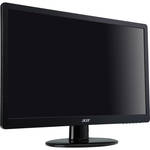
International orders*The S220HQL 21.5" Ultra Slim LCD Monitor with LED Backlight from Acer is a desktop computer monitor with an LED backlight. LED technology delivers superior image quality and reduced power consumption when compared to traditional CCFL displays.
The S220HQL LED Monitor features a native resolution of 1920 x 1080 - equal to that of 1080p video. It also boasts a 1000:1 contrast ratio, a 250 cd/m² brightness rating, a 5ms response time, support for 16.7 million colors and 170°/160° viewing angles. It can connect to a computer via DVI.| Panel/Display | |
|---|---|
| Type | LCD with LED Backlight |
| Viewable Size | 21.5" |
| Brightness | 250 cd/m² |
| Contrast Ratio | 1000:1 |
| Viewing Angle | 170° Horizontal, 160° Vertical |
| Pixel Dot Pitch | 0.248 mm |
| Response Time | 5ms |
| Panel Life | Not Specified by the Manufacturer |
| Colors Supported | 16.7 Million |
| Signal | |
|---|---|
| Internal Interface | Analog / Digital |
| Frequency | Not Specified by the Manufacturer |
| Sync Type | Not Specified by the Manufacturer |
| Resolution | 1920 x 1080 |
| Connectivity | Input Video Compatibility: Analog RGB, Digital |
| Connectors | 1x D-Sub 1x DVI |
| HDCP | Yes |
| Audio Input | None |
| Headphone Jack | None |
| Hub Ports | None |
| Speakers | None |
| TV Tuner | No |
| Mount | Not Specified by the Manufacturer |
| Controls | |
|---|---|
| Buttons | Not Specified by the Manufacturer |
| On-Screen Display | Yes |
| Touch Screen | No |
| Tilt/Swivel Range | Tilt: Yes; Stand Adjustments: -5° - 15° Swivel: None |
| Security | Not Specified by the Manufacturer |
| Compliant Standards | ENERGY STAR 5.0 |
| Regulatory Approvals | MPRII |
| System Requirements | Not Specified by the Manufacturer |
| Power Requirements | AC: 100 - 240 VAC, 50 / 60 Hz Consumption: 22W (On), 0.6W (Standby), 0.53W (Off) |
| Environmental Requirements | Not Specified by the Manufacturer |
| Dimensions (WxHxD) | 20.1 x 14.35 x 6.6" (51.1 x 36.4 x 16.8 cm) |
| Weight | 4.49 lb (2.03 kg) |
REVIEW SNAPSHOT®
by PowerReviewsPros
Cons
Best Uses
Reviewed by 36 customers
Sort by
Displaying reviews 1-20
Previous | Next »
Pros
Cons
Best Uses
Comments about Acer S220HQL 21.5" Ultra Slim LED Monitor:
This is mainly used for a budget gaming PC I built. This is one of the most lightest, aesthetically pleasing monitors I was looking it. It weighs ~ 4 lbs and it was at a good price ~119 for a 21.5 inch. Out of the box, it has nice presets for energy saver, graphics, ,movies,standard, and custom. The LED makes it nice and bright. The only thing I didn't like was the buttons take a bit to get used to. There is no height adjustability on this, only tilt.
Pros
Cons
Best Uses
Comments about Acer S220HQL 21.5" Ultra Slim LED Monitor:
We use this 21.5" monitor as an accessory for Acer 11.5" netbook. Lacks an HDMI outlet even though it is referred to in the manual. Adjustments are hidden on bottom with no visible indicators. No speakers. Works as expected and at the price, is a good value. Delivered free and fast (received 5 days from odering online)
Pros
Cons
Best Uses
Comments about Acer S220HQL 21.5" Ultra Slim LED Monitor:
Picture quality is very good on monitor. It has had no problems or bugs; easy to set up and easy to use. Given the price, it is a no brainer to purchase.
Pros
Cons
Best Uses
Comments about Acer S220HQL 21.5" Ultra Slim LED Monitor:
Easy to setup and connect.
Pros
Cons
Best Uses
Comments about Acer S220HQL 21.5" Ultra Slim LED Monitor:
Bought two of these monitors for work, need to review a lot of drawings. Clear, crisp, reliable. Highly recommended, great value.
Pros
Cons
Best Uses
Comments about Acer S220HQL 21.5" Ultra Slim LED Monitor:
The only problem I had with this was setting the base up. I put the sleeve on the wrong way (and it easily went on the wrong way) and it got stuck, once I was able to get it off, set up went very well. Pretty much a plug and play with the dvd they sent along with it. It looks great! For set up, you just had to familiarize yourself with where the buttons are and what they do. Once you figured that out, it was easy to adjust it to "my style". The only and I mean ONLY thing I do not particularly like is the splash screen that comes up every time you turn this on. You get the ACER splash, then the energy saver splash and then a couple of blips at the top right about how its attached via HDMI, etc. ... While it is mildly annoying it doesnt sway me from using it either!I have this set up in a room where there is light exposure each way you turn it, there is no getting around it. The screen easy to read and doesnt give you glare. They do warn you not to expose the screen to direct sunlight, I dont do that but its nice that the light that does filter in doesnt affect what I am looking at on the screen.All in all, I like it. It is awesome for graphics!! I WOULD tell my friends about it. The price was awesome too!
Pros
Cons
Best Uses
Comments about Acer S220HQL 21.5" Ultra Slim LED Monitor:
not the biggest monitor in the office but the picure quality is good and the price was favorable.
Pros
Cons
Best Uses
Comments about Acer S220HQL 21.5" Ultra Slim LED Monitor:
Beautiful monitor, even the ECO setting (44%) is bright. No dead pixels. Games and movies look fantastic. Good horizontal viewing area. Lacks height adjustment. Menu controls were developed by an idiot.
Pros
Cons
Best Uses
Comments about Acer S220HQL 21.5" Ultra Slim LED Monitor:
I use this monitor for business 9-10 hours daily and have experienced no issues. It arrived the day after I ordered it. I opened the box and was using the monitor 5 minutes later... Perfect!
Pros
Cons
Best Uses
Comments about Acer S220HQL 21.5" Ultra Slim LED Monitor:
This is really a great monitor for a great price. If you need an extra or main monitor, consider this one. It does great and has wonderful color.
Pros
Cons
Best Uses
Comments about Acer S220HQL 21.5" Ultra Slim LED Monitor:
We purchased this LED monitor for my mother; who has been nothing but pleased with our choice.
Pros
Cons
Best Uses
Comments about Acer S220HQL 21.5" Ultra Slim LED Monitor:
We have purchased 28 of the subject monitors. They were purchased in order to equip our staff with work stations that contain two monitors to increase thier efficency. After review of various other monitors, we decided on the subject ones, due to size, and cost. To date of all the monitors purchase, only one was returned, that unit did not contain a power supply.
Pros
Cons
Best Uses
Comments about Acer S220HQL 21.5" Ultra Slim LED Monitor:
Picture quality and colors are A+, very slim so it has a very nice foot print. Highly recomend!
Comments about Acer S220HQL 21.5" Ultra Slim LED Monitor:
the screen is very good. i see a lot beautiful color monitor. i love this monitor so much
Pros
Cons
Best Uses
Comments about Acer S220HQL 21.5" Ultra Slim LED Monitor:
I bought it to use it with my mac mini. An absolutely fabulous monitor, pretty bright and just the right size. I was taken aback when I took the monitor out of its box. It might as well be the lightest appliance I got at home. Installation was a 2 minute process and everything was a breeze. The ports in the back are back facing and not down facing and so connections are very easy. The monitor is a 22W appliance and hence it comes with a power adapter. Two missing things that do not bother me but might be bother for others include, the inability to adjust the height of the monitor and the nearly invisible buttons at the right bottom of the screen. Now I know what button does what but others might find that cumbersome.
Pros
Cons
Best Uses
Comments about Acer S220HQL 21.5" Ultra Slim LED Monitor:
Great product except for the guy that put the adjustment controls underneath the monitor with no markings on the front to see which ones are which.
Pros
Cons
Best Uses
Comments about Acer S220HQL 21.5" Ultra Slim LED Monitor:
I use this as my only screen. It's the most monitor I could fit in the space I have to allocate. It looks fabulous with HD. This was a monstrous upgrade from my old LCD screen. I will buy this model again.
Pros
Cons
Best Uses
Comments about Acer S220HQL 21.5" Ultra Slim LED Monitor:
Arrived in 2 days, was easy to set up and the picture quality is beautiful. Great deal for the money.
Pros
Cons
Best Uses
Comments about Acer S220HQL 21.5" Ultra Slim LED Monitor:
Great monitor for the price. Comparable to any other monitor out there for the price.
Pros
Cons
Best Uses
Comments about Acer S220HQL 21.5" Ultra Slim LED Monitor:
This monitor replaces a 19 inch CRT that finally didn't work anymore. The 21.5 inch screen is the erfect size for my work station. Setup was very easy, drivers automatically installed upon starting up my computer. Picture quality is outstanding. B&H shipment was super fast. Order on a Tuesday and was delivered on Thursday. The only thing I wish this unit had would be speakers. But I knew that before the purchase. Keep in mind this unit comes with a 3 year warranty. I would highly recommend this unit to everybody. For the price you can't go wrong with it.
Displaying reviews 1-20
Previous | Next »