For owners of Max 5, Cycling '74 offers an upgrade to Max 6 with the Max 6 Upgrade.
Max 6 is a fully programmable multimedia toolkit software suite that allows you to combine audio, video and 3D graphics for multimedia-driven live performances. It also allows you to control live performance elements such as lighting systems, music, video and more. It is a standalone program and its compatible with Mac and Windows .
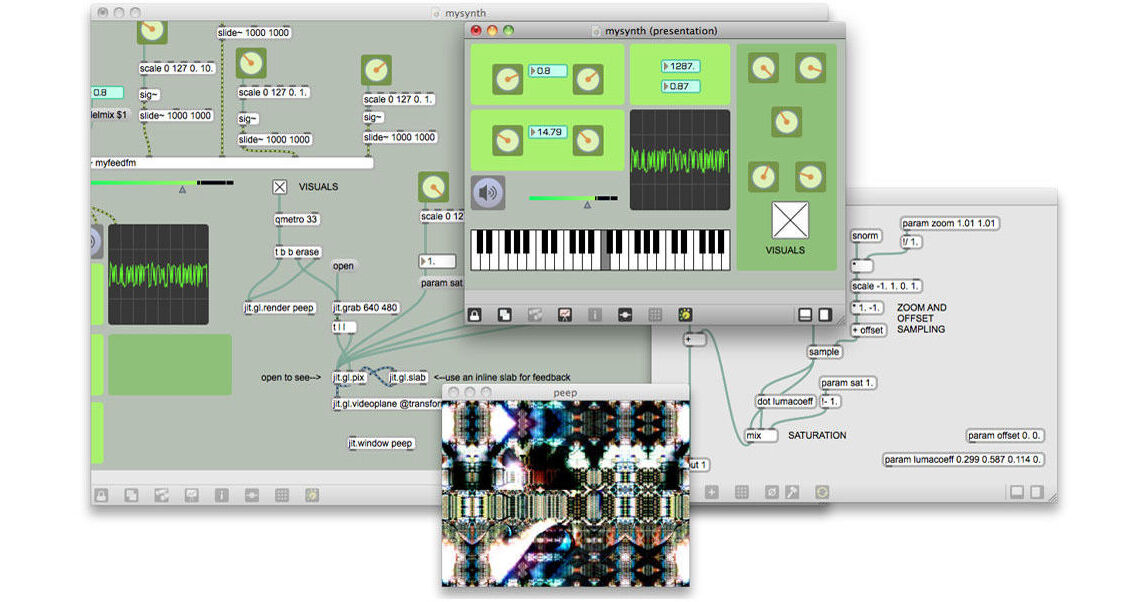
Max 6 employs a visually driven programming interface that can be used in creative ways to customize how Max's components interact with each other and how they interact with external elements. It allows you to create programs and macros in real-time for customized multimedia functionality.
Max 6 offers a palette of fully customizable music and audio tools that can be designed and utilized according to your individual needs. You can create tonal behaviors, compositional machines, non-linear sequences and more. Utilize sample-manipulation, synthesis tools, filters and spectral processing as well as real-time recording and playback to invent new sounds and workflows.
In addition to audio features, Max 6 also includes Jitter, a complete video effects and 3D graphics toolkit. You can create and control visual effects with audio, MIDI or any other data source. Make use of vector graphics, color manipulations and live video to create complex performances. Also, using the OpenGL 3D rendering system, you can create 3D graphics with full control of lighting, shading and camera angles.
Max 6 can also be used to build custom applications for interfacing with external systems and devices. Such devices may include lighting systems, sensors, video displays and much more. Max 6 supports a host of hardware communication methods including MIDI, Serial, OpenSoundControl and HID protocols. Using these tools, you can customize Max 6 to control your entire live performance from music to video to lighting.