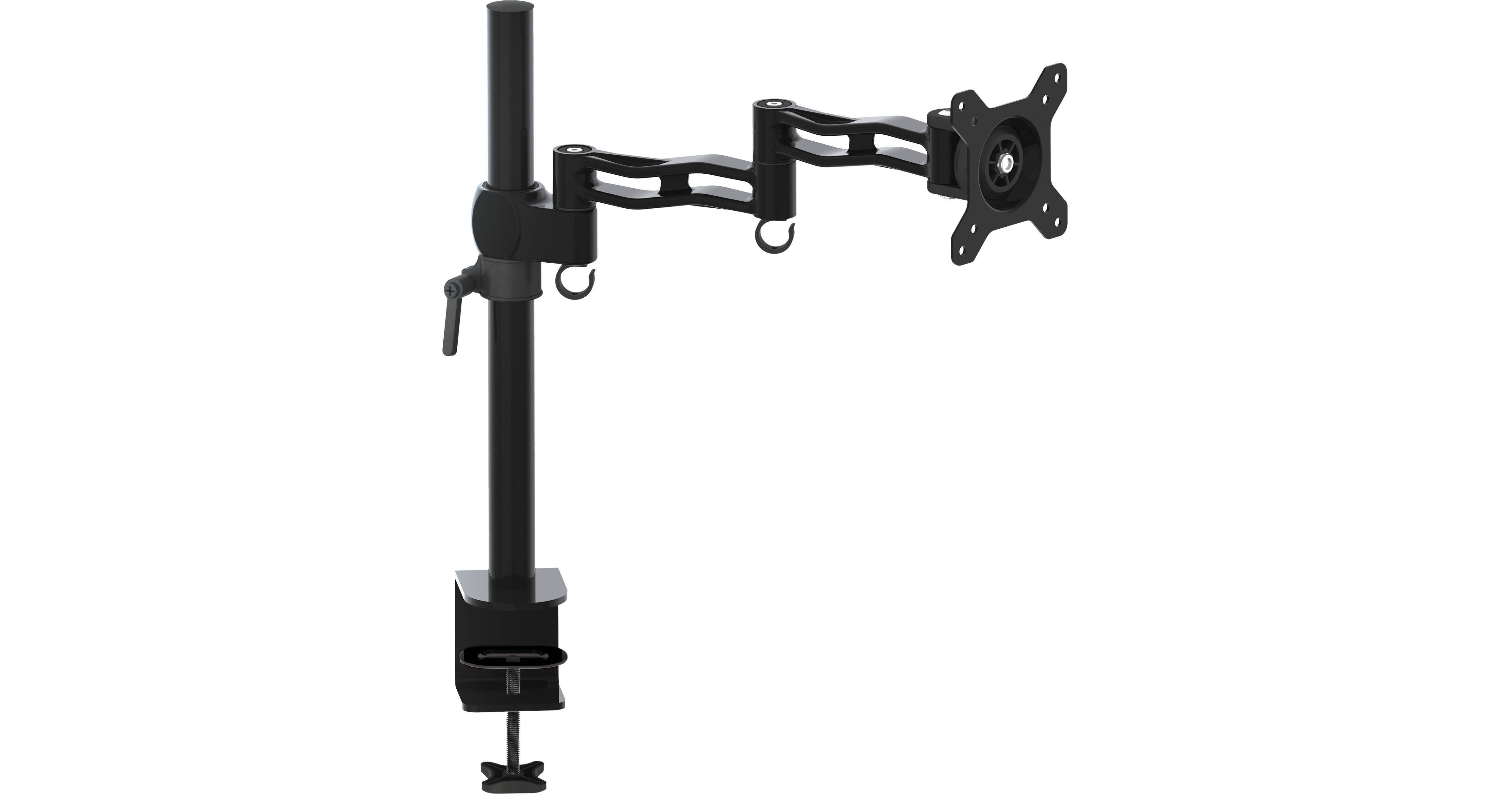
Gabor MD-AD13MB LCD Monitor Desktop Mount with Articulating Arm (Black)

BH #GAMDAD13MB • MFR #MD-AD13MB
Print
Gabor MD-AD13MB LCD Monitor Desktop Mount with Articulating Arm (Black)
Key Features
  • Mounts a 13-27" Monitor to Your Desktop
  • Dual-Segment Arm
  • Multiple Points of Articulation
  • Attaches via Built-In Clamp
The black Gabor MD-AD13MB LCD Monitor Desktop Mount with Articulating Arm is designed for use with 13-27" monitors. It frees up valuable desktop space by conveniently attaching to your desk via a built-in clamp. It also enables personalized monitor placement for improved safety and comfort over conventional monitor stands. This desktop mount incorporates a dual-segment arm with multiple points of articulation to provide a full range of motion, making it easy to adjust your monitor's horizontal position, tilt, swivel, and roll.
More Details
In Stock
No Store Display
Number of Displays
Ask an Expert
800-606-6969

Gabor MD-AD13MB Overview

The black Gabor MD-AD13MB LCD Monitor Desktop Mount with Articulating Arm is designed for use with 13-27" monitors. It frees up valuable desktop space by conveniently attaching to your desk via a built-in clamp. It also enables personalized monitor placement for improved safety and comfort over conventional monitor stands. This desktop mount incorporates a dual-segment arm with multiple points of articulation to provide a full range of motion, making it easy to adjust your monitor's horizontal position, tilt, swivel, and roll.

Dual-Segment Arm
The dual-segment arm supports your LCD computer monitor for precise lateral movement. The arm can be locked down with the included 4mm hex key to prevent your monitor from accidentally swinging out of place.
Multiple Points of Articulation
Multiple points of articulation provide a full range of motion. Tilt, swivel, and roll your monitor to optimize its viewing position to minimize neck and eye strain.
Attaches via Built-In Clamp
The MD-AD13MB easily attaches to most desks up to 2.4" thick, and only requires 2.5" of mounting depth on the underside. Simply tighten the clamp around the edge of your desk, no tools are required.
Frees Up Valuable Desk Space
This desktop mount frees up valuable desk space, so you have more room for all the important things you need, whether it's your phone, books, picture frames, mice, keyboard, and more.
Integrated Cable Clips
Integrated cable clips in the mounting arm help to organize your monitor's cabling, guiding them along the arm and close to the shaft to help maintain a neat appearance.
Compatible with Recessed VESA Configurations
If your monitor's VESA mounting configuration is in a recessed area of your monitor, you can use the included spacers and extra-long mounting screws to attach it to the mount.
UPC: 847628581067

Gabor MD-AD13MB Specs

Compatibility
Displays
• Screen Sizes 13 to 27"
Load Capacity
22 lb / 10 kg
Attachment Method
75x75/100x100 mm Mounting-Hole Pattern
Surface/Stand Mounting
Desk Clamp: Up to 2.4" / to 6 cm
Adjustments
Adjustable
Rotation: 360°
Swivel: 180°
Tilt: 30° (-15 to 15°)
Height: Up to 22.8" / 57.9 cm
Depth/Extension: Up to 16.3" / 41.4 cm
Orientation
Landscape, Portrait
Shelves
No
Weight
5.1 lb / 2.3 kg
Packaging Info
Package Weight
5.95 lb
Box Dimensions (LxWxH)
21 x 6.7 x 3.2"

Gabor MD-AD13MB Reviews

My monitors have not fallen yet.

By George
Rated 5 out of 5
Date: 2024-01-16

I have 2 of these, one holding up a 28 inch monitor and one holding up a 27 inch. They work great and are very sturdy. No complaints from me and do exactly what I needed them to do. Very easy to install.

Great arm

By Bryan
Rated 5 out of 5
Date: 2021-11-23

Doesn't talk much at all so I don't know how articulate it is but a real fantastic monitor arm so I'll give it five stars!

See any errors on this page?

Is there any way to mount this on a C stand?

Is there any way to mount this on a C stand?
Asked by: Peter
The Gabor MD-AD13MB LCD Monitor Desktop Mount with Articulating Arm (Black), BH # GAMDAD13MB, will not mount safely to a C-stand.
Answered by: Mark S
Date published: 2023-10-13

This Monitor mount works with iMac 21"?

This Monitor mount works with iMac 21"?
Asked by: Wilfredo
The 21.5" iMacs can't be mounted.
Answered by: Bennie
Date published: 2020-06-23

Can I buy a replacement mount, arm and VESA ...

Can I buy a replacement mount, arm and VESA Plate?
Asked by: Jim
The components that comprise the Gabor MD-AD13MB LCD Monitor Desktop Mount with Articulating Arm (Black) BH #GAMDAD13MB are not available for separate purchase.
Answered by: Mark S
Date published: 2023-03-01

Will this allow the monitor to be rotated 90 ...

Will this allow the monitor to be rotated 90 degrees?
Asked by: TOM
The Gabor MD-AD13MB LCD Monitor Desktop Mount with Articulating Arm (Black), BH # GAMDAD13MB, provides horizontal position, tilt, swivel, and roll as listed: Rotation 360° Swivel 180° Tilt 30° (-15 to 15°) Height 22.8" / 58 cm
Answered by: Mark S
Date published: 2025-09-10

question

Is it possible to tilt the monitor down? I'm planning to mount to my recording studio work desk to the speaker monitor shelf which is above the desk where my MacBook Pro is. Therefore, I need to be able to tilt downward while mixing tracks.
Asked by: Howard P.
If you go to the specs, you'll it tilts 30° overall—so 15° up, or 15° down. In other words, it's not much. I find it plenty for a desk mount but if you've got an unusual setup where it's especially high you might be one with more movement in that that particular joint.
Answered by: John
Date published: 2023-11-10

question

Would like to know construction materials?
Asked by: Jorge C.
Very substantial.Steel tubing and cast articulating arms with poly bushings. I have a 19 monitor on ours and it is working well.
Answered by: David H.
Date published: 2018-08-25

question

Whats is the dimensions of the desk clamp? I'm Looking to clamp through a hole in my desk
Asked by: Will L.
I agree with Eric. The bottom side cylinder clamps probably would not work on the hole. I would suggest as resolution, to get a 1x1 wood block cut to cover the hole on the bottom then you could clamp the wood to the desk and solve the issue.
Answered by: Eddie S.
Date published: 2018-08-25

question

What is the diameter and length of the vertical rod?
Asked by: Will L.
The vertical rod is 40cm tall.
Answered by: Glenn S.
Date published: 2022-06-09
  • y_2026, m_7, d_21, h_8CST
  • bvseo_bulk, prod_bvqa, vn_bulk_3.0.48
  • cp_1, bvpage1
  • co_hasquestionsanswers, tq_10
  • loc_en_US, sid_1043857, prod, sort_[SortEntry(order=HAS_STAFF_ANSWERS, direction=DESCENDING)]
  • clientName_bhphotovideo
Whatever You Need, We've Got It