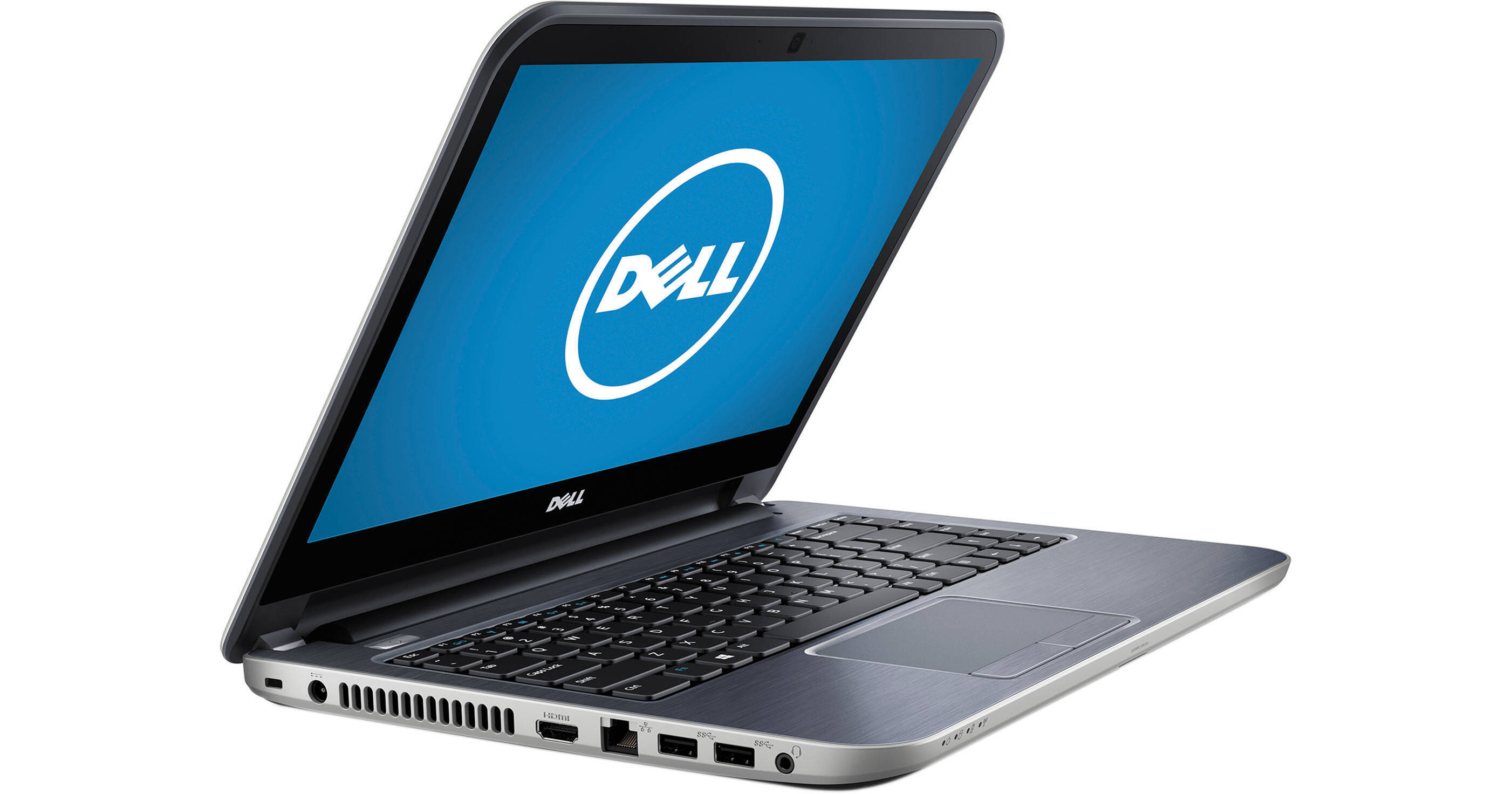
Dell Inspiron 14R i14RMT-2503sLV 14" Multi-Touch Laptop Computer (Moon Silver)

BH #DEI14RMT2503 • MFR #I14RMT-2503SLV
Print
Dell Inspiron 14R i14RMT-2503sLV 14" Multi-Touch Laptop Computer (Moon Silver)
Key Features
  • 1.7 GHz Intel Core i3-4010U (Haswell)
  • 4GB of 1600 MHz DDR3L RAM
  • 500GB 5400 rpm Hard Drive
  • Integrated Intel HD Graphics 4400
The moon silver Inspiron 14R i14RMT-2503sLV 14" Multi-Touch Laptop Computer from Dell features a 14" widescreen display that is backlit with LEDs for low power consumption and good energy efficiency. The display is also a touchscreen so you'll be able to utilize the multi-touch gestures built into Windows 8.1. The screen also has a 16:9 aspect ratio and a 1366 x 768 native resolution powered by integrated Intel HD Graphics 4400.
More Details
No Longer Available
No Store Display
Microsoft 365 Subscription not included: add to your purchase
Ask an Expert
800-606-6969

Dell 14R Overview

The moon silver Inspiron 14R i14RMT-2503sLV 14" Multi-Touch Laptop Computer from Dell features a 14" widescreen display that is backlit with LEDs for low power consumption and good energy efficiency. The display is also a touchscreen so you'll be able to utilize the multi-touch gestures built into Windows 8.1. The screen also has a 16:9 aspect ratio and a 1366 x 768 native resolution powered by integrated Intel HD Graphics 4400.

The system is powered by a dual-core 4th generation Haswell 1.7 GHz Intel Core i3-4010U processor. It also has 4GB of 1600 MHz DDR3L RAM, a 500GB 5400 rpm hard drive, a SuperMulti DVD burner, a multi-format media card reader, an Ethernet RJ-45 LAN jack, 802.11b/g/n Wi-Fi, Bluetooth 4.0, an integrated webcam and microphone. There are also built-in stereo speakers with Waves MaxxAudio 4 technology. CyberLink Media Suite Essentials is software that comes pre-installed on the Inspiron 14R.

Windows 8.1 is the installed operating system. Windows 8.1 improves the user experience of Windows 8 with several additions and changes. The Start button returns, but has two limited core functions. A left click takes you to the redesigned Start screen featuring tiles that update in real-time. A right click brings up an advanced menu where you can access the Device Manager, Control Panel and more. You will also be able to boot directly to the traditional desktop screen instead of the Windows 8.1 Start screen. Windows 8.1 provides a unique user experience that differs from previous versions of Windows.

Dell Inspiron 14R
Dual-Core 4th-Gen Haswell Intel Core i3 Performance
The Inspiron 14R houses a 4th-Gen Haswell Intel Core i3-4010U processor. Its dual cores can reach a stock speed of 1.7 GHz. The Haswell processor uses low voltage, which extends battery life without sacrificing performance. With a dedicated 3MB of L3 cache, 4GB of 1600 MHz DDR3L RAM, and Intel Hyper-Threading technology, the Inspiron 14R allows you to multitask between applications quickly and efficiently.
14" Widescreen LED-Backlit Touchscreen
The 14" widescreen LED-backlit display of the Dell Inspiron 14R is actually a touchscreen. With support of the multi-touch gestures built into Windows 8, you'll be able to navigate menus and open up shortcuts using your fingers. The screen also has a 16:9 aspect ratio and a 1366 x 768 native resolution powered by integrated Intel HD Graphics 4400. You can also output video to an external display via the HDMI port.
Stay Connected
Gain access to the Internet using the reliable wired Ethernet RJ-45 LAN jack. If you prefer to go wireless, you can use 802.11b/g/n Wi-Fi. Bluetooth 4.0 technology on the Dell Inspiron 14R allows you to connect wirelessly to Bluetooth-compatible accessories, such as a Bluetooth mouse.
USB 3.0
USB 3.0 can transfer data up to 5 Gbps, which is 10 times faster than USB 2.0. USB 3.0 is also backwards compatible with USB 2.0, so you can still use all your USB-compatible devices.
CyberLink Media Suite Essentials Software
CyberLink Media Suite Essentials is a multimedia software package pre-installed on the Inspiron 14R because of its optical drive. Windows 8.1 does not offer native DVD playback support. CyberLink Media Suite Essentials is needed in order to play DVDs. This software also includes tools to perform various functions such as video editing, movie creation, burning discs, backup, and recovery.
Windows 8.1
The Return of the Start Button
After many requests from Windows users, the Start button makes its triumphant return in Windows 8.1. While it may not be exactly the same as its predecessor in Windows 7, the Start button has two core functions. A left click on the Start button will take you to the Windows 8.1 Start screen featuring live tiles. A right click on the Start button brings up an advanced menu where you can access the Device Manager, Control Panel, Network options and more.
Boot Directly to the Desktop
Windows 8.1 gives you the choice of booting to the Windows 8.1 Start screen with live tiles or booting to the familiar desktop screen of Windows 7. Users can also boot directly into an app or app view if they choose to.
Seamless Integration of Multi-Touch Gestures
Windows 8.1 supports multi-touch gestures. Now, you can use your keyboard, mouse or the touchpad using simple gestures. Whether you're browsing apps, reading a book or typing on the go with touch, you'll be able to seamlessly switch between all three interactive components. With the touchpad, Windows 8.1 allows you to use multi-touch gestures, such as swipe, drag, tap, slide, pinch-to-zoom and more.
To the Cloud
With Windows 8.1, when signed in using your Microsoft account, you'll have instant access to your personal Start screen, themes, language preferences, browsing history, and browser favorites. You can also connect to services such as Microsoft Outlook, Facebook, Linkedin, Twitter, and more.
Windows Store
In the Windows Store, you can search for or browse thousands of apps. Choose from the featured apps or grab one of the most frequently downloaded apps to see what all the hype is all about. You can also see how other people rate apps. For certain apps, you can try it out before you buy it, so you can make sure you absolutely want an app before you spend your hard-earned money on it.

Dell 14R Specs

Operating System
Windows 8.1 (64-Bit)
Display
Size
14"
Native Resolution
1366 x 768
Finish
Glossy
Optical Drive
Tray-Load SuperMulti DVD Burner
Communications
Wi-Fi
Wi-Fi 4 (802.11n)
Webcam
User-Facing:
Packaging Info
Box Dimensions (LxWxH)
19.2 x 13.3 x 4.1"

Dell 14R Reviews

See any errors on this page?
Whatever You Need, We've Got It