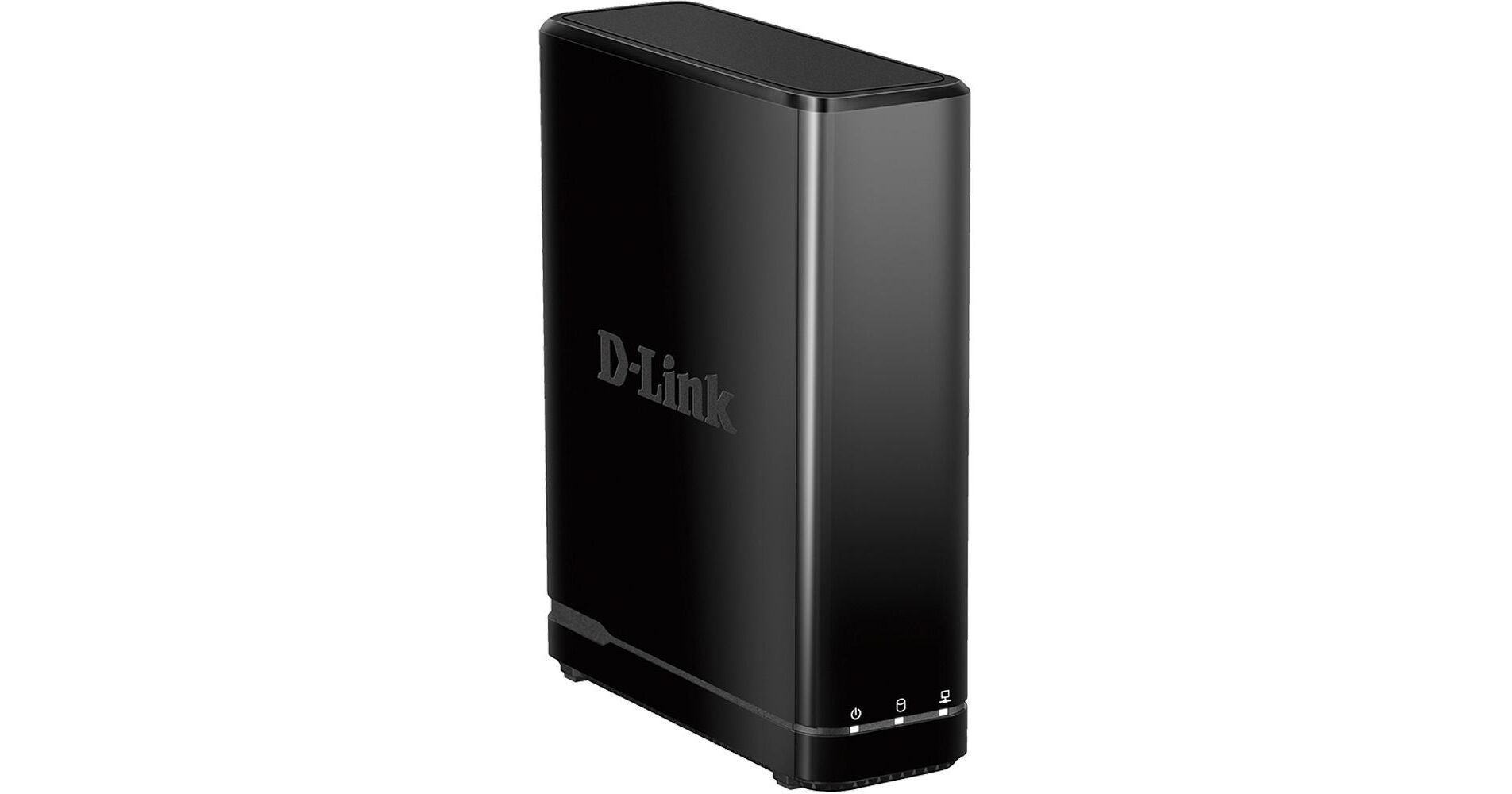
D-Link DNR-312L NVR with HDMI Output

BH #DLDNR312L • MFR #DNR-312L
Print
D-Link DNR-312L NVR with HDMI Output
Key Features
  • Supports up to 9 D-Link Cameras
  • View Video on HDMI TV or Monitor
  • Stream Video via Free iOS & Android App
  • Remote View, Playback & Control
Record video from up to nine D-Link cameras using D-Link's DNR-312L NVR with HDMI Output. While this NVR doesn't require a computer for operation, it includes an HDMI output so you can connect it to a monitor or TV to view video. This NVR can record video on a separately available hard drive with a maximum capacity of 4TB.
More Details
No Longer Available
No Store Display
Ask an Expert
212-444-6615

D-Link DNR-312L Overview

Record video from up to nine D-Link cameras using D-Link's DNR-312L NVR with HDMI Output. While this NVR doesn't require a computer for operation, it includes an HDMI output so you can connect it to a monitor or TV to view video. This NVR can record video on a separately available hard drive with a maximum capacity of 4TB.

Open your computer's web browser or download the Android and iOS compatible mydlink View NVR app to quickly and easily view live camera feeds and control PTZ functions from anywhere with a Wi-Fi or a 3G/4G connection. The DNR-312L has the ability to continue recording live while a user is viewing or searching footage at the same time.

With three video compression modes and schedule, event, motion-triggered and continuous recording modes, this NVR gives you the flexibility to control how and when video is captured and saved. It offers three video encoding modes: H.264, MPEG-4, and MJPEG. The H.264 and MPEG-4 formats transmit keyframes periodically to significantly reduce the amount of recorded data to your hard disk. The MJPEG format compresses images sequentially, leading to higher quality video, but places more demands on bandwidth and the size of your video archive. Along with the NVR, a power adapter, a power cable holder, and Ethernet cable are also included.

Live View
Download the mydlink View NVR app to see your camera's live video stream on your Android or iOS device. In single channel mode, you can swipe through channels to see the video from each of the cameras connected to this NVR. If your camera has PTZ functionality, you will be able to control its functions directly from your smart device.
Snapshot
You can capture a snapshot while streaming a single channel or take snapshots of all the channels displayed in grid view. All images are saved to your NVR's camera roll.
Email
While streaming a single channel, you can capture a snapshot and insert it into an email with Cc and Bcc fields. If you're in grid mode, you can take a snapshot of all the channels, and insert all the images into a single email.
Remote Backup
By running the Remote Backup application that's included on the software CD, you can backup video files on your NVR from virtually any computer.
Event Action
Set alarm settings and receive email alerts in the event that the hard drive is full, a signal is lost or when alarm is triggered.
Hard Disk Drive
  • Reformat Disk
  • Supports up to 4TB
  • EXT3 file system
  • One HDD Bay
Recording
  • Synchronized audio and video recording
  • Configurable video recording settings allow you to set the resolution quality, frame rate, and enable synchronous audio
  • Recording modes: Motion-triggered, event-based, schedule, manual and continuous
  • Auto Overwrite is triggered when the disk is full
Remote Access and Controls
  • Remote live-viewing is supported by your Web browser and the mydlink portal
  • Remotely control PTZ functions, take snapshots, set patrol schedules, and view e-maps
  • Remotely playback, fast forward, rewind, and step forward surveillance footage
  • Remote playback up to four simultaneous channels is supported via browser and NVR client portal
  • Remote backup software can backup raw data to redundant storage

D-Link DNR-312L Specs

Number of Supported Cameras
9
Multiplexer
Simultaneous playback: 9 channels
Compatible Cameras
Supports all D-Link network cameras and megapixel resolutions
Camera Search
uPnP
Compression
H.264
MPEG-4
MPJPEG
Recording
Primary video profile:
H.264: 720p at 135 fps
MPEG-4: 720P at 135 fps
MJPEG at 720P at 30 fps


Secondary Video Profile:
H.264: VGA at 270 fps
MPEG4: VGA at 270 fps
MJPEG: VGA at 60 fps
Storage
HDD
Reformat Disk
Up to 4 TB
EXT3 file system
Video Setting
Resolution, quality, frame rate, audio, go to camera interface
Flash ROM
128 MB
RAM
1024 MB DDR III
Operating System
Linux
Video File Exporting
Video: AVI or ASF
Images: BMP or JPG
Display Mode
1, 4, 9, split screen
Recording Mode
Manual, motion-triggered, schedule, and event-based
Video Output
HDMI
Audio
2-way
Event Action
Event to email
Event to alarm
Event by signal lost
Event by disk full
I/O Ports
RJ45
DC-in jack
HDMI
2 x USB
1 x 3.5 mm audio input
1 x audio output
Network Interface
Gigabit Ethernet LAN port (10/100/1000 Mbps)
Network Service Protocols
IPV4, ARP, TCP, UDP, ICMP
DHCP, NTP, DNS, DDNS, SMTP, FTP
HTTP, HTTPS, IP filtering, UPnP
IEEE 802.3/u/z
Auto MDI/MDI-X
SATA I, II, III
System Time
Set the system time (D-Link NTP, input time, sync with computer, Daylight Saving Time)
System Requirements
Browser
Internet Explorer
Firefox
Chrome
Safari
System Status
Camera status
Still picture EMAP support
System status
Certifications
CE
FCC
RoHS
BSMI
Power
12 VDC, 3 A
Max Consumption: 30 W
Operating Temperature
32 to 104°F (0 to 40°C)
Operating Humidity
5 to 90%, non-condensing
Dimensions
2.0 x 6.0 x 6.8" (49.8 x 141.6 x 173.0 mm)
Weight
15 oz (425 g)
Packaging Info
Package Weight
2.2 lb
Box Dimensions (LxWxH)
10.9 x 8.3 x 3.6"

D-Link DNR-312L Reviews

See any errors on this page?
Whatever You Need, We've Got It