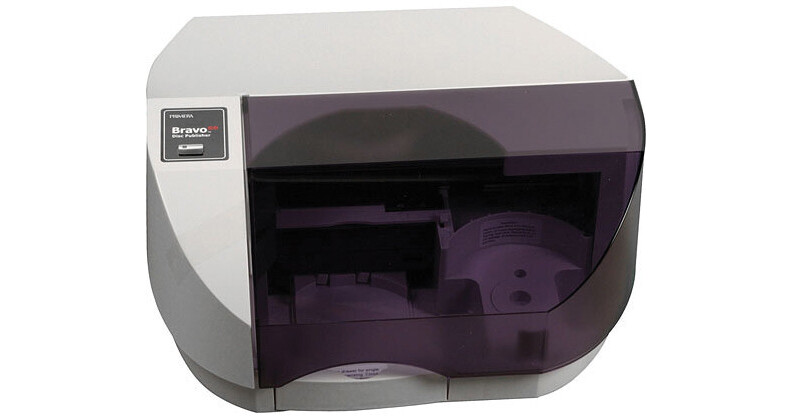
The Bravo SE AutoPrinter from Primera is a practical solution for labeling inkjet-printable CD and DVD discs. The printer allows you to print labels for 20 discs at a time. The inkjet printing delivers professional looking discs, making this a great option for musicians, community groups or anyone else needing to distribute professional CD and DVD content without having the time to print discs manually.
| Printing Method | InkJet |
| Print Resolutions | Up to 4800dpi |
| Print Speed | Not Specified by Manufacturer |
| Colors | 16.7 million |
| Ink Types | 3-Color (C,M,Y) |
| Color Matching | Z-Color Color Matching by Primera |
| Media Types | Printable-Surface 120mm CD/DVD |
| Media Capacity | 20 |
| Printer Driver |
Windows 2000/XP SP2 Mac OS X 10.2 |
| Printer Language | English |
| PostScript Support | Not Specified by Manufacturer |
| Interface - Connectors | USB 2.0 |
| Maximum Print Width | 4.724" (12.0cm) |
| Certifications |
Safety: UL, UL-C, CE Emissions: FCC Class B, CE |
| System Requirements |
Windows Computer: Pentium III 1GHz Operating System: Windows 2000, XP, Vista, 7 Memory: 512MB Hard Drive: 10GB Hardware: USB 2.0 Port Mac Computer: 700MHz PowerPC G4, Intel Core Solo, Intel Core Duo Operating System: Mac OS X 10.2 Memory: 256MB Hard Drive: 10GB Hardware: USB 2.0 |
| Power Requirements |
AC: 100-240VAC, 50/60Hz Consumption: 60W |
| Dimensions (WxHxD) | 15 x 7 x 14.75" (38.1 x 17.8 x 37.5cm) |
| Weight | 11.5 lb (4.1kg) |
REVIEW SNAPSHOT®
by PowerReviewsPros
Cons
Best Uses
Most Liked Positive Review
Small and Powerful
Easy to install. Easy to use. Makes a great looking product. The one thing it is lacking is better MAC compatibility. It comes with software for PC and only templates for Macs. I...Read complete review
Easy to install. Easy to use. Makes a great looking product. The one thing it is lacking is better MAC compatibility. It comes with software for PC and only templates for Macs. I would definitely recommend this product to DIY artists making albums, and anyone else who needs to make small quantities of a decent looking product.
VS
Most Liked Negative Review
Poor Quality
Poor quality worse than my single CD canon printer. Returned back after first day of use.
REVIEWS
Reviewed by 13 customers
Sort by
Displaying reviews 1-13
Pros
Cons
Best Uses
Comments about Primera Bravo SE AutoPrinter:
Labelling DVD's can be some of the most time consuming work of any video project. We produce approximately 1000 DVD's for our high school football team and parents and hand-writing each game and date takes as long as the actual duplication. We purchased the printer to resolve this problem and for the 2011 season have custom produced all of our DVDs.
Pros
Cons
Best Uses
Comments about Primera Bravo SE AutoPrinter:
I print about 300 DVD labels every year, now I don't have to do it one at a time.
Pros
Cons
Best Uses
Comments about Primera Bravo SE AutoPrinter:
This printer operates quickly and has great color. It is the perfect disc printer for anyone who wants to create professional looking discs.
Pros
Cons
Best Uses
Comments about Primera Bravo SE AutoPrinter:
Poor quality worse than my single CD canon printer. Returned back after first day of use.
Pros
Cons
Best Uses
Comments about Primera Bravo SE AutoPrinter:
This printer seems to be pretty good for the amount I paid for it. Once you get your head wrapped around how to print an image the correct size, your all good.
Pros
Cons
Best Uses
Comments about Primera Bravo SE AutoPrinter:
Excellent printer! Really helped out our ministry. Now we are no longer held back by our slow printer
Pros
Cons
Best Uses
Comments about Primera Bravo SE AutoPrinter:
We have been printing DVDs for years. I can't believe we didn't buy this printer before now. Saved our company several dollars not having to monitor the printer for copies. Great Product. Easy to setup and get started.
Pros
Cons
Best Uses
Comments about Primera Bravo SE AutoPrinter:
I like the speed in which it prints and the quality of the images produced. it is the best print on disc printer I have ever own.
Pros
Cons
Best Uses
Comments about Primera Bravo SE AutoPrinter:
I do local recording and production and make hundreds of Cd's and DVD's for different events.
This printer is fast, reliable and the quality is outstanding. It's also very efficient with ink. Works great with my Mac and is also very compact.
Pros
Cons
Best Uses
Comments about Primera Bravo SE AutoPrinter:
Having printed CD/DVD labels one at a time makes me appreciate even more the Auto Printer which saves me a great deal of time plus the quality of printing is much better that on my Epson RX 595. I have used the Bravo Pro in the past, which, of course, even better, but this is more than adequate for my small media business.
Pros
Cons
Best Uses
Comments about Primera Bravo SE AutoPrinter:
I used to print labels out and then place them on the DVD. Now I print my labels directly on the DVD's making my product look very professional. I love this printer, it's quick and really does great DVD labels.
Pros
Cons
Best Uses
Comments about Primera Bravo SE AutoPrinter:
Easy to install. Easy to use. Makes a great looking product. The one thing it is lacking is better MAC compatibility. It comes with software for PC and only templates for Macs. I would definitely recommend this product to DIY artists making albums, and anyone else who needs to make small quantities of a decent looking product.
Pros
Cons
Best Uses
Comments about Primera Bravo SE AutoPrinter:
Now, I have more time to make other things. Labeling software is easy to use to.
Displaying reviews 1-13