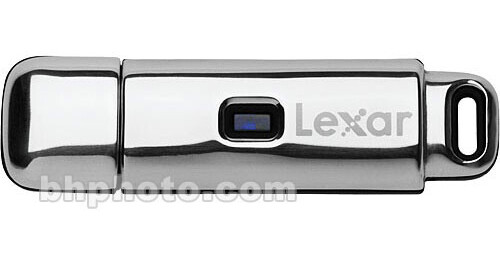
The Lexar JumpDrive Lightning is a premium JumpDrive product offering high data transfer speed, distinctive design in a stylish stainless steel case, and value-added software features. It is ideal for business professionals, power users or anyone looking for high performance and style in a portable storage solution. The pre-loaded software application provides convenience and peace of mind with file synchronization and data security features. Security features ensure your data stays safe, even if the drive is lost or stolen. And since the application runs entirely from the JumpDrive there is no need to install any software on any computer.
Fast Read & Write Speed
Transfer your data at Lightning speeds with the Lexar Jumpdrive Lightning and save time synchronizing, copying or transferring your important files.
- 24MB per second Read (160X)
- 18MB per second Write (120X)
High Storage Capacity
With 4GB of data capacity allows users to save and carry large amounts of digital pictures, music, presentations, or any other file.
Password Protected Security
Create password-protected and public areas on the JumpDrive. This allows users to easily share files, and at the same time prevent access to sensitive or private information. The public area has no password protection and is accessible by anyone using the JumpDrive, while the private area is password-protected so no one can open, copy or write files to the drive without entering the correct password. For additional security encrypt and decrypt any file on your computer or JumpDrive using AES 256-bit encryption.
Convenient for Data Synchronization
Easily synchronize files between PCs and the JumpDrive, which means you always have the most current data with you. You can even setup preferences to include or exclude subfolders or filter specific file types to be synchronized.
Easy to Use
Because the JumpDrive Lightning is a mass storage device, no software installation or drivers are required - just plug into a USB port, and it functions like a system hard drive.