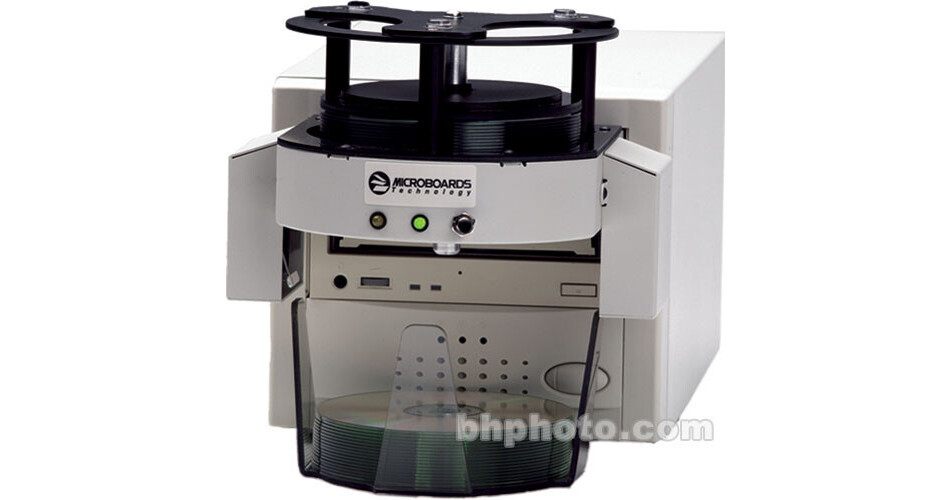
The MicroOrbit DVD 50-Disc CD/DVD Duplicator from Microboards is a batch-load duplicator that features single-button operation. The master CD/DVD is read into the internal hard drive through the recorder, eliminating the need for a separate reader.
Masters and blanks can be left on the input spindle to allow for batch-mode processing. When the system recognizes a new master, it reads it into the hard drive then ejects the master into the output bin and starts recording the next series of blanks until it runs out of media or recognizes a new master in the drive. This is an excellent solution for your DVD or CD duplication needs.
One-Touch Operation
The master disc and blanks are inserted in the MicroOrbit's 50-disc input hopper. When the start button is pressed, the master is read first by the recorders. A disc image is created on the MicroOrbit's hard drive, and burned to the subsequent blanks in the recorder. Once they are finished, the discs are dropped into the caddy below.
Batch-Mode Processing
If you wish to copy multiple masters, load the number of blank discs you want to copy, then your master disc. Then load the next batch of blanks and the next master disc. You can repeat this process until you have 50 discs loaded on the spindle. A disc image is created on the MicroOrbit's hard drive of the master, and burned to the subsequent blanks in the recorder.
Error Detection
If the system cannot read a master disc or fails to write to a blank disc, the system will stop operation and produce a constant beeping noise. This error condition will occur if it detects a bad disc in either Test or Copy modes. This helps to prevent you from writing a full batch of bad discs based on an error in the master disc.
LED Indicator
When the system is turned on, the green LED will flash, as it goes through the initialization stage. When initialization is complete, the green LED will be on solid. Simply press the button once to start Copy mode or press the button 5 times in a row, to start Test mode.