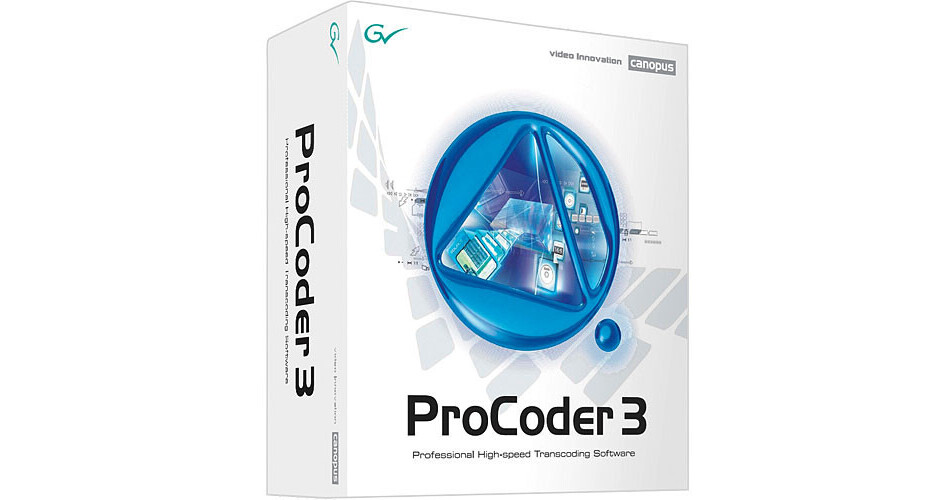
Grass Valley ProCoder 3 Encoding Software for Windows

The ProCoder 3 Encoding Software for Windows from Grass Valley is a professional solution for video format conversion needs. The software features full support for native HD, SD, DV and many other video codecs, the ability to change frame rates, size, and resolution and multi-user network capability. These features make it a powerful tool for anyone who needs to create digital content for video, DVD and Internet applications.

Frame Rate Interpolation and Conversion Utilities
ProCoder's frame rate utilities handle PAL/NTSC conversion, 3:2 pull-down and automatic adaptive deinterlacing for progressive and interlaced video. You'll be able to encode your media in lower frame rates to shrink file sizes while maintaining native resolution or decrease image size as well to create brilliant Web content.
Full HD Support
The software can import and export high-definition (HD) video (720p/1080i) compatible with MPEG and Windows Media applications. You can transcode between HD and Standard Definition (SD) video, change frame rates and export to any format using preset or custom settings. ProCoder also supports HDV MPEG Transport streams captured from HDV cameras and decks.
Scalable Technology Architecture
ProCoder's conversion speed increases with the power of the system, many times transcoding at faster-than-real-time speeds when running on high-end systems. This allows the software performance to increase as you upgrade your computer.
Professional Video Filters
Some of the video filters featured in ProCoder are 601-SD to 709-5-HD Color Correction, 709-5-HD to 601-SD Color Correction, Adaptive De-Interlace, Bitmap Keying, Black/White Correction, Blur, Circular Blur, Gaussian Blur, Color Correction, Color Safe, Crop, Fade In/Out, Gamma Correction, Video Pulldown, Video Sharpen, Temporal Noise Reducer and more.
Corrective Audio Filters
You'll be able to tweak your audio with several professional-quality audio filters. These include low pass, normalize and volume adjustment.
Multi-User Watch Folders
The software lets you create custom watch folders and place them on your network. This allows anyone on your network to drag-and-drop files to be encoded. This process ensures that all files are encoded to meet the correct specifications as designated by the watch folder settings. It also allows multiple users to encode using the same designated networked ProCoder-enabled computer.
Queue Manager
You'll be able to organize and manage multiple transcoding jobs with ProCoder's Queue Manager. This utility allows you to prioritize files, pause, remove or restart jobs and view job progress, warnings or errors. This utility eliminates the need to process each job individually.
Intuitive ProCoder Wizard
The ProCoder Wizard will guide you through the encoding process, helping you choose the optimum compression settings for your particular media destination. It will also help you choose the best settings for any type of Internet connection speed.
Video System NTSC, PAL
Supported File Types
Import Canopus DV
Canopus HQ
Microsoft DV
H.264
AVCHD
Dolby Digital AC-3 Audio
Any Video for Windows codec
Any DirectShow codec
Any QuickTime codec
MPEG-1, MPEG-2
Macromedia Flash (video only)
Windows Media
DivX
MP3 and PCM WAV files
AVISynth script files
Still images including BMP, TGA, TIF, PNG and JPG
Output/Export Canopus DV
Microsoft DV
H.264
Dolby Digital AC-3 Audio
iPod Video (MPEG-4)
MediaEdge/HDMA4000 Video (MPEG-2, MPEG-4)
Any Video for Windows codec
Any DirectShow codec
Any QuickTime codec
MPEG-1, MPEG-2 (using Canopus codec)
VOB (DVD-Video image)
ACM codecs
Macromedia Flash video (with Flash MX installed)
Windows Media
RealVideo
DivX (including multi-pass)
MP3 and PCM WAV files
System Requirements Computer: Intel or AMD 800 MHz CPU (Multiprocessor, Multi-Core and Hyper-Threading support is included)
Operating System: Windows XP Home, XP Professional
Memory: 256 MB (512 MB required for HD)
Hard Drive: 80 MB
Software: DirectX 9.0
Hardware: USB Port

REVIEW SNAPSHOT®

by PowerReviews
Grass Valley ProCoder 3 Encoding Software for Windows
 
5.0

(based on 3 reviews)

Ratings Distribution

  • 5 Stars


    (3)

  • 4 Stars


    (0)

  • 3 Stars


    (0)

  • 2 Stars


    (0)

  • 1 Stars


    (0)

100%

of respondents would recommend this to a friend.

Pros

  • Easy to use (3)
  • Professional quality (3)

Cons

    Best Uses

      REVIEWS

      Reviewed by 3 customers

      Sort by

      Displaying reviews 1-3

      Back to top

       
      5.0

      Top Encoding Tool Ever

      By Tim the Transcoder

      from Minneapolis, MN

      About Me Business Owner

      Verified Buyer

      Pros

      • Easy To Use
      • Improves Performance
      • Professional Quality

      Cons

        Best Uses

        • Complex Projects
        • Independent Films
        • In The Studio

        Comments about Grass Valley ProCoder 3 Encoding Software for Windows:

        We use the product to convert large amounts of sports footage in very little time.

        • Was this a gift?:
        • No

        Comment on this review

         
        5.0

        Great time saver

        By bhop

        from Gainesville, GA

        About Me Company Videographer

        Verified Buyer

        Pros

        • Easy To Use
        • Improves Performance
        • Professional Quality

        Cons

          Best Uses

          • Complex Projects
          • Independent Films
          • In The Studio

          Comments about Grass Valley ProCoder 3 Encoding Software for Windows:

          Procoder 3 has greatly improved video conversion throughput with its managed folder function. It's so nice to just drop videos into a folder and it automatically converts them without any interaction with the program once the folders have been set up. It works fast and provides quality output.

          • Was this a gift?:
          • No

          Comment on this review

           
          5.0

          Works well

          By David

          from Raleigh, NC

          Verified Buyer

          Pros

          • Easy To Use
          • Professional Quality

          Cons

            Best Uses

              Comments about Grass Valley ProCoder 3 Encoding Software for Windows:

              This product is a pretty good video transcoder/encoder. Installed on a quality server and it costs far less than some other box/software solution combinations. Works well for encoding movies for use with Blonder Tongue's DVS-400

              Comment on this review

              Displaying reviews 1-3

              Back to top

              Additional Software

              Grass Valley -  EDIUS 6 Editing Software
               

              This item is backordered by the manufacturer.

              Hardware Expansion

              Grass Valley -  Pegasus HD/SD Video Capture Card for Archival and Distribution
              • Price: $999.00
              • Add to cart for lower price
               

              This is a special order item and is non-cancelable and non-returnable. Est. arrival at B&H is 7-14 days (subject to availability). Your order will be charged at time of shipment.

              What's in the Box

              Grass Valley ProCoder 3 Encoding Software for Windows
              • ProCoder 3 USB Dongle
              • ProCoder 3 User Manual
               
               
              See any errors on this page? Let us know.

              Close

              Close