Item is non-returnable.
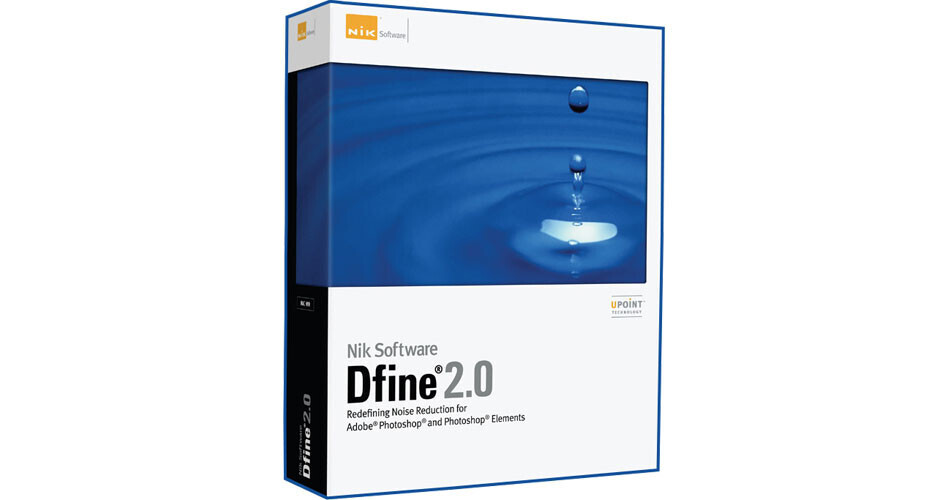
Nik Dfine 2.0 gives you unprecedented control over exactly how much and where to apply noise reduction. This makes it ultra-easy to eliminate noise in your images while maintaining detail and sharpness, thus improving the quality of every digital photo you take.
Dfine 2.0 is designed to prevent the loss of detail other noise reduction tools often introduce.
| System Requirements |
Computer: AMD or Intel CPU; Intel Mac Operating System: Windows XP, Vista, 7; Mac OS 10.5.8, 10.6 Memory: 2GB (4GB recommended) Compatible Host Software: Adobe Photoshop CS3, CS4, CS5; Adobe Photoshop Elements 6.0, 7.0, 8.0, 9.0; Adobe Photoshop Lightroom 2.3, 3.1; Apple Aperture 2.1, 3.1 Compatible with 32-bit and 64-bit operating systems and host applications |
REVIEW SNAPSHOT®
by PowerReviewsPros
Cons
Best Uses
Most Liked Positive Review
Dfine 2.0 is a joy to use!
It does what it promises. It reduces noise. Its automatic setting does a wonderful job, or if you feel the need for more precise...Read complete review
Dfine 2.0 is a joy to use!
It does what it promises. It reduces noise. Its automatic setting does a wonderful job, or if you feel the need for more precise control, the program allows you to make adjustments both thoughtfully and carefully.
This is a very difficult area of digital photography to find good software. I conducted quite a search. It has ended, thankfully, with Dfine 2.0.
VS
Most Liked Negative Review
NIK Noise Reduction Software
This product works well removing noise globally but is confusing to use for removing noise in specific places. The documentation is not easy to understand and the product is not intuitive to use. Unless ...Read complete review
This product works well removing noise globally but is confusing to use for removing noise in specific places. The documentation is not easy to understand and the product is not intuitive to use. Unless this product is used frequently, one will have to go back and relearn features. It reminds me of early Photoshop programs.
Define 2.0 is a plug in for Aperture 3 but some features that can be used in Photoshop are not available in Aperture.
REVIEWS
Reviewed by 20 customers
Sort by
Displaying reviews 1-20
Pros
Cons
Best Uses
Comments about Nik Software Dfine 2.0 Software:
Excellent software very easy to use. Excellent control over the entire photo or just one little area.....
Pros
Cons
Best Uses
Comments about Nik Software Dfine 2.0 Software:
the software scans the image for noise or fuzziness as i like to call it, as soon as you launch the image in define. this takes care of 90% of the noise reduction. there's also a manual selection to let you selectively deal with a thing called color noise, which i have seen in my photos for years, but have never had any tool in which to correct same. if you go to [@], you will find lessons both live [webinars] and archived, to take you step by step through not only define 2.0, but also every other software that they offer.
Pros
Cons
Best Uses
Comments about Nik Software Dfine 2.0 Software:
I have not had much time to get into the manual settings and adjustments. The defalt settings seem to be very good for most general photos. If the manual settings work as well as the other Nik software, there should be no problems. This should be a part of everyones workflow especially for any business or commercial projects. One of the main items for putting that finishing professional touch to your photos.
Pros
Cons
Best Uses
Comments about Nik Software Dfine 2.0 Software:
Works like advertised
Pros
Cons
Best Uses
Comments about Nik Software Dfine 2.0 Software:
I had some difficulty with the installation. It seems the product was not compatible with a 64-bit platform. After searching Nik Software's website I found a download to fix the problem. Once installed and updated for my 64-bit platform the software worked great! It does a super job of reducing noise with very little effort. My wife uses her camera on full automatic and the camera often selects high ISOs which cause many of her images to be very noisy. Dfine 2.0 does a nice job of making those images usable with very little effort.
Pros
Cons
Best Uses
Comments about Nik Software Dfine 2.0 Software:
Cleaned up some 1600 ISO pictures done with my D50 a few years ago, it did a real nice job results were excellent. combined with NIK Sharpener Pro it makes a great tool.
Pros
Cons
Best Uses
Comments about Nik Software Dfine 2.0 Software:
This product works well removing noise globally but is confusing to use for removing noise in specific places. The documentation is not easy to understand and the product is not intuitive to use. Unless this product is used frequently, one will have to go back and relearn features. It reminds me of early Photoshop programs.
Define 2.0 is a plug in for Aperture 3 but some features that can be used in Photoshop are not available in Aperture.
Pros
Cons
Best Uses
Comments about Nik Software Dfine 2.0 Software:
A great product. Easy learning curve and it does exactly what it's supposed to do and it does it well!
Pros
Cons
Best Uses
Comments about Nik Software Dfine 2.0 Software:
This program is so easy and yet so good. It realy saved the day on some photos I shot at wedding.
Pros
Cons
Best Uses
Comments about Nik Software Dfine 2.0 Software:
This is great software! Especially if you work in Black and White or Infrared. Greatly reduces "noise"! It is very easy to use. I have had it about a month and haven't found anything negative about it. If you work with Black and White or infrared do your self a favor and buy this software!
Pros
Cons
Best Uses
Comments about Nik Software Dfine 2.0 Software:
Everything I shoot now gets run through Dfine...my images are smoother cleaner, better, and my acceptance rate has shot up at stock houses!
Pros
Cons
Best Uses
Comments about Nik Software Dfine 2.0 Software:
Great for noise clean up on kids indoor sports photos.
Pros
Cons
Best Uses
Comments about Nik Software Dfine 2.0 Software:
D Fine is much better than Photoshop's or Lightroom's noise reduction utility's. It's easy to use and yields fast and visible improvements to many shots. Most agree that some sort of aftermarket noise reduction is necessary in digital photography to get best results. D Fine is certainly one of the industry standards.
Pros
Cons
Best Uses
Comments about Nik Software Dfine 2.0 Software:
Dfine 2.0 does a great job dealing with high ISO luminance and color noise. It is easy to use and provides a lot of flexibility in how you process the image. Everything from a one or two click process to as much work as you'd like to put into the image. I downloaded several trial versions of software and chose Dfine 2.0 for its ease of use and quality of result.
Pros
Cons
Best Uses
Comments about Nik Software Dfine 2.0 Software:
It is a great addition to Apple's Aperture, as well as PS.
In conjunction with Nik Sharpener, in Aperture, I rarely have to take anything on into Photoshop. It is a really great noise removing tool.
Pros
Cons
Best Uses
Comments about Nik Software Dfine 2.0 Software:
Dfine 2.0 is a very usefull product as are all of Nik Sofware product. [...]
Pros
Cons
Best Uses
Comments about Nik Software Dfine 2.0 Software:
I primarily use this software for those high ISO photos and underexposed photos that require lots of level adjustments. This software will save those photos. I like the fact that this software has automatic as well as manual adjustment features and will also let you reduce noise in specific colors and specific areas of a photograph. It also creates the proper layering for you in photoshop after making adjustments.
Pros
Cons
Best Uses
Comments about Nik Software Dfine 2.0 Software:
I can now use higher ISO settings knowing Dfine will eliminate noise as advertised. Leaving the flash at home when I take indoor basketball photos is a real plus. I particularly like the ability to target areas with U-Point technology rather than having to affect the entire image. I have already recommended this product to three other people.
Pros
Cons
Best Uses
Comments about Nik Software Dfine 2.0 Software:
It works best when applied early in the editing process.
Pros
Cons
Best Uses
Comments about Nik Software Dfine 2.0 Software:
Dfine 2.0 is a joy to use!
It does what it promises. It reduces noise. Its automatic setting does a wonderful job, or if you feel the need for more precise control, the program allows you to make adjustments both thoughtfully and carefully.
This is a very difficult area of digital photography to find good software. I conducted quite a search. It has ended, thankfully, with Dfine 2.0.
Displaying reviews 1-20