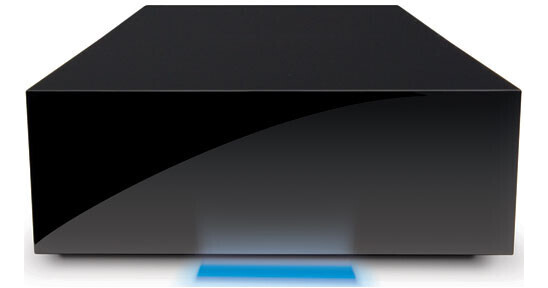
The 500GB Hard Disk from LaCie is a high-capacity drive with a USB 2.0 interface. The drive is capable of data transfer rates up to 35MB/sec, making it an excellent solution for video editing, high resolution imaging, data backup or general storage. It features a striking design by Neil Poulton, making it an aesthetically pleasing addition to any desk.
| Performance | |
|---|---|
| Capacity | 500GB |
| Interface | 1x USB 2.0 |
| Drive Speed | Not specified by the manufacturer |
| Buffer | ≥ 8MB |
| Average Seek Time | Not Specified by Manufacturer |
| Sustained Data Transfer Rate | 30 to 35MB/sec |
| System Requirements |
Operating System: Windows 2000, XP, Vista; Mac OS X 10.5 or higher Memory: 32MB Hardware: USB 2.0 port |
| General | |
|---|---|
| Mounting | Desktop |
| Power Requirements | AC: 100-240VAC |
| Environmental Requirements | None |
| Dimensions (WxHxD) | 4.6 x 1.8 x 7.6" (11.7 x 4.5 x 19.3cm) |
| Weight | 2.1 lb (0.95kg) |
REVIEW SNAPSHOT®
by PowerReviewsPros
Cons
Best Uses
REVIEWS
Reviewed by 9 customers
Sort by
Displaying reviews 1-9
Pros
Cons
Best Uses
Comments about LaCie 500GB Hard Disk:
I got this drive to use as a backup for my photos. Once I got it, I plugged it in, formated the drive and it's been working hassle free since then. If it is anything like my other LaCie external hard drive it will be reliable for years.
Pros
Cons
Best Uses
Comments about LaCie 500GB Hard Disk:
It turns on and it works. I haven't put it though the full paces yet but I have yet to encounter any problems. I did find the the setup program that came with drive insulting however. I know how to format and partition a hard drive. While others you might not may find it useful I prefer to have control over these options. Of course you don't have to use it.
Pros
Cons
Best Uses
Comments about LaCie 500GB Hard Disk:
Easy to use and reliable
Pros
Cons
Best Uses
Comments about LaCie 500GB Hard Disk:
Awful. Not worth the struggle because of the bargain. At least twice a day it will eject itself from my computer and I'll get a nice little note saying "you have unsafely ejected hardware from your computer. don't be surprised if all your music is gone." Also, it took the better part of 2 weeks to upload 40 GB of music and movies. Obviously I wasn't transferring all the time, but by my estimates, I would have had to leave it on AND transferring for about 4 days straight. Ridiculous. I hate this thing. Get a MyBook.
Pros
Cons
Best Uses
Comments about LaCie 500GB Hard Disk:
Easy to use and reliable.
Pros
Cons
Best Uses
Comments about LaCie 500GB Hard Disk:
Got an Iomega first. Kept freezing up, and losing icons. Only for them to reappear after rebooting the hard drive. Returned it and got this. Love it.
Pros
Cons
Best Uses
Comments about LaCie 500GB Hard Disk:
Purchased the disk drive for backing up purposes primarily photos. Its small, easy to use, and works very well. Very much recommend it.
Pros
Cons
Best Uses
Comments about LaCie 500GB Hard Disk:
Very inexpensive drive with great software thrown in.
Fast and being LaCie, normally reliable.
Only disadvantage is single USB port which makes daisy-chaining a problem.
My two are as media server and time-machine backup
Highly recommended.
Pros
Cons
Best Uses
Comments about LaCie 500GB Hard Disk:
pretty fast and relatively quiet.
the only thing is the plastic outer shell has me a bit worried if it dropped.
Displaying reviews 1-9