We are not accepting orders at this time. Online ordering will resume Monday, May 28th at 9:45PM EDT. Our SuperStore and offices are currently closed and will reopen on Tuesday, May 29th at 9:00AM EDT.
We apologize for any inconvenience and appreciate your patronage.
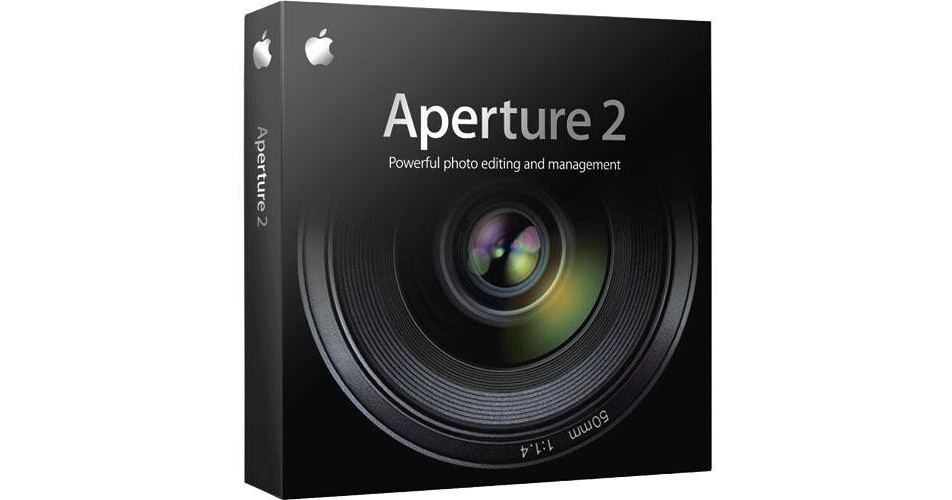
Aperture 2 from Apple is a complete photo management and editing suite for OS X. Aperture is aimed at professional photographers, as it gives pros a complete digital workflow application. You'll be able to organize, edit, and export photos, all from within Aperture. The application features a streamlined interface, .Mac integration, and a plethora of output options. It is an essential tool for professional photographers working in the digital age.
| Application | Photo Management and Editing |
| System Requirements |
Computer: Mac Pro, MacBook Pro, MacBook Air, MacBook, Mac mini with Intel Core Solo or Core Duo, iMac with 1.8GHz or faster PowerPC G5 or Intel COre Duo, Power Mac G5 1.6GHz or faster, 15" or 17" PowerBook G4 with 1.25GHz or faster Operating System: Mac OS X 10.4.11; Mac OS X 10.5.2 Memory: 1GB (2GB for Mac Pro) Hard Drive: 5GB Display: ATI Radeon X600 Pro, X600 XT, X800 XT Mac Edition, X850 XT, X1600, X1900 XT, 9800 XT, 9800 Pro, 9700 Pro, 9600, 9600 XT, 9600 Pro, 9650, HD 2400 XT, HD 2600 PRO, or HD 2600 XT; ATI Mobility Radeon 9700 or 9600; ATI Mobility Radeon X1600; nVIDIA GeForce FX 5200 Ultra, 6600, 6600 LE, 6800 Ultra DDL, 6800 GT DDL, 7300 GT, 7800 GT, 8600M GT, or 8800 GT; nVIDIA Quadro FX 4500 or FX 5600; Intel GMA 950 or GMA X3100 |
REVIEW SNAPSHOT®
by PowerReviewsPros
Cons
Best Uses
Most Liked Positive Review
It's not supposed to be Photoshop
I have used Aperture since version 1. It is so far the best Photo management software available. Many people complain that its "not Photoshop"... there right its not. Its not...Read complete review
I have used Aperture since version 1. It is so far the best Photo management software available. Many people complain that its "not Photoshop"... there right its not. Its not supposed to be. Photoshop is the best photo editing program out there hands down. Though Aperture has a good handful of editing tools it is designed to manage photo librarys. Compared to PS lightroom I feel the navigation in Aperture to be more intuitive. The screens are clean and simple. No need for a pretty fleurdelis in my menus. I feel the best part in its management ability s is the option of having one photo in several projects without file duplication. I have used iPhoto, Picasa, Lightroom, and Bridge to manage my photos an all of them duplicate your images for each file you want them in.
VS
Most Liked Negative Review
Too Powerful but Cleanly Designed
I've recently converted from the now dead iView MediaPro where I had 150,000 imagers catalogued. I spent much time comparing Aperture and Lightroom before settling on Aperture. I was not especially interested in the ...Read complete review
I've recently converted from the now dead iView MediaPro where I had 150,000 imagers catalogued. I spent much time comparing Aperture and Lightroom before settling on Aperture. I was not especially interested in the editing tools in either program as I do my editing in Photoshop. Both programs required fiddling to get my metadata into the new software, but I found migration paths for both.
I chose Aperture because the interface was much cleaner and it made viewing my images full screen a matter of just hitting "F." In Lightroom the same task took multiple keystrokes in and out of full screen. That was unacceptable to me.
In the end, I still miss some of the features of iView like the ability to easily select multiple collections of images or the ability to have two images open and magnify them to any degree and be in the same spot on both images at once. Sadly, the loupe tool in Aperture strikes me as a toy that makes complicated what should be simple.
When I got lots of images loaded both programs were slugging on my new MacbookPro, at least compared to iView, but iView isn't there anymore, and it had some nasty habits as well. What I'd really like is for someone to have a program that just does cataloging. Editing is another, distinct function. I dislike non-destructive editing as computer data is too easily corrupted. Some day all those edits will be lost due to broken links, unsupported ware, or computer failure. Oh for a program that respects the motto, keep it simple. However Aperture at least has a simple desktop layout and simple functionality.
Reviewed by 13 customers
Sort by
Displaying reviews 1-13
Pros
Cons
Best Uses
Comments about Apple Aperture 2 Software for Mac OS X:
I use it for about six months now. This app is absolutely powerful. Although it is easy to do the first steps, it is a very complex package going very deep.
The beauty is that it works non-destructive and one can create several versions of a picture. Cataloging is simple and highly customizable.
There are some very useful tools (e.g. light table) built in.
4gig of RAM and a 24" screen should be minimum.
Aperture was never meant to be a replacement for Photoshop. I wonder where that came from.
Pros
Cons
Best Uses
Comments about Apple Aperture 2 Software for Mac OS X:
I just started shooting in RAW and this offers more adjustments and better photo organization than Iphoto.
The Exploring Aperture guidebook with the sample projects was a great introduction to the software.
Pros
Cons
Best Uses
Comments about Apple Aperture 2 Software for Mac OS X:
This tool is great for organizing libraries, and has just the tools I need to begin working with RAW Canon EOS 7d photos.
It is getting a bit long in the tooth, so I hope Apple updates it soon.
Pros
Cons
Best Uses
Comments about Apple Aperture 2 Software for Mac OS X:
Fairly advanced software for less advanced (non professional) users make this program's language confusing and reaching for photo-software buzz word dictionary constantly.
Pros
Cons
Best Uses
Comments about Apple Aperture 2 Software for Mac OS X:
Kinda hard to use at first, but after watching the tutorials on the Apple website it was very easy to get used to. It helps take your photos to the next level.
Pros
Cons
Best Uses
Comments about Apple Aperture 2 Software for Mac OS X:
I've recently converted from the now dead iView MediaPro where I had 150,000 imagers catalogued. I spent much time comparing Aperture and Lightroom before settling on Aperture. I was not especially interested in the editing tools in either program as I do my editing in Photoshop. Both programs required fiddling to get my metadata into the new software, but I found migration paths for both.
I chose Aperture because the interface was much cleaner and it made viewing my images full screen a matter of just hitting "F." In Lightroom the same task took multiple keystrokes in and out of full screen. That was unacceptable to me.
In the end, I still miss some of the features of iView like the ability to easily select multiple collections of images or the ability to have two images open and magnify them to any degree and be in the same spot on both images at once. Sadly, the loupe tool in Aperture strikes me as a toy that makes complicated what should be simple.
When I got lots of images loaded both programs were slugging on my new MacbookPro, at least compared to iView, but iView isn't there anymore, and it had some nasty habits as well. What I'd really like is for someone to have a program that just does cataloging. Editing is another, distinct function. I dislike non-destructive editing as computer data is too easily corrupted. Some day all those edits will be lost due to broken links, unsupported ware, or computer failure. Oh for a program that respects the motto, keep it simple. However Aperture at least has a simple desktop layout and simple functionality.
Pros
Cons
Best Uses
Comments about Apple Aperture 2 Software for Mac OS X:
A bit of a learning curve, but well worth the time invested in learning the "ropes". There are some huge advantages in working with your pictures on a MAC. I have quite a bit of experience working on a PC, but there are quite a few advantages working with the MAC platform. Difficult to compare, but I am happy with this software, I may have a better opinion in a month or so.
Pros
Cons
Best Uses
Comments about Apple Aperture 2 Software for Mac OS X:
I love Aperture, I have been using it from 2008 to current. On the road with my Fifty State Tour it has been improved the time it takes in organizing, creating books, editing and more. I cant wait to see what is next for this product in 3.0
Pros
Cons
Best Uses
Comments about Apple Aperture 2 Software for Mac OS X:
I have used Aperture since version 1. It is so far the best Photo management software available. Many people complain that its "not Photoshop"... there right its not. Its not supposed to be. Photoshop is the best photo editing program out there hands down. Though Aperture has a good handful of editing tools it is designed to manage photo librarys. Compared to PS lightroom I feel the navigation in Aperture to be more intuitive. The screens are clean and simple. No need for a pretty fleurdelis in my menus. I feel the best part in its management ability s is the option of having one photo in several projects without file duplication. I have used iPhoto, Picasa, Lightroom, and Bridge to manage my photos an all of them duplicate your images for each file you want them in.
Pros
Cons
Best Uses
Comments about Apple Aperture 2 Software for Mac OS X:
AS A PHOTOGRAPHER AND A NEW OWNER OF THE MACBOOK PRO, I'VE FOUND APERTURE 2 TO BE VERY USEFUL ON THE JOB AND IS EASY TO WORK WITH !!
Pros
Cons
Best Uses
Comments about Apple Aperture 2 Software for Mac OS X:
i'm in the process of learning aperture for the i mac. so far, so good. it's taking awhile to get accustomed to using it, but seems to be just what i was looking for.
Pros
Cons
Best Uses
Comments about Apple Aperture 2 Software for Mac OS X:
As a photography enthusiast, no professional by any means, it took me awhile to learn all what Aperture 2 can do, and after having it a full year what I have learned is that it really can't do much. It does a great job for color alterations and some basic editing but I keep finding myself more limited by the software than enabled. One of the best features that the program has to offer is direct purchasing of prints, that I have used many times, which the quality and price is great. To summon up, what you get is a relatively inexpensive software, compared to Photoshop, and what you get is not what you expect from a top of the line Apple product.
Pros
Cons
Best Uses
Comments about Apple Aperture 2 Software for Mac OS X:
Doesn't exactly live up to Apple's reputation for elegance and user friendliness... still it's a somewhat powerful image management piece of programming.
Running on Apple's 8-core Xeon 2.8 Ghz workstation with 8 Gig of RAM, I'd expect better performance. Photo controls are good, but it's no substitute for Photoshop.
Displaying reviews 1-13