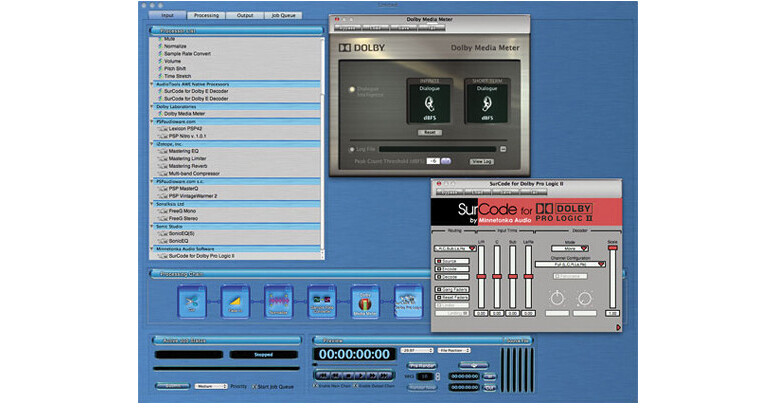
AudioTools AWE from Minnetoka is a complete automated file processing software utility for digital audio. Files can be post-processed or repurposed quickly and easily, in a completely predefined way. With well over 20 different signal and file processing functions, the software allows audio professionals to specify end-to-end file handling, and a DSP chain of actions, that can be run in an unattended fashion.
The software's ability to execute automated processing significantly reduces an engineer's need to perform repetitive tasks. Using the Output Sets feature, a single interleaved source file can be de-interleaved, processed through a complex DSP chain (including VST plug-ins), and then delivered as multiple output files, in multiple formats simultaneously, including AIFF, AC-3, AU, MP3, SDII, W64 and WAV.
With certified support for key entertainment audio technologies, including Dolby Digital, Dolby E, Dolby Pro Logic II and Dolby Media Meter, AWE is an indispensable application for any audio post facility.
- Ultra-high-quality 64-bit sample rate converters
- Fade in, fade out, normalize, gain, concatenate, and more
- Sound file format conversion, bit-depth conversion
- Multi-channel surround
- VST plug-in support
- Apply any number of processors in any order
- Create multiple file output types from a single source file
- Optional plug-ins include Dolby Digital, time/pitch, mastering EQ, and more
- Automatically processes any new input sound file immediately
- Submit folders of input sound files
- Surround sound as interleaved files or multi-channel mono
- Auto-loading of multi-channel mono files
- File name modifiers
- Add date, time, or custom text
- Output can copy folder structure of input
- Monitor input sound files
- Monitor output sound files
- Monitor processors in real time, and adjust parameters
- Cue monitor to anywhere in the sound file
- Time display in many formats including Timecode
- Looping
- Multi-channel level metering
- Save jobs, recall them later
- Save processor chains, recall them later
- Save settings of individual processors, recall them later
- Save collections of Jobs, submit them all later in a single step
- Set up a Job, email it to run in another facility
- Trim
- Concatenate
- Gain Change
- Normalize
- Insert Silence
- Fade
- Crossfade
Format Conversion
- Variable SRC
- Bit depth
- Mono/stereo/multi-channel
- Channel assignment
- WAV/BWF/AIFF/SD II/AU/MP3
- Multiple output support from a single job
- Hot Folder support
VST Plug-In Interface
- VST 2.4
- Re-order processing chain
- Save and reload job chains
External I/O Interface
- Core Audio
- Device I/O plug-in
- Latency compensation adjustment