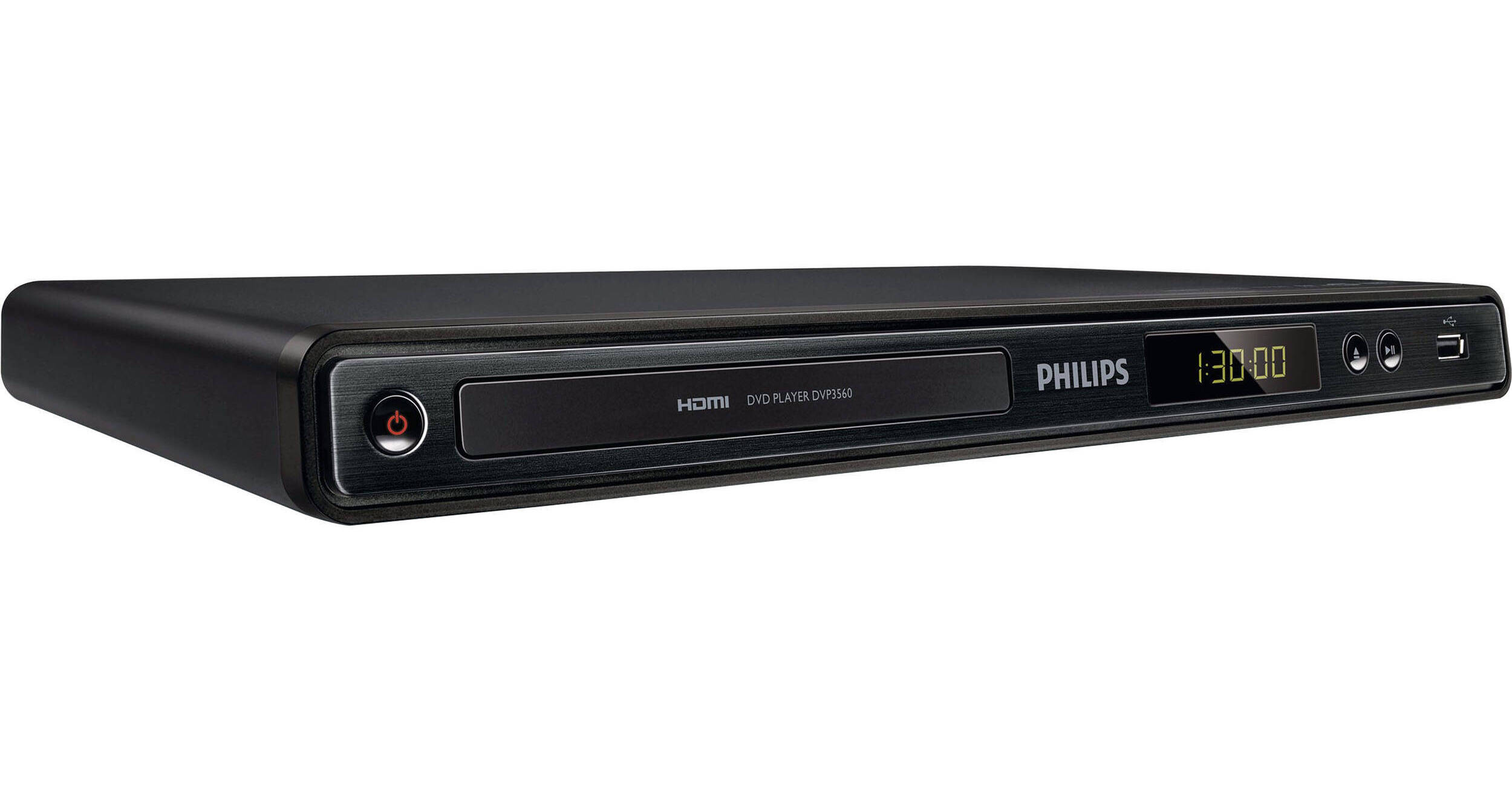
Philips DVP3560/F7 DVD Player

BH #PHDVP3560 • MFR #DVP3560/F7
Print
Philips DVP3560/F7 DVD Player
Key Features
  • HDMI 1080p Upscaling
  • Screen Fit for Optimal Viewing
  • Progressive Scan
  • DivX Ultra Certified
Indulge yourself in long hours of viewing high definition video with the DVP3560/F7 DVD Player from Philips. With DivX support, you are able to enjoy DivX encoded videos and movies from the Internet.
More Details
No Longer Available
No Store Display
Ask an Expert
800-606-6969

Philips DVP3560/F7 Overview

Indulge yourself in long hours of viewing high definition video with the DVP3560/F7 DVD Player from Philips. With DivX support, you are able to enjoy DivX encoded videos and movies from the Internet.

Also enjoy the convenience of creating MP3 files right in your living room, without a PC, and even while the CD is playing with one-touch MP3 creation. Moreover, the EasyLink lets you control multiple devices with one remote. So step into a new arena of home entertainment with the DVP3560/F7 DVD Player.

Additionally, with a USB 2.0 port, just plug your USB device and select the movie, music or photo and play the way you want. It is incorporated with HDMI 1080p upscaling that delivers high definition for sharper pictures. Besides this, the Screen Fit feature ensures that the picture fills the whole screen.

HDMI 1080p Upscales to High Definition for Sharper Pictures
HDMI 1080p upscaling delivers images that are crystal clear. Movies in standard definition can now be enjoyed in true high definition resolution - ensuring more details and more true-to-life pictures. Progressive Scan (represented by "p" in "1080p") eliminates the line structure prevalent on TV screens, again ensuring relentlessly sharp images. To top it off, HDMI makes a direct digital connection that can carry uncompressed digital HD video as well as digital multichannel audio, without conversions to analog - delivering perfect picture and sound quality, completely free from noise
Screen Fit for Optimal Viewing Every Time
Whatever you're watching, Screen Fit ensures that the picture fills the whole screen. Annoying black bars on the top and bottom are eliminated, without any tedious manual adjustments to make. Simply press the Screen Fit button, choose the format and enjoy your movie in full-screen
Progressive Scan Component Video for Optimized Image Quality
Progressive Scan doubles the vertical resolution of the image resulting in a noticeably sharper picture. Instead of sending a field comprising the odd lines to the screen first, followed by the field with the even lines, both fields are written at one time. A full image is created instantaneously, using the maximum resolution. At such a speed, your eye perceives a sharper picture with no line structure
DivX Ultra Certified for Enhanced DivX Video Playback
With DivX support, you are able to enjoy DivX encoded videos and movies from the Internet, including purchased Hollywood films, in the comfort of your living room. The DivX media format is an MPEG-4 based video compression technology that enables you to save large files like movies, trailers and music videos on media like a CD-R/RW or DVD recordable disc for playback on your DivX Ultra Certified Philips device. DivX Ultra combines DivX playback with great features like integrated subtitles, multiple audio languages, multiple tracks and menus into one convenient file format
Hi-Speed USB 2.0 Link Plays Video/Music from USB Flash Drive
The Universal Serial Bus or USB is a protocol standard that is conveniently used to link PCs, peripherals and consumer electronic equipment. Hi-Speed USB devices have a data transfer rate of up to 480 Mbps - up from the 12 Mbps in original USB ones. With Hi-Speed USB 2.0 Link, all you have to do is plug in your USB device, select the movie, music or photo and play away
One-Touch MP3 Creation Directly from CDs onto USB Sticks
Convert the contents of your favorite CDs to MP3 files on your Philips product, and store it directly on a thumbdrive or on your portable media player through a USB cable. Enjoy the convenience of creating MP3 files right in your living room, without a PC, and even while the CD is playing
EasyLink Controls All EasyLink Products with a Single Remote
EasyLink lets you control multiple devices with one remote. It uses HDMI CEC industry-standard protocol to share functionality between devices through the HDMI cable. With one touch of a button, you can operate all your connected HDMI CEC enabled equipment simultaneously. Functions like standby and play can now be carried out with absolute ease
My Wallpaper for a Personalized Welcome Screen
Personalize your DVD player's wallpaper with your favorite photo. My Wallpaper lets you upload your favorite photo to be the wallpaper of your Philips DVD player. My Wallpaper works with most photo formats and you can even change the contrast on your uploaded photo to create unique lighting effects. No more boring generic welcome screen when you turn on your DVD player. My Wallpaper is easy to use and fun for everyone

Philips DVP3560/F7 Specs

Key Specs
Region
Blu-ray: A
DVD: 1
Region
Blu-ray: A
DVD: 1
DivX Certified
Yes

Philips DVP3560/F7 Reviews

See any errors on this page?
Whatever You Need, We've Got It