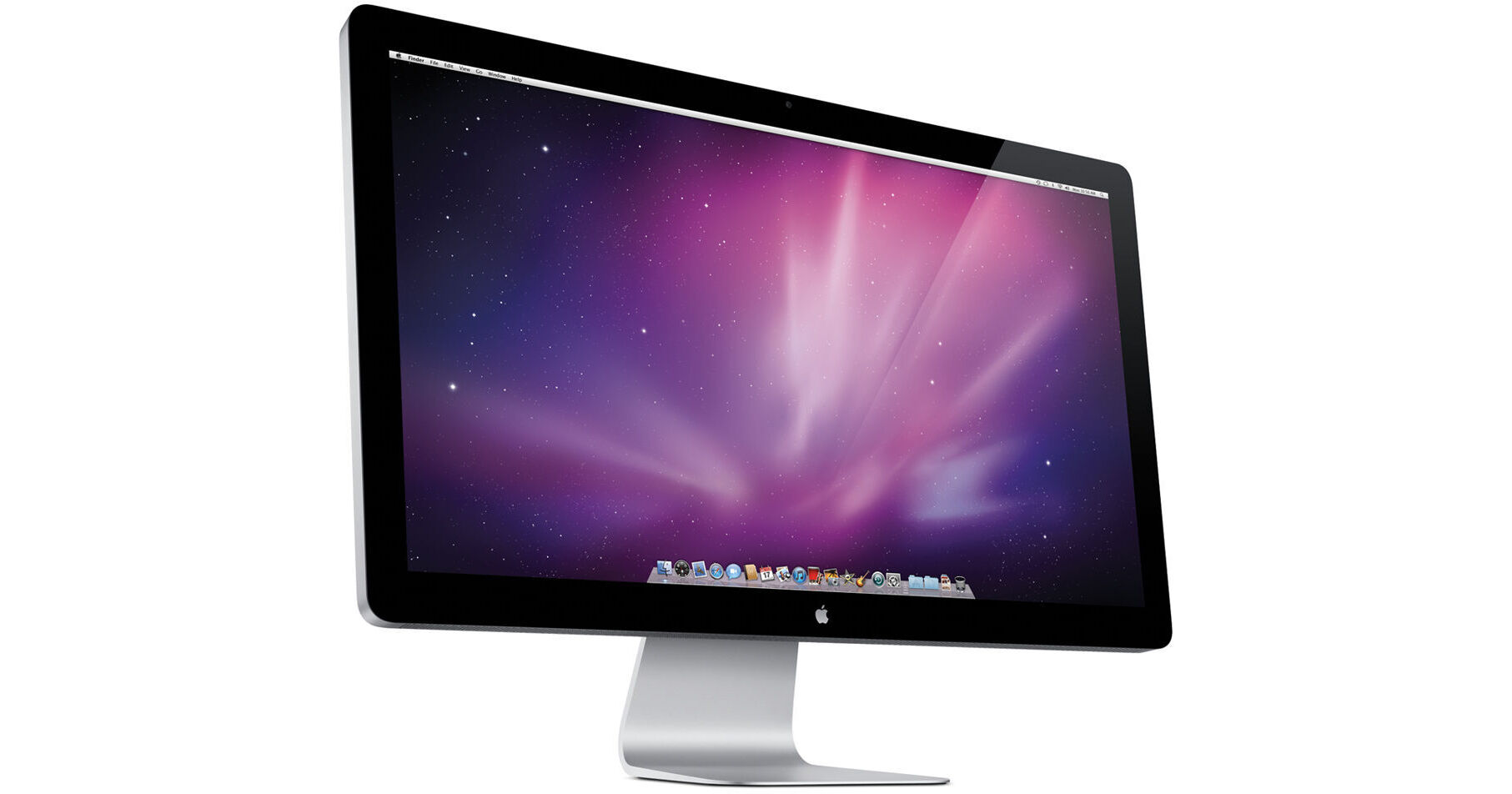
This display can only be used with computers that feature a Mini DisplayPort connector.
The 27" LED Cinema Display from Apple is an LCD computer monitor, designed for use with Apple computer systems. It features a striking glass and aluminum design, which matches that of Apple's popular iMac computer.
The display features an impressive 2560 x 1440 resolution, integrated iSight camera, microphone, and 49W stereo speakers. It uses IPS technology for superior image quality, and features a glossy finish for improved color saturation. An ambient light sensor automatically adjusts screen brightness to match your surroundings.
The display also features an integrated USB hub, and a Mini DisplayPort interface. It even features a MagSafe power connector, which can be used to provide power to a connected MacBook or MacBook Pro computer. Its desktop stand supports -5-25° tilt adjustment.
| Panel/Display | |
|---|---|
| Type | IPS |
| Viewable Size | 27" |
| Brightness | 375cd/m² |
| Contrast Ratio | 1000:1 |
| Viewing Angle | 178° horizontal, 178° vertical |
| Pixel Dot Pitch | Not Specified by Manufacturer |
| Response Time | 12ms |
| Panel Life | Not Specified by Manufacturer |
| Colors Supported | 16.7 million |
| Signal | |
|---|---|
| Internal Interface | Digital |
| Frequency | Not Specified by Manufacturer |
| Sync Type | Not Specified by Manufacturer |
| Resolution | 2560 x 1440 |
| Input/Output Connectors | |
|---|---|
| Analog | None |
| Digital | 1x Mini DisplayPort |
| Audio Input | None (Audio signal carried over Mini DisplayPort) |
| Headphone Jack | None |
| Hub Ports | 3x USB 2.0 |
| Speakers | 2.1 Stereo |
| Mount | VESA |
| Controls | |
|---|---|
| Buttons | Power |
| On-Screen Display | None |
| Auto Configuration | Yes |
| Touch Screen | None |
| Tilt/Swivel Range | Tilt: -5-25° |
| Security | Kensington security slot |
| Compliant Standards | None |
| System Requirements | Mac with Mini DisplayPort |
| Power Requirements |
AC: 100-240VAC, 50-60Hz Consumption: 250W |
| Environmental Requirements |
Operating Temperature: 50-95°F (10-35°C) Humidity: 20-80%, non-condensing Altitude: 10,000' (3048 m) Storage Temperature: -4-116°F (-20-47°C) |
| Dimensions (WxHxD) | 25.7 x 19.4 x 8.2" (65 x 49.1 x 20.7cm) |
| Weight | 23.5 lb (10.7kg) |
REVIEW SNAPSHOT®
by PowerReviewsPros
Cons
Best Uses
Most Liked Positive Review
Great Monitor
I use the 27" Apple Cinema Display for video editing and graphic art. I love it. It's a physically beautiful. The color is accurate. It's wide enough for editing.
Unfortun...Read complete review
I use the 27" Apple Cinema Display for video editing and graphic art. I love it. It's a physically beautiful. The color is accurate. It's wide enough for editing.
Unfortunately Apple has taken "less is more" too far. 1. The cord is 3 ft. long, about 3 inches shy of the length I need. Apple does not make extensions. I couldn't find an extension locally, so I ordered one online. 2. There is no on an off button. I was in the habit of playing podcasts, radio, music, and manually turning the monitor off. Now, I have to go into the preferences - energy saver - to put the display to sleep.
VS
Most Liked Negative Review
needs to have non glare finish
I have no complaints about the monitor itself, except perhaps it is a little too bright to do accurate color corrections on (but)and this is a BIG but, this thing is way too...Read complete review
I have no complaints about the monitor itself, except perhaps it is a little too bright to do accurate color corrections on (but)and this is a BIG but, this thing is way too glossy. It is like trying to work looking into a mirror. Do you get eye strain from working on your monitor, well it is about to get even worse with this thing. So...if you are cool with that, and don't plan on doing a lot of color corrections this could be the monitor for you.
Reviewed by 69 customers
Sort by
Displaying reviews 1-20
Previous | Next »
Pros
Cons
Best Uses
Comments about Apple 27" LED Cinema Display:
I debated for a long time before buying this monitor. I am switching from using two 22" wide screens to one 27" wide screen. I have not been disappointed. My primary reason for switching was picture quality. I was so impressed with the visual clarity of my MacBook Pro screen that I wanted it on a larger scale. After seeing it up close and personal , I was sold on this product. After using it for a couple of weeks I'm glad a made the switch. An added bonus was the fact that it has so many integrated peripherals. I got rid o my speakers, web cam, usb port all with this one device. It's got a heavy price tag, but for someone who sits and stares at a screen all day I only want the best!
Pros
Cons
Best Uses
Comments about Apple 27" LED Cinema Display:
Takes the computer experience to another level...
Pros
Cons
Best Uses
Comments about Apple 27" LED Cinema Display:
I purchased this product specifically for my PC after consulting with Apple to ensure that it would work.My PC has both DVI and DP ports. This LED display has only mini DP port which I had purchased a $8 adapter for it to solve the issue. Once i plugged in the display to my PC, the windows 7 immediately recognized the display at maximum resolution along with iSight camera, microphone and speakers that are embedded in the display. The colors are sharp and all the pictures look truely amazing. Aside the high price of this display, once installed, it think it will be well worth it. The only thing about this display is that there are no switches or buttons on the display. Therefore, no on/off button or display settings button. I have been using the display for couple of weeks now and i realize that i don't really need these buttons anyway.
Pros
Cons
Best Uses
Comments about Apple 27" LED Cinema Display:
I bought this to replace my old 23" LCD Cinema Display that I have had since 2006. While a lot of people complain about the new glossy screen (had a matte screen on my 23"), I don't find it bothersome at all. I don't do any professional video / photo editing. I simply use this for my amateur photo processing, watching videos and listening to music.
The speakers are ok for integrated units, but they are definitely not comparable to my old B&W MM1 speakers. However, they will suffice for now since I have a B&O setup at home for music.
The screen is awesome and is very crisp. The only gripe that I have is the lack of up and down adjustability of the screen. Otherwise, it is perfect in every way.
Pros
Cons
Best Uses
Comments about Apple 27" LED Cinema Display:
set up was simple. typical apple engineering of the packaging, and b&h supplies and additonal box - so 3 layers overall. screen is sharp and accurate out of the box. dimensions given are accurate.
Pros
Cons
Best Uses
Comments about Apple 27" LED Cinema Display:
Easy to hook up to a Mac Mini. Warms up pretty quick and has a really sharp picture. Doesn't keep up seamlessly with really fast action sequences.
Not impressed with Mac support. B&H saved the day after Apple screwed up everything they could with the exception of building a sound product. Mac recommended a Thunderbolt display for my 2010 Mac Mini. The T-bolt is not backwards compatible and they never caught it. Thanks to B&H we could return both attempts at using a T-bolt Display and exchange them for a Cinema Display.
Pros
Cons
Best Uses
Comments about Apple 27" LED Cinema Display:
I work in design and the display is an important piece of equipment for me. It's great because it's clear, sharp and the colors are great. It's made my Apple so of course it's beautiful to look at.It's expensive but B&H sells it for $100 less than the [@]!
Pros
Cons
Best Uses
Comments about Apple 27" LED Cinema Display:
I own a MacBook Pro and when my Samsung Syncmaster monitor died, I looked around for a replacement. I design ebook covers and manage several projects simultaneously so a large screen monitor is essential. I first ordered an HP 24" monitor but found that there were incompatibility issues with my Mac, and sent it back. Finally, I just bit the bullet and got the 27" LED Cinema Display by Apple and am I glad I did. It set up beautifully and looks great right out of the box. It has some nice features that work great with my MacBook Pro, something the HP did not. The graphics sparkle and the on board speakers' sound is solid. The on board camera delivers a very nice image. All-in-all, a significant investment, but for serious Apple users, the way to go.
Pros
Cons
Best Uses
Comments about Apple 27" LED Cinema Display:
These monitors seem expensive but you're really getting killer quality for the price. Anything comparable from competing brands is more expensive.
Pros
Cons
Best Uses
Comments about Apple 27" LED Cinema Display:
From an image-quality perspective, I've never seen a better monitor and as a pro retoucher, I've bought the best since the early 90s. I was worried about reflections, and they exist, but the trade-off for a matte finish isn't worth the loss in quality--manage your ambient lighting, I say. I use this on a MacPro with a PC Radeon 6870, and it works perfectly with MDP. This is a big monitor, but the resolution is high, so icons are smallish, but that's what I like. The color is even all over. It's glass, so keep the supplied hanky handy at all times.
The speakers are way better than I expected, my Skype contacts love the iSight, and these bonuses are free. B&H's $$$ is significantly less than anybody +no tax or shipping, so there really is no better value and no better quality, IMO. So I repeat: Why'd I wait so long to get this?
Couple negatives: I wouldn't mind some height adjustment; the USB ports aren't convenient for regular swapping; and my Spyder3Pro won't calibrate it at all (maybe it's the 6870, i dunno), and since the color is factory-set at a web viewing temperature, I found it a bit too blue for my retouching purposes out of the box. However, the Display Preferences allowed me to tweak it to close enough.
Still, the image is so good that I'm giving it a five anyways. Plus the design is just really nice (no plastic anywhere.) I don't play games so I can't help you out there.
Pros
Cons
Best Uses
Comments about Apple 27" LED Cinema Display:
I wavered between the LED and Thunderbolt display, and I'm thrilled that I got the LED.It's a simply beautiful display. Easy to connect to my MacBook Air and printer. The best part is that it is doing for me exactly what I need - I am so much more productive with a larger screen to view and complete my work on.I also wavered between ordering from the [@] versus B&H. B&H had slightly better prices for the same exact products. In the past I have purchased camera equipment from B&H, and having had a good experience, I went with B&H. Everything was delivered on time and in perfect condition. Well done, B&H. Thank you!
Pros
Cons
Best Uses
Comments about Apple 27" LED Cinema Display:
My next natural step as amateur photographer was to adquire a monitor were finally could develop my pictures to have a "pro" look, and after playing with the idea of buying the NEC 27" LCD display I decided to save some cash and I bought the Apple one. It works perfectly with my 13" Macbook Pro (without thunderbolt connection) and I never saw my pictures so clear before. The monitor is big enough (I'm still getting used to the size), the colors are bright and the image is sharp.
Like all the monitors, it needs to be calibrated (it took only 10m to calibrate with my Spider4 Pro).
Like everybody says, the monitor is glossy and will require to control the ambient light in the room but it's not bothering me so far as I try to control the light in the room (try to avoid direct light on the screen and bright light in the room).
I would have liked the monitor with a wider color gamut, the Apple Cinema Display 80% of AdobeRGB and the NEC previously mentioned has a 97.1% but over $500 more expensive.
So far I'm really happy with it.
Pros
Cons
Best Uses
Comments about Apple 27" LED Cinema Display:
Size and proportion are perfect for all of the
work done. Graphics are amazing and amazingly
there are no dead pixels. Would recommend to everyone seeking a high end display. Speakers are a little funky.
Pros
Cons
Best Uses
Comments about Apple 27" LED Cinema Display:
Seemless integration with my MBA. Great screen and workspace.
Pros
Cons
Best Uses
Comments about Apple 27" LED Cinema Display:
it seemed like my cameras were missing colors and definition until I saw the photos on this monitor
Pros
Cons
Best Uses
Comments about Apple 27" LED Cinema Display:
There are many monitors available for the MacBook Pro, but when you're looking for the best, like I am, looking at Apple products is #1. There are a few reasons why I chose the LED Cinema Display. You don't need to worry about anything – just plug it in, and you're ready to go. Since I'm a graphic designer and I'm on the computer working very closely at the computer all the time, day and night, its very important to me that the picture quality and high resolution is perfect! The LED Cinema Display's resolution is 2560x1440. Photos and movies are awesome. My eye's don't get tired anymore.
I bought the display and apple care protection plan. At Apple, the display alone was way more!! I got a great price. Thank you B&H!
Pros
Cons
Best Uses
Comments about Apple 27" LED Cinema Display:
I'm a Professional Photographer (in this case meaning I sell my photography) and I can honestly say that this monitor is absolutely wonderful for editing my photos on. The coloration is great and while some people dislike it, I actually like the glossy panel that Apple decided to use. To be fair though, I'd understand why people may not like the display given how glossy it is. If you are going to edit in a room with direct sunlight hitting the monitor, it would definitely make things difficult. But otherwise, that's the only technical downside I see. The all in one connection cord works like a charm and connects my macbook pro for easy plug and play use! Remember that this does require a mini-display port though so make sure your mac has one before you purchase!
Pros
Cons
Best Uses
Comments about Apple 27" LED Cinema Display:
Not compatible with my mac mini. And there is no adapter.
Pros
Cons
Best Uses
Comments about Apple 27" LED Cinema Display:
As other I will say the Gloss Screen pics up lots of reflections, but I have found my own work arounds, Outside that one issue I really like the LED technology and the Monitor.
Pros
Cons
Best Uses
Comments about Apple 27" LED Cinema Display:
This display is BEAUTIFUL. I have been a long-time user of Apple products, and an even longer fan of the culture they have created with their brand. I bought this display to replace a 23" Cinema that went out last month. I knew I needed a bright (Brightness: 375 cd/m2 / Contrast ratio: 1000:1), responsive (Response time: 12 ms) display with accurate color, and could certainly use the extra real estate on my desktop (Resolution: 2560 by 1440 pixels). After reading many reviews, I realized that the only way I was going to find everything I was looking for, I would have to go with another Apple display.This display is so close to perfect, that I hated only being able to give it a 4 out of 5 star rating. The only deficiency, and in my mind, it's a HUGE deficiency, is the fact that there is no DVI connector. As I mentioned, I am replacing an older display, but my Mac is only about a year old. The problem is that I do NOT have a Mini DisplayPort connection on my graphics card. I had to buy an adapter for another $130 in order to make it work on my machine. That is crazy in my opinion. Once I got the extra part, all is working well. It truely is a beautiful display.
Displaying reviews 1-20
Previous | Next »