Due to Apple's OS upgrade, the preinstalled OS may be Mac OS X 10.6 Snow Leopard or OS X 10.7 Lion.
All Apple computers purchased on or after July 21, 2011 can be upgraded to Lion via free download from the Mac App Store within 30 days of purchase.
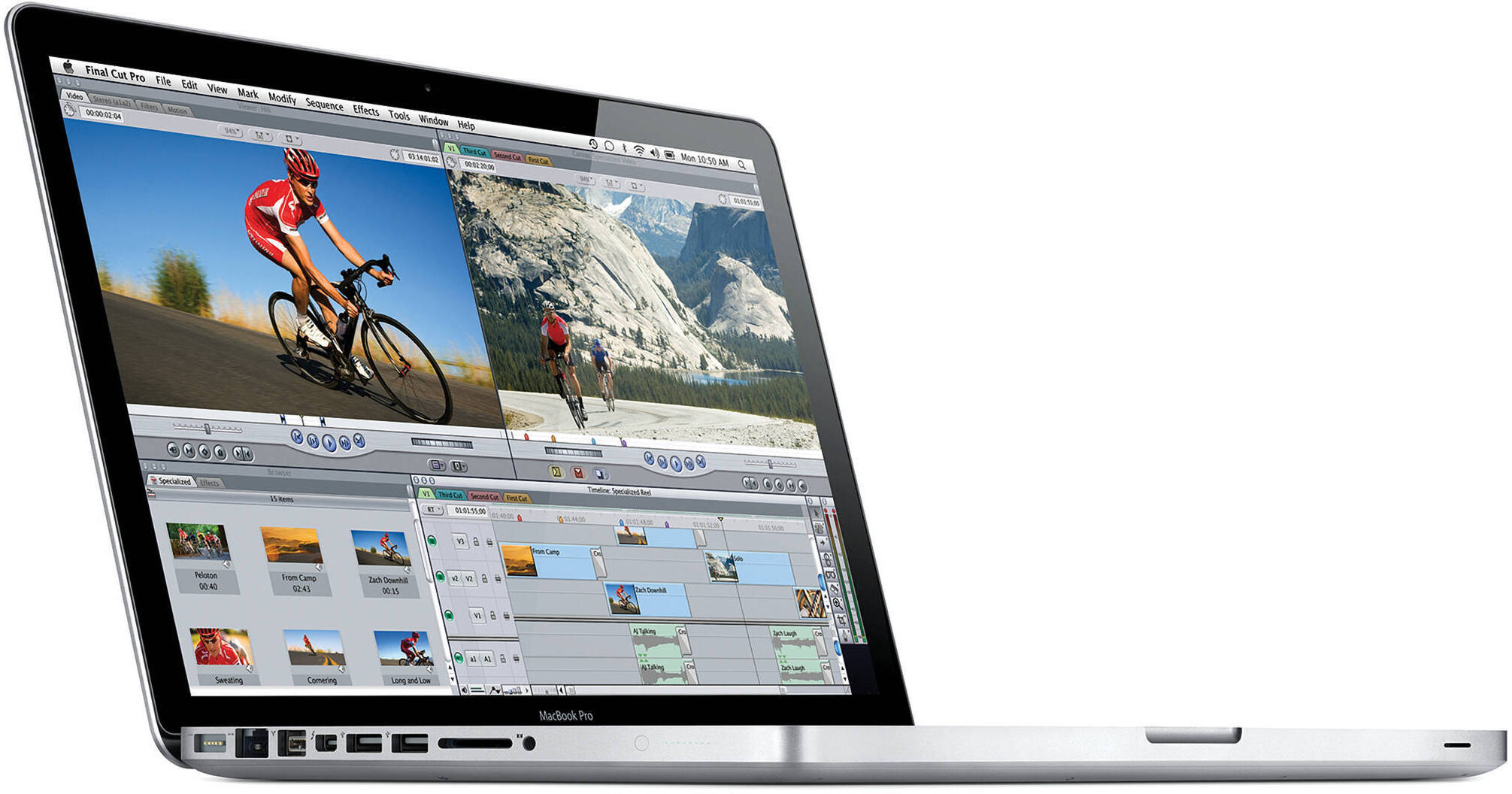
The 13.3" MacBook Pro Notebook Computer from Apple is a powerful notebook computer with an innovative aluminum unibody design. It is loaded with advanced power management features and an integrated battery -- they work together to provide up to 7 hours of wireless web browsing.
You may notice an unfamiliar logo next to one of the ports on the left side of the system. This is Thunderbolt, a high-speed interface that can move data at an amazing 10Gbps -- double that of USB 3.0. The Thunderbolt port doubles as a display output -- it shares the same physical form factor as a Mini DisplayPort. You can daisy-chain up to six devices, so you'll be able to connect high-speed external storage and an external LCD display via the same port!
The computer's 13.3" display features a LED backlight and a glossy finish. Its 1280 x 800 native resolution gives you ample screen real estate with which to work. You'll be able to output to an external display at up to 2560 x 1600 via Thunderbolt. Any Mini DisplayPort LCD will plug-in without the need for an adapter. If you have a display with DVI, VGA, or HDMI input, you'll only need to purchase an adapter cable for connection.
You'll be able to communicate with friends and family thanks to built-in support for FaceTime chat. The computer's FaceTime HD camera supports 720p HD video chat via the included app. You can make video calls to other Mac users with FaceTime, as well as to anyone with an iPhone 4 or an iPod touch model with a built-in camera.
The system is powered by a dual-core 2.3GHz Intel Core i5 CPU with Intel Turbo Boost 2.0 support. The computer is loaded with 4GB of memory, a 320GB 5400rpm hard drive, and a SuperDrive DVD burner. Graphics are handled by an integrated Intel HD Graphics 3000 GPU with 384MB of shared DDR3 memory. You'll be able to connect to the Internet with ease via 802.11n Wi-Fi or wired Gigabit Ethernet. The MacBook Pro also features built-in Bluetooth 2.1+EDR, making it easy to use the system with wireless headphones, keyboard, mice, and other compatible peripherals. An SDXC slot is present, making it easy to download photos and videos from memory cards.
The computer features a comfortable backlit chiclet-style keyboard, which features space between each key for improved accuracy and comfort when typing. It also sports a glass Multi-Touch trackpad with a clickable design. Rather than having a separate button for mouse clicks, the entire surface of the pad is clickable. This increases the active surface area, and allows you to quickly click, even if your finger is near the top of the trackpad.
What's more, the smooth surface fully supports Multi-Touch gestures -- you can tap the trackpad with one finger to click, with two fingers to right click, scroll through documents using two fingers, pinch to zoom, navigate through Safari or iPhoto with three-finger left and right swipes, or use two fingers to rotate a photo or PDF.
iLife '11 has a complete suite of digital creativity applications. Easy enough for anyone to use, iLife will help you edit your home movies, organize digital photos, and compose original music. iLife includes iPhoto, iMovie and GarageBand.
The 64-bit OS features Time Machine backup, which automatically backs up system data to an external hard drive. It also features intuitive Cover Flow navigation, the powerful Spotlight search tool, and Quick Look document preview. You'll be able to use Boot Camp to run Windows on your Mac.
Note!
Due to Apple's OS upgrade, the preinstalled OS may be Mac OS X 10.6 Snow Leopard or OS X 10.7 Lion.
All Apple computers purchased on or after July 21, 2011 can be upgraded to Lion via free download from the Mac App Store within 30 days of purchase.
| Performance | |
|---|---|
| Processor | 2.3GHz Intel Core i5 |
| Cache | L3: 3MB |
| System Bus | Not Specified By Manufacturer |
| Memory |
Slots: 2x SO-DIMM 204-Pin Type: PC3-10600 1333MHz DDR3 SDRAM Installed: 4GB (2x2GB) Capacity: 8GB |
| Graphics Card |
Type: Integrated Installed: Intel GMA HD Graphics 3000 with 384MB DDR3 SDRAM Shared |
| Display | |
|---|---|
| Type | Widescreen |
| Size | 13.3" |
| Backlight | LED |
| Aspect Ratio | 16:10 |
| Finish | Glossy |
| Native Resolution | 1280 x 800 |
| Supported Resolutions |
1280 x 800 at 16:10 Aspect Ratio 1152 x 720 at 16:10 Aspect Ratio 1024 x 640 at 16:10 Aspect Ratio 800 x 500 at 16:10 Aspect Ratio 1024 x 768 at 4:3 Aspect Ratio 800 x 600 at 4:3 Aspect Ratio 640 x 480 at 4:3 Aspect Ratio 1024 x 768 at 4:3 Aspect Ratio Stretched 800 x 600 at 4:3 Aspect Ratio Stretched 800 x 600 at 4:3 Aspect Ratio Stretched 640 x 480 at 4:3 Aspect Ratio Stretched 720 x 480 at 3:2 Aspect Ratio 720 x 480 at 3:2 Aspect Ratio Stretched |
| External Resolution | Up to 2560 x 1600 |
| Dual Display | Yes |
| Video Mirroring | Yes |
| Storage | |
|---|---|
| Hard Drive |
Bays: 1x 2.5" (9.5mm) Installed: 320GB 5400rpm Type: SATA |
| Optical Drive |
8x-Speed Slot-Load SuperDrive Reads DVD: 8x CD: 24x Writes DVD-R: 8x DVD-RW: 4x DVD-R DL: 4x DVD+R: 8x DVD+RW: 4x DVD+R DL: 4x CD-R: 24x CD-RW: 10x |
| Input/Output Connectors | |
|---|---|
| Ports |
2x USB 2.0 (A) 1x FireWire-800 (9-Pin) 1x Thunderbolt |
| Display |
1x Mini DisplayPort via Thunderbolt port 1x DVI via Thunderbolt port using optional cable 1x VGA via Thunderbolt port using optional cable 1x Dual-Link DVI via Thunderbolt port using optional cable 1x HDMI via Thunderbolt port using optional cable |
| Audio |
Integrated Stereo Speakers with subwoofer Integrated Omnidirectional Microphone 1x 1/8" (3.5mm) Headphone/Microphone Combo Jack with S/PDIF |
| Expansion Slots | None |
| Flash Media Slot | 1x SDXC |
| Communications | |
|---|---|
| Network | 10/100/1000Mbps Gigabit Ethernet (RJ-45) |
| Modem | None |
| Wi-Fi | 802.11a/b/g/n |
| Bluetooth | Bluetooth 2.1+EDR |
| Webcam | Yes |
| General | |
|---|---|
| Operating System |
Not Specified By Manufacturer
1
Please Note:Due to Apple's OS upgrade, the preinstalled OS may be Mac OS X 10.6 Snow Leopard or OS X 10.7 Lion. close |
| Security | Kensington Lock Slot |
| Keyboard |
Keys: 78 Type: Standard Notebook Keyboard Features: Backlight, Chiclet Style |
| Pointing Device | TouchPad with Double-Tap, Drag, Four-Finger Swipe, Inertial Scrolling, Multi-Touch Control, Pinch, Precise Cursor Control, Rotate, Tap, Three-Finger Swipe, Two-Finger Scrolling |
| Battery | Built-In Lithium-Polymer Providing up to 7 Hours per Charge (63Wh) |
| Power Requirements |
AC: 100-240 V AC, 50-60Hz Consumption: 60W |
| Dimensions (WxHxD) | 12.78 x 0.95 x 8.94" / 32.46 x 2.41 x 22.71 cm |
| Weight | 4.50 lb / 2.04 kg |
REVIEW SNAPSHOT®
by PowerReviewsPros
Cons
Best Uses
Most Liked Positive Review
New MacBook Pro = MacLove
The new MacBook Pro is a sweet machine. It finally give me what I want to have in terms of speed and power. It's sleek and fast, cool and stylish. The quad-processor setup ...Read complete review
The new MacBook Pro is a sweet machine. It finally give me what I want to have in terms of speed and power. It's sleek and fast, cool and stylish. The quad-processor setup is very powerful and gets the technology out of your way. It allows you to concentrate on the results you are working for, rather than focusing on the technology you are working with. Although I've been a lifelong Mac fan for many reasons, the new MacBook Pro has reignited that original flame and fanned it some!
Warm feelings aside, the MBP model here really cranks it out. It crunches video and audio in far less time than other Macs/Computers I've had. It loads webpages and email in a snap. It exports and saves complex graphic files in a breezy, almost carefree fashion.
And it can do this for hours. The battery life is exceptional. From a full charge, I can get a solid 8 hours without direct current. This is great since that encapsulates my workday. If I charge before I go, then it lasts all day and I can plug it in overnight with no problems. The magnetic power connector is nice as well since it pops on easily and with a little bit of force, pops off easily again.
The ONLY thing I can say negative about this laptop is not something that is the fault of the computer: I wish it was bigger. However, my budget did not allow for anything larger than the 13". Needless to say I am QUITE happy with this unit. But I can also tell - if I had a larger model, I'd truly be in heaven.
Anyhow, if you are thinking of purchasing a new laptop/computer - get this or one of the larger models. You'll REGRET it!
VS
Most Liked Negative Review
Not so good
OK, I bought a second macpro notebook - the same configuration as my last year's but this one has been 'upgraded' and made quite useless. It comes with Lion but I don't know ...Read complete review
OK, I bought a second macpro notebook - the same configuration as my last year's but this one has been 'upgraded' and made quite useless. It comes with Lion but I don't know what Lion does or what Leopard did except get in the way of my finding programs and files! The mac doesn't have iDVD but has iLife like the other one - without iDVD you can't burn a DVD or a CD making the iMovie program useless. And the kicker is if you buy the new Ilife it may not have iDVD. I used my old mac for making slide-shows and movies and burning DVDs (I will find some cheap/free software to burn DVDs but never repeat never)- I will now never buy a apple/mac product and stay with pcs - they are cheaper and if I need to buy software to do things - at least they are cheaper!
Reviewed by 209 customers
Sort by
Displaying reviews 1-20
Previous | Next »
Pros
Cons
Best Uses
Comments about Apple 13.3" MacBook Pro Notebook Computer:
From day one it was just plug and play. Very user friendly and wouldn't go back to a pc laptop!
Pros
Cons
Best Uses
Comments about Apple 13.3" MacBook Pro Notebook Computer:
The Rolex of computers at a great price!
Pros
Cons
Best Uses
Comments about Apple 13.3" MacBook Pro Notebook Computer:
Received this product as a gift. Still on the learning curve after haning been a PC user, but LOVE this computer!! I am happily converted. :)
Pros
Cons
Best Uses
Comments about Apple 13.3" MacBook Pro Notebook Computer:
This is my first Macbook Pro that I have ever bought from Apple. I've been dreaming about getting one years ago. Now that I own one it's pretty amazing. The great things about this notebook (to me) is good for editing photos, videos, and entertainment. I've pretty much using my Mac mainly to edit my photos and what not.
Things that are not great about it that I've notice is whenever I open so many programs it just tends to lag a big so a little upgrade will do that job, but other that it's pretty good computer to own. What's also hard for me is getting use to the commands, i've been such a PC guy for a long time but it's all good. You won't be disappointed.
Pros
Cons
Best Uses
Comments about Apple 13.3" MacBook Pro Notebook Computer:
Very good
Pros
Cons
Best Uses
Comments about Apple 13.3" MacBook Pro Notebook Computer:
I use my MacBook for thorough web surfing/email, Skype/Gchat/Google Voice calls, and writing/word processing. The new MacBook is superb. The keyboard is so smooth and comfortable, and the backlit keyboard is a dream. The screen is cleaner and sharper than the old models. And Lion OS X is awesome. I'm still discovering all the possibilities for new trackpad usage and gestures, and it's crazy (three finger click a word to get popup bubble of its definition and wikipedia entry!?). There are few if any issues, and I'm sure they're more an issue of getting accustomed than weaknesses of the model. I'm not sure how to turn off the backlit keyboard, or if you can; all the F1-F12 buttons have assigned functions, so none can really be used for Dashboard or other quick button settings. But beside 2-3 little things like that, this computer is AWESOME. Also, the screen and casing stay much cleaner and don't wear down the same (my old MacBook's topcase broke like once or twice a year).
Pros
Cons
Best Uses
Comments about Apple 13.3" MacBook Pro Notebook Computer:
This was a Christmas/Birthday gift for my daughter who is a junior at UGA and turned 21 the day after Christmas. She was thrilled when she opened it yesterday and she's been using it ever since. It is everything she needs and wants as a college student and more. The price was so good I was skeptical. And the delivery was so fast I couldn't believe it. I will be a repeat customer with B&H.
Pros
Cons
Best Uses
Comments about Apple 13.3" MacBook Pro Notebook Computer:
Never realize how much fun and powerful the macbook laptops could be. This little machine is amazing! Its no wonder almost all college students purchase a macbook. No system freeze, and program crash. I use to be a PC guy, But after using my mac for about 2 weeks now, I will never purchase a PC again. Don't get me wrong! PC are cool and inexpensive, but if you can do all that a PC can do PLUS run mac os, than the question is why WOULDN'T you buy a mac! The integrated spell check is awesome! As I type right now, it corrects my spelling errors. I have a 700 dollar desktop from dell, and I use to consider it a BEAST machine, but after getting this macbook pro, which is twice the speed of the dell, my dell has become a pretty slow machine. Many times I've worked on video editing and music editing on my dell with windows 7 and an i3 processor, and many times it has crash. So far, I have not had this problem with my macbook. And if BH Photo can offer it at a crazy low price! Why wouldn't anyone buy it!
One thing I don't like is how it doesn't have an HDMI port. Instead you have a mini display port were you can connect a mini display cable ---> HDMI cable. It shows in great HD quality, but its ONE more thing you have to spend money on. But you can get it cheap online. It does weigh quite a lot for a 13inch laptop, but its a small price to pay. CD drive makes a lot of noise, and the loading mechanism is not what I expected, but it will do. (I was expecting it to load very smoothly and quite, like your car stereo system.)
Pros
Cons
Best Uses
Comments about Apple 13.3" MacBook Pro Notebook Computer:
Great laptop, fast, the best computer I ever had!!!
Pros
Cons
Best Uses
Comments about Apple 13.3" MacBook Pro Notebook Computer:
Perfect for mobile productivity. Small, light powerful enough for the traveling businessman or college student. This computer is not intended for the hard core gamer or the video editing professional , but is perfect business productivity, web and multimedia.
Pros
Cons
Best Uses
Comments about Apple 13.3" MacBook Pro Notebook Computer:
Love this Mac! So fast and bright.
After loaded Lion it is even more enchanting. I just use this mainly for e-mail, shopping and streaming Dramas which come wonderfully fast and clear.
Pros
Cons
Best Uses
Comments about Apple 13.3" MacBook Pro Notebook Computer:
I absolutely love this laptop! I will never go back to a PC based laptop for private use again. Only downfall is that I cant use it for work, or else I would be breeze!!
If you never used an Apple computer, this is a great introductory laptop - just right for me, as I casually use the internet, and not big on gaming, or photo design, but still love it!!
Pros
Cons
Best Uses
Comments about Apple 13.3" MacBook Pro Notebook Computer:
The trackpad and gesture controls are still the best of any current laptop.
Pros
Cons
Best Uses
Comments about Apple 13.3" MacBook Pro Notebook Computer:
I believe this computer is easy to use. i can't say anything negative yet but so far i like it
Pros
Cons
Best Uses
Comments about Apple 13.3" MacBook Pro Notebook Computer:
Use for web browsing and multimedia. Fastest streaming and also very high quality machine
Pros
Cons
Best Uses
Comments about Apple 13.3" MacBook Pro Notebook Computer:
I use this machine for work and home use, so it gets put through it's paces. It replaced a Core Duo "15 and I have to say the difference is significant.
Lion (which clearly signals that iOS will become the dominate user interface within a few generations) is remarkably faster on key tasks, especially launching apps, waking from sleep and navigating / processing ethernet tasks. I'm not sure what changes they made under the hood, but it is seems more streamlined in basic processing tasks (although it is hard to separate the performance gain to the machine's much faster hardware).
Negatives: gesture-based navigation can be a little confusing and may or may not be worth your while. The complete disappearance of basic ux tools like scrolls bars is a mind bender until you master the basics of gesturing on the track pad. Of course, this is more of an OS critique than a critique of the machine.
The OS does recognize ancient hardware (like click wheel mice) and translates their input into gestures very well.
Considerations: I opted not to get a SSD Hard drive. The prices are still high and by the time this drive fails (2-3years has been my average for laptops) I imagine SSD will be half the price and twice as large.
All in all a great machine at a great price.
Pros
Cons
Best Uses
Comments about Apple 13.3" MacBook Pro Notebook Computer:
I decided on mac, and I won't go back! I absolutely love it, there are no problems, and it works smoothly and more efficiently than other computers. I use it mostly for internet and some photoshop/design. It's worth the extra money and will last longer than other laptops on the market. I recommend any type of mac 100%. No bad things to say about it.
Pros
Cons
Best Uses
Comments about Apple 13.3" MacBook Pro Notebook Computer:
Beautiful,Stable,Fast
What else can you ask for?
Pros
Cons
Best Uses
Comments about Apple 13.3" MacBook Pro Notebook Computer:
The product is really great!!!
no words
Pros
Cons
Best Uses
Comments about Apple 13.3" MacBook Pro Notebook Computer:
This is my first Apple Mac laptop. I liked it very much; still discovering.
Displaying reviews 1-20
Previous | Next »