
Holiday Headstart

Video Chat with a Pro Video Expert - Live

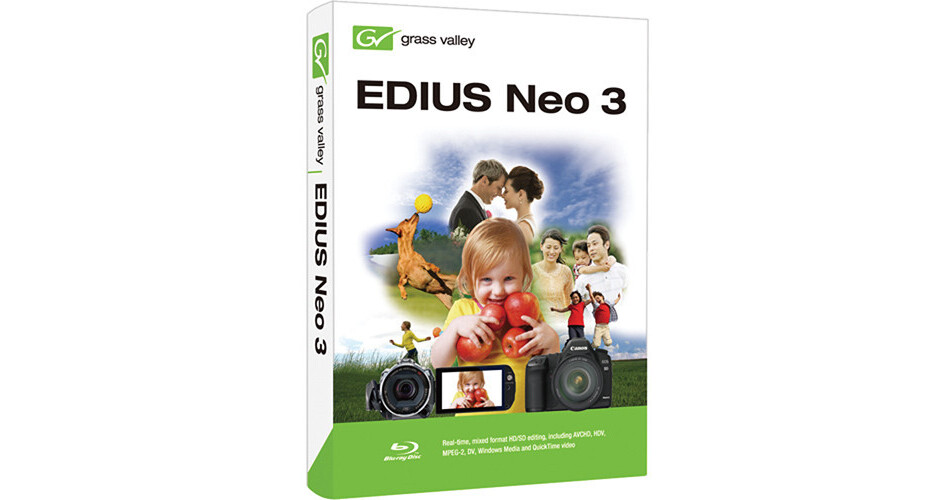
Grass Valley EDIUS Neo 3

BH #GREN3 • MFR #606492
Print
Grass Valley EDIUS Neo 3
Key Features
  • Multi-track / Mixed-format HD/SD Editing
  • Chromakeying / Titling
  • Blu-ray Disc / DVD Authoring
  • Real-time Workflow
Grass Valley EDIUS Neo 3 offers nonlinear editing features, and is suitable for those new to video editing. In addition to real-time, multi-track, mixed-format HD/SD editing, it comes with chromakeying, titling, and both Blu-ray disc and DVD authoring. The software offers a seamless, real-time workflow, and allows for mixing all formats on the same timeline.
More Details
No Longer Available
No Store Display
Ask an Expert
800-606-6969

Grass Valley Neo 3 Overview

Grass Valley EDIUS Neo 3 offers nonlinear editing features, and is suitable for those new to video editing. In addition to real-time, multi-track, mixed-format HD/SD editing, it comes with chromakeying, titling, and both Blu-ray disc and DVD authoring. The software offers a seamless, real-time workflow, and allows for mixing all formats on the same timeline.

Featuring the EDIUS application technology, EDIUS Neo 3 provides native editing in AVCHD, HDV, DV, Windows Media, QuickTime, and Canon EOS DSLR video. Using the Source Browser function, it automatically seeks video content from removable media. The software preserves the original image quality, without resolution or frame rate loss, and allows for efficient editing. It also provides real-time playback of 3 or more streams without requiring special hardware, and can run on a laptop as well as a workstation.

Grass Valley EDIUS Neo 3 allows for input/output of video from any hardware that is OHCI FireWire (IEEE 1394)-compatible. The software supports 1080p50/60 projects, and offers real-time editing/conversion of different frame rates, such as 50/60p, 50/60i, and 24p.In addition to DV output directly from the timeline (for DV projects), it can export AVCHD files to SD cards, memory sticks, and camera HDDs. The software provides segment encoding (smart rendering) export for MPEG and HDV, and also supports nested timeline sequences

Offers nonlinear editing features
Bundled Software: proDAD video effects & image stabilization: VitaScene & Mercalli V2
Suitable for those who are new to video editing
Real-time, multi-track, mixed-format HD/SD editing - AVCHD, MPEG-2, DV, HDV, Windows Media, and QuickTime video
Real-time editing and conversion of different resolutions such as 1920x1080, 1440x1080, 1280x720, and 720x480, and different HD/SD aspect ratios (16:9 & 4:3)
Real-time HD/SD effects, keyers, transitions, and titles
GUI (graphical user interface) - unlimited video, audio, title, and graphics tracks
Chromakeying
Titling - built-in QuickTitler for real-time roll/crawl titling
Blu-ray disc and DVD authoring
Offers a seamless, real-time workflow, and allows for mixing all formats on the same timeline
Built on EDIUS application technology - provides native editing in AVCHD, HDV, DV, Windows Media, QuickTime, and Canon EOS DSLR video
Source Browser function - automatically seeks video content from removable media
Preserves the original image quality, without resolution or frame rate loss, and allows for efficient editing
Provides real-time playback of 3 or more streams without requiring special hardware
Can run on a laptop as well as a workstation
Can input/output video from any hardware that is OHCI FireWire (IEEE 1394)-compatible
Supports 1080p50/60 projects, and offers real-time editing/conversion of different frame rates, such as 50/60p, 50/60i, and 24p
DV output directly from the timeline (for DV projects)
Can export AVCHD files to SD cards, memory sticks, and camera HDDs
Provides segment encoding (smart rendering) export for MPEG and HDV
Supports nested timeline sequences

Grass Valley Neo 3 Specs

Technical
Supported Video Formats
AVCHD, MPEG-2, HDV, DV, Windows Media, QuickTime
Supported Hardware
Generic OHCI, HDSPARK, FIRECODER Blu
Minimum System Requirement
CPU
  • Any Intel Core 2 or Core iX CPU. Intel or AMD single core CPU with a 3 GHz processor speed or faster (multiple CPUs and/or multi-core CPUs are recommended
  • SSE2 and SSE3 instruction set supported.
Memory
1 GB RAM (4 GB or more recommended)
Hard Disk Capacity
  • 6 GB of hard disk space is required for installation (including third-party software)


  • Drive with ATA100/7,200 RPM or faster is necessary for video storage:
  • Available HDD disc space should be twice the size of the file to be edited
  • RAID-0 is recommended for HD resolution editing
Graphics Card
A graphics card supporting higher resolution than 1024x768 (32-bit), Direct3D 9.0c or later, and PixelShader Model 3.0 or later is required
 

  • For SD editing: 256 MB or larger required, 512 MB or larger recommended
  • For HD editing: 512 MB or larger required, 1 GB or larger recommended
Sound Card
A sound card with WDM driver support is required
CD/DVD Drive
  • Required for software installation
  • Blu-ray Disc writer, DVD-R/RW, or DVD+R/RW drive is required when creating Blu-ray Discs or DVDs
Operating System
Windows 7 (32-bit or 64-bit)
Packaging Info
Box Dimensions (LxWxH)
7.6 x 5.4 x 0.6"

Grass Valley Neo 3 Reviews

See any errors on this page?
Whatever You Need, We've Got It