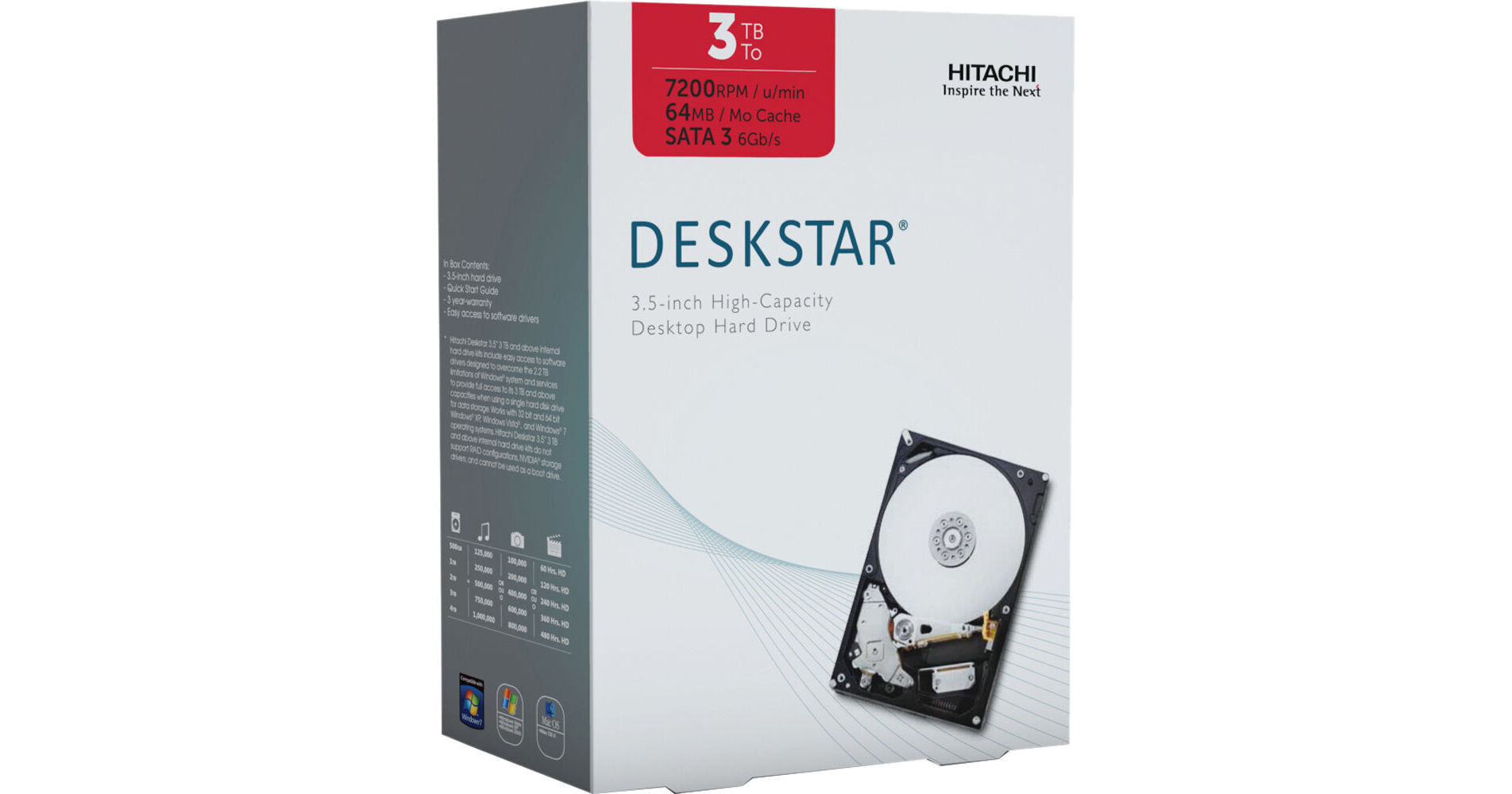
A SATA cable required but not included with this item. Please be sure to purchase a SATA cable for this item.
The 3TB Deskstar 3.5" SATA Internal Hard Drive Kit from Hitachi is a superb upgrade for your desktop computer's hard disk drive. This drive holds a vast capacity of 3TB and fits into your computer's 3.5" drive bay. It has a 7200rpm disk speed. It features a SATA interface that can deliver data transfer speeds up to 6 Gb/s. Because this HDD uses a ramp load/unload design that eliminates direct contact between the read/write heads and the disk platter, the risk of shock damage is minimized. This design also improves the drive's reliability and power efficiency. As part of the drive kit, you'll receive Hitachi's GPT Disk Manager software. It allows you to overcome the 2.2TB storage capacity limitations found in older versions of Windows without having to buy additional hardware.
| Performance | |
|---|---|
| Capacity | 3TB |
| Interface | SATA 6 Gbit/sec |
| Drive Speed | 7200 rpm |
| Buffer | 64MB |
| Transfer Rate |
Media transfer rate: up to 1656 Mbits/s Interface transfer rate: up to 600 MB/s |
| Latency Average | Not specified by the manufacturer |
| General | |
|---|---|
| System Requirements |
Windows: Computer system running Windows XP, Windows Vista or Windows 7 and an available SATA port Macintosh: Mac computer running System 10.5 or newer and an available SATA port |
| Environmental Requirements |
Operating Temperature: 41° to 140°F / 5° to 60°C Relative humidity: 8% to 90% Shock (half-sine wave, G): 70 (2ms) Vibration, random (G RMS 5 to 500 Hz): 0.67 (XYZ) Non-operating Temperature: -40° to 158°F / -40° to 70°C Relative humidity: 5% to 95% Shock (half-sine wave, G): 300 (1ms) Vibration, random (G RMS 5 to 500 Hz): 1.04 (XYZ) |
| Dimensions (LxWxH) | 3.9 x 5.7 x 1" / 9.9 x 14.47 x 2.54 cm |
| Weight | 0.2 lb / 0.74 kg |
REVIEW SNAPSHOT®
by PowerReviewsPros
Cons
Best Uses
Reviewed by 23 customers
Sort by
Displaying reviews 1-20
Previous | Next »
Pros
Cons
Best Uses
Comments about Hitachi 3TB Deskstar 3.5" SATA Internal Hard Drive Kit:
I had a bit of trouble formatting with my system, but eventually was able to get the UEFI MB to recognize as 3 TB. This wasn't the fault of my drive, but more of finding the right configuration within my bios. I'm using it for my media center pc and has worked out great so far. Very fast response and good data read/write speeds (for a spin drive). It didn't raise my Windows experience index at all, but hey, guess you can't get everything.
Pros
Cons
Best Uses
Comments about Hitachi 3TB Deskstar 3.5" SATA Internal Hard Drive Kit:
This is the drive to get if you are planning on using real hardware RAID card. Unlike most consumer drives this one works great with it. Drive is fast, quiet and reliable (for now).
Pros
Cons
Best Uses
Comments about Hitachi 3TB Deskstar 3.5" SATA Internal Hard Drive Kit:
I bought this as part of my New Build, and B&H was hands down the cheapest price that I could find. Got it to consolidate all my External Drives, but also fast enough to install programs or games if I wanted. My ASUS Deluxe Intel Z77 ATX DDR3 2600 LGA 1155 Motherboard P8Z77-V DELUXE recognized the full drive no problems.
Pros
Cons
Best Uses
Comments about Hitachi 3TB Deskstar 3.5" SATA Internal Hard Drive Kit:
I now have 8 of these drives in a Stardom case with 2 Raid 5 configurations set up. The drives are working just as expected. My read/write speeds aren't great in this configuration, but I think that is more due to a cheap raid card in my Mac. I temporarily had two of these drives in another small enclosure and the speeds were great.
Highly recommend these drives.
Pros
Cons
Best Uses
Comments about Hitachi 3TB Deskstar 3.5" SATA Internal Hard Drive Kit:
Purchased 4 3TB for a QNAP NAS, so far doing the job, easy install and they run quietly. Note the 12TB goes to 8.5TB when using RAID 5.
Pros
Cons
Best Uses
Comments about Hitachi 3TB Deskstar 3.5" SATA Internal Hard Drive Kit:
This large-capacity drive will keep all the video for a documentary in one place. Capacity and speed are great. Price is good.
Pros
Cons
Best Uses
Comments about Hitachi 3TB Deskstar 3.5" SATA Internal Hard Drive Kit:
So far so good. Installed into my DROBO which already had 3 - 2TB drives, plug and play, instant capacity upgrade!
Pros
Cons
Best Uses
Comments about Hitachi 3TB Deskstar 3.5" SATA Internal Hard Drive Kit:
I bought 6 of these for a Synology NAS box, and they have excellent performance. It was hard to find this drive in stock at a reasonable price due to the flooding in Thailand. B&H came through with both price and availability.
Pros
Cons
Best Uses
Comments about Hitachi 3TB Deskstar 3.5" SATA Internal Hard Drive Kit:
I use the product as a secondary backup hard drive for images and music and mostly videos.
Pros
Cons
Best Uses
Comments about Hitachi 3TB Deskstar 3.5" SATA Internal Hard Drive Kit:
I bought this HD for installation into my Drobo 2nd Gen. I spent the extra money for the 7200 speed and 3TB capacity. I popped it right in and it's been humming along perfectly ever since.
No issues, arrived right on schedule! I'm very happy.
Pros
Cons
Best Uses
Comments about Hitachi 3TB Deskstar 3.5" SATA Internal Hard Drive Kit:
I put this drive into my 2010 Mac Pro. I use it for video editing. I went with this drive over the other 3TB drives because this one seemed faster, cheaper, and more compatible with my Mac. I've only had it installed for a week. So far so good.
Pros
Cons
Best Uses
Comments about Hitachi 3TB Deskstar 3.5" SATA Internal Hard Drive Kit:
Replacement is fine.
Pros
Cons
Best Uses
Comments about Hitachi 3TB Deskstar 3.5" SATA Internal Hard Drive Kit:
The hard drive is very fast. Great all round performance.
Be aware though, Windows wont load onto it easily, so its best used for additional storage.
Pros
Cons
Best Uses
Comments about Hitachi 3TB Deskstar 3.5" SATA Internal Hard Drive Kit:
Installed 5 of them (RAID 5) on Synology DS1511+ around three weeks ago. Running great so far.
Pros
Cons
Best Uses
Comments about Hitachi 3TB Deskstar 3.5" SATA Internal Hard Drive Kit:
I am using this in a Drobo unit for data redundancy.
Pros
Cons
Best Uses
Comments about Hitachi 3TB Deskstar 3.5" SATA Internal Hard Drive Kit:
Put this straight into my mac and it worked great.
Pros
Cons
Best Uses
Comments about Hitachi 3TB Deskstar 3.5" SATA Internal Hard Drive Kit:
Works inside my Mac Pro but it did not work in an OWC enclosure.
Check your enclosure before purchasing.
Otherwise a great drive.
Pros
Cons
Best Uses
Comments about Hitachi 3TB Deskstar 3.5" SATA Internal Hard Drive Kit:
I always like Hitachi. This has 64 M Cache. Fast and runs reasonably cool. Great price [...] by B&H. I ordered two and plan on ordering few more from B&H
Pros
Cons
Best Uses
Comments about Hitachi 3TB Deskstar 3.5" SATA Internal Hard Drive Kit:
The drive is quiet, fast, and big. What more could a video editor want?
(Mac Pro running 10.6.7)
Pros
Cons
Best Uses
Comments about Hitachi 3TB Deskstar 3.5" SATA Internal Hard Drive Kit:
Picked up this drive last week via B&H. It is my 3rd Hitachi 3TB 7200rpm 64MB cache SATA III drive that I own. Cheapest price I have seen so far on this drive- was watching price for weeks all over the web -coming down. Drive would be added to another 3TB Hitachi(same drive) to stripe together in a MacPro 3.GHZ. 2008.
Replaced 2 Hitachi 2TB 7200 rpm that were also stripped in a 2 drive raid. Old Hitachi's 2TB(4TB combined)was running out of space- hard to believe right, given that there are 4 total drives in the MacPro.
Anyway had the drive on my desk for several hours copying data to it/ cloning etc. while attached to a Highpoint ESATA for Mac-4 lane PCI E card-just to confirm it was good & had no problems prior to installing internally for the 2 drive raid. Never really became excessively warm at all. I do routinely have bare drives on my desk similarly so I get to listen & feel how warm & loud drives actually are. This drive in my estimation is the quietest drive I have ever seen (except a SSD LOL). Even copying continuous to it -I had to put my ear to it really to hear anything.
Did not notice any real speed difference at this point since the highpoint e-sata bus is probably about 20% slower than the on board motherboard Sata bus. What I did notice was after copying & cloning some partitions-I had DiskWarrior rebuild the directories on the 2 partitions. Since I routinely rebuild similar partitions on the internal drives I have a good handle how long it would usually take on the Hitachi 2TB 7200 rpm current drives. Never saw directories rebuilt quite that fast. Not smoking, but noticeably faster. Maybe the 64 MB cache has something to do with it - don't know.
Mounted in bay 3(other Hitachi 3Tb bay 4) -works fine, Raid 0 with 2 partitions 1 a star-tup BOOTS fine. Temp about 4 degrees cooler than the 2TB Hitachi's. Seems similar to existing drives. I bought drive primarily to add that extra 2TB to the previous 4TB sum of drives in bay 3&4 because I really needed that additional space in that mix of drives/partitions. Currently have 3 of these drives in MacPro & 1 2TB Hitachi 7200rpm 32MB drive. It will be replaced soon w/final 3 tb for total of 4 3TB Hitachi's.
Ran some preliminary benchmarks w/Quickbench compared Hitachi 2Tb 7200 rpm 32MB cache SATA II 2-drive raid 0 w/the new Hitachi 3Tb 7200 rpm 64 MB cache SATA III- 2 drive raid 0 both on the internal bus of MacPro- both partitioned w/2 approximate same percentage of individual drive sized partitions. The first partition on the 3 TB drives(2- 3TB combined to equal 6TB total) has read & write avg transfer rates about 15 - 18% faster than the 2 TB, all things considered equal. The second partition on both drives have a similar read & write avg speed. Overall it is a faster drive looking at it in this way.
Price per gig at what I paid for the 3TB is around .060 , price per gig on a 2 TB Hitachi around $100.00 plus tax is around .0545 per gig. Pretty close- I am happy. I can see replacing the other last 2 TB Hitachi left in the MacPro eventually with the 3 TB version as the price drops.
Pro's:
* Price comparable to 2 TB 7200 rpm (per GB price)
* Cool running & very quiet
* Larger -50% increase capacity over 2 TB drive & 64 MB cache
* 7200 rpm & SATA III
* No hassle, issues with next generation drive on the Mac
* IS BOOTABLE on Mac including as a Raid volume (contrary to some online description- which also suggested drive could NOT be used in a Raid) -saw that description somewhere else, NOT true on MacPro. Can't speak for windows though-don't know.
Con's :
* None other than for those using Windows-issues w/total drive size being recognized/used.
* Current & older external cases probably do not recognize 3 TB size- only seem to be able to address 2 TB- so I've read.
* MacPro's currently only SATA II (there are PCI Express 2.0 E-Sata 6 gbs cards out there. Had an NewerTech - sent it back-way slow-nothing but trouble with it. I would be surprised if they are really any faster with this drive. I think one
would need a high end PCI Express 2.0 E-Sata card with Intel processor on card to see any speed gains with the SATA III drives. But that's just my opinion- not one based on any real testing.
Bare Feats did this drive against other 2TB drives on the MacPro internal current bus 3 gbs. It would be interesting to see if any high end PCI Express 2.0 E-SATA cards w/ 6gbs interface could harness the faster 6gbs interface on the new 6 gbs drives. Or if it's just numbers game with not much difference in spinning drives performance unless you raid them. Which you already could do with existing drives anyway.
Bottom Line,
Primarily bought drive for significant increase in storage capacity as well as still a 7200 rpm speed & form factor & comparable price per GB. Next generation interface & 64 MB cache are plus's. "It ain't no SSD " - but hey look at the size & price. Works for me.
Displaying reviews 1-20
Previous | Next »