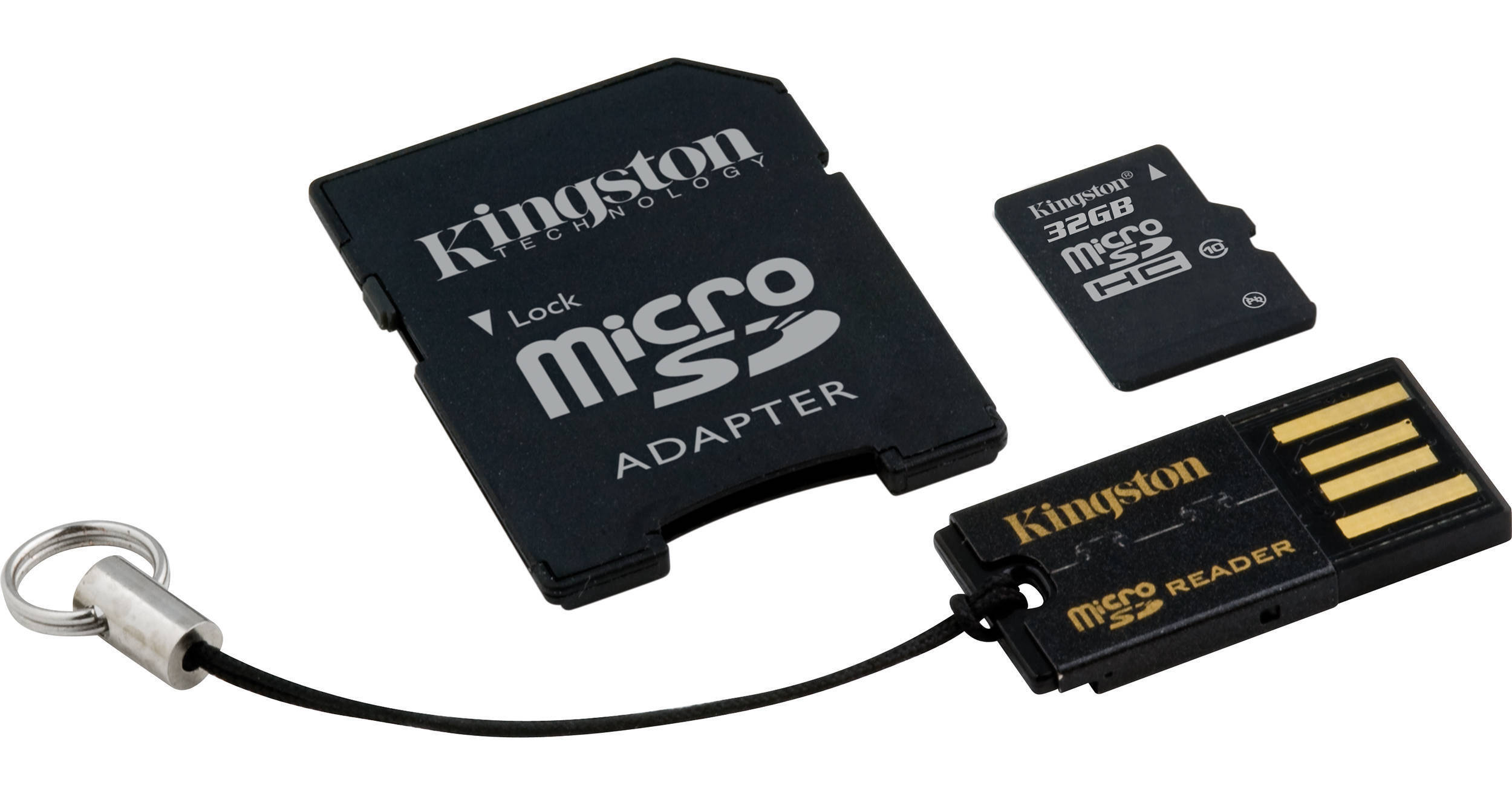
The Kingston 32GB microSDHC Memory Card Gen 2 Class 10 Mobility Kit includes a microSDHC memory card with 32GB of storage capacity, a full-size SD adapter and a USB card reader. This solution has you covered from recording to transfer. Use it across devices to easily and conveniently move photos, music, videos, video games or data to your camera, mobile phone, video game system or computer. The full-sized SD adapter allows you to use the card in all SD devices that accept a full-sized card. The USB card reader, which supports microSD as well as microSDHC formats, allows the card to convert to USB mode and comes with a convenient keychain.
| Capacity | 32GB |
| Card Type | microSDHC |
| Class Rating | Class 10 |
| Write Speed | 10MB/s min. |
| Compliance | Meets SD Card Association specification standards |
| Environmental Requirements |
Operating temperature: 32 to 140°F (0 to 60°C) Storage temperature: -40 to 185°F (-40 to 85°C) |
| System Requirements | System with USB supportWindows 7 (ReadyBoost not supported)Windows Vista SP1, SP2 (ReadyBoost not supported)Windows XP SP3Mac OS 10.5.x+Linux 2.6.x+ |
| Dimensions |
microSDHC card: 0.43 x 0.59 x 0.04" (1.09 x 1.50 x 0.10cm) USB reader: 0.98 x 0.48 x 0.10" (2.49 x 1.22 x 0.25cm) |
REVIEW SNAPSHOT®
by PowerReviewsPros
Cons
Best Uses
Reviewed by 7 customers
Sort by
Displaying reviews 1-7
Pros
Cons
Best Uses
Comments about Kingston 32GB microSDHC Memory Card Gen 2 Class 10 Mobility Kit:
Not 5 stars cause its expensive. However, I ordered two of these for our new Galaxy Notes and each one went in with out a problem and mounted with out issue. I immediately moved all the apps, camera and video to the storage. Works taking video, pictures, etc with no problems. That may change if the card gets full, but as it stands, seems to deliver adequate bandwidth for 1080 movies (200MB per minute, ouch!). Now, if the cards makes it past the 3 or 4 month time frame with out failure, then I am sure they will be a keeper, only time will tell there. One thing for anyone using these for phones I read, you may find useful, is to NOT reformat them before using. Just take them out of the package, insert (With your device powered off) and turn on the device. Don't fix it if it isn't broken! Best of luck!
Pros
Cons
Best Uses
Comments about Kingston 32GB microSDHC Memory Card Gen 2 Class 10 Mobility Kit:
I also have a 8GB microSDHC Class 2 from Kingston. With class 2, I can only get around 2 mb/s writing speed. But with the class 10 version, the writing speed really goes up to around 10 mb/s.
Pros
Cons
Best Uses
Comments about Kingston 32GB microSDHC Memory Card Gen 2 Class 10 Mobility Kit:
Quite expensive, yet very reliable providing fast performance
Pros
Cons
Best Uses
Comments about Kingston 32GB microSDHC Memory Card Gen 2 Class 10 Mobility Kit:
I using it with my Samsung Pixon12 mobile and Panasonic DMC-L1 photo camera.
Pros
Cons
Best Uses
Comments about Kingston 32GB microSDHC Memory Card Gen 2 Class 10 Mobility Kit:
Added this bad boy to my Samsung Infuse, and increased the storage significantly. Additionally, it's a Class 10 memory card, so it's super quick. No longer need to worry about running out of space. By the time that happens, it will be time for a new phone. =)
Pros
Cons
Best Uses
Comments about Kingston 32GB microSDHC Memory Card Gen 2 Class 10 Mobility Kit:
I use it on XOOM tablet and thinking to buy an another one for more space
Pros
Cons
Best Uses
Comments about Kingston 32GB microSDHC Memory Card Gen 2 Class 10 Mobility Kit:
One for my mobile, one for my tablet. Both work well. Always the best, kindof pricy though.
Displaying reviews 1-7