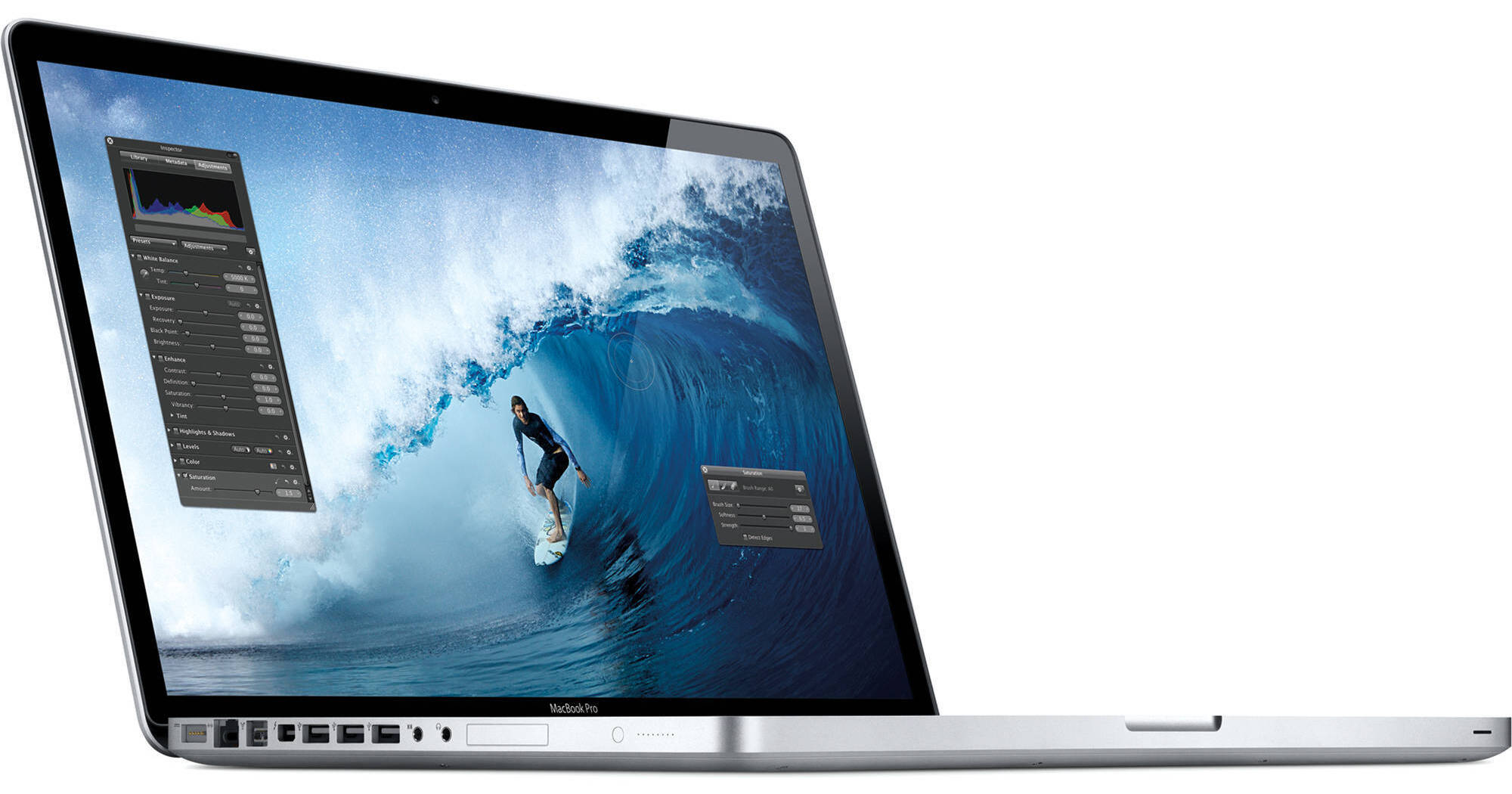
The 17" MacBook Pro Notebook Computer from Apple is a powerful notebook computer with an innovative aluminum unibody design. It is loaded with advanced power management features and an integrated battery, which work together to provide up to 7 hours of wireless web browsing.
You may notice an unfamiliar logo next to one of the ports on the left side of the system. This is Thunderbolt, a high-speed interface that can move data at an amazing 10Gbps, which is double that of USB 3.0. The Thunderbolt port also doubles as a display output because it shares the same physical form factor as a Mini DisplayPort. You can daisy-chain up to six devices, so you'll be able to connect high-speed external storage and an external Apple LED Cinema display via the same port!
The computer's 17" display features LED backlight technology and a glossy finish. Its 1920 x 1200 native resolution gives you ample screen space to work with. You'll be able to output to an external display at up to 2560 x 1600 via Thunderbolt. Any Mini DisplayPort-compatible display will plug in without the need of an adapter. If you have a display with DVI, VGA or HDMI input, you'll only need to purchase an adapter cable (i.e., HDMI-to-Mini DisplayPort) for connection.
You'll be able to communicate with friends and family thanks to built-in support for FaceTime chat. The computer's FaceTime HD camera supports 720p HD video chat via the included app. You can make video calls to other Mac users with FaceTime as well as to anyone with an iPhone 4, iPhone 4S or an iPod touch model with a built-in camera.
The system is powered by a quad-core 2.4GHz Intel Core i7 processor. The computer is loaded with 4GB of DDR3 RAM, a 750GB 5400rpm hard drive and a SuperDrive DVD burner. You'll be able to connect to the Internet with ease via 802.11n Wi-Fi or wired Gigabit Ethernet. The MacBook Pro also features built-in Bluetooth 2.1+EDR, which allows you to connect wireless headphones, keyboard, mice and other compatible peripherals without a hassle.
Graphics are handled by integrated Intel HD 3000 graphics, which gives you the best of both worlds in regards of battery life and performance. The MacBook Pro uses integrated Intel HD 3000 graphics for everyday use, such as web browsing and word processing. It is also capable of HD video playback.
The computer features a comfortable backlit chiclet-style keyboard, which features space between each key for improved accuracy and comfort when typing. It also sports a glass Multi-Touch trackpad with a clickable design. Rather than having a separate button for mouse clicks, the entire surface of the pad is clickable. This increases the active surface area and allows you to quickly click without having to maneuver to the bottom of the trackpad.
The trackpad also fully supports Multi-touch gestures. You can tap the trackpad with one finger to click, tap with two fingers to right click, scroll through documents using two fingers, pinch to zoom, navigate through Safari or iPhoto with three-finger left and right swipes or use two fingers to rotate a photo or PDF.
iLife '11 has a complete suite of digital creativity applications. Easy enough for anyone to use, iLife '11 will help you edit your home movies, organize digital photos and compose original music. iLife '11 includes iPhoto, iMovie and GarageBand.
The 64-bit Mac OS X features Time Machine backup, which automatically backs up system data to an external hard drive. It also features intuitive Cover Flow navigation, the powerful Spotlight search tool and Quick Look document preview. You'll be able to use Boot Camp to run Windows on your Mac, if needed.
For graphics-intensive applications, the MacBook Pro automatically switches to the high-performance AMD Radeon HD 6770M graphics card with 1GB of discrete memory. With up to 2x the performance of the previous generation, it lets you see more frames per second in 3D games and allows you to work on HD video projects with more speed and responsiveness
The Thunderbolt port will give you plug-and-play performance with a whole new world of Thunderbolt peripherals as well as with the Apple LED Cinema Display and other Mini DisplayPort peripherals. You can daisy-chain as many as six devices, including your display. And with support for video and eight-channel audio, it's easy to connect HDMI-compatible devices, such as your TV and home stereo, using the HDMI adapter you already have. Current VGA, DVI and DisplayPort adapters are also supported
Apple is using a new, more rigorous battery test that measures the results you can expect in the real world, such as surfing your favorite sites in a coffee shop or catching up on the latest web videos. Even using this new test, MacBook Pro delivers amazing battery life...for your real life
Intel co-invented USB and PCI Express, which have become widely adopted technologies for data transfer. Apple invented FireWire and was instrumental in popularizing USB. Their collective experience has made Thunderbolt the most powerful, most flexible I/O technology ever in a personal computer
PCI Express is the technology that links all the high-performance components in a Mac. And it's built into Thunderbolt. Which means you can connect external devices like RAID arrays and video capture solutions directly to MacBook Pro -- and get PCI Express performance. That's a first for notebooks. Thunderbolt also provides 10 watts of power to peripherals, so you can tackle workstation-class projects on the go. With PCI Express technology, you can use existing USB and FireWire peripherals as well as connect to Gigabit Ethernet and Fibre Channel networks using simple adapters.
And because Thunderbolt is based on DisplayPort technology, the video standard for high-resolution displays, any Mini DisplayPort display plugs right into the Thunderbolt port. To connect a DisplayPort, DVI, HDMI or VGA display, just use an existing adapter
And that's just the beginning. With Thunderbolt technology, peripheral manufacturers finally have what they need to take high-performance devices from workstations and top-of-the-line desktops to just about any computer