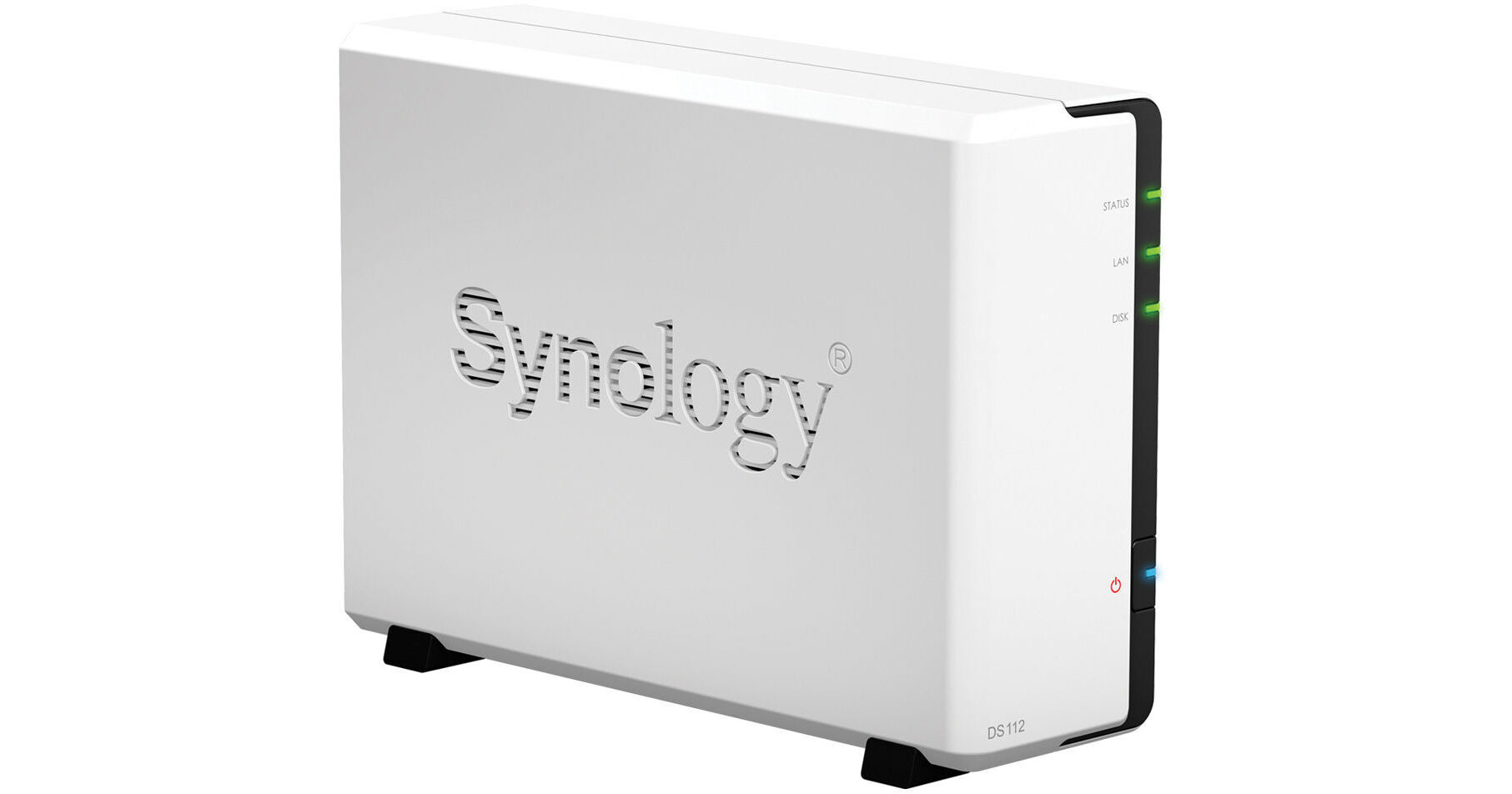
The DiskStation DS112 1 Bay NAS Server from Synology offers an affordable and full-featured network attached storage solution, specifically designed for small business and workgroup users who need to share data cost-effectively. It increases productivity with comprehensive business-oriented applications. Running on DiskStation Manager (DSM) operating system, it delivers ease of use and a variety of features.
The NAS delivers an average 110.19 MBps reading and 71.84 MBps writing speed in a Windows environment. It offers a centralized backup target to consolidate fragmented and unstructured data across a network. The system is designed for data storage and sharing among Windows, Mac and Linux.
The DS112 NAS has an energy efficient design with RoHS complaint parts. It is packed with recyclable packaging materials.
The system provides a reliable solution for data sharing with an easy-to-use management interface and comprehensive office applications, including a complete backup solution.
If you are always on the move, Synology provides a handy app, DS file for iPhone, iPad and Android users. Any data stored on system can be accessed remotely using DS file via the Internet.
The built-in mail server turns the system into a dedicated mail service provider and the USB printer sharing capability minimizes businesses' cost by sharing printing resources throughout the office. VPN Server package offers an easy VPN solution that turns the NAS into a VPN server, providing a secure way of connecting to a private LAN at a remote location.
Synology Web Station with support for PHP/MySQL web content allows hosting of up to 30 websites and third party web applications such as content management, customer relationship management and e-commerce system.
A backup wizard is provided for backing up data from the system to another Synology DiskStation, to other rsync server or to an external drive. Backing up to Amazon S3 cloud service is also supported. The add-on package, Time Backup, keeps DiskStation data in multiple versions, so you can easily keep track of them and restore to a previous version whenever required.
DSM is a web based platform. This means that you can select the service that you want to use and install the corresponding apps, only when you need it. So you can choose from Photo Station, Download Station, Cloud Station and other web apps to install from Package Center. The total customization gives you more control over your network storage.
The Cloud Station folder is a private cloud that always prepares itself up-to-date. It pushes files, songs and photos to any PC that you are working on and syncs automatically.*
Offline Viewing:
You can view and edit files anytime via the Cloud Station folder even without an Internet connection. Now edit spreadsheets, create a new document or upload photos all within the folder offline. After Internet access is resumed, all changes are automatically synced onto Cloud Station and can be viewed offline.
Everybody's Cloud:
A single Synology NAS is everyone's private cloud. Every user can own a Cloud Station folder on their own computers and enjoy all the benefits it has to offer. All clouds are on one DiskStation, where data security and privacy are guaranteed. In addition, when your PC and DiskStation are in the same local area network (LAN), the transfer rate is higher than what's offered over the Internet. You can upload large files and sync faster.
Even without any network settings, you can still access your files remotely. With Synology's ezCloud, there's nothing you can't retrieve over the Internet. Once the network cable is connected to your DiskStation, you can use Cloud Station and DS file to access and sync files. There is no need to configure a router or any other network device*.
Personal DDNS:
Control the internet presence of your cloud with Synology's DDNS service. Free and reliable, ezCloud lets you directly register a personalized domain name from Synology. There are no more hassles of seeking third party service. Synology also allows you to monitor your DiskStation online for troubleshooting. You can log into the MyDS Center webpage and see the status of your registered Synology NAS right away.
Stay Connected with Notifications:
You can get notifications on the status of your DiskStation through multiple channels. On top of SMS and email notifications, Synology now provides free push services on Skype, Windows Live Messenger and DS finder for iOS devices. You can decide which event notifications to trigger and avoid unnecessary alerts. Event categories can be precisely set for you to take appropriate action as needed.
DSM makes volume creation simple with Synology Hybrid RAID (SHR). You don't need to study the difference between RAID types and requirements. SHR offers instant volume creation and optimized storage capacity.
Unlike traditional RAID that creates volume based upon the smallest hard disk within the array, SHR divides each hard disk into smaller chunks, creating additional redundant storage. The capacity of each disk can be utilized to the maximum, thus optimizing total volume capacity.
Store Files Quickly:
You do not need to wait for the volume setup to complete before storing data in NAS server. With SHR, you can start moving data into DiskStation during the volume creation.
Reliable Fault Tolerance Mechanism:
Depending on your choice, SHR provides 1 to 2 hard disk fault tolerance of data protection. If one hard disk fails to function properly, your data is still accessible unaffected.
Synology is the leading NAS server provider to offer support on VMware vSphere 5. When deploying NAS Server, businesses are entitled for:
•Better flexibility to deploy and migrate VMs
•Higher storage performance and storage efficiency with VMFS-5 file system
•Smooth access and management efficiency with load balancing automation in Storage vMotion
Synology NAS servers also support other major virtualization solutions. Synology is dedicated to simplifying virtualized storage management while increasing business agility within large data centers. This dedication extends beyond the support for large-scale businesses. Even budget minded SMBs are able to introduce virtualization into daily operations.
Synology NAS servers run on the same operating system, DiskStation Manager. Therefore, all Synology NAS servers are capable of operating within a virtualized environment*.