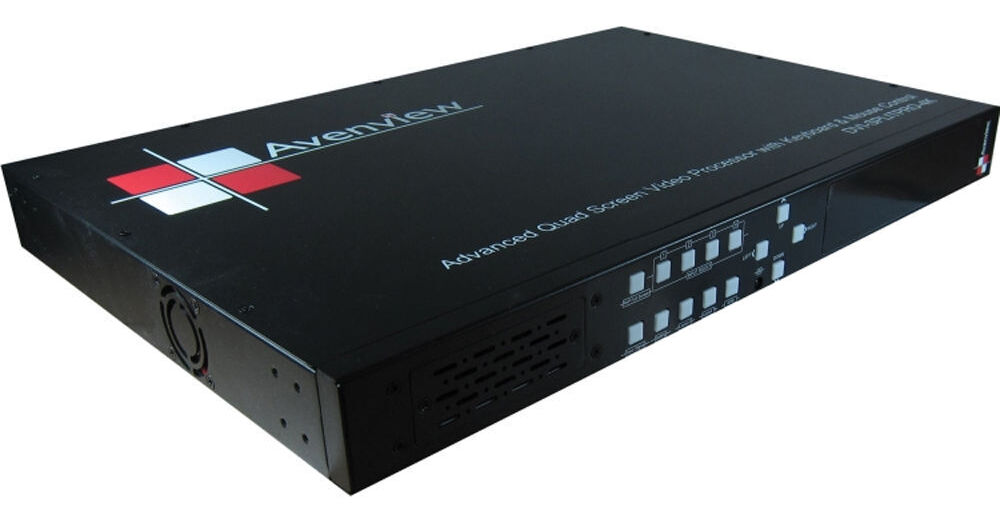
The Avenview Advanced Quad Screen Video Processor with IR, Keyboard and Mouse Control can output four video signals, or four computer signals, or a combined four of both types mixed, onto one screen simultaneously in various split-screen layouts. You get to choose the layouts and other preferences via an included software, and once you've set your preferences, you can use an included remote control to perform many of the software's functions, such as switching between layouts. For controlling any connected computers, the processor has inputs for a keyboard and mouse, which can be connected and used to fully operate the connected computers, the same way you would normally operate all the features and functions of a computer with a keyboard and mouse. If you'll have, for example, four computers connected, you can have all four output to a display at the same time, in a split-screen layout, and switch between the four by clicking with the mouse into the one of your choice. Or you can open Full Screen mode and toggle between the four computers in full screen. To create a more expansive setup, you can cascade four processors together by connecting one to another by RS-485 and controlling all four as one by RS-232. In such a setup, you'll be able to output 16 sources in a 16-split layout.
The processor features four DVI and four S-Video inputs and comes with four sets of adapters and breakout cables that you can connect VGA, Component, and Composite sources with. The DVI inputs support HDMI, so you can additionally also get a DVI to HDMI adapter and connect HDMI sources. Whether directly into the eight DVI and S-Video inputs or via adapters and breakout cables, you can have eight sources connected at all times, but you can only output four of them at a time. The four are selectable in the software and can be mixed and matched -- two DVI and two S-Video sources, for example. Computers connect into the DVI inputs but additionally also into USB outputs, of which the processor has four, one for each computer that you can connect. The purpose of the USB connection is to enable the keyboard and mouse connected to the processor to function for one and all connected computers. For output to a display, the processor has one DVI and one VGA output, and they can function as dual outputs. Moreover, via an included VGA to VGA/DVI breakout cable, the VGA output can be used to output to two displays at the same time, and each display will show the same 4-way split. The DVI output, like the DVI input, also supports HDMI via a converter cable and can connect to an HDMI monitor via one.
An embedded scaler on each input board (meaning for each DVI and S-Video set) upscales, if necessary, the resolution of its input source to up to 1920 x 1200 progressive or interlaced to match the native resolution of the display being output to. The scaler functions automatically but is also manually adjustable via the software.
The included adapters and cables are: four DVI to VGA and four VGA to Component adapters; four DVI to DVI/VGA and four S-Video to S-Video/Composite breakout cables; and one RS-232 to USB adapter. A rack mounting kit and a power supply are also included.
- Accepts video and computer signals by S-Video, DVI, VGA, Component, and Composite directly or by included cables
- Outputs up to four sources to one display in various split-screen layouts
- PS2 and USB connections enable a keyboard and mouse to be connected and used for any or all connected computers
- Supports resolutions from 640 x 480 to 1920 x 1200, progressive or interlaced
- The DVI inputs support HDMI 1.2 via optional converter cables
- HDCP 1.1 compliant
- Dual outputs (DVI / VGA)
- Selectable video background
- Titles, borders and colored backgrounds
- Resize, position, zoom, pan and blend output video
- Dynamic transition for video sizing and positioning
- Image parameters and layouts automatically save to flash memory for later recall
- Several image parameters and layouts can be saved to computers and for later use
- Adjustable video parameters: brightness, contrast, color temperature, etc.
- Manual selectable output scaling up to 1920 x 1200
- RS-232/RS-485 control over Cat5 and IR remote control
- Can be cascaded by RS-485 with three more units to produce a 16-way split
- Control protocol available for customer proprietary design
- 1 RU