Datavideo

Recording “live-to-tape”… what may seem like an oxymoron is really a common practice that can save you time and money on your multicamera video production. Read on to discover why recording your switched output reduces time spent in the editing suite, reduces your media costs, and allows for audience input into the final version.
1. Get a Jump on Editing
Using an AV switcher creates a rough cut of your project as you go, giving the director a leg up on the

Sometimes you have to take your multi-camera broadcast studio on the road, or even if it’s in an indoor space, it may need to move around and deploy quickly as the environment and your production needs change. For mobile situations, you may need to find yourself looking for a slightly smaller video switcher than one of those massive, daunting video switchers installed in TV studio consoles. Luckily, there is an impressive new breed of portable video switchers that allows you to live-switch easily and anywhere if you only have two or three

If you’ve got your mind set on building your PTZ network but you’re not sure what that will—or should—look like, we’ve got a few diagram examples of how different components work together on a PTZ network. Starting with a single-camera setup, then working forward with multi-camera, then adding components such as encoders, video switches, controllers, and software, we’ll walk through a few basic configurations to help take the complexity out of your setup.
Single PTZ Camera to IP Network
The single-camera setup is the simplest to start building

When your corporate meetings and classes can't get together in the same room, looking for a complete solution to make video conferencing easy becomes a necessity. One of the most versatile camera types for video conferences is the PTZ conference camera, so let’s look at some solutions for your meetings, classes, and events.
Logitech
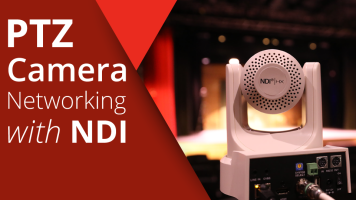
More facilities are taking advantage of PTZ video camera setups than ever, and IP-based video networks are becoming easier to set up and manage, so it’s worth looking further into options to upgrade your networks to NDI capability, which can help cut down on equipment, cabling, personnel, and overall complexity of your video environment. But what is NDI and how can it help? Let’s look into a few details about why NDI networks can be an enhancement to your workflow.
To review, the PTZ in

Since we're living in a time of enhanced remote communication, let’s talk a bit about upgrading your video camera and streaming options to optimize your organization's message, and break down all the equipment you’ll need to visualize and automate your environment. One of the most efficient options for automating, consolidating, and broadcasting video to remote viewers is the PTZ camera.
The letters PTZ stand for “Pan, Tilt, Zoom,” which are the basic mechanical functions of these cameras. The acronym “PTZ” has now become synonymous with

Add precision PTZ control with the PTR-10 Robotic Pan and Tilt Head, live streaming with simultaneous capture via the NVS-33 H.264 Video Streaming Encoder and MP4 Recorder, and clear eight-channel communication using the ITC-300