
As a new product that caters to an underrepresented segment of the home/portable speaker market, the release of the somehow simultaneously big and small Sonos Play looks to represent the culmination of Sonos’s reconciliatory pilgrimage.
During the development of their new speaker lineup including the Play, Sonos has completely overhauled their mobile app design, seriously improved their tech support, updated their technology, and created a sleek brand-new machine that carves out a new sweet spot in the home/portable audio market (along with major updates to many of their other products). So will Sonos rise like the phoenix, come back into our good graces, and remind us how great their products can be?
What Is the Sonos Play?
The Sonos Play fills the gap between the Roam 2 and Move 2, meant to be an at-home speaker using the Wi-Fi powered Sonos ecosystem with enough portability to be taken out to the garden or an outdoor event where it’s centered around its Bluetooth functionality.
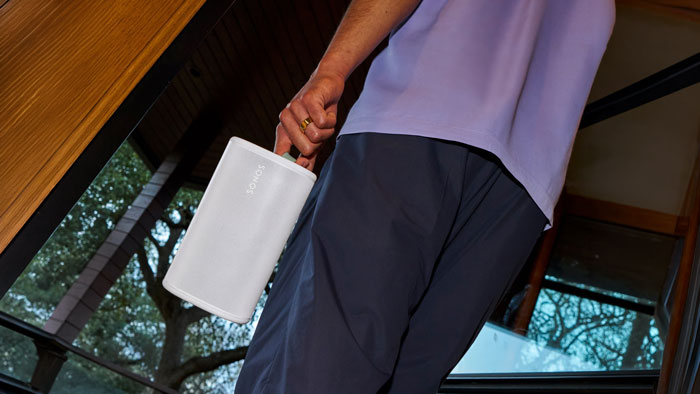
Though it’s certainly possible, especially with its 360˚ rotating silicone loop clip, the Play is quite a bit bigger than the portable speakers meant to attached to a backpack or bicycle rig. It really finds that sweet spot between a travel and an at-home speaker—small enough to able to be carried comfortably in one hand but big enough to fill a room with full spectrum audio.
The Sonos Play embraces its portability with an off-network pairing feature, meaning you can connect two to four Sonos Play (or Move 2) speakers wirelessly to create a portable multi-speaker system—perfect for filling an outdoor event space with uniformly present sound (however, we were not able to test this feature as we only received one unit).
First Impressions
These are my first impressions with the machine itself and what it could do straight away. This section deals with the Sonos Play itself before I downloaded the Sonos App, activated TruePlay, or adjusted any settings. I’ll be discussing the App and software features later in the review.
What’s in the Box?
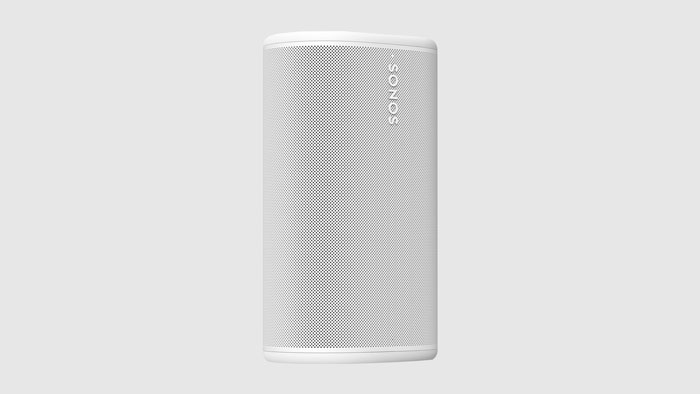
After unboxing the Sonos Play, it certainly felt like a premium product with its soft-touch outer casing, nice weighty feel (1.3 kg/2.86 lb including its 24-hour battery), and physical play/pause, Bluetooth, and volume buttons with a toggle on/off switch for the microphone (for voice control and Trueplay).
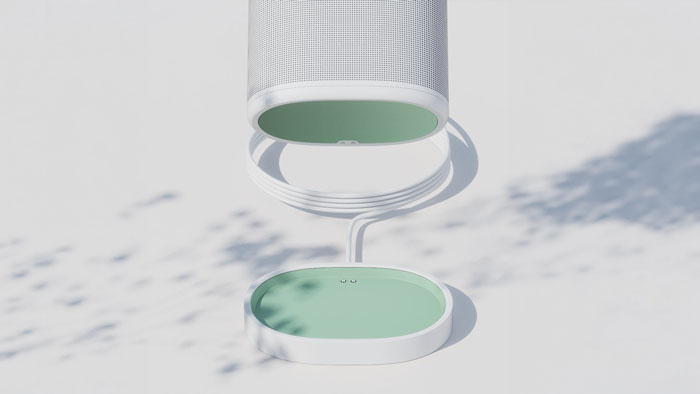
The unit comes with a charging base mount with a nice six-foot USB-C cable. Interestingly, the cable does not detach from the mount, and the Sonos Play does not come with a charging block, which is done to minimize E-waste and promote sustainability (something their dev and marketing team are taking very seriously). The Sonos Play charging mount calls for a 45-watt charging block but is compatible with as low as 18-watt blocks, which is something that most people usually have laying around; but if not, you can buy one from Sonos for $29USD.
One welcome addition is the inclusion of a removable and replaceable battery (replacements available at $69USD) accessed from the bottom of the unit under a soft rubber pad and two screws. Accessing and removing the battery was an easy thing to do and took me under two minutes. As time moves on, you can use your Sonos Play beyond the battery’s five-year/750 charge lifespan—assuming the company still exists, as the battery pack is proprietary (but I suppose it’s not impossible to mod it if the need were to arise).
How Easy Is Setup?
Included with the Sonos Play is a simple two-step setup guide, but most tech-literate people won’t even need it—it really is an intuitive plug-and-play speaker that can connect to any Bluetooth enabled device straight out of the box. It’s even capable of line-in connection via a USB-C port in the back of the unit that can also be used to charge your phone (but Sonos has stated that not all USB-C to 3.5mm adapters will work with the Play, so they’re offering one that is sure to work for $19.99USD).
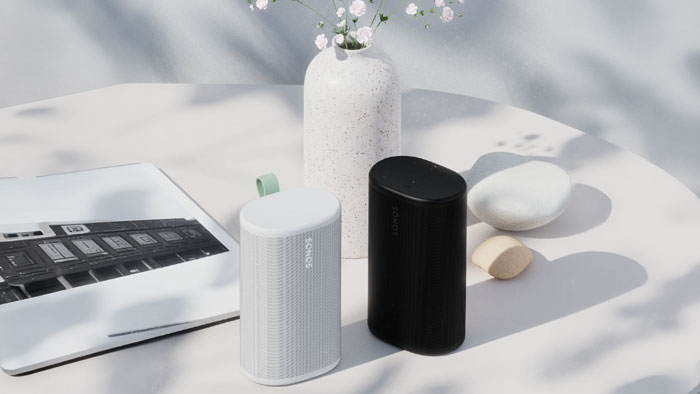
Despite this, unlocking the true value of the Play will take you a bit longer. Sonos’s speakers work best in an ecosystem that relies on Wi-Fi to function properly, so using a Sonos Play to its full potential requires you to be connected to the internet so you can download the (thankfully improved) Sonos App and register a new account if you don’t already have one. We’ll talk about the App and those features later in the review.
How Does the Sonos Play Sound?
As audio fidelity was perhaps Sonos’s saving grace, the Sonos Play delivers the excellent sound quality that we’ve come to expect from them; it projects loud, powerful, and room-filling sound with nice stereo imaging for its size.
The Sonos Play uses a two-tweeter/one-mid-woofer design, with the tweeters splayed to deliver the stereo image while the mid-woofer maintains the bass in the center, which just makes a ton of sense. I really like how simple and effective the build and design of the Sonos Play turned out. I also found it a welcome surprise that the Play sounds almost identical when listening from the rear. Sonos must have fabricated some nifty porting in the unit itself, and it’s awesome that it can work even when placed in the middle of a room or picnic blanket.
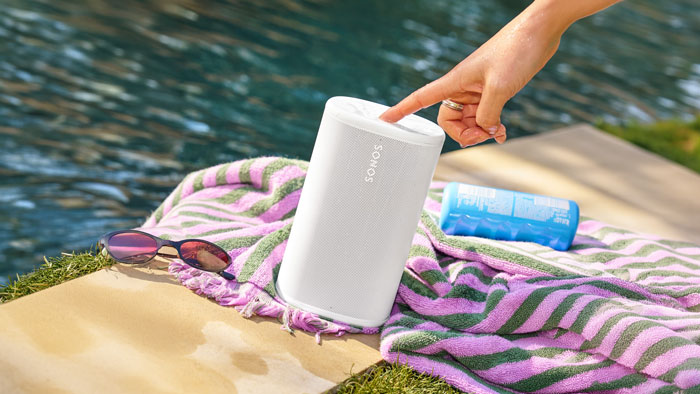
The Play can get quite loud and deliver impressive bass for its size, making it entirely viable for outdoor use—but it’s not going to push the low-end the way the Move 2 (or any speaker twice its size) can. Nevertheless, I found the frequency response to be excellent in demonstrating both the mysterious bass heavy bangers from Aphex Twin’s 26 Mixes for Cash (thank me later) and the delicate and emotional intricacies of Mingus’s Black Saint and the Sinner Lady, filling the room with powerful lows, crisp mids and highs, and convincing stereo separation.
At max volume, the Play gets a bit crunchy; I’m guessing it’s taking its drivers closer to their physical limit than other speakers in its class, but I’d rather have that extra headroom for outdoor use—and as mentioned before, multiple Sonos speakers can be combined together in stereo or in series, so getting two or more might be the answer if you really need that extra punch.
With its IP67 water rating allowing for momentary submersion (rated for up to 30 minutes) along with its robust dust-and-drop-resistance, the Sonos Play is built with the proper consideration a portable speaker needs to survive while making very few compromises on sound quality—it performs as Sonos promises us it does.
Sonos App Connectivity and Features
Did the Sonos App Fix Its Issues?
Yes, but there are still limitations that shouldn’t be there in 2026. The interface still sports mostly the same design from 2024 but has reintroduced the missing core features that any music app should have, including proper local music library playback and playlists, setting wakeup alarms, and saving playlists from both Sonos and separate services like Spotify.
The Sonos App has also massively improved the responsiveness of speaker pairing/grouping, sound customization, volume control, and making sure that each speaker is playing the proper sounds you’re sending to them. In the past, a big problem with Sonos was a common total malfunction when broadcasting separate streams to separate speakers on the same ecosystem. Imagine you’re listening to an immersive concept album and it gets interrupted by your partner’s political podcast, or worse. It was a huge deal-breaker, but thankfully, these issues have been resolved.
There are still some baffling limitations such as just-occasional-enough-to-be-annoying sluggish performance, the inability to reorder tracks in playlists according to certain filters, and the bizarre menu-burying of simple functions like playlist deletion. The development and design team for the Sonos App made an incredible effort to stabilize and enhance front-end UX and backend optimization—and while they’re continuing to do so, they still have a way to go. I expect the App to continue to improve and evolve as time goes on.
Verdict: You’re not going to want to tear your hair out when you use it, at least, not nearly as often. The Sonos App is finally and truly functional and easy to use but look forward to updates that will improve the user experience.
What Can the App Do?
The Sonos App connects to your Sonos device over a 2.4- or 5-Ghz Wi-Fi 6 connection (very convenient) and allows you to control music and podcast playback from any service to group and select output for any number of your Sonos speakers, and to customize sound and EQ settings either manually or with Trueplay.
One interesting EQ feature is a “loudness” slider, which I believe adds compression to the music so it has more presence when listening at lower volumes—something that should be OFF when blasting it, but great for listening to a podcast or watching a video.
If you own an iOS device, you can tune your Sonos Play to a specific room using Trueplay, a feature that uses built-in far-field microphones to map out the dimensions of your room and adjust sound settings accordingly. The AutoTrueplay feature will automatically adjust its calibration if you move it to a different location, making the Play sound great even on-the-go.
Activating Trueplay is something worth doing—for my room it made the woofer send bass and mids more forward while reducing boom and rumble from subbass, making for a smoother listening experience. Many users have said it’s great for getting more intelligible dialogue in movies and TV (something that’s becoming more of an issue these days). But if you don’t happen to like the Trueplay sound, you can toggle it off at the touch of a button.
When powered by the app and on Wi-Fi, the Sonos Play can control your smart home via voice control with Amazon Alexa and can stream from your Apple devices via AirPlay 2, including asking Siri to play Apple Music.
Final Thoughts
The Sonos Play is a powerful hybrid portable/at-home speaker with great sound, durability, and flexibility, sitting right in between the portability of the Roam 2 and the home-filling sound of the Move 2. It’s at its best when it exists in a Sonos ecosystem so it can take advantage of its Wi-Fi enabled features like Automatic Trueplay, speaker grouping, using two Plays as a stereo system, and the Sonos App—using it in the home is where it will shine most, but it’s still a powerful pocket-rocket on-the-go.
At $299, it’s a bit more expensive than other Bluetooth-enabled portable speakers in its weight-class. The Wi-Fi enabled features are what justifies the Sonos Tax here, so unless you already have a Sonos ecosystem or are planning on having the Play be the first of many Sonos products you buy, it may behoove you to consider other less expensive options if you’re going to use a portable speaker mainly via Bluetooth.
With the release of the Play, the rollout of other new Sonos products, and the overhaul of the App, I believe that Sonos has done a lot to get back into people’s good graces. I am thoroughly impressed with the Play and commend the hard work from the developers at Sonos—this might be the time to start building or expanding your own Sonos ecosystem, and the Sonos Play is both a great entry point and expansion option.
All in all, the Sonos Play is a premium machine that will deliver great sound quality no matter what—but it’s up to you whether or not you’ll take advantage of its more powerful Wi-Fi enabled features to justify its premium price tag.
If you want to know more, check out the Sonos products we have at the B&H superstore or reach out to one of our audio experts for specific questions, or feel free to read the store page overview and check out the downloadable user manual for specs and descriptions!

