Search results for: video tips solutions timecode everything you need know
About 5 filtered results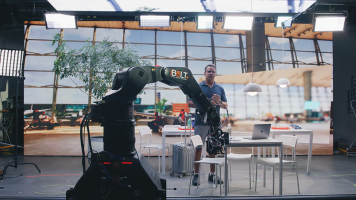
by Zack Young · Posted
On-set virtual production (OSVP) is the real-time mixing of live-action footage with computer-generated imagery to create amazing in-camera visual effects (ICVFX). These days, most OSVP happens on a volume, a studio space with seamless LED panels (or cabinets, as they’re known in OSVP) grouped together to display rendered images that are then captured live in-camera alongside human talent. These cabinet configurations can be as simple as a flat backdrop stacked from the ground up, and as complicated as a full curved 360° wrap hung from trusses

by Freddy Gerngross · Posted
Choosing a Digital Audio Workstation, or DAW, is a major decision. For beginners, it will define their learning curve, workflow, and operating knowledge—for professionals, compatibility, functionality, and familiarity is key. In this guide, we will give some detailed overviews of the most popular DAWs in the audio industry, what their strengths and weaknesses are, and some of their unique features.
If you’re in a rush, here’s a quick rundown of the best DAWs for a variety of common purposes:
If you’re a songwriter/producer: Ableton, Logic,

by Mary Latvis · Posted
Welcome to Filmmaking 101, where we offer some tips on how to go about creating your movie masterpiece. Read on to discover suggestions for your pre-production, production, and post-production phases.
Pre-Production
Scriptwriting
You have your idea for an arthouse masterpiece or an action-based blockbuster; now how do you translate that into a script―the backbone of your production? You can use MS Word, Google Docs, or another document program. But using dedicated screenwriting software provides the standard formatting, outline tools,
by Nicholas Messitte · Posted
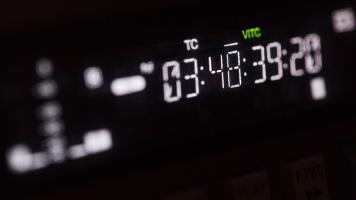
Timecode is not a movie from 1994 starring Jean-Claude Van Damme and his right or left foot. No, that’s Timecop. But I bet you Timecop was shot with timecode. Why? Because timecode is the standard for keeping things organized on big film shoots—and also, little film shoots.
See, three cameras and one audio recorder don’t automatically coordinate with each other. Let’s say some neophyte labels their video file “day 1 scene 1 take 1,” while some other noob goes with “sc1tk1-d1” on the audio recorder’s file. What kind of fresh hell does this make
by Justin Dise · Posted
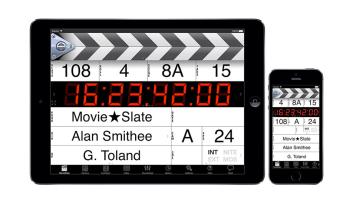
There is a plethora of apps out there, geared toward cinematographers. While many are useful, I’ve decided to share the four apps to which I find myself returning regularly. They have earned a place in my digital tool kit and, in my eyes, are must-haves for any DP or camera assistant.
Sun Seeker
Cinematographers always have an eye on the sun, and want to know where it will be at every hour during a shoot. When will the sunlight come through that window? How will I have to move the actor to keep a consistent backlight when shooting