PTZ Cameras & Solutions
PTZ CAMERAS & ACCESSORIES
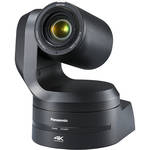
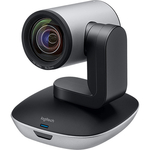
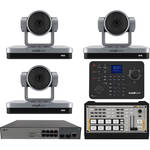
PTZ ACCESSORIES
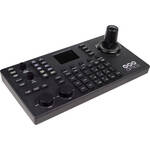

How PTZ cameras work and what are their unique features?
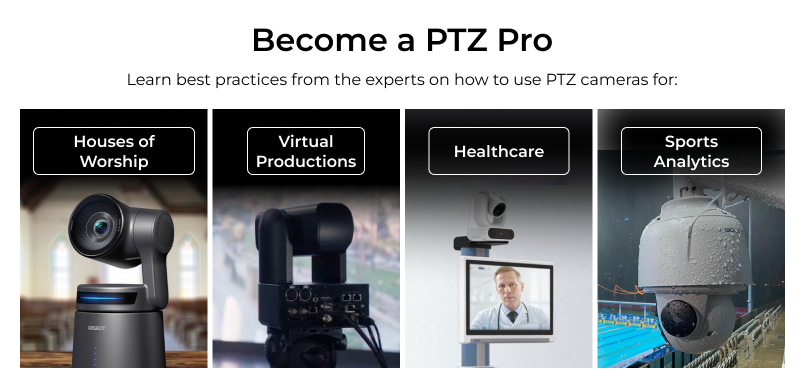
PTZ (pan-tilt-zoom) cameras feature a robotic head that has the ability to pan left and right, tilt up or down, and zoom in or out remotely. They also have image sensors similar to professional camcorders, allowing them to capture clean, sharp video. PTZ cameras can be controlled from hardware, software, or via a network, unlike traditional cameras that require an operator to be physically present with hands on the camera. PTZ cameras work via gearing and mechanics built inside the camera body that control the movement. Unique features include the aforementioned remote capabilities, as well as their ability to be hung in difficult to reach locations, to save and recall preset angles, and to utilize specialized functionality like auto-tracking that takes advantage of the built-in motors. PTZs are frequently used in live broadcasts, live streaming, inside large venues, in boardrooms, in houses of worship, in education environments, in government, and in healthcare.
How are PTZ cameras controlled?
PTZ cameras are typically controlled in one of four ways:
- Locally via Cables: Wired VISCA control, typically via serial cables like RS-232 or RS-422, remains the simplest way to control a PTZ camera, and the most common amongst older cameras. Typically one camera is connected to the controller via multi-pin serial cables, and additional cameras are then daisy-chained to the first camera. This method is great for reliability and a lack of delay.
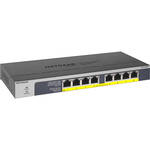
- Locally via Network: The most common control method in modern video production is linking cameras and a controller to a local IP network via Ethernet cable, often having an unmanaged network switch serve as the hub. Most modern PTZ cameras can receive power and send out video via the same Ethernet cable that’s sending and receiving commands. This method eliminates nearly all cables and is still typically quite reliable.
- Remotely via Network: So long as your PTZ cameras are connected to some sort of network, you should be able to send them commands and view their live feeds remotely via software connecting to that same network. You can then use software control or hook up a physical controller to the same network. This method is essential for offsite operators, but liable to network interference and/or delay.
- Remotely via Automation: Many education and government settings pre-program specific times for PTZ cameras to come online and start recording and/or broadcasting live, as well as specific angles for these times. This method reduces necessary labor and simplifies the overall workflow, but does require more effort upfront.
What are the benefits of PTZ cameras?
PTZ cameras are ideal for small crews or single person operators due to their hands-off nature. Once a PTZ camera is put in place and wired correctly, it shouldn’t require any physical interaction, as all setting changes and adjustments can be made remotely. That means one person can control more than one PTZ camera. Some PTZ cameras won’t need control at all, with automated features like subject tracking. PTZ cameras are also typically small and able to be installed in hard-to-reach locations like on trusses or ceilings. This makes them ideal for permanent studio installations and changing event workflows. Adding to this benefit is the ability to use a single Ethernet cable for power, control, and video with many modern PTZ cameras, greatly simplifying wiring and workflows.
Professional broadcast studies appreciate how PTZ cameras can be integrated into physical switchers via SDI/HDMI, or networked in via reliable options like NDI or SMPTE 2110. Broadcasts users also like the multi-angle presets and subject tracking. Professional venues like theaters and stadiums employ PTZ cameras because of their flexible mounting options, variable coverage, and wide zoom ranges. Corporate settings often appreciate the networking capabilities and operator-less design, often using PTZs for meetings via Zoom or Microsoft Teams. Houses of Worship employ PTZ cameras because of their operational flexibility and discreet appearance. Education, government, and healthcare settings all utilize PTZ cameras because of their diverse feature set and strong encryption options.
What is the difference between a Pro Video PTZ camera and a surveillance camera?
While professional surveillance cameras have improved in quality, the image they output is still far below what the sensors on PTZ cameras are capable of. Video detail, especially in low light, will be much sharper and more true-to-life with a professional PTZ camera. PTZ cameras also have more flexible control methods and customizable movements, helping users achieve smoother footage and zero in on the exact shot they want, versus the often-barebones controls on surveillance cameras. Additionally, professional PTZ cameras have more video production-focused inputs and outputs with options like 12G-SDI, Genlock, and Timecode. The video capture settings on PTZ cameras also be more cinema-centric, with a wider array of frame rates, color profiles, and codecs. While some of the pan, tilt, and zooming mechanics of a PTZ camera match those of a surveillance camera, a Pro
Video-focused PTZ will capture a much more filmic image, with sensors built to match the look of camcorders and cinema cameras.