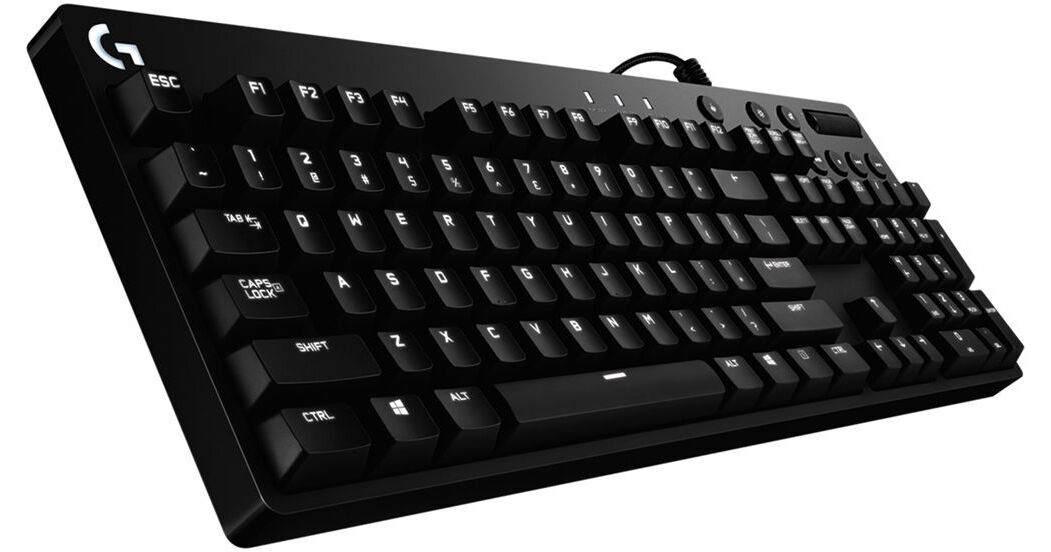
The Logitech G610 Orion Backlit Mechanical Keyboard provides you with the aesthetics and performance for gaming. It's built with Cherry MX Brown Switches, which make minimal noise but have a tactile bump for feedback when pressed.
For your convenience, it has built-in media control keys as well as a roller for quick and easy access to play, pause, volume adjustment, and more. To unlock the full capabilities and features of this keyboard including white LED backlight options, macro functionality, Game Mode, and more, be sure to download Logitech's gaming software.
Cherry MX Brown
Mechanical keyboards utilize a different type of key switch technology for a more durable and unique typing experience. The Cherry MX Brown switch has an actuation force of 45 g and offers a small tactile bump when pressed, letting you know that the key has registered. This can be useful for typing or preparing for a movement while gaming. Unlike Cherry MX Blue switches, these do not have an audible "click" mechanism, allowing for a quieter operation. Noise generated from this keyboard will be from the key either springing back into place or "bottoming out" – making contact with the back plate after a particularly hard press.
Customizable Lighting
Choose your level of customization by selecting and personalizing each individual key light with the Logitech Gaming Software. Keep track of multiple commands by customizing the light-up keys. The Logitech Gaming software can also synchronize light patterns with other Logitech G devices.
Media Control at Your Fingertips
Stay in your game while you control your background track. The G610 keyboard features dedicated media controls that can be used to play, pause, and mute music and videos instantly. Skip to the next song with the touch of a button, or use the roller to adjust the volume.
Logitech Gaming Software
Gain full control of the G610 with Logitech Gaming Software. Assign custom button macros on F1 through F12 to customize your favorite game. You also get full control of per-key backlighting and can customize which keys are turned off when you turn on game mode. (By default, Game Mode disables the Windows key.)
26-Key Rollover
Execute every complex move at the right time with multi-key input. With 26-key rollover, you can press a number of keys plus modifier keys (Control, Alt, Shift) in any order and still get exactly what you intended.
Three-Position Height Adjustment
Three step angle adjustments (0, 4, or 8 degrees) allows you to set your keyboard at an angle that feels just right for you and your style. Rubber feet keep your keyboard stable during intense gaming action.