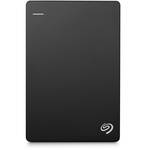
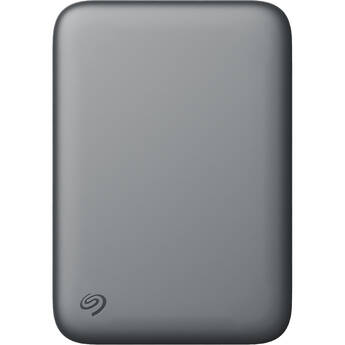
Seagate 2TB Portable USB-A 3.2 Gen 1 External Storage Drive

BH #SETGX2000400 • MFR #STGX2000400
Print
Seagate 2TB Portable USB-A 3.2 Gen 1 External Storage Drive
Key Features
  • 2TB Capacity
  • USB-A 3.2 Gen 1 Interface
  • Plug-and-Play Design
  • Windows & macOS Compatible
Store and backup your data with the Seagate 2TB Portable USB-A 3.2 Gen 1 External Storage Drive. Featuring a lightweight and compact design, this portable hard drive can be easily stored away or taken with you during long trips. Thanks to its Windows and macOS compatibility and plug and play design, this drive can be easily used on a multitude of systems without the need for additional software. The USB-A 3.2 Gen 1 interface gives you up to 5 Gb/s data transfer speeds, suitable for moving your essential data from one device to another quickly. This external storage drive is also backwards compatible with USB 2.0 interfaces, providing you with limited data transfer rates up to 480 Mb/s, allowing you to move files in a pinch.
More Details
Temporarily Out of Stock
No Store Display
Free 2-Day Shipping
Ask an Expert
800-606-6969

Seagate Portable Drive Overview

Store and backup your data with the Seagate 2TB Portable USB-A 3.2 Gen 1 External Storage Drive. Featuring a lightweight and compact design, this portable hard drive can be easily stored away or taken with you during long trips. Thanks to its Windows and macOS compatibility and plug and play design, this drive can be easily used on a multitude of systems without the need for additional software. The USB-A 3.2 Gen 1 interface gives you up to 5 Gb/s data transfer speeds, suitable for moving your essential data from one device to another quickly. This external storage drive is also backwards compatible with USB 2.0 interfaces, providing you with limited data transfer rates up to 480 Mb/s, allowing you to move files in a pinch.

Reformatting for macOS may be required.

UPC: 763649127308

Seagate Portable Drive Specs

Key Specs
Total Installed Storage
2 TB
Drive Type
Unspecified HDD
Default OS Support
Windows
*Alternate OS Support via Re-Format
System Connection
USB-A 3.0 / 3.1/3.2 Gen 1
Total Installed Storage
2 TB
Drive Type
Unspecified HDD
Performance
Default OS Support
Windows
*Alternate OS Support via Re-Format
Encryption Support
No
External Enclosure
System Connection
USB-A 3.0 / 3.1/3.2 Gen 1
Security Features
No
Material
Plastic
Fan Cooled
No
Impact Resistance
No
Environmental Resistance
No
Electrical
Power Source
Bus Powered
General
Dimensions
4.6 x 3.1 x 0.6" / 117 x 80 x 14.8 mm
Packaging Info
Package Weight
0.62 lb
Box Dimensions (LxWxH)
9.3 x 6.3 x 0.9"

Seagate Portable Drive Reviews

It Works.

By David
Rated 5 out of 5
Date: 2026-05-28

I just needed a large drive to move video projects between computers and this works perfectly. This drive will be used for storage, and not editing directly on it.

Excellent Seagate External Drive

By Mark
Rated 5 out of 5
Date: 2026-04-13

I have used my new Seagate 1TB Portable USB-A 3.2 Gen 1 External Storage Drive for about 10 days, and have found it to perform quickly and intuitively, and without problems. I did not register for the services that were offered with the device, so I cannot comment on them.

See any errors on this page?

can this be used on a ps5 or a xbox series x ?

can this be used on a ps5 or a xbox series x ?
Asked by: larry
The Seagate 5TB Portable USB-A 3.2 Gen 1 External Storage Drive (BH #SETGX5000400), is compatible with both consoles.
Answered by: Luis F
Date published: 2024-03-21

Dimensions for Seagate 5TB Portable USB-A 3.2 Gen ...

Dimensions for Seagate 5TB Portable USB-A 3.2 Gen 1 External Storage Drive
Asked by: evelyn
The dimensions of the Seagate 5TB Portable USB-A 3.2 Gen 1 External Storage Drive are 4.6 x 3.1 x 0.8" / 117 x 80 x 20 mm.
Answered by: JP A
Date published: 2025-12-01

Does this come with a backup program to allow ...

Does this come with a backup program to allow backing up one seagate drive to another?
Asked by: karen
The Seagate 5TB Portable USB-A 3.2 Gen 1 External Storage Drive does not come with software. If you want to copy the contents of one drive to another, simply connect both drives to your computer and drag and drop the contents.
Answered by: Calvin M
Date published: 2024-05-01

How do I format this drive for mac computers?

How do I format this drive for mac computers?
Asked by: Megan
I had the same issue but went to disk utility in my Mac and erased the disk and selected iOS and it formatted it for Mac and works now
Answered by: Maury
Date published: 2026-04-28
  • y_2026, m_6, d_6, h_12CST
  • bvseo_bulk, prod_bvqa, vn_bulk_3.0.46
  • cp_1, bvpage1
  • co_hasquestionsanswers, tq_4
  • loc_en_US, sid_1807729, prod, sort_[SortEntry(order=HAS_STAFF_ANSWERS, direction=DESCENDING)]
  • clientName_bhphotovideo
Whatever You Need, We've Got It