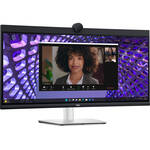
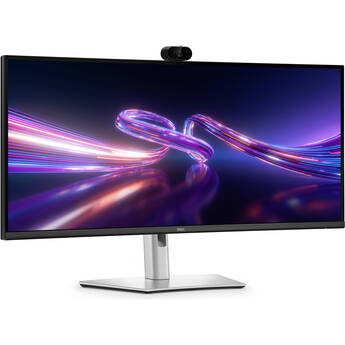
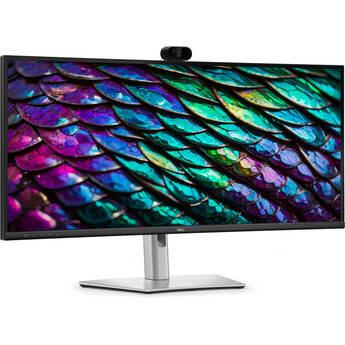
Dell P3424WEB 34" 1440p Ultrawide Curved Video Conferencing Monitor

BH #DEP3424WEB • MFR #P3424WEB
Print
Dell P3424WEB 34" 1440p Ultrawide Curved Video Conferencing Monitor
Key Features
  • 34" 3800R Curved 21:9 IPS Panel
  • HDMI | DisplayPort | USB-C (90W)
  • WQHD (1440p) 3440 x 1440 at 60 Hz
  • 2K QHD IR Webcam w/ Dual Mics
With a built-in 2K webcam, echo cancelling mics, and stereo speakers, the Microsoft Teams and Zoom certified Dell P3424WEB 34" 1440p Ultrawide Curved Video Conferencing Monitor helps you collaborate clearly with clients and teammates.
More Details
Special Order
No Store Display
Free Standard Shipping
Protect Your Gear
Add a protection plan from $54.99
Ask an Expert
800-606-6969

Dell P3424WEB Overview

With a built-in 2K webcam, echo cancelling mics, and stereo speakers, the Microsoft Teams and Zoom certified Dell P3424WEB 34" 1440p Ultrawide Curved Video Conferencing Monitor helps you collaborate clearly with clients and teammates.

In addition to featuring a curved 3440 x 1440 ultrawide QHD resolution screen that envelopes your field of view, the integrated 2K QHD webcam captures vibrant images in low light conditions with its large Sony STARVIS sensor while temporal and spatial noise reduction technologies reduce motion blur and grain. AI Auto Framing keeps you centered, and Windows Hello compatibility allows you to log in with just a glance. In addition to its communication features, the Dell P3424WEB helps to streamline your workflow with an expansive variety of ports. In addition to HDMI and DisplayPort inputs, you can transfer data, power, and up to 90W over a single USB-C cable with compatible devices. Then control up to two devices using a single mouse and keyboard using the built-in KVM switch. The RJ45 Ethernet LAN port allows you to connect to compatible wired network devices.

Effortless Communication
Powerful Webcam
Take center stage with a 2K QHD webcam that packs a punch. The large Sony STARVIS sensor takes in substantial light to give you vibrant picture clarity and a vivid image.
Look Great in Low Light:
Temporal (3D) and Spatial (2D) Noise Reduction automatically eliminate motion blur and grainy images in low light while AI Auto Framing keeps you in the middle of the frame even as you move around.
Collaborate on a Curve
The 3800R curved screen design improves your field of view while reducing reflections, allowing you to see more at a glance while working comfortably for long durations.
Loud and Clear
Collaborate like you're there with built-in, dual echo-cancellation mics and dual 5W speakers, strategically positioned at the top of the monitor for an immersive audio experience.
Interaction Secured
The manual webcam shutter and convenient microphone mute button on this Zoom-certified monitor helps ensure that you're only communicating what you want to share, when you want to share it.
Easy Connections
Launch Teams meetings effortlessly with the quick access touch control on this certified for Microsoft Teams monitor.
Seamless Access
Get to work fast with Dell Express Sign-in, featuring a proximity sensor that detects your presence when you are close and uses Windows Hello to automatically log you in. When you walk away, it locks your system for increased security.
Easy on the Eyes
Work without straining your eyes with the always-on, built-in ComfortView Plus, which reduces low blue light without compromising color.
Comfort is Key
Tilt, swivel, pivot, and adjust the height of your monitor.
Your Productivity Hub
Connect to Productivity
With wired connectivity options like RJ45 and USB-C, your monitor delivers reliable Ethernet, power, audio, and video-all in a clutter-free setup.
The Power of USB-C
Get up to 90W of power delivery via USB-C, and charge your compatible laptop even when the monitor is off with the Always On Power Delivery feature. This single-cable solution also reduces cable clutter and transmits power, data, and audio all at once.
Quick Convenience
Plug in mobile devices and keep them in reach with the two 5 Gb/s USB-A 3.2 Gen 1 quick-access ports. There's even space to charge your mobile phone (up to 15W power charging) with the USB-C quick-access port.
Enhanced Manageability
Managing your monitor is easy with MAC Address pass-through, PXE Boot, and Wake-on-LAN conveniently built in.
Multitask Efficiently
Connect two PC sources to the monitor using the intelligent Auto KVM feature, which detects the second connected PC and seamlessly switches controls over. The KVM switch allows you to control both PCs with a single keyboard and mouse. Plus, you can enhance efficiency by adding a second monitor via the daisy chain feature.
Dell Display Manager
Easy Navigation
Share a single keyboard, mouse and monitor between multiple PCs with USB KVM wizard. Quickly switch between PCs with the quick-access menu or hot keys.
Smooth Deployment
Manage your fleet of monitors with features that are automatic, comprehensive, and compatible with several tools.
Convenient Customization
Quickly access your favorite features and functions with the menu launcher and hot keys.
Stay Updated
Get automatic notifications anytime there are new updates on monitor firmware and software.
Dell Peripheral Manager
Improved Multitasking
Organize your apps across screens with preset partitions and up to five customizable windows with the Easy Arrange app. Easy Arrange Memory saves and restores profiles manually, on a schedule, or at start-up.
Design How They See You
Dell Peripheral Manager offers a range of features such as HDR, AI Auto Framing, different Field of Views, and Presets, allowing you to easily customize settings based on your preferences.
Green Thinking
Environmental Standards
Dell monitor uses 85% PCR (Post-consumer Recyclable) plastic in the design, 90% recycled aluminum, and meets the latest environmental standards such as EnergyStar, TCO Certified Edge, and is EPEAT Gold registered.
Eco-Conscious Packaging
Dell monitors ship in boxes made with 100% renewable content that is also 100% recyclable.
Energy Conservation
Save energy when your monitor's not in use with PowerNap, a feature that dims or puts your monitor to sleep when it's not in use.
UPC: 884116441489

Dell P3424WEB Specs

Key Specs
Display Size
34"
Panel Type
IPS-Type LCD
Native Resolution
3440 x 1440
Maximum Brightness
300 nits / cd/m2
HDR Support
Yes
Color Support
1.07 Billion Colors
Color Gamut
99% sRGB
Finish
Anti-Glare
Touchscreen
No
A/V Inputs
DisplayPort 1.2 / HDMI
A/V Outputs
3.5 mm (Analog Audio)
USB I/O
USB-A 3.2 Gen 1
Built-In Speakers
Yes: 2x 5 W
Webcam
Yes: User-Facing 4 MP
Display
Size
34"
Panel Type
IPS-Type LCD
Aspect Ratio
21:9
Native Resolution
3440 x 1440
Maximum Brightness
300 nits / cd/m2
HDR Support
Yes
Contrast Ratio
1000:1
Response Time
5 ms (GtG)
Refresh Rate
60 Hz
Variable Refresh Technology
No
Color Support
1.07 Billion Colors
Color Gamut
99% sRGB
Viewing Angle (H x V)
178 x 178°
Curved Display
Yes: 3800R
Finish
Anti-Glare
Surface
Touchscreen
No
Connectivity
A/V Inputs
1x HDMI
1x DisplayPort 1.2
A/V Outputs
1x 1/8" / 3.5 mm (Headphone)
HDCP Support
Yes: Version 2.2
USB I/O
2x USB-A 3.0 / 3.1/3.2 Gen 1
Ethernet I/O
1x RJ45 Gigabit Ethernet
Multi-Input Support (PIP/PBP)
No
Speaker
Built-In Speakers
Yes: 2x 5 W
Hardware
Built-In Mic
Yes
Camera
Webcam
Yes: User-Facing 4 MP
Electrical
Power Consumption
Operational: 31.5 W
Maximum: 210.0 W
Input Power
100 to 240 VAC, 50 / 60 Hz
Power Adapter Type
Internal
General
Operating Conditions
32 to 104°F / 0 to 40°C at 20 to 80% Humidity
Certifications
EPEAT
Adjustments
Swivel: 60° (-30 to 30°)
Tilt: 26° (-5 to 21°)
Height Up to 5.9" / 150 mm
VESA Mounting-Hole Pattern
100 x 100 mm
Lock Slot
Yes
Dimensions
32.1 x 17.5 x 9.5" / 815.3 x 444.5 x 241.3 mm (with Stand)
32.1 x 16.5 x 3.3" / 815.3 x 419.1 x 83.8 mm (without Stand)
Weight
23.9 lb / 10.8 kg (with Stand)
16.3 lb / 7.4 kg (without Stand)
Packaging Info
Package Weight
35.46 lb
Box Dimensions (LxWxH)
37.25 x 21 x 8.75"

Dell P3424WEB Reviews

Great all around option

By Fred
Rated 4 out of 5
Date: 2026-02-24

We have standardized to this monitor for our Windows and macOS users. The 34" wide screen is a nice alternative to the dual 24" setup that many of our users were using. The built in webcam, mic and speakers, built in NIC plus the ability to charge the laptop, really clean up the setup. The one disadvantage for macOS users might be the OS volume controls, but this can be worked around with third party software.

The webcam is not worthwhile

By Naomi
Rated 1 out of 5
Date: 2026-01-06

I was thrilled about the webcam feature but it's not as optimal as my Macbook webcam.... It's not worth paying more for the webcam that does not allow me to adjust the brightness. I"ve tried many things... downloaded the driver/ researched online, etc... the webcam does not match the quality of Macbook webcam. I am returning this product to order a stand alone Dell monitor without a webcam.

See any errors on this page?
Whatever You Need, We've Got It