Ask Our Experts800-606-6969
Hello, Log InAccount & Orders
Key Features
- 2.4 GHz RF & Bluetooth LE Connectivity
- 8000 dpi Darkfield Optical Sensor
- Quiet Click Mouse Buttons
- MagSpeed Electromagnetic Scrolling
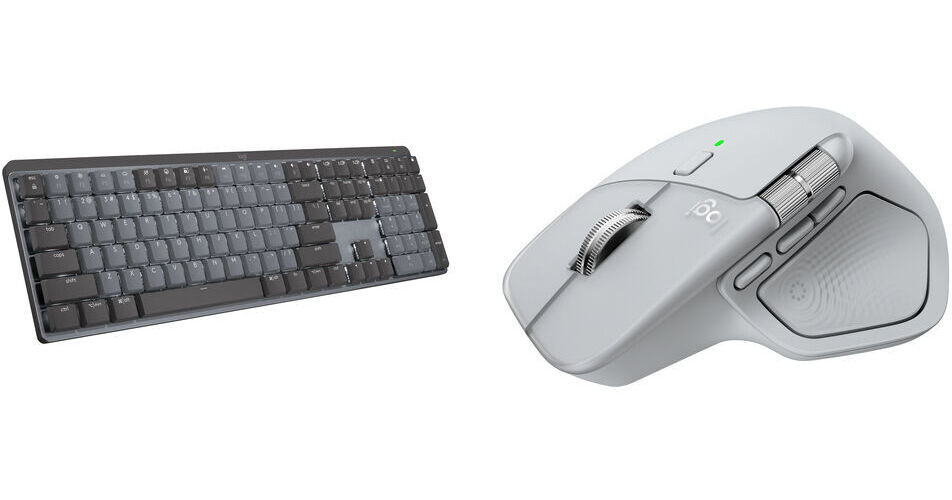
This B&H Kit features the Logitech MX Master 4 Wireless Mouse and MX Mechanical Wireless Keyboard with tactile quiet switches. Perfect for office workers, these quiet, yet highly reliable peripherals minimize noise and use tactile or haptic feedback to ensure precise inputs.
More DetailsIn Stock
Protect Your Gear
Add a protection plan from $53.99
See Options
See any errors on this page?
is MX4 mouse compatible with windows 11?
is MX4 mouse compatible with windows 11?
The Logitech MX Master 4 Wireless Mouse (Black), B&H # LOMXM4BLK, is compatible with Windows 11.
Date published: 2025-10-06
Which version is most suitable if I wish to use it
Which version is most suitable if I wish to use it with both MacOS and Windows?
The Logitech MX Master 4 Wireless Mouse for Mac (Space Black), B&H # LOMXM4MSBLK, can be used with both macOS and Windows. The only difference with the other variants is the color that the mouse is offered in; all of the versions are suitable for use with both macOS and Windows.
Date published: 2026-04-19
How many and what kind of Logi Bolt receivers are ...
How many and what kind of Logi Bolt receivers are included in the kit, 2xUSB-C, 1xUSB-C and 1xUSB-A, or 1 USB-C?
There are 2 Logitech Bolt Receivers included with the Logitech MX Master 4 Wireless Mouse with Mechanical Keyboard Kit (Black); one is USB-C and one is USB-A.
Date published: 2025-11-14