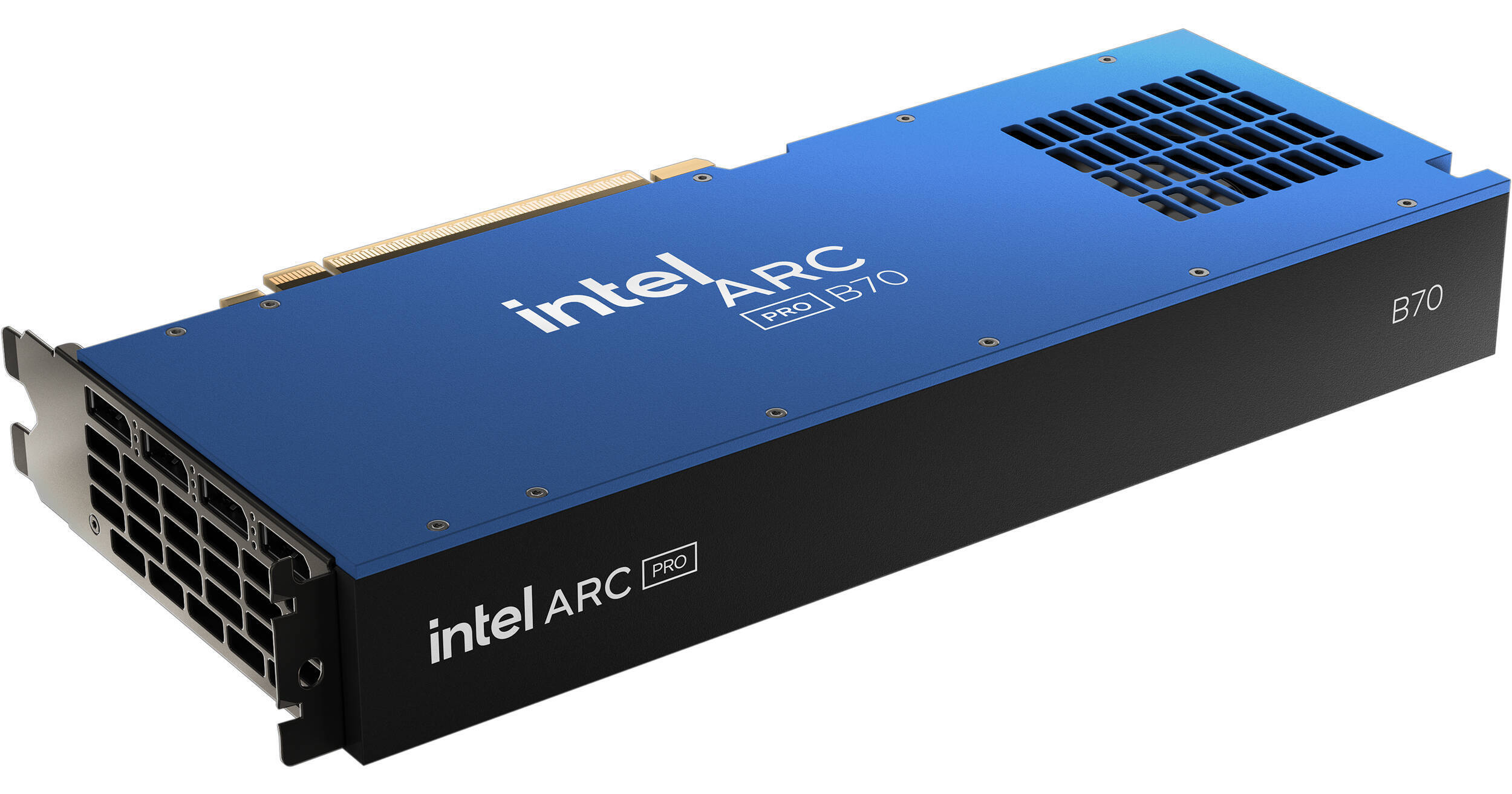
Intel Arc Pro B70 Graphics Card

BH #INAPB7032GB • MFR #33P01IB0BB
Print
Intel Arc Pro B70 Graphics Card
Key Features
  • 2800 MHz Boost Clock Speed
  • 32 Xe Cores | 256 XMX AI Engines
  • Xe2 Architecture | 32 RT Units
  • 32GB of ECC GDDR6 VRAM
Built using the Xe2 microarchitecture, the Intel Arc Pro B70 Workstation Graphics Card is designed to deliver responsive visuals with ray tracing while accelerating AI workloads.
More Details
In Stock
No Store Display
Free Expedited Shipping
Protect Your Gear
Add a protection plan from $77.99
Ask an Expert
800-606-6969

Intel B70 Overview

Built using the Xe2 microarchitecture, the Intel Arc Pro B70 Workstation Graphics Card is designed to deliver responsive visuals with ray tracing while accelerating AI workloads.

In addition to featuring 32GB of ECC GDDR6 VRAM with a 256-bit memory interface, this GPU features 32 Xe cores with a 2800 MHz boost clock speed. With 256 XMX AI Engines, the Arc Pro B70 delivers up to 367 TOPS (Trillions of Operations per Second) to upscale graphics, optimize gaming performance, and accelerate generative AI content creation. The 32 ray tracing units provide realistic lighting and reflections with compatible games.

Xe2 Architecture
Based on Xe2 architecture, this GPU features Intel Xe Matrix Extensions (XMX) AI cores and advanced ray tracing units, bringing high-performance capabilities to creators, developers, and engineers.
XeSS 2
Intel's Xe Super Sampling (XeSS) is updated with three key technologies: XeSS Super Resolution, XeSS Frame Generation, and Xe Low Latency.

XeSS Super Resolution offers AI-based upscaling for over 150 supported games. AI-powered XeSS Frame Generation delivers a more fluid visual experience by adding interpolated frames using optical flow and motion vector reprojection. Lastly, Xe Low Latency integrates with the game engine to provide faster responsiveness. With all three technologies active, XeSS 2 can increase the fps output by up to 3.9x compared to the previous generation, delivering high performance with demanding AAA games.

Optimized for AEC
This GPU is optimized for AEC (architecture, engineering, construction) and inference workstations, providing stability and performance through a wide range of independent software vendors (ISV) certifications.
OS Compatibility
This GPU is compatible with consumer and pro drivers on Windows. On Linux, this graphics card supports a containerized software stack to simplify AI deployments and will be progressively upgraded with features and optimizations.
UPC: 735858551984

Intel B70 Specs

Key Specs
GPU Model
Intel Arc Pro B70
Stream Processors
32
Dedicated AI Cores
Yes: 367 TOPS
Interface
PCI Express 5.0 x16
Video RAM
32 GB ECC GDDR6
Video Output
4x DisplayPort 2.1
Power Connection
1x 8-Pin PCI Connector
GPU Width
Dual-Slot
GPU
GPU Model
Intel Arc Pro B70
Stream Processors
32
Clock Speed
Boost Mode: 2800 MHz
Base Mode: 2280 MHz
Dedicated AI Cores
Yes: 367 TOPS
Interface
PCI Express 5.0 x16
Supported APIs
DirectX: 12
Vulkan
OpenGL
OpenCL
Memory
Video RAM
32 GB ECC GDDR6
Memory Interface Width
256-Bit
Memory Bandwidth
608 GB/s
Display Support
Video Output
4x DisplayPort 2.1
Power Requirements
Max Power Consumption
230 W
Power Connection
1x 8-Pin PCI Connector
Compatibility
Expansion Slot Compatibility
Full Height
Height
3.9" / 99.1 mm
Length
10.5" / 266.7 mm
Width
Dual-Slot
OS Compatibility
Windows
General
Cooler Type
Blower-Style Fan
Packaging Info
Package Weight
3.165 lb
Box Dimensions (LxWxH)
15.3 x 8 x 4.1"

Intel B70 Reviews

Fast Shipping and Packaged Well

By Joshua
Rated 5 out of 5
Date: 2026-05-08

First time ordering from B&H, easy checkout (was able to use apple pay) and item was delivered timly and packaged well. I would definetly order from them again.

Don't blame the device for your own failure

By Jesse
Rated 4 out of 5
Date: 2026-04-24

I spent an entire weekend using this GPU with llama.cpp and vLLM, and I've been able to use models such as qwen3-coder-30b and devstral-small-2-24b. Since it's a brand new card, support is sparse and you'll have to make sure you're using current guides to get it going. I'm currently using Intel's docker container for vLLM with XPU support.

See any errors on this page?
Whatever You Need, We've Got It