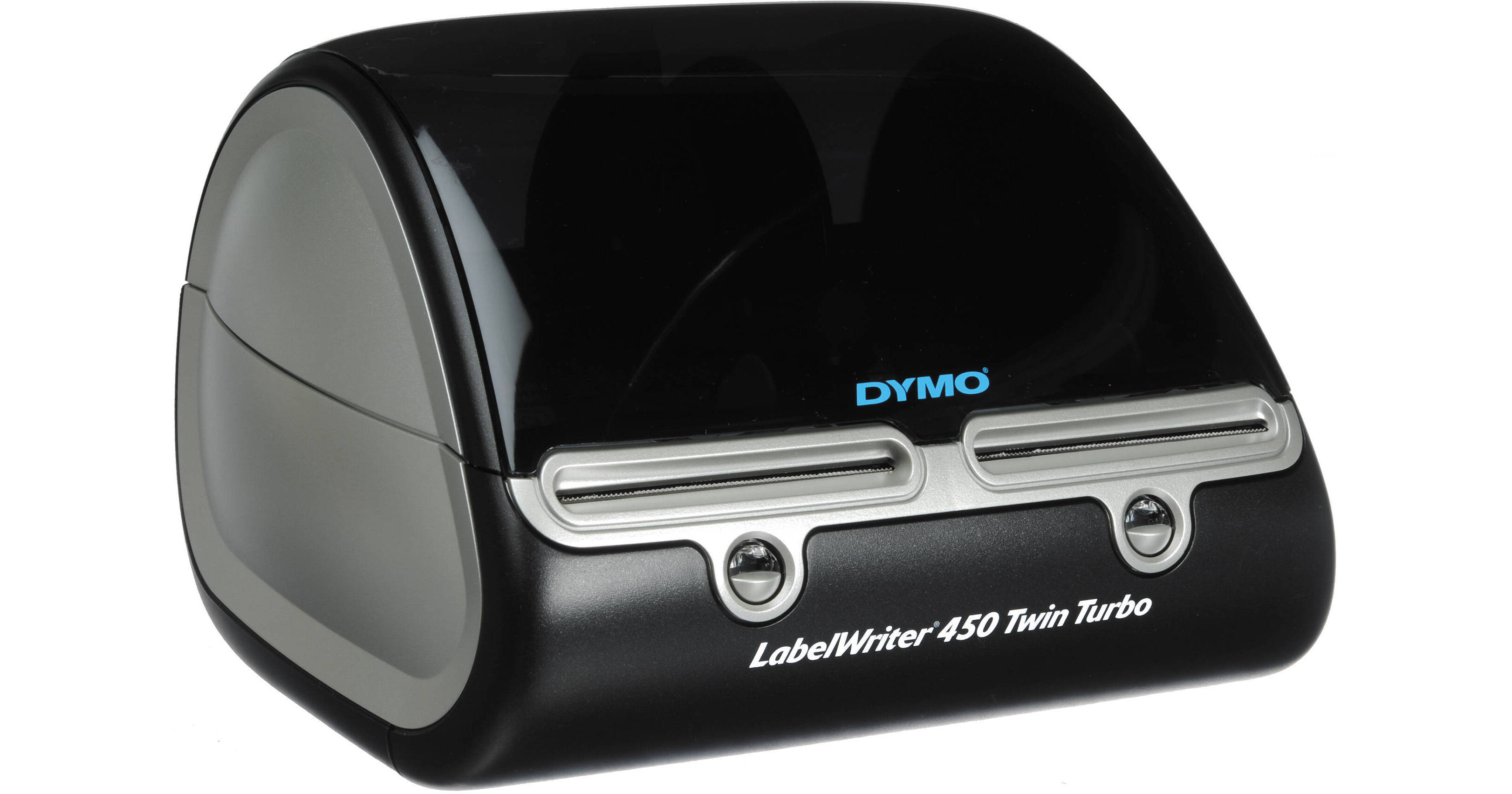
Dymo LabelWriter 450 Twin Turbo USB Label Printer

BH #DYLW450TT • MFR #1752266
Print
Dymo LabelWriter 450 Twin Turbo USB Label Printer
Key Features
  • Thermal Printing Technology
  • Prints 71 Labels/Minute
  • Windows & Mac Compatibility
The LabelWriter 450 Twin Turbo USB Label Printer from DYMO is a compact label printer, compatible with Windows and Mac systems. The printer is perfect for printing address labels, shipping labels, file folder labels, name badges, inventory labels, and others: without the hassles associated with using sheet labels on a standard desktop printer. It features 2 label spools, allowing you to keep different types of media loaded, or to load 2 identical labels for large jobs.
More Details
In Stock
No Store Display
$274.00
Calculate Shipping
Protect Your Gear
Add a protection plan from $26.00
Ask an Expert
212-444-6615

Dymo 450 Twin Turbo Overview

The LabelWriter 450 Twin Turbo USB Label Printer from DYMO is a compact label printer, compatible with Windows and Mac systems. The printer is perfect for printing address labels, shipping labels, file folder labels, name badges, inventory labels, and others: without the hassles associated with using sheet labels on a standard desktop printer. It features 2 label spools, allowing you to keep different types of media loaded, or to load 2 identical labels for large jobs.

The LabelWriter uses thermal printing technology, eliminating the need for toner replacements. The included software allows you to print labels directly from commonly-used office applications and verify US addresses and ZIP+4 codes. It also includes software that allows you to print USPS-approved postage from your desktop.

DYMO Productivity software suite features DYMO Label 8, DYMO File, and Address Fixer software
The DYMO Label 8 software allows you to print and create address, shipping, file, folder, and barcode labels, name badges, and other types of labels, from Windows or Mac systems
Prints up to 71 labels per minute
Accommodates 2 types of labels simultaneously; select the appropriate one for your printing needs, or load the same media in both spools for uninterrupted printing of large jobs
DYMO Stamps software allows you to print USPS-approved postage directly from your desktop, without the need for monthly contracts or fees; an Internet connection is required
Thermal printing technology eliminates the need for ink or toner
Print labels directly from Word, Excel, Outlook, and QuickBooks
Integrated address book software prints labels from Outlook contacts of OS X Address Book
Address Fixer software verifies US addresses and ZIP+4 codes via the Internet
Quick Print widget allows you to quickly create and print a single label
DYMO File LT software converts paper documents to digital files
Note:
Windows only; Requires scanner and document feeder
High-quality 600 x 300 dpi print resolution
Features more than 60 label styles and layouts
Compact design for flexible placement
UPC: 071701056597

Dymo 450 Twin Turbo Specs

Key Specs
Item Type
Desktop Label Printer
Printing Technology
Direct Thermal
Color Type
Black
Print Resolution
300 x 600 dpi
Power Source
USB Power (Cable Built-In/Included)
Item Type
Desktop Label Printer
Printer
Printing Technology
Direct Thermal
Color Type
Black
Print Resolution
300 x 600 dpi
Print Speed
71 Labels per Minute
Printer Media Handling
Media Handling
Roll Feed
Printer Formatting
Maximum Printable Width
2.25" / 56 mm
Connectivity
Data I/O
1x USB-B Output
OS Compatibility
Windows / macOS
General
Power Source
USB Power (Cable Built-In/Included)
Battery
No
Dimensions
Not Specified by Manufacturer
Weight
Not Specified by Manufacturer
Packaging Info
Package Weight
4.05 lb
Box Dimensions (LxWxH)
11.6 x 8.6 x 6"

Dymo 450 Twin Turbo Reviews

Will not install correctly with Win 11.

By Rick1992
Rated 1 out of 5
Date: 2025-03-17

Will not install correctly with Win 11. Worked under 10 but with new computer won't connect.

Twin label maker

By Trops
Rated 4 out of 5
Date: 2025-02-03

Reliable easy to use time saving machine. Highly recommend for your label making.

See any errors on this page?

question

Does this label maker (Dymo Label Writer 450 TWIN Turbo) work with (or intergrate with) Quick Books Premier Contactor Edition 2014 (Desktop version)? I purchased the Dymo Label Writer 450 Turbo (not TWIN TURBO) and it says in the description that it works with QB...this one does not.
Asked by: Anonymous
You can print labels directly from Word, Excel, Outlook, and QuickBooks with the Dymo LabelWriter 450 Twin Turbo USB Label Printer.
Answered by: James B.
Date published: 2018-08-27

question

Is there a warranty for this printer?
Asked by: Anonymous
It comes with a 2-year limited warranty from Dymo.
Answered by: Steven C.
Date published: 2018-08-27

question

Does this printer need ink? If yes what kind?
Asked by: Anonymous
No, Dymo printers do not use ink. It's a thermal print transfer. No Ink or Ribbon needed.
Answered by: Mike G.
Date published: 2018-08-27

question

Does this labelwriter work with a Mac Mini?
Asked by: Margo
Yes it works great! I just called and had them help me set it up. Never had a problem with it
Answered by: Rolfe M.
Date published: 2018-08-27
  • y_2026, m_7, d_6, h_8CST
  • bvseo_bulk, prod_bvqa, vn_bulk_3.0.46
  • cp_1, bvpage1
  • co_hasquestionsanswers, tq_4
  • loc_en_US, sid_634160, prod, sort_[SortEntry(order=HAS_STAFF_ANSWERS, direction=DESCENDING)]
  • clientName_bhphotovideo
Whatever You Need, We've Got It