Ask Our Experts800-606-6969
Hello, Log InAccount & Orders
Used Computer Monitor & Displays
196 Items

Filter by:
Sort by:
View:
Used
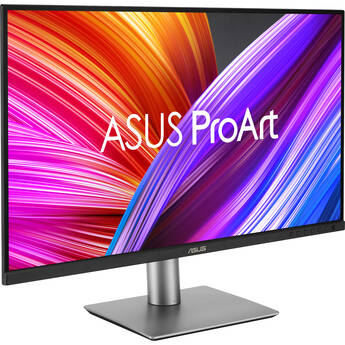
ASUS ProArt PA279CRV 27" 4K HDR Monitor
BH # 3569234 MFR # PA279CRV
Key Features
- 27" 16:9 IPS Panel
- HDMI | DisplayPort | USB-C
- 3840 x 2160 Resolution at 60 Hz
- Adaptive Sync
Used
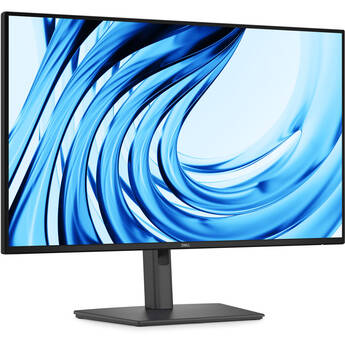
Dell Pro P 27" Full HD IPS Monitor
BH # 3569227 MFR # P2726H
Key Features
- 27" 16:9 IPS Panel
- HDMI | DisplayPort
- FHD 1920 x 1080 at 120 Hz
- 5 ms (GtG) Response Time
Used
Dell UltraSharp U3225QE 31.5" 4K HDR 120 Hz Monitor
BH # 3567880 MFR # U3225QE
Key Features
- 31.5" 16:9 IPS Black Panel
- HDMI | DisplayPort | Thunderbolt 4
- UHD 4K 3840 x 2160 at 120 Hz
- 8/5 ms Response Time (GtG)
Used
Dell UltraSharp U3225QE 31.5" 4K HDR 120 Hz Monitor
BH # 3533228 MFR # U3225QE
Key Features
- 31.5" 16:9 IPS Black Panel
- HDMI | DisplayPort | Thunderbolt 4
- UHD 4K 3840 x 2160 at 120 Hz
- 8/5 ms Response Time (GtG)
Used
Dell UltraSharp U3225QE 31.5" 4K HDR 120 Hz Monitor
BH # 3565570 MFR # U3225QE
Key Features
- 31.5" 16:9 IPS Black Panel
- HDMI | DisplayPort | Thunderbolt 4
- UHD 4K 3840 x 2160 at 120 Hz
- 8/5 ms Response Time (GtG)
Used
ASUS ProArt PA27JCV 27" 5K HDR Monitor
BH # 3562771 MFR # PA27JCV
Key Features
- 27" 16:9 IPS Panel
- HDMI | DisplayPort | USB-C (96W)
- UHD 5K 5120 x 2880 at 60 Hz
- 5 ms (GtG) Response Time
Used
Dell UltraSharp 34" 1440p 120 Hz Curved Thunderbolt Hub Monitor
BH # 3568265 MFR # U3425WE
Key Features
- 34" 21:9 Curved IPS Panel
- HDMI | DisplayPort | Thunderbolt 4
- 3440 x 1440 at 120 Hz
- Up to 5 ms Response Time
Used
Dell UltraSharp 34" 1440p 120 Hz Curved Thunderbolt Hub Monitor
BH # 3566752 MFR # U3425WE
Key Features
- 34" 21:9 Curved IPS Panel
- HDMI | DisplayPort | Thunderbolt 4
- 3440 x 1440 at 120 Hz
- Up to 5 ms Response Time
Used
Dell UltraSharp 27" 1440p Monitor
BH # 3568946 MFR # U2724D
Key Features
- 27" 16:9 IPS Panel
- HDMI | DisplayPort
- 2560 x 1440 at 120 Hz
- 5 ms Response Time
Used
Dell UltraSharp 49 U4924DW 49" WQHD Ultrawide Curved Monitor
BH # 3557206 MFR # U4924DW
Key Features
- 49" 32:9 IPS Black Curved Panel
- HDMI | DisplayPort | USB-C
- WQHD 5120 x 1440 Resolution at 60 Hz
- 0.5 ms (Overdrive) Response Time
Used
Dell UltraSharp 27" Thunderbolt Hub 1440p Monitor
BH # 3534211 MFR # U2724DE
Key Features
- 27" 16:9 IPS Panel
- HDMI | DisplayPort | Thunderbolt 4
- 2560 x 1440 at 120 Hz
- 5 ms Response Time
Used
Dell UltraSharp 27" Thunderbolt Hub 1440p Monitor
BH # 3557869 MFR # U2724DE
Key Features
- 27" 16:9 IPS Panel
- HDMI | DisplayPort | Thunderbolt 4
- 2560 x 1440 at 120 Hz
- 5 ms Response Time
Used
Samsung M8 M80F 32" 4K HDR Smart Monitor with Webcam (Warm White)
BH # 3565667 MFR # LS32FM803UNXZA
Key Features
- 32" 16:9 VA Panel
- HDMI | USB-C (65W)
- 4K UHD 3840 x 2160 at 60 Hz
- 4 ms (GtG) Response Time
Used
Samsung M8 M80F 32" 4K HDR Smart Monitor with Webcam (Warm White)
BH # 3569015 MFR # LS32FM803UNXZA
Key Features
- 32" 16:9 VA Panel
- HDMI | USB-C (65W)
- 4K UHD 3840 x 2160 at 60 Hz
- 4 ms (GtG) Response Time
Used
Samsung S3 S30GD 24" 100 Hz Monitor
BH # 3499361 MFR # LS24D300GANXZA
Key Features
- 24" 16:9 IPS Panel
- HDMI 1.4 | VGA
- Full HD (1080p) 1920 x 1080 at 100 Hz
- 5 ms (GtG) Response Time
Used
LG 27BA45U-B 27" 4K HDR Monitor
BH # 3548621 MFR # 27BA45U-B
Key Features
- 27" 16:9 IPS Panel
- HDMI | DisplayPort
- 4K UHD 3840 x 2160 Resolution
- 5 ms (GtG) Response Time
Used
LG 27BA45U-B 27" 4K HDR Monitor
BH # 3529929 MFR # 27BA45U-B
Key Features
- 27" 16:9 IPS Panel
- HDMI | DisplayPort
- 4K UHD 3840 x 2160 Resolution
- 5 ms (GtG) Response Time
Used
Dell Pro P 27" Full HD IPS USB-C Hub Monitor
BH # 3519640 MFR # P2726HE
Key Features
- 27" 16:9 IPS Panel
- HDMI | DisplayPort | USB-C
- FHD 1920 x 1080 at 120 Hz
- 5 ms (GtG) Response Time
Used
Dell Pro 27" Plus P2725DE QHD USB-C Hub IPS Monitor
BH # 3461777 MFR # P2725DE
Key Features
- 27" 16:9 IPS Panel
- HDMI | DisplayPort | USB-C
- 2560 x 1440 at 100 Hz
- 5 ms (GtG) Response Time
Used
BenQ PD2730S 27" 5K HDR Designer Monitor
BH # 3564620 MFR # PD2730S
Key Features
- 27" 16:9 IPS Panel
- HDMI | DisplayPort | Thunderbolt 4 (90W)
- UHD 5K 5120 x 2880 at 60 Hz
- 5 ms Response Time
Used
LG UltraFine evo 32U990A-S 31.5" evo 6K Nano IPS Black Monitor
BH # 3554601 MFR # 32U990A
Key Features
- 31.5" 16:9 Nano IPS Black Panel
- HDMI | DisplayPort | Thunderbolt 5 (96W)
- UHD 6K 6144 x 3456 at 60 Hz
- 5 ms GtG Response Time
Used
LG UltraFine evo 32U990A-S 31.5" evo 6K Nano IPS Black Monitor
BH # 3556186 MFR # 32U990A
Key Features
- 31.5" 16:9 Nano IPS Black Panel
- HDMI | DisplayPort | Thunderbolt 5 (96W)
- UHD 6K 6144 x 3456 at 60 Hz
- 5 ms GtG Response Time
Used
ASUS ProArt OLED PA32UCDMR-K 31.5" 4K HDR 240 Hz Monitor with Color Calibrator
BH # 3564384 MFR # PA32UCDMR-K
Key Features
- 31.5" 16:9 OLED Panel
- HDMI | DisplayPort | Thunderbolt 4
- 4K UHD 3840 x 2160 at 240 Hz
- 0.1 ms (GtG) Response Time
Used
LG UltraWide 29BF550B-W 29" 1080p HDR 100 Hz Monitor
BH # 3567145 MFR # 29BF550B-W
Key Features
- 29" 21:9 IPS Panel
- HDMI | DisplayPort | USB-C
- WFHD (1080p) 2560 x 1080 at 100 Hz
- 5 ms (GtG) Response Time
Used
Dell Pro 32" Plus QHD USB-C Hub IPS Monitor
BH # 3382790 MFR # P3225DE
Key Features
- 31.5" 16:9 IPS Panel
- HDMI | DisplayPort
- USB-C Ports | USB-A Ports | RJ45 Port
- 2560 x 1440 Resolution at 100 Hz
Used
Dell UltraSharp 23.8" 120 Hz Monitor
BH # 3474831 MFR # U2424H
Key Features
- 23.8" 16:9 IPS Panel
- HDMI | DisplayPort
- 1920 x 1080 Resolution at 120 Hz
- 5 ms Response Time
Used
LG 34BP65C-B 34" 21:9 160 Hz FreeSync Curved VA Monitor
BH # 3562258 MFR # 34BP65C-B
Key Features
- 34" Curved Vertical Alignment (VA) Panel
- HDMI & DisplayPort Inputs
- 3440 x 1440 Resolution at 160 Hz
- 3000:1 Static Contrast Ratio
Used
ASUS ProArt Display OLED PA279CDV 26.5" 4K HDR 120 Hz Monitor
BH # 3568369 MFR # PA279CDV
Key Features
- 26.5" 16:9 QD-OLED Panel
- HDMI | DisplayPort | USB-C (96W)
- 4K UHD 3840 x 2160 at 120 Hz
- 0.1 ms (GtG) Response Time