
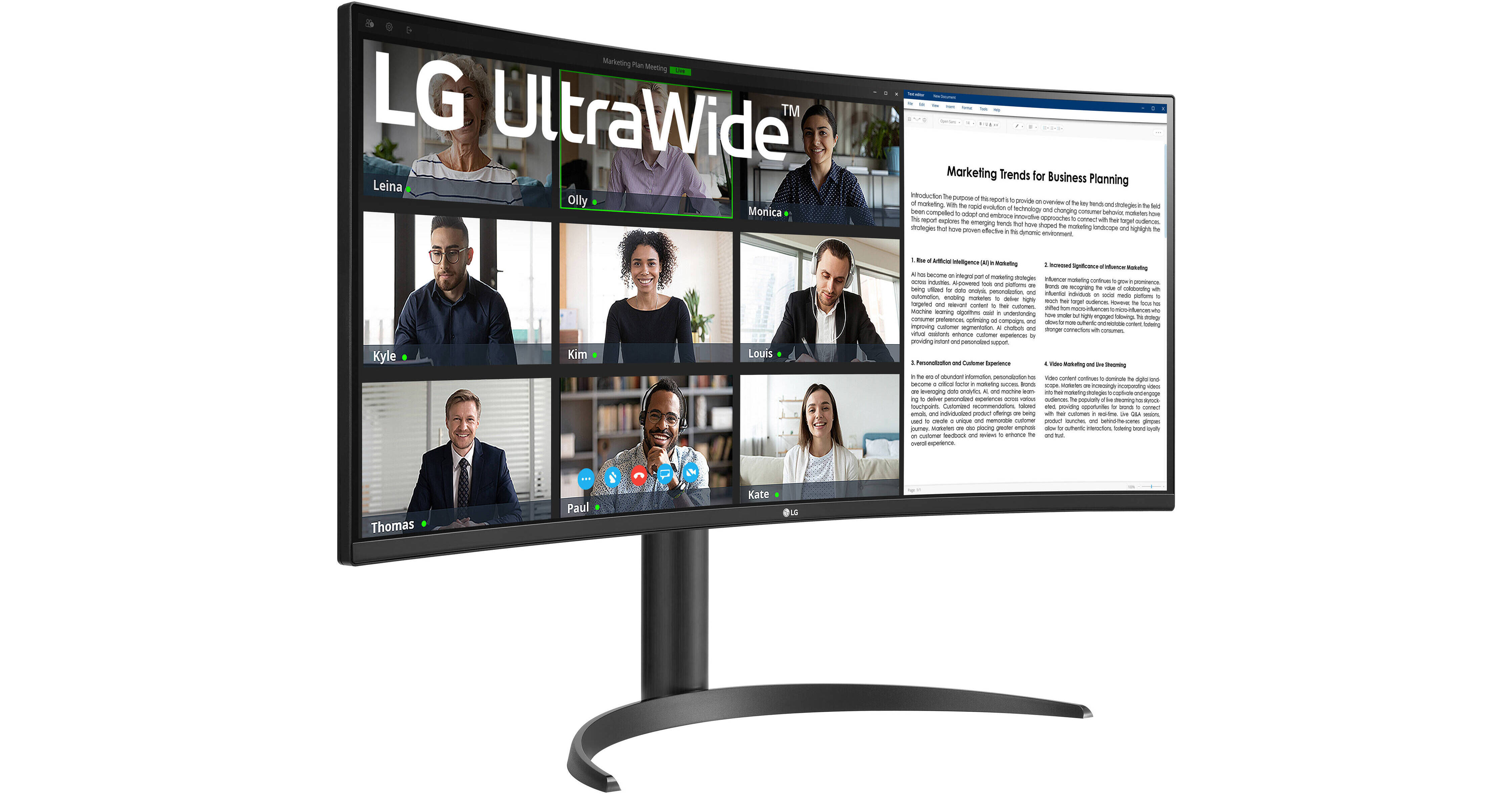
LG UltraWide 34WR55QK-B 34" 1440p HDR 100 Hz Curved Monitor

BH #LG34WR55QKB • MFR #34WR55QK-B.AUS
Print
LG UltraWide 34WR55QK-B 34" 1440p HDR 100 Hz Curved Monitor
Key Features
  • 34" 21:9 1800R Curved VA Panel
  • HDMI | DisplayPort | USB-C (65W)
  • WQHD (1440p) 3440 x 1440 at 100 Hz
  • 5 ms (GtG) Response Time
With its 1800R curved design, the LG UltraWide 34WR55QK-B 34" 1440p HDR 100 Hz Curved Monitor boosts your productivity by allowing you to see more information at a glance. This 3440 x 1440 resolution widescreen display also enhances your workflow with a built-in KVM switch.
More Details
In Stock
No Store Display
Free 2-Day Shipping
Protect Your Gear
Add a protection plan from $31.99
Savings Available:
Save Up to $5.00
Ask an Expert
800-606-6969

LG 34WR55QK-B Overview

With its 1800R curved design, the LG UltraWide 34WR55QK-B 34" 1440p HDR 100 Hz Curved Monitor boosts your productivity by allowing you to see more information at a glance. This 3440 x 1440 resolution widescreen display also enhances your workflow with a built-in KVM switch.

In addition to having two HDMI 2.0 ports and a DisplayPort 1.4 input, you can transfer video, data, and up to 65W of power with compatible laptops using a single USB-C cable. HDR10 support provides realistic visuals.

A Wide View
Featuring an 1800R curve with a 21:9 aspect ratio and 178° viewing angles, the LG UltraWide monitor envelopes your field of view.
Rich Visuals
Supporting 16.7 million colors with high-dynamic range, covering 99% of the sRGB gamut, the 34" VA panel delivers lifelike images with bright highlights and deep shadows.
Smooth Graphics
The 100 Hz refresh rate and 5 ms response time help to minimize motion blur when quickly scrolling through text and watching videos.
Versatile Connectivity
Two HDMI 2.0 ports are available alongside a DisplayPort 1.4 input. The USB-C port supports video, data, and up to 65W power transfers with compatible laptops. Additionally, the 2-port USB hub allows you to connect peripherals such as a mouse and keyboard through the monitor. Plugging a pair of headphones into the 3.5mm jack provides listening privacy.
Enhanced Multitasking
The integrated KVM switch allows you to control up to two connected devices simultaneously using a single mouse and keyboard set in Picture-by-Picture (PbP) mode.
Ergonomic Design
Adjust the screen's height and tilt to match your comfort. You can also use the 100 x 100mm VESA mounting pattern to attach the display to a wall, swivel arm, or multi-monitor stand.
UPC: 195174071465

LG 34WR55QK-B Specs

Key Specs
Display Size
34"
Panel Type
VA LCD
Native Resolution
3440 x 1440
Maximum Brightness
300 nits / cd/m2
HDR Support
Yes: HDR10
Color Support
16.7 Million Colors
Color Gamut
99% sRGB
Finish
Anti-Glare
Touchscreen
No
A/V Inputs
DisplayPort 1.4 / HDMI 2.0
A/V Outputs
3.5 mm
USB I/O
USB-A 3.2 Gen 1 / USB-C 3.2 Gen 1
Built-In Speakers
No
Display
Size
34"
Panel Type
VA LCD
Aspect Ratio
21:9
Native Resolution
3440 x 1440
Maximum Brightness
300 nits / cd/m2
HDR Support
Yes: HDR10
Contrast Ratio
3000:1
Response Time
5 ms (GtG)
Refresh Rate
100 Hz
Variable Refresh Technology
Variable Refresh Rate (VRR)
Color Support
16.7 Million Colors
Color Gamut
99% sRGB
Viewing Angle (H x V)
178 x 178°
Curved Display
Yes: 1800R
Finish
Anti-Glare
Surface
Touchscreen
No
Connectivity
A/V Inputs
2x HDMI 2.0
1x DisplayPort 1.4
A/V Outputs
1x 1/8" / 3.5 mm
HDCP Support
Yes: Version 2.2
USB I/O
2x USB-A 3.0 / 3.1/3.2 Gen 1
1x USB-C 3.0 / 3.1/3.2 Gen 1 with DP Alt Mode, USB PD 65 W
Multi-Input Support (PIP/PBP)
Yes: Picture-by-Picture (PBP)
Speaker
Built-In Speakers
No
Electrical
Power Consumption
Typical: 38.4 W
Input Power
100 to 240 VAC, 50 / 60 Hz
Power Adapter Type
External
General
Certifications
CE
Adjustments
Adjustable
Tilt: 25° (-5 to 20°)
Height: Up to 4.3" / 109.2 mm
VESA Mounting-Hole Pattern
100 x 100 mm
Lock Slot
Yes
Packaging Info
Package Weight
22 lb
Box Dimensions (LxWxH)
38.5 x 21 x 8"

LG 34WR55QK-B Reviews

Great features, and love the 1800R curvature

By TonyU
Rated 4 out of 5
Date: 2025-11-05

I purchased a 34" IPS LG monitor back in 2019, which has since been discontinued, and I needed another 34". I decided to give this 34WR55QK-B a try because of the good reviews, even though I was a little reluctant given that it is VA and not IPS. I am pleasantly surprised, because the fonts look pretty good on this monitor. Though, I have discovered a bug in this monitor, which I suppose could be resolved via a firmware update through the OnScreen Control app. The bug shows up when you have the Auto-Input Switch enabled and are using the USB-C connector from the monitor, connected to your laptop, along with the two USB-hub ports on the back of the monitor. Every so often, any device you have connected to the USB-hub ports is re-identified by the Windows 11 OS, as if you just plugged them in, which is annoying because if you have a USB dongle for your wireless keyboard and mouse plugged into any of these two USB ports, the bug causes your keyboard and mouse to freeze because the OS thinks that the dongle was just plugged in. To get around this bug for now, you need disabled Auto-input Switch and select the USB-C input as the input you intend to use.

See any errors on this page?
Whatever You Need, We've Got It