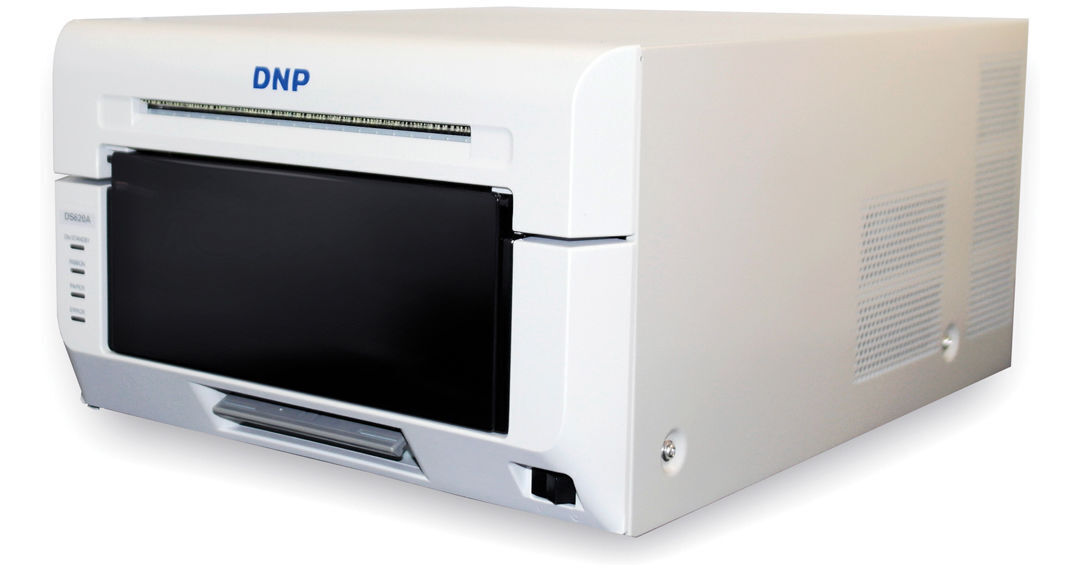
DNP DS620A Professional Photo Printer

BH #DNDS620A • MFR #DS620A
Print
DNP DS620A Professional Photo Printer
Key Features
  • Dye Sublimation / Thermal Transfer
  • Max Resolution: 300 dpi
  • Print Sizes: 2 x 6" to 6 x 8"
  • Print Speed: 4 x 6" in 8.3 Seconds
Using an enhanced thermal print head and print engine system the DS620A Professional Photo Printer from DNP is designed for high quality prints with excellent speed and 300 dpi resolution. The printer will produce prints from 2 x 6" photo strips to 6 x 8" images and in high-speed mode will create a 4 x 6" photo in just 8.3 seconds. You can also create beautiful panoramic images up to 6 x 20" when using DNP's Hot Folder Print v2.2 software. The unit can make up to 400 pictures in an hour with the roll feed and the same media can be used for either glossy or matte finishes.
More Details

DNP DS620A Overview

From Manufacturer

Using an enhanced thermal print head and print engine system the DS620A Professional Photo Printer from DNP is designed for high quality prints with excellent speed and 300 dpi resolution. The printer will produce prints from 2 x 6" photo strips to 6 x 8" images and in high-speed mode will create a 4 x 6" photo in just 8.3 seconds. You can also create beautiful panoramic images up to 6 x 20" when using DNP's Hot Folder Print v2.2 software. The unit can make up to 400 pictures in an hour with the roll feed and the same media can be used for either glossy or matte finishes.

During operation the DS620A has both high-speed and high-quality modes, depending on your personal needs. Also, it offers a watermark on the back of the photos and has USB 2.0 connectivity to a computer. This connection works with a print driver to provide users with detailed information about current status and print jobs. The DS620A comes with a CD with Windows drivers, and Mac drivers are also available as a free download online.

UPC: 847605010122

DNP DS620A Specs

Key Specs
Functions
Print
Printing Technology
Dye Sublimation / Thermal Transfer
Color Type
Color
Print Resolution
300 x 600 dpi
Media Sizes
4 x 6" / 10.2 x 15.2 cm Rolls
5 x 7" / 12.7 x 17.8 cm Rolls
6 x 8" / 15.2 x 20.3 cm Rolls
Power Source
AC Power (Cable Built-In/Included)
Functions
Print
Printer
Printing Technology
Dye Sublimation / Thermal Transfer
Color Type
Color
Ink Palette
CMY, Overcoat
Print Resolution
300 x 600 dpi
Print Speed (By Size)
4 x 6" / 10.2 x 15.2 cm: 8.3 Seconds
5 x 7" / 12.7 x 17.8 cm: 14.1 Seconds
6 x 8" / 15.2 x 20.3 cm: 15.7 Seconds
Printer Media Handling
Surface Finish
Glossy, Matte
Supported Media
Roll
Media Sizes
4 x 6" / 10.2 x 15.2 cm Rolls Produce:
 • 2 x 6" / 5.1 x 15.2 cm Prints
 • 4 x 6" / 10.2 x 15.2 cm Prints

5 x 7" / 12.7 x 17.8 cm Rolls Produce:
 • 3.5 x 5" / 8.9 x 12.7 cm Prints
 • 5 x 5" / 12.7 x 12.7 cm Prints
 • 5 x 7" / 12.7 x 17.8 cm Prints

6 x 8" / 15.2 x 20.3 cm Rolls Produce:
 • 2 x 6" / 5.1 x 15.2 cm Prints
 • 4 x 6" / 10.2 x 15.2 cm Prints
 • 6 x 6" / 15.2 x 15.2 cm Prints
 • 6 x 8" / 15.2 x 20.3 cm Prints
 • 6 x 14" / 15.2 x 35.6 cm Prints
 • 6 x 20" / 15.2 x 50.8 cm Prints
Connectivity
Data I/O
1x USB-B 2.0 Input
Direct Printing
USB Port
OS Compatibility
Windows / macOS
General
Power Source
AC Power (Cable Built-In/Included)
Input Power
100 to 240 VAC, 50 / 60 Hz
Power Consumption
0.5 W (Sleep)
Dimensions (W x H x D)
10.8 x 6.7 x 14.4" / 27.4 x 17 x 36.6 cm
Weight
26.4 lb / 12 kg
Packaging Info
Package Weight
29.05 lb
Box Dimensions (LxWxH)
26 x 22 x 18"

DNP DS620A Reviews

Reliable & Fast

By Steven
Rated 5 out of 5
Date: 2025-08-12

I bought this for an iPad photobooth using Fiesta software. I had to figure out the settings, but there are a bunch of Youtube videos and after some minimal trial and error I was able to use this printer with minimal supervision at a Wedding event.

Excellent printer!

By Jose
Rated 5 out of 5
Date: 2024-11-23

I bought a DNP printer to build my own photo both...as long you know the correct software from DNP to make work you will have no problems, it's super fast... I love it..!

See any errors on this page?

HI. What is the paper weight (paper thickness) ...

HI. What is the paper weight (paper thickness) that the printer uses?
Asked by: Daniel
Hi Daniel, the thickness of the DS620 paper is 224+/-15 um
Answered by: Your DNP Brand Expert
Date published: 2019-03-14

Hi, can i just print a photo by using the ...

Hi, can i just print a photo by using the control-p shortcut? or i have to pen a software' load my pictures' and then print?
Asked by: Elimelech
Yes, you would be able to print with the control + p shortcut on this DNP DS620A Professional Photo Printer.
Answered by: Moe
Date published: 2022-04-13

Will this printer print 2x2 photos for passports?

Will this printer print 2x2 photos for passports?
Asked by: Diane
Hi Diane. No, the smallest print size is 4x6, then you would need to cut down manually to 2x2. Another option since you already have the DS620A printer is to purchase a Tmini. When combined with the DS620, it creates our SL620A Snap Lab product which does have a passport feature/software in the system. Check out our website for details around the SL620A.
Answered by: Your DNP Brand Expert
Date published: 2019-03-04

Hi can this be used with 220v? Thanks

Hi can this be used with 220v? Thanks
Asked by: Effy
The DNP DS620A Professional Photo Printer (B&H # DNDS620A) is compatible with input power between 100 and 240 VAC, 50 / 60 Hz.
Answered by: Luis F
Date published: 2024-09-22

Can I print my Entire session straight from ...

Can I print my Entire session straight from LIGHTROOM?
Asked by: Angel
Yes, you can select multiple files or folders to print to the DNP DS620A Professional Photo Printer (B&H# DNDS620A) (or other printers) from within Adobe Lightroom.
Answered by: Yoni S
Date published: 2021-10-24

Are there any other printer paper compatible than ...

Are there any other printer paper compatible than dnp?
Asked by: Areana
No, there is no other printer paper compatible with the DNP DS620A Professional Photo Printer.
Answered by: Sagi C
Date published: 2022-01-17

2015 no drivers for Mac. Now its 2021 are there ...

2015 no drivers for Mac. Now its 2021 are there any drivers for Mac?
Asked by: Jeff
Works perfect on Mac they have drivers
Answered by: Leo
Date published: 2021-05-01

Just purchased a Photo Booth and wanted to print ...

Just purchased a Photo Booth and wanted to print pictures wirelessly. The Photo Booth runs on an iPad how would I do that
Asked by: Valerie
In order to print on iPad with this DNP DS620A Professional Photo Printer, you will need to use the DNP WCM Plus Wireless Connect Module. BH #DNWCMPLUS
Answered by: Sagi C
Date published: 2024-01-16
  • y_2026, m_6, d_10, h_10CST
  • bvseo_bulk, prod_bvqa, vn_bulk_3.0.46
  • cp_1, bvpage1
  • co_hasquestionsanswers, tq_49
  • loc_en_US, sid_1117216, prod, sort_[SortEntry(order=HAS_STAFF_ANSWERS, direction=DESCENDING)]
  • clientName_bhphotovideo
Whatever You Need, We've Got It