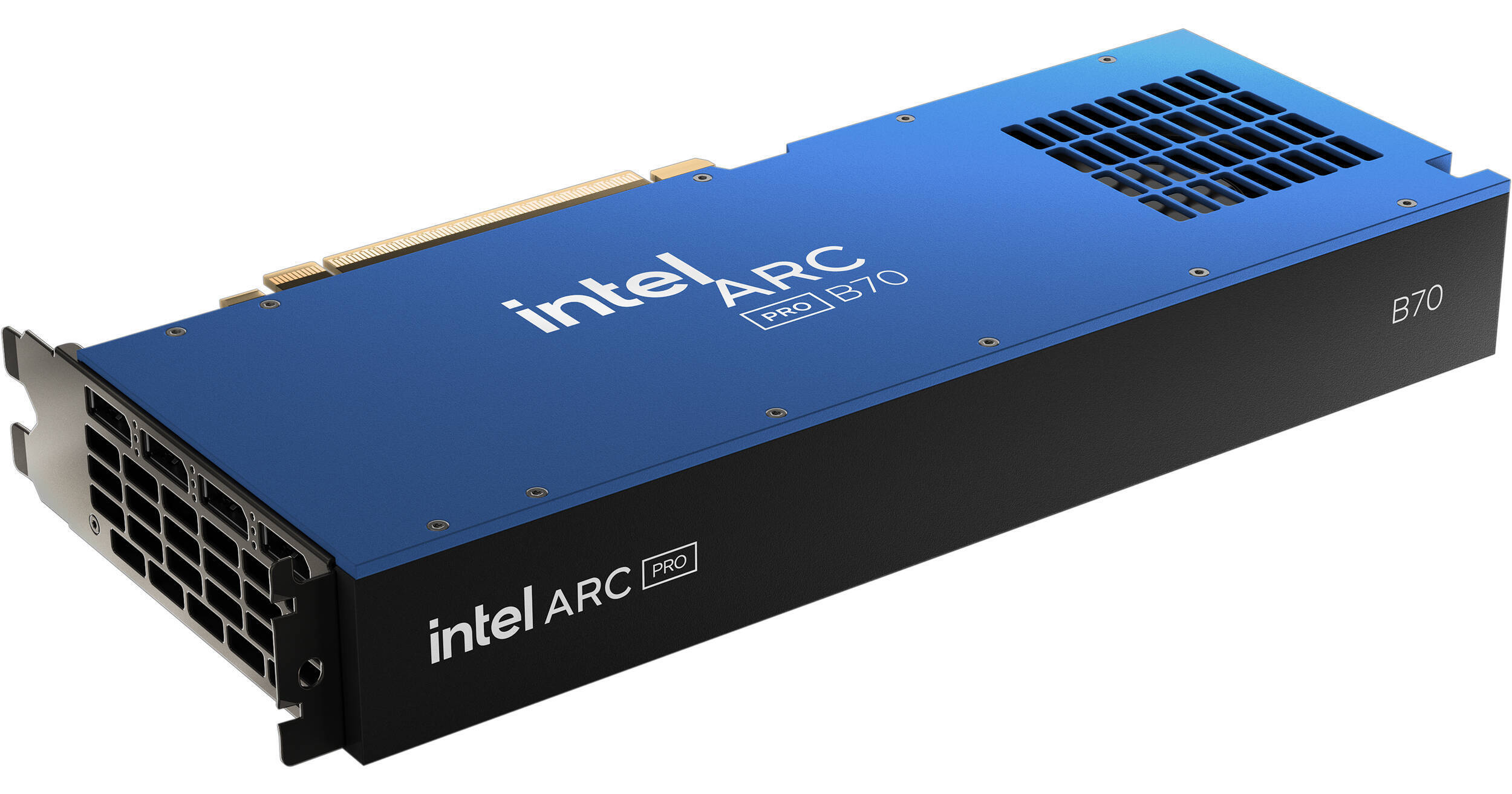
Intel Arc Pro B70 Graphics Card

BH #INAPB7032GB • MFR #33P01IB0BB
Print
Intel Arc Pro B70 Graphics Card
Key Features
  • 2800 MHz Boost Clock Speed
  • 32 Xe Cores | 256 XMX AI Engines
  • Xe2 Architecture | 32 RT Units
  • 32GB of ECC GDDR6 VRAM
Built using the Xe2 microarchitecture, the Intel Arc Pro B70 Workstation Graphics Card is designed to deliver responsive visuals with ray tracing while accelerating AI workloads.
More Details
In Stock
No Store Display
Free Expedited Shipping
Protect Your Gear
Add a protection plan from $77.99
Ask an Expert
866-264-7509

Intel B70 Overview

Built using the Xe2 microarchitecture, the Intel Arc Pro B70 Workstation Graphics Card is designed to deliver responsive visuals with ray tracing while accelerating AI workloads.

In addition to featuring 32GB of ECC GDDR6 VRAM with a 256-bit memory interface, this GPU features 32 Xe cores with a 2800 MHz boost clock speed. With 256 XMX AI Engines, the Arc Pro B70 delivers up to 367 TOPS (Trillions of Operations per Second) to upscale graphics, optimize gaming performance, and accelerate generative AI content creation. The 32 ray tracing units provide realistic lighting and reflections with compatible games.

Xe2 Architecture
Based on Xe2 architecture, this GPU features Intel Xe Matrix Extensions (XMX) AI cores and advanced ray tracing units, bringing high-performance capabilities to creators, developers, and engineers.
XeSS 2
Intel's Xe Super Sampling (XeSS) is updated with three key technologies: XeSS Super Resolution, XeSS Frame Generation, and Xe Low Latency.

XeSS Super Resolution offers AI-based upscaling for over 150 supported games. AI-powered XeSS Frame Generation delivers a more fluid visual experience by adding interpolated frames using optical flow and motion vector reprojection. Lastly, Xe Low Latency integrates with the game engine to provide faster responsiveness. With all three technologies active, XeSS 2 can increase the fps output by up to 3.9x compared to the previous generation, delivering high performance with demanding AAA games.

Optimized for AEC
This GPU is optimized for AEC (architecture, engineering, construction) and inference workstations, providing stability and performance through a wide range of independent software vendors (ISV) certifications.
OS Compatibility
This GPU is compatible with consumer and pro drivers on Windows. On Linux, this graphics card supports a containerized software stack to simplify AI deployments and will be progressively upgraded with features and optimizations.
UPC: 735858551984

Intel B70 Specs

Key Specs
GPU Model
Intel Arc Pro B70
Stream Processors
32
Dedicated AI Cores
Yes: 367 TOPS
Interface
PCI Express 5.0 x16
Video RAM
32 GB ECC GDDR6
Video Output
4x DisplayPort 2.1
Power Connection
1x 8-Pin PCI Connector
GPU Width
Dual-Slot
GPU
GPU Model
Intel Arc Pro B70
Stream Processors
32
Clock Speed
Boost Mode: 2800 MHz
Base Mode: 2280 MHz
Dedicated AI Cores
Yes: 367 TOPS
Interface
PCI Express 5.0 x16
Supported APIs
DirectX: 12
Vulkan
OpenGL
OpenCL
Memory
Video RAM
32 GB ECC GDDR6
Memory Interface Width
256-Bit
Memory Bandwidth
608 GB/s
Display Support
Video Output
4x DisplayPort 2.1
Power Requirements
Max Power Consumption
230 W
Power Connection
1x 8-Pin PCI Connector
Compatibility
Expansion Slot Compatibility
Full Height
Height
3.9" / 99.1 mm
Length
10.5" / 266.7 mm
Width
Dual-Slot
OS Compatibility
Windows
General
Cooler Type
Blower-Style Fan
Packaging Info
Package Weight
3.165 lb
Box Dimensions (LxWxH)
15.3 x 8 x 4.1"

Intel B70 Reviews

Nice upgrade for A770

By Anonymous
Rated 5 out of 5
Date: 2026-06-03

The B70 was a drop-in replacement for my A770, no driver upgrade required, and instantly tripled inference performance. XPU is feeling well supported since PyTorch 2.5 - the number of people running Intel hardware is growing. The Intel AI Playground can get you started quickly if you were struggling with the oneAPI/SYCL/TorchXPU ecosystem.

Still working on it

By Joseph
Rated 2 out of 5
Date: 2026-04-29

I've spent the last two weekends trying to get this card running. If you're expecting something Plug-and-Play like an ATI or nVidia card, you're in for a bad surprise. I'm debating a return because I'm really not sure if it's just a bad card. I'm finally booting with the card in the slot, but I've yet to get it to show up in my system, even after installing drivers. If you're having trouble, try moving your NVME drive to a different slot and resetting your CMOS. Once I've got it up and running I'll edit my review, but it's really been a few weeks since I've gotten it and still don't have it functional.

See any errors on this page?
Whatever You Need, We've Got It