
I love BenQ monitors. Over the last several years, I have been buying their brand of gaming monitors because they are long lasting, have great build quality, and match the performance and function that I need. But those are gaming monitors—what about displays for designers and professional users? Well, you’ll be glad to know that BenQ continues to uphold their outstanding quality with the PD3226G.
Sleek and Professional Design
When you look at a BenQ monitor, you know exactly what it is for. The overall design of the PD3226G screams “professional.” From the fully adjustable metal stand to the included wireless Hotkey Puck G3 control unit, you know that this monitor means business. It trades in ambient backlighting and a loud bass sound system found in their gaming lineup for higher resolution with a fast refresh rate, something you don’t often see in design monitors.
Sporting a matte, in-plane switching (IPS) panel with a high-quality 4K (3840 x 2160) resolution, the details truly pop! Resolution alone doesn’t make the monitor though. The display supports multiple color spaces, matching 100% of the sRGB and Rec. 709 gamuts, as well as 95% of the DCI-P3 space across 1.07 billion colors.
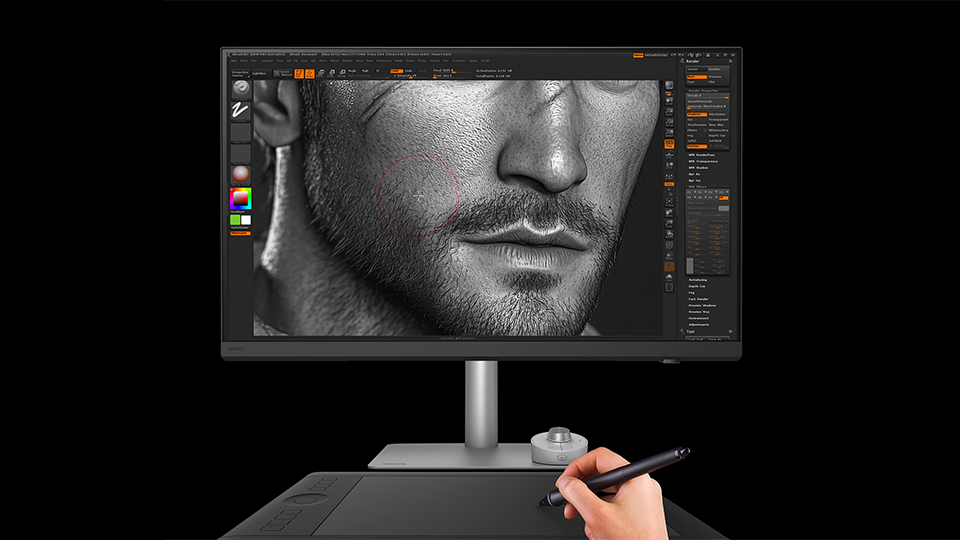
Perhaps the most interesting part is the monitor’s 144 Hz refresh rate, which makes it incredibly smooth and more than suitable for handling video editing tasks. To ensure it was up to the task, I ran the display through some visual benchmarking and found that it provided a clear picture at 144 Hz and 72 Hz when running 1200 pixels per second. Most design monitors tend to have high resolutions paired with lower refresh rates to properly balance system resources, which is what makes the PD3226G incredibly interesting. It manages to put both visuals and fidelity on a solid foundation, continuing BenQ’s rich history of fast and speedy performance. No matter how much I say that this monitor is designed for graphic designers and artists, there is enough leeway to treat it like a high-end gaming monitor, despite it not being the true purpose.
Color Space
For designers and editors, color balance is incredibly important. If a display doesn’t have multiple color options to fulfill these color spaces, then it could fail to deliver an accurate final product. I’m not a professional designer, so to ensure that the colorization was correct, I consulted with one and showed them all the different color modes to make sure it fulfilled the needs of other professionals. We tuned the connected system’s visual output to match the setting of the screen. We also adjusted the brightness of the display to maximum and that is when we reached the proper color gamut. While this colorization is certified across the board, you still may have to adjust a few settings. Otherwise, the other color modes were absolutely perfect, especially the “Animation” selection. This especially is great for those who are working in the world of game design where color, resolution, and fluidity all take precedence.
I also must mention that the display reaches a maximum brightness of 400 nits, 1200:1 static contrast ratio, and features HDR10 support, adding vivid colorization to your work while maintaining tone balance. On top of that, it features a couple of extra color modes so you can get the full breadth of visualizations. It is also Calman Verified, Pantone Validated, Pantone SkinTone Validated, which adds to the complete pedigree of this monitor. It really takes color and resolution to the next level.
Connectivity
I must mention one of the best accessories that is included with the display and that is the Hotkey Puck G3. Included with previous BenQ displays in a wired format, this new and updated peripheral is truly a game changer. Operating wirelessly off of two included AAA batteries, the Hotkey Puck G3 takes the onboard controller and places it upon your desktop. I think this is a device that all monitors should include from here on out. Not only does it have a dial to control brightness and other features, but it also has three buttons so you can swap quickly between your most-used color modes. You can program these keys too, which is incredible. There are also two buttons for the menu and to go back a step, and the dial itself is a button as well. The Hotkey Puck G3 has a lot of tricks up its sleeve, but one of my favorites is the channel switching function, which allows you to control up to three monitors—great for multitaskers!
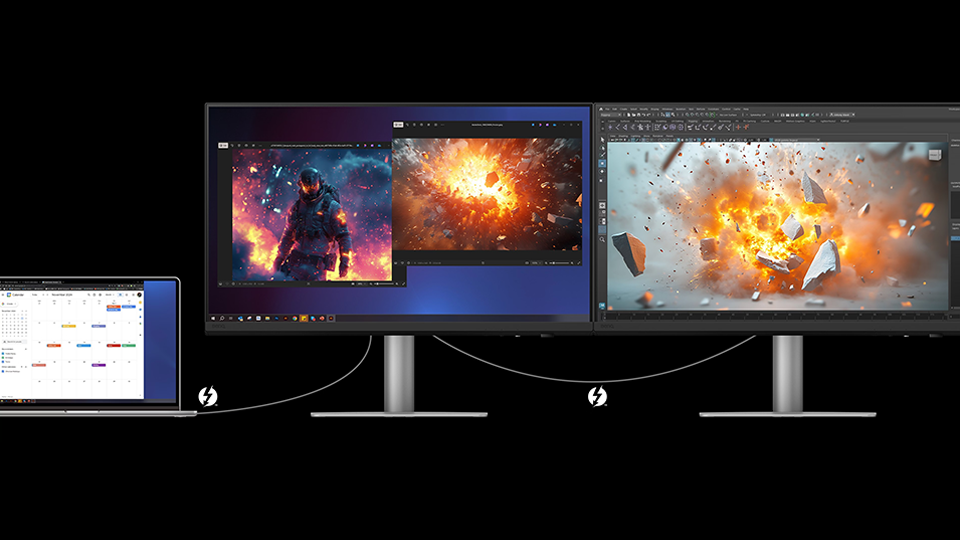
BenQ including a dial isn’t the only highlight, of course. The PD3226G includes a variety of ports along with KVM capabilities, meaning you can connect multiple systems such as a singular desktop and your laptop to the monitor and easily swap between which device is active on the screen. You get two Thunderbolt 4 ports, three USB-A 3.2 Gen 2 ports, two USB-C 3.2 Gen 2 ports, as well as HDMI 2.1 and DiplayPort 1.4 video inputs. The flexibility here is quite amazing as it is vast. The Thunderbolt 4 connectivity alone transforms the display from just a standard tool into the centerpiece to which your entire workstation revolves around.
Conclusion
When it comes to the BenQ PD3226G, there is a lot for me to gush over. I honestly think that if you are a professional who values everything here and also wants additional features like Picture-in-Picture modes, you can’t go wrong with BenQ. There is a reason why they are the brand I predominantly stick with year after year, and once again they proved that they could flex their muscles in the professional graphic design department. The PD3226G is a mark above the rest.
