
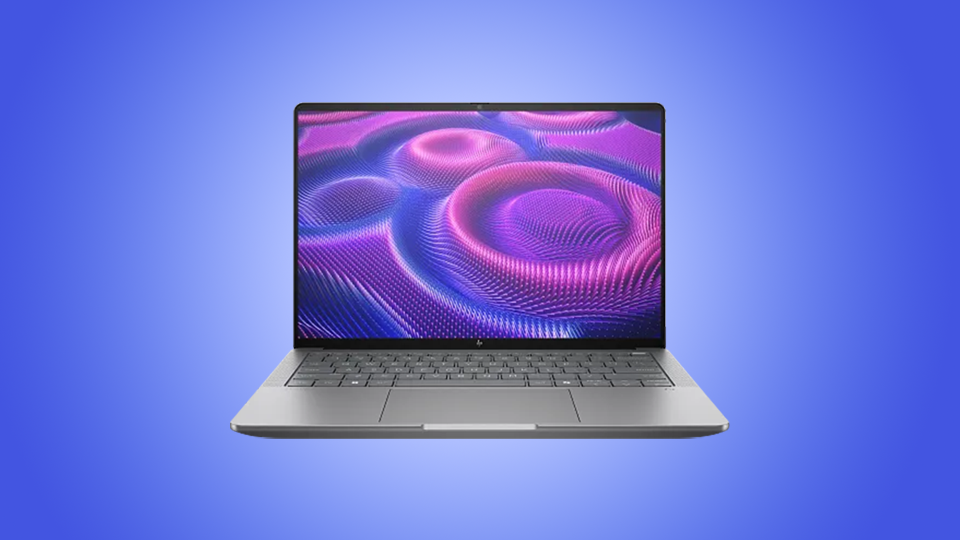
Finding the perfect workstation that can handle everything you throw at it while also maintaining a balance between power and size is tough. A lot of gaming-focused computers have been used for handling lots of projects, but now things have changed. After getting my hands on HP’s ZBook Ultra G1a laptop, I feel very positive that we will see a massive change from here on out, because HP managed to take the most difficult aspect of workstation laptops and solve it.
Specifications
We have quite the configuration in our hands here, tons of power that fits neatly within a carefully crafted aluminum chassis. At the heart of the ZBook Ultra is an AMD Ryzen AI Max+ Pro 395 processor, 128GB of 8000 MT/s memory, and a 2TB SSD. For graphics, we get integrated AMD Radeon 8060S backed by 32GB of memory. Overall, these specifications are great for a workstation of this caliber. On paper, it seems the ZBook punches way above its weight.
The Ryzen AI Max+ Pro is a stand-out processor under AMD’s Halo Strix lineup. In the past, they claimed this would be one of the most powerful notebook processors and it appears they delivered on that promise. It is fast, snappy, and can handle almost everything I threw at it in terms of design software. This is because of the processor unique technologies and overall architecture. Because of this design philosophy, the ZBook Ultra can be as light and compact as it is.
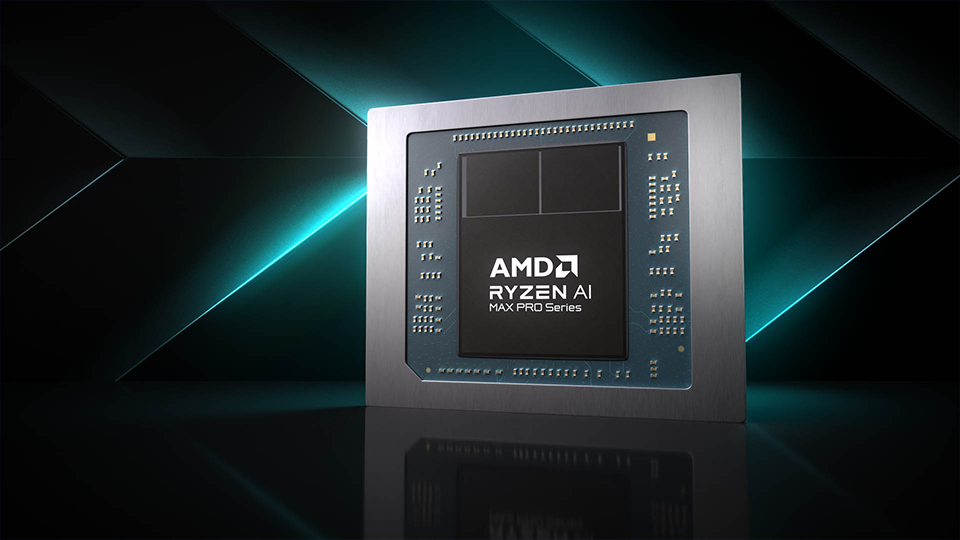
The ZBook Ultra leverages the processor’s 40 dedicated graphics cores and 32GB VRAM buffer for the Radeon graphics engine. Even on desktop systems, this is an immense amount of power. It makes sense as this is a no-compromises device. This isn’t a laptop you use just to design splash graphics; it’s made to handle 3D modeling and other intensive applications. When putting it through its pacing, it handled everything I threw at it. The ZBook Ultra scored within a reasonable range of most high-end gaming laptops.
When it comes to RAM, I’m glad to see the capacity maxed out with 128GB of LPDDR5 memory. This makes rendering projects quicker and multitasking generally faster. Open all the tabs you want, the ZBook Ultra can handle it. Speed of the system is only enhanced by the 2TB SSD, which uses PCIe technology to help with loading and saving large files. Sticking with 2TB is a smart option as creators will have enough space to work on various projects. I didn’t notice any hiccupping or slowdown when rendering various scenes.
Display
The ZBook Ultra’s 14-inch display is incredibly impressive. This 2880 x 1800 resolution is backed by a beautiful OLED panel that makes all the colors pop with intense vibrancy. It also has a 120 Hz refresh rate, which is amazing, giving the screen a nice feeling, especially when scrolling through content, watching media, and everything between. Additionally, the display does have 10-point touch functionality, which is useful when working with certain programs.

You’d think that the display would attract smudges and oils from your fingertips, and it does, but slightly. When on, the display is so bright and vibrant that you don’t see any of those temporary imperfections till the display is off.
A small gesture but I like that I can open the laptop easily with just one finger. The hinge feels tight, which prevents shaking when opening or adjusting the viewing angle. Speaking of angles, you can push the display far back so you can share whatever it is on screen with those around you. Because it is an OLED panel, there is zero distortion of the image.
Keyboard and Trackpad
Both the keyboard and the touchpad are magnificent. Starting with the keyboard, I have to say that I really like this design. It feels oddly soft but when I begin to press down, it has this mechanical-like feel, making it more tactile to a point where every press feels satisfying. When drafting up documents, I don’t feel the keyboard flex at all, and I am a heavy typer. I also must note that the keyboard is spill resistant and that is achieved without compromising any other aspect of this build. If you are making a keyboard intended for workstation use, this is how you build it.
The touchpad ranks as one of the highest rated ones I have used ever thanks to the smoothness and natural feel to it. My fingers glide across the top with zero interruptions and I am clicking on various elements with ease. Plus, it is much larger, which is great for folks like me who might have larger hands. Best of all, I’m not activating it when I type, which feels nice and natural. I started using the touchpad in the same exact way I use my daily driver, and the transition was seamless. I simply cannot rave about it more!
Connectivity
Finally, I want to touch on the ZBook Ultra’s I/O. You have one USB-A and three USB-C ports. Two USB-C slots support Thunderbolt 4 technology while the remaining USB-C and USB-A ports use USB 3.2 Gen 2 interfaces. For a workstation, I think this lineup is fine with a huge emphasis on the capabilities of the Thunderbolt 4 port. A lot of laptop manufacturers have decided to forgo the traditional USB-A ports, but not here and that is something I deeply appreciate. HP also managed to throw in an HDMI video output, which is great if you are someone who is presenting your work in front of a class or when trying to pitch certain elements to a team.
Overall Thoughts
There is a lot to the HP ZBook Ultra and if you get a chance to see it in person, you’re going to be amazed by how so much power can fit into such a compact size. There is a thin line between gaming laptops and workstations, and people tend to lean towards gaming laptops simply because they can produce an immense amount of power. The trade off is how big and heavy they could be. They also tend to have much larger screens and incorporate a ton of components that take up more space. Not so much here.
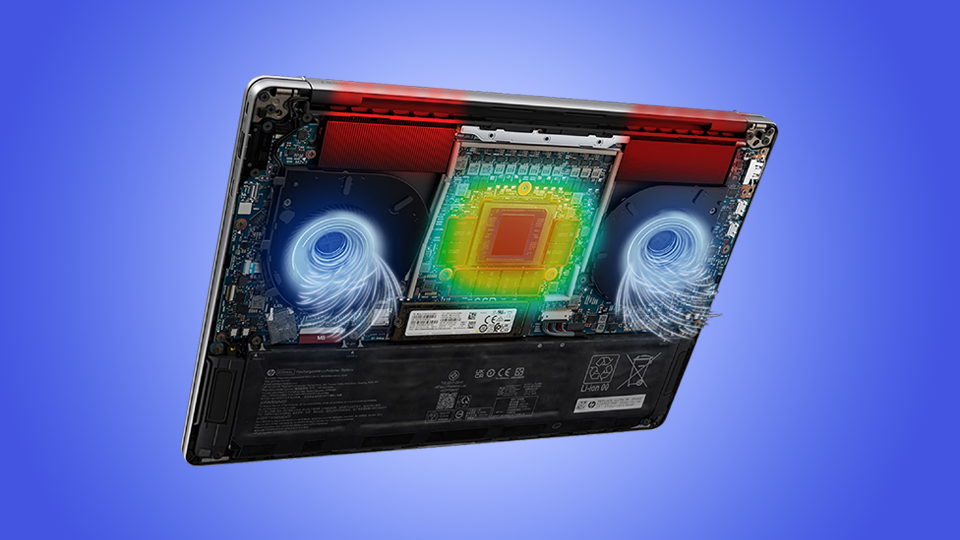
I’m also typically used to fans being super loud and distracting whether I am rendering a project or playing a game. I was surprised to only hear the fans turn up fully when factory resetting the device. Typically, in other laptops, the center of the keyboard would begin to get hot and you could feel the heat rise between the keys, but I didn’t experience that here.
As a whole, this is a solid device. The price is a little up there but when you take a step back and see everything you are getting and consider how packed tight all the components are, it makes perfect sense. Other configurations are also available with a handful of options that will still deliver a great experience no matter what you are doing. As I said before, the ZBook Ultra is a no-compromises machine and stands up to the “ultra” aspect of its namesake. If you are looking for a device that is powerful yet compact, I would absolutely suggest the HP ZBook Ultra G1a.
